00197443-02_IM_707_1_DE_EN.pdf - 第23页
Station S oftware 70 7.1 / Ins tallation Man ual Ausgabe 05/2014 E dition 23 5 Installin g the M achine C omputer 5.1 Insta llation S equence Back up the machine data Install Windows XP/Windows XP Emb./ Windows Emb. Stan…
Station Software 707.1 / Installation Manual Ausgabe 05/2014 Edition
22
4.3 Network Configuration
Machine
computer
Vision computer
10Base-T
or 100Base-T
cross-over cable
100Base-T
cross-over cable
Private network between
machine computer and Vision
computer
SIPLACE LAN
SIPLACE Pro
Twisted pair TP
(100 Mbit/s)
Twisted pair TP
(10 or 100 Mbit/s)
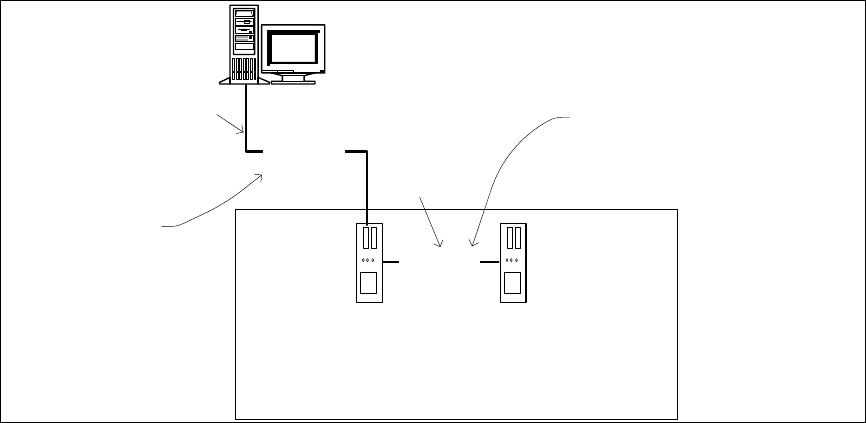
Figure 4-1: Network connections between the machine and SIPLACE Pro
In two-computer operation a separate private network (100 Mbit/s) is set up between the machine
computer and the Vision computer via a subnet mask.
Fixed IP addresses for the machine computer and the Vision computer can thus be assigned for all
SIPLACE machines. These IP addresses are not known outside the private network, for instance in
the SIPLACE LAN.
These IP addresses need not be further configured by the operator while the station software is
being installed.

Station Software 707.1 / Installation Manual Ausgabe 05/2014 Edition
23
5 Installing the Machine Computer
5.1 Installation Sequence
Back up the machine data
Install Windows XP/Windows XP Emb./
Windows Emb. Standard 7 operating
system for the machine computer
(including installation of the touchscreen)
BIOS settings on the
machine computer
Perform BIOS settings
Install SIPLACE Software
(station software incl. additional programs)
BIOS update on the
machine computer
Perform BIOS update
Finish the installation
See separate Installation Manuals for details on
installing the Windows XP, Windows XP
Embedded or Windows 7 operating system
(item no. 00196151-xx, 00196737-xx and
00197366-xx respectively)
For details on calibrating the touchscreen, see
section 5.2.3.
See section 5.3.
See section 5.3.
See section 5.4.
See section 5.4.7.
Figure 5-1: Installation sequence

Station Software 707.1 / Installation Manual Ausgabe 05/2014 Edition
24
5.2 Preparations for Installing the Software
5.2.1 Requirements
Requirements for installing the SIPLACE software and the Vision computer software:
– The Windows XP embedded operating system with Service Pack 2 / Windows Embedded
Standard (XPe SP3) / Windows Embedded Standard 7 SP1 must be installed on the
machine computer and in two-computer operation on the Vision computer (see "Installation
Manual Operating System Windows XP Embedded SP2", item number [00196737-xx] or
Installation Manual Operating System Windows Embedded Standard 7,
item number [00197366-xx])
NOTICE
Error message after installation of the operating system
After installation of the operating system an error message
Windows Out of Virtual
Memory might appear after the station computer is booted.
► In this case, perform the steps that are described in the Technical Information
TI2011-02C06.pdf.
Or
– The Windows XP Professional operating system with Service Pack 3 and all current
hotfixes (SIPLACE Hotfix CD) must be installed on the machine computer and in two-computer
operation on the Vision computer (see the Installation Manual for the Windows XP operating
system, item number [00196151-xx]).
NOTICE
It depends on the fixed license label and the station software version which of the
operating systems will be used. The 707.0 station software supports the operating
systems mentioned above, independently of the machine type.
Under Windows XP Professional the default Windows display settings have to be changed and
the touch screen has to be calibrated. Under Windows XP Embedded / Windows Embedded
Standard only the touch screen has to be calibrated. You must be logged in as Administrator in
order to be able to carry out this work.