00197443-02_IM_707_1_DE_EN.pdf - 第43页
Station S oftware 70 7.1 / Ins tallation Man ual Ausgabe 05/2014 E dition 43 Figure 7-2: Used hardw are components The M achine service activity le vel is requ ired to exec ute the Auto - conf iguration. ► Click the icon…
Station Software 707.1 / Installation Manual Ausgabe 05/2014 Edition
42
7 First Booting after Installation
When a machine is booted for the first time after installation, the station software detects for the
most part independently which hardware components are used via the Auto-configuration feature.
Certain settings, such as table type, lamp indicators and pin magazines cannot be detected
automatically and will have to be selected manually.
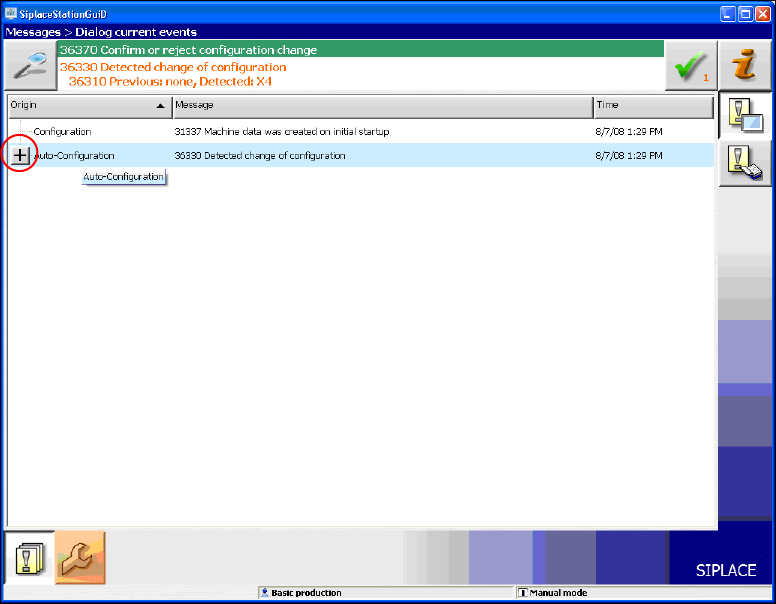
Generally, the operator will be prompted to confirm or reject any configuration changes.
Figure 7-1: Auto-configuration
► Click the + sign in front of the Auto-configuration text to open the message list of the
Auto-configuration function.
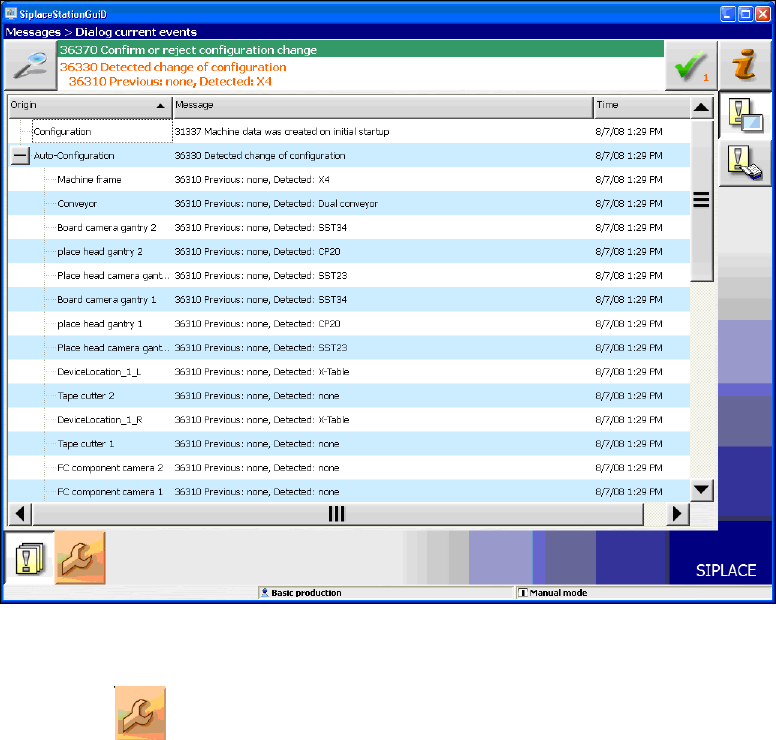
The used hardware components are displayed.
Station Software 707.1 / Installation Manual Ausgabe 05/2014 Edition
43
Figure 7-2: Used hardware components
The Machine service activity level is required to execute the Auto-configuration.
► Click the icon to call the user settings.
Station Software 707.1 / Installation Manual Ausgabe 05/2014 Edition
44
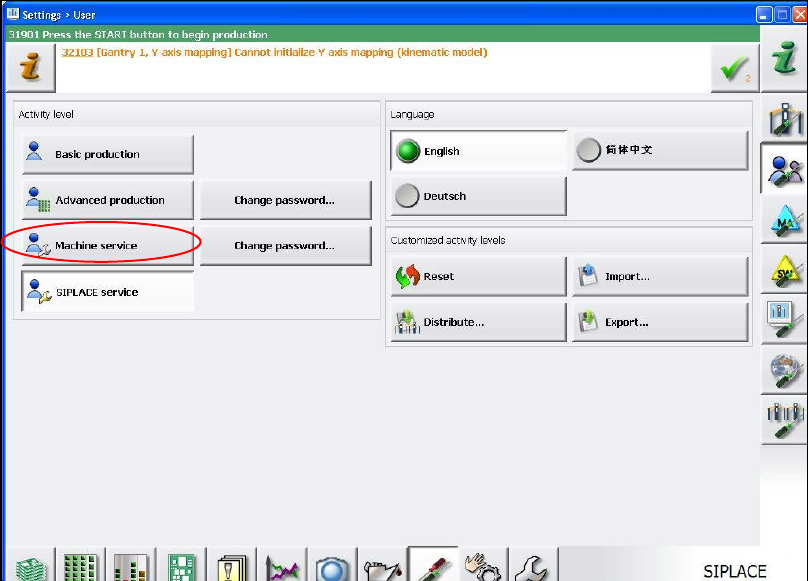
The user settings are displayed.
Figure 7-3: Changing activity level
► Click the Machine service button and enter the password to change into this activity level.