00197443-02_IM_707_1_DE_EN.pdf - 第44页
Station S oftware 70 7.1 / Ins tallation Man ual Ausgabe 05/2014 E dition 44 The user settings ar e displayed. Figure 7-3 : Changing activity level ► Click the M achine servic e button a nd enter t he passwor d to change…
Station Software 707.1 / Installation Manual Ausgabe 05/2014 Edition
43
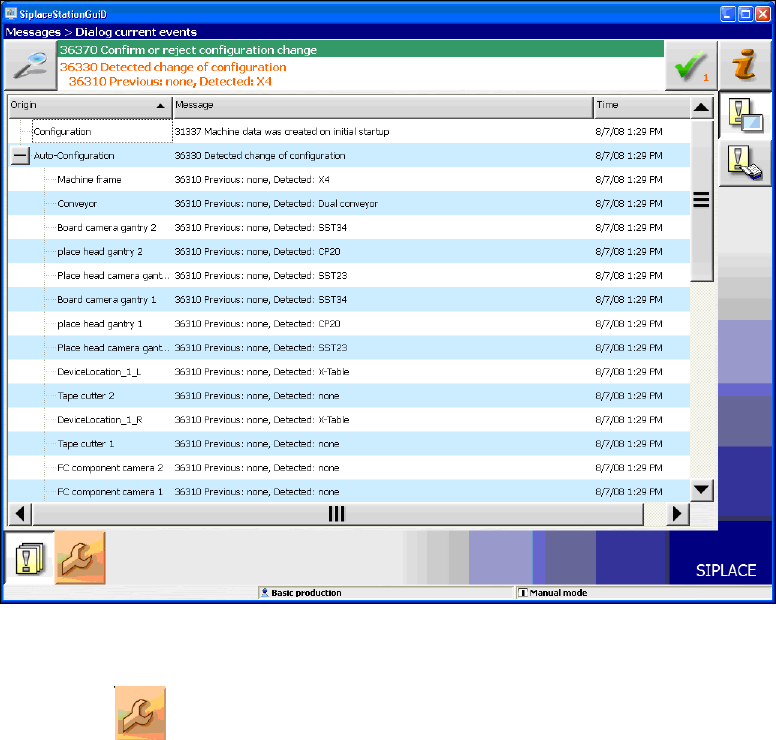
Figure 7-2: Used hardware components
The Machine service activity level is required to execute the Auto-configuration.
► Click the icon to call the user settings.
Station Software 707.1 / Installation Manual Ausgabe 05/2014 Edition
44
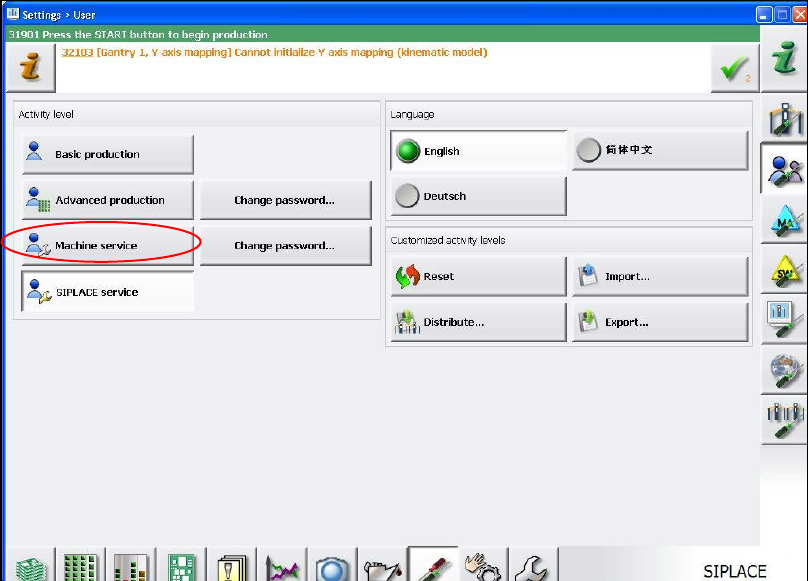
The user settings are displayed.
Figure 7-3: Changing activity level
► Click the Machine service button and enter the password to change into this activity level.
Station Software 707.1 / Installation Manual Ausgabe 05/2014 Edition
45
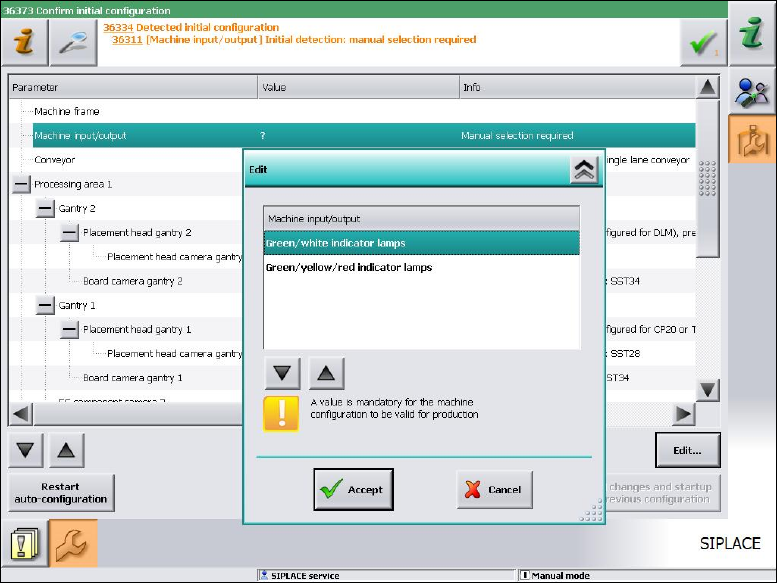
Required manual entries
The entries to be selected manually in the Value column are tagged with a '?' (question mark). All
these values have to be adapted before the auto configuration can be finished.
As of station software version 705.03 you will have to set, whether the lamp indicators on the
placement machine towers shall be displayed two-colored (green / white) or three-colored (green /
white / red) for all placement machines of the SX-series and DX-series. More information about the
two lamp indicator systems can be found in the version description of the 705.03 station software,
item number [00196770-01].
Figure 7-4: Setting lamp indicators
► Select the desired lamp indicators and click the Accept button.