Gerber works中文说明书 [REV 1.0] - 第49页
3. Gerber W orks 教 示软件操作过 程 PARMI CO ., LTD. 39 REV 1 . 0 [ 图 表 3-22 ] Tr ace O ff 와 Insi de Of f의 차이 점 [ 图 表 3-23 ] Edg e D efe ction 对话 框 [ 图 表 3-24 ] Edg e D ete ctio n : Tr ace Of f (1 ) F F l l a a s s h h T T r r a…

GerberWorks
SPI HS60
38
REV 1.0
3.8 外沿边框搜索(Edge Detection)
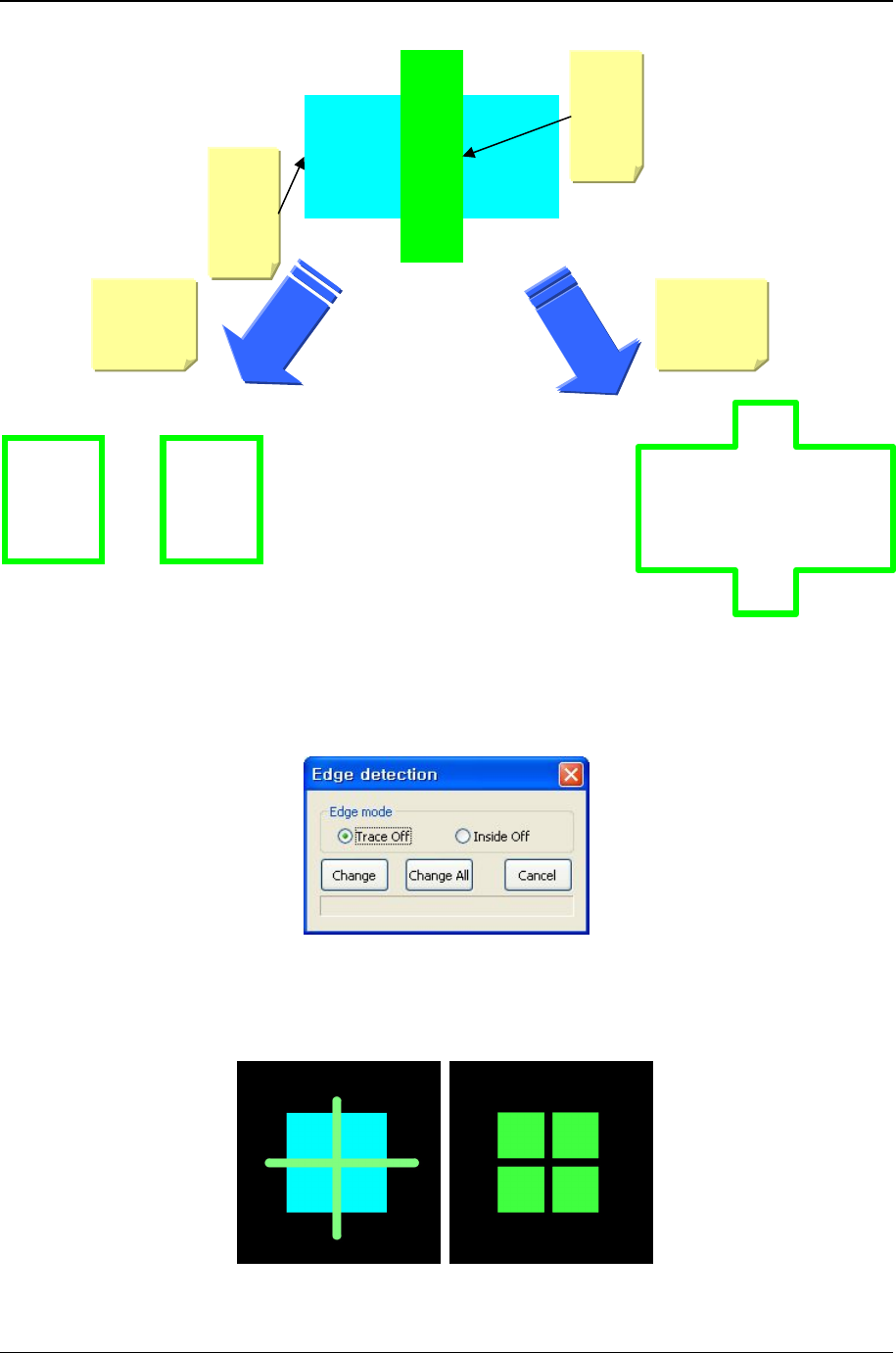
Edge Detection是影像处理技法. 特定Gerber文件里一个Pad表现或Flash和Trace同时表现来可使
用. 利用外沿边框搜索功能不仅仅读取外沿边框,还Flash和Trace间通过理论上演算后,可以读取
正确的Pad 形状.
演算方法有多样,如下说明在GerberWorks里提供的 ‘Trace Off’和 ‘Inside Off’ 功能.
n Trace OFF
Trace删除后执行Edge Detection. Trace删除时,实际Pad同样的形状可以取得.
① 利用Shift按键可以所有Flash和Trace选择.
② 鼠标右键单击时显示Popup菜单.
③ Edge Detection选择时显示‘Edge Detection’ 对话框.
④ ‘Trace Off’选择.
⑤ Change 按键点击时,仅所选择的Flash和TraceInside Off, Change All 按键点击时,所有同
样的Pattern搜索外沿边框.
n Inside OFF
所有内部全部删除后执行Edge Detection.
① Flash或Trace选择后, 鼠标右键单击显示 Popup菜单.
② Edge Detection选择时显示‘Edge Detection’ 对话框.
③ ‘Inside Off’选择.
④ Change 按键点击时,仅所选择的Flash和TraceInside Off, Change All 按键点击时,所有同
样Pattern搜索外沿边框.
3. GerberWorks 教示软件操作过程
PARMI CO., LTD.
39
REV 1.0
[图表 3-22] Trace Off와 Inside Off의 차이점
[图表 3-23] Edge Defection 对话框
[图表 3-24] Edge Detection : Trace Off (1)
F
F
l
l
a
a
s
s
h
h
T
T
r
r
a
a
c
c
e
e
T
T
r
r
a
a
c
c
e
e
O
O
f
f
f
f
I
I
n
n
s
s
i
i
d
d
e
e
O
O
f
f
f
f
GerberWorks
SPI HS60
40
REV 1.0
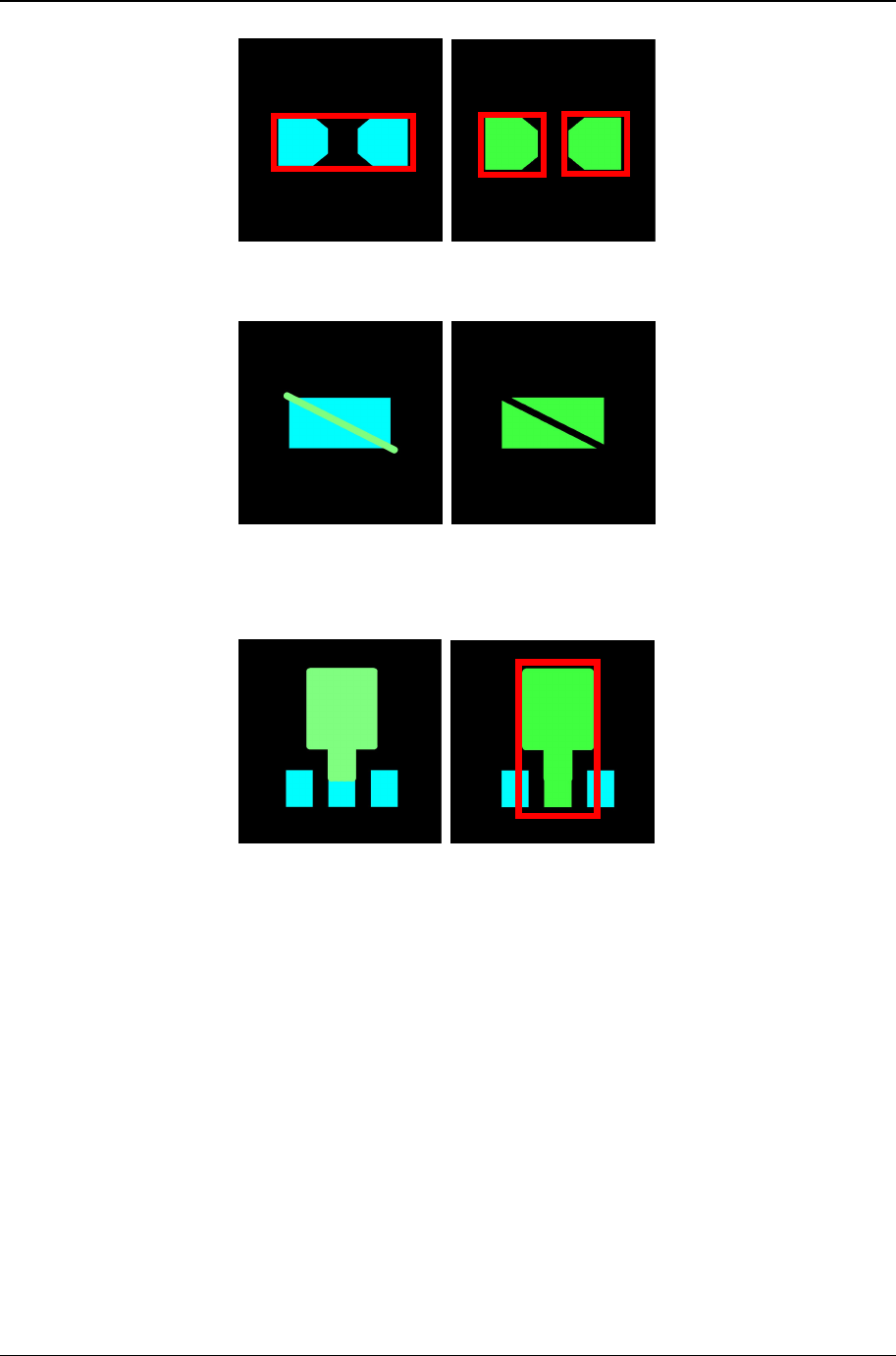
[图表 3-25] Edge Detection : Trace Off (2)
[图表 3-26] Edge Detection : Trace Off (3)
[图表 3-27] Edge Detection : Inside Off