TR7600 SIII_Hardware_en_v_2_0_4 - 第15页
Test Research, Inc. TR7600 SIII Series User Gu ide – Hardwa re 5 In the VPLC window, the followi ng options will be displayed: : Start to test a board : Reset to deliver the bo ard to a gate. The number on the upper side…
Test Research, Inc.
4 TR7600 SIII Series User Guide – Hardware
3 VPLC
O
PERATING
I
NSTRUCTIONS
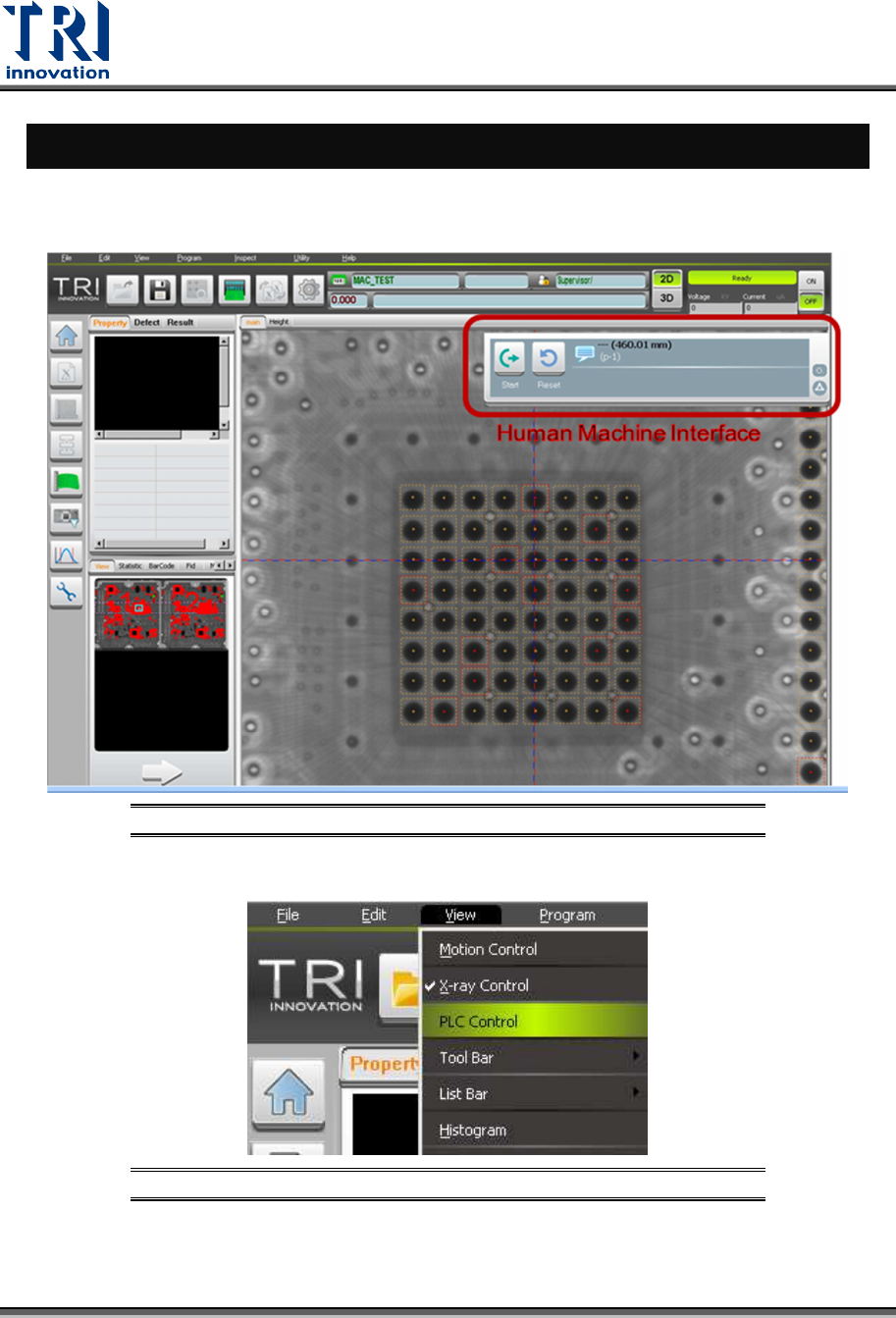
The Human-Machine Interface (VPLC) allows you to control the machine by the program.
VPLC window should show up automatically when the main program starts.
Figure 2: Main Program/VPLC Window
You also can click [View] -> [PLC Control] to enable or disable VPLC window.
Figure 3: View/ Disable or Enable VPLC Control
Test Research, Inc.
TR7600 SIII Series User Guide – Hardware 5
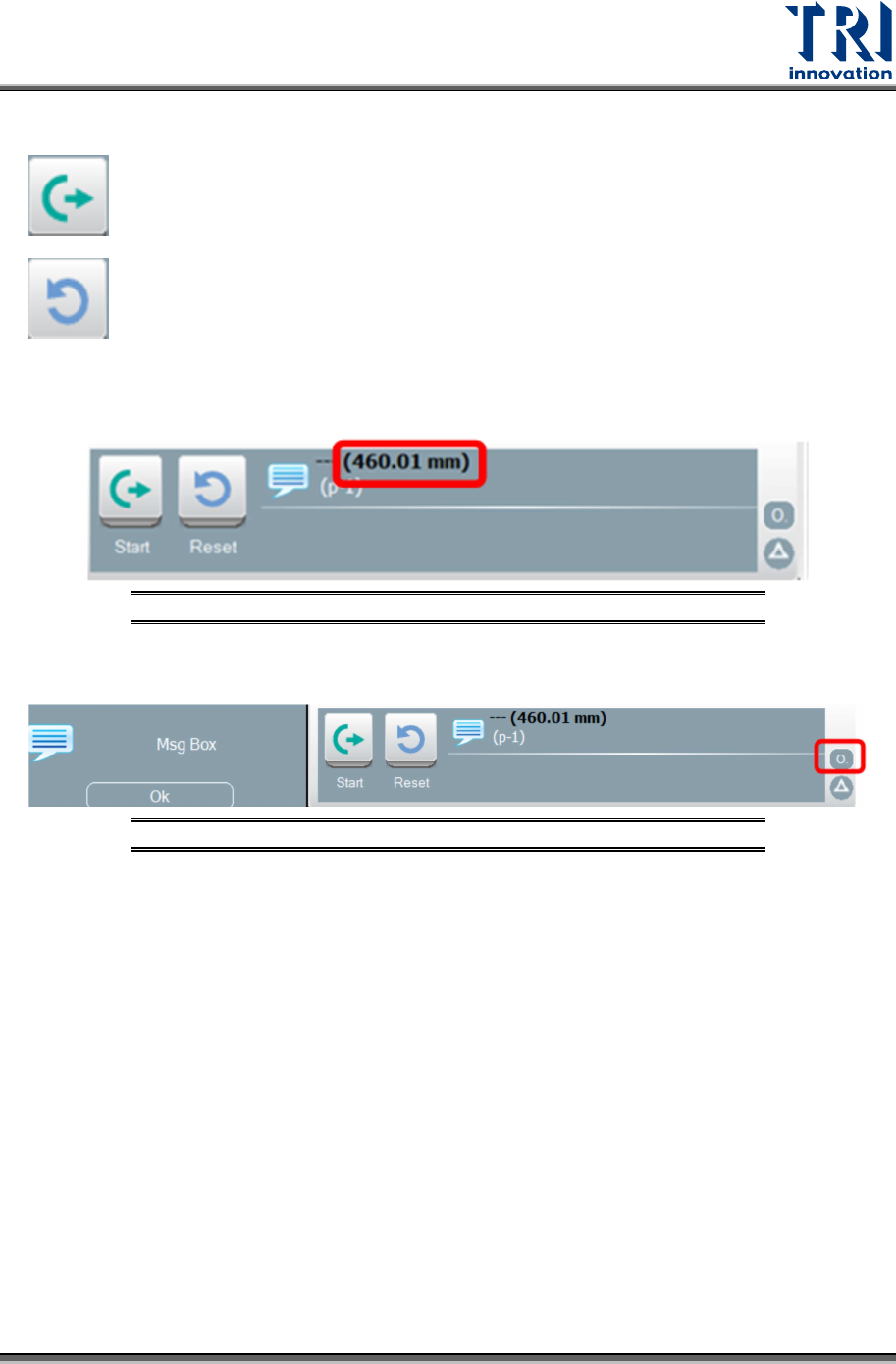
In the VPLC window, the following options will be displayed:
: Start to test a board
: Reset to deliver the board to a gate.
The number on the upper side means the width of the tested board.
Figure 4: VPLC/ Board Width
Click the circle shape button at the right corner of the VPLC window to show the message
window.
Figure 5: VPLC/Message Box
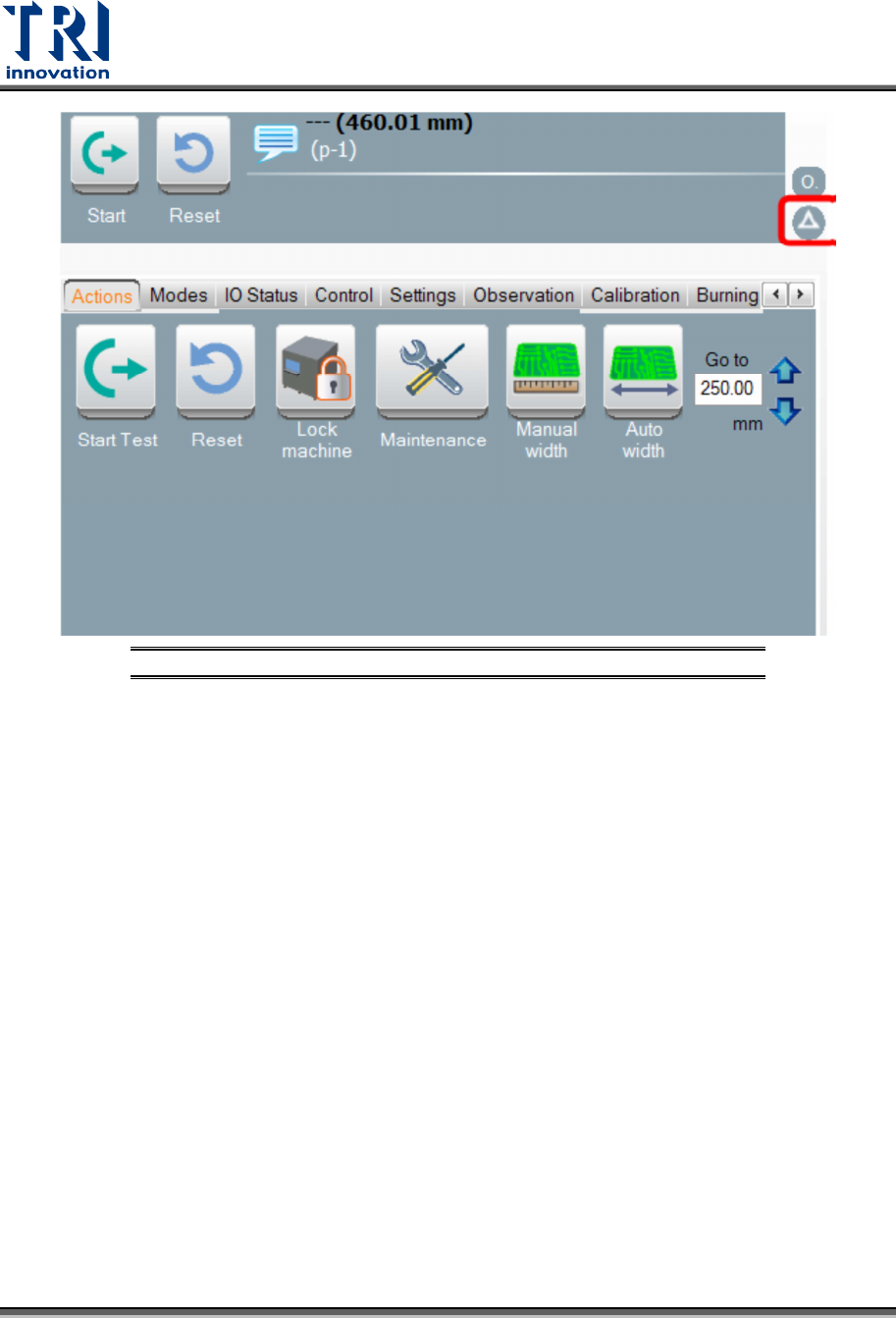
Click the triangle shape button at the lower-right corner of the window to show the control
toolbar. In the control bar, it includes the [Actions], [Modes], [IO Status], [Control], [Settings],
[Observation], [Calibration], and [Burning].
Test Research, Inc.
6 TR7600 SIII Series User Guide – Hardware
Figure 6: VPLC/Control Toolbar