TR7600 SIII_Hardware_en_v_2_0_4 - 第17页
Test Research, Inc. TR7600 SIII Series User Gu ide – Hardwa re 7 3.1 Actions Click [Action] to change the convey or width and scan the board. Figure 7: VPL C/Contro l Toolb ar/Actions In the [Actions] menu, the follow in…
Test Research, Inc.
6 TR7600 SIII Series User Guide – Hardware
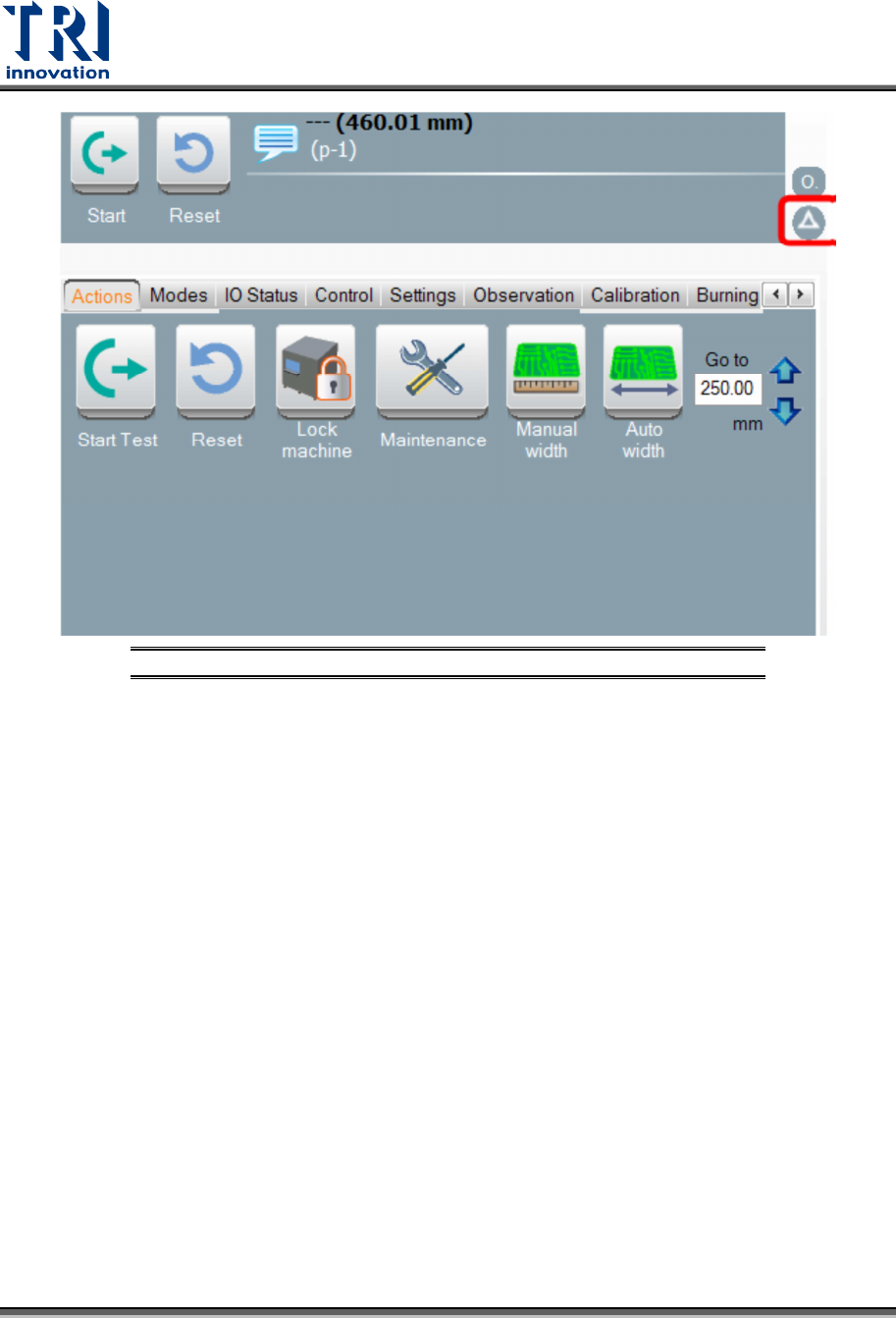
Figure 6: VPLC/Control Toolbar
Test Research, Inc.
TR7600 SIII Series User Guide – Hardware 7
3.1 Actions
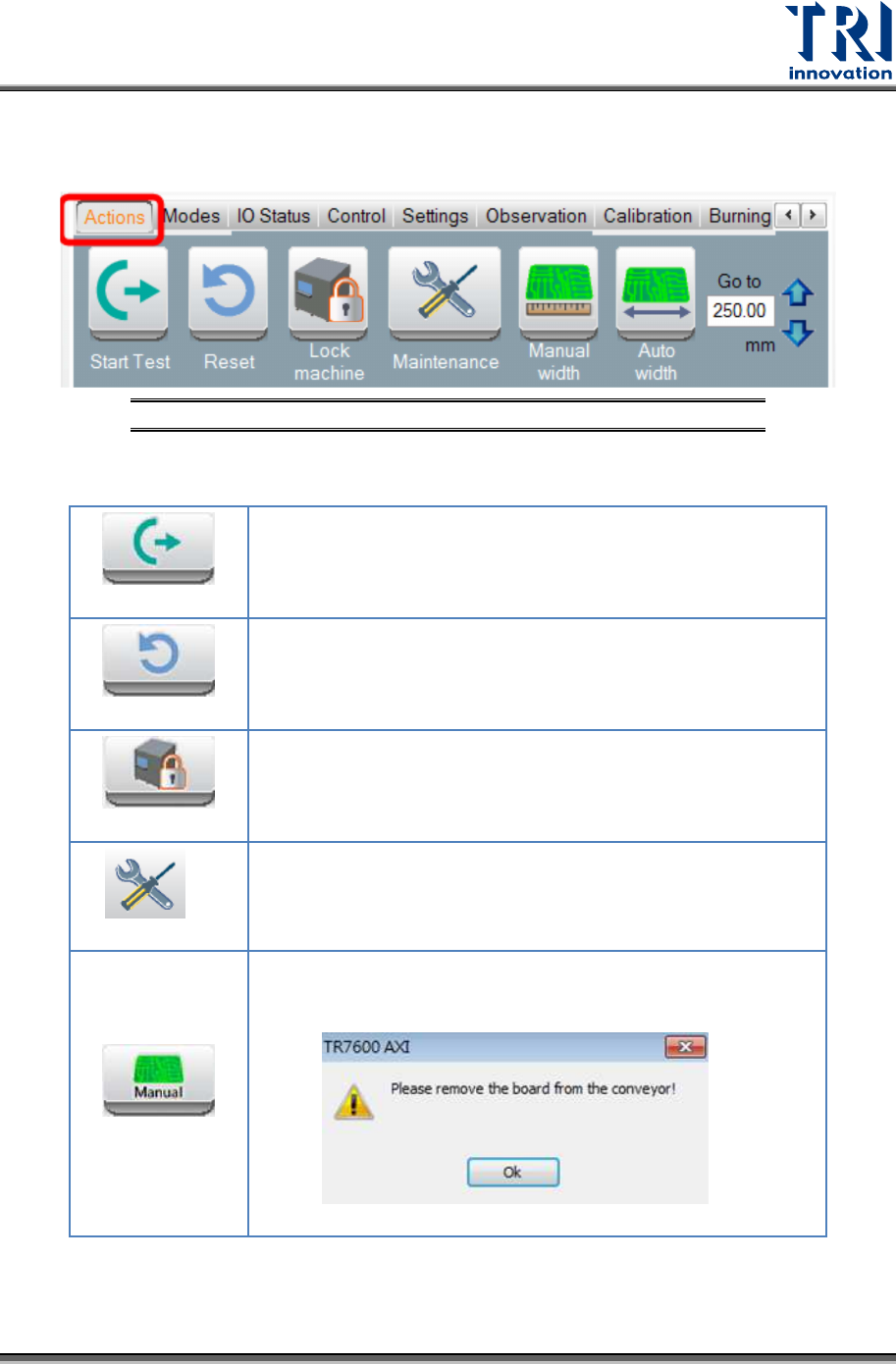
Click [Action] to change the conveyor width and scan the board.
Figure 7: VPLC/Control Toolbar/Actions
In the [Actions] menu, the following options will be displayed:
Start
The conveyor sends the board to the default position and
clips it. Left and right gates will be closed.
Reset
The conveyor releases the board. The machine opens the
gate and sends the board to the gate.
Lock
The machine locks the front and rear doors and both gates.
The conveyor clips the board.
Maintenance
Open the front door and let the conveyor release the board.
Manual Width
Click to change the conveyor width manually. Another window
will pop up to remind you to remove the board from the
conveyor first.
Test Research, Inc.
8 TR7600 SIII Series User Guide – Hardware
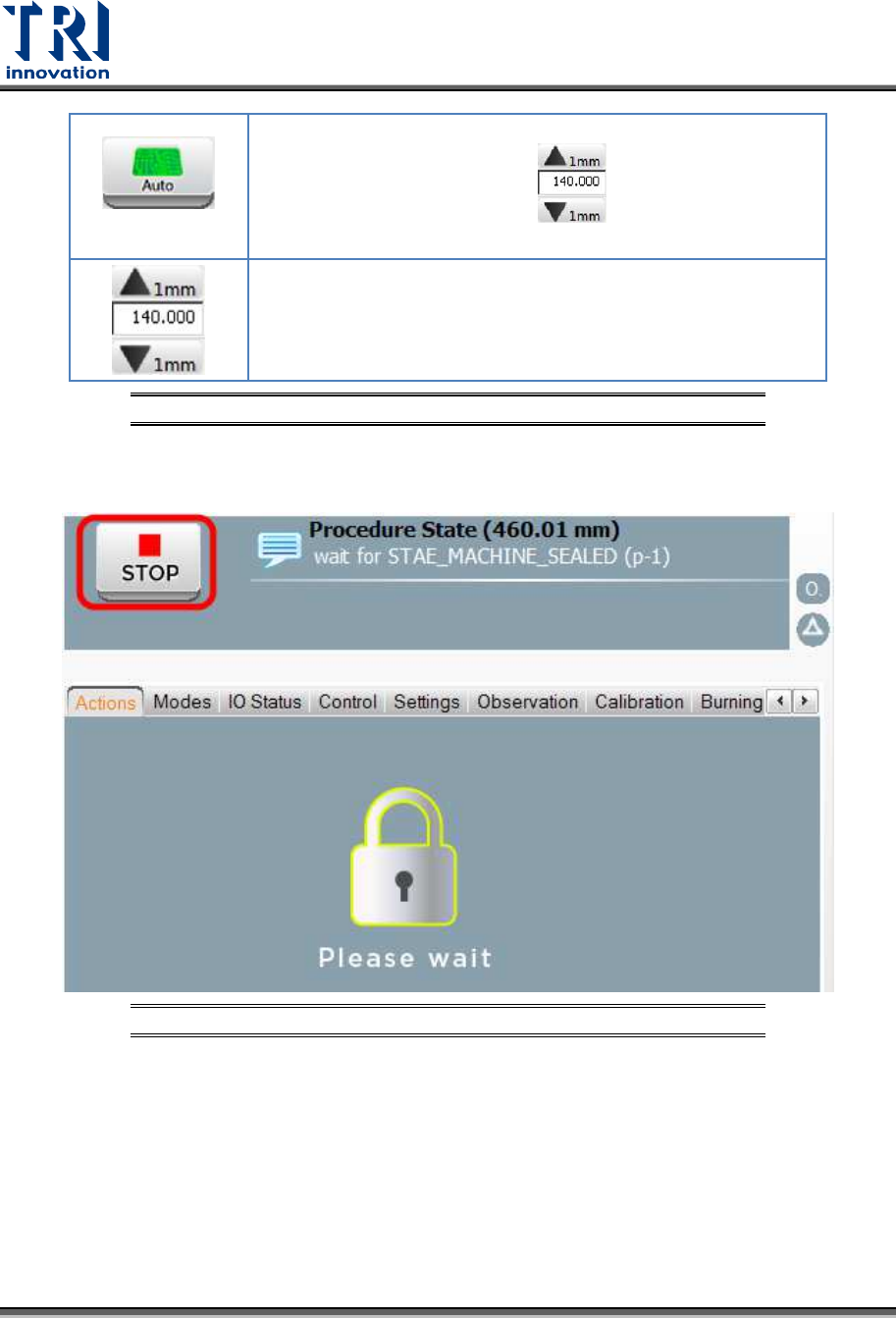
Auto Width
Click to move the conveyor to the correct position based on
the value you input in the field.
Input the conveyor width in this field and click on the [Auto
Width] button to move the conveyor to the correct position.
You also can use the [Up Arrow] and [Down Arrow] buttons to
change the width 1mm for each step.
Figure 8: VPLC/Actions
After clicking any button above, users can click the [Stop] button to terminate the process
and go back to the previous window.
Figure 9: VPLC/Stop