TR7600 SIII_Hardware_en_v_2_0_4 - 第19页
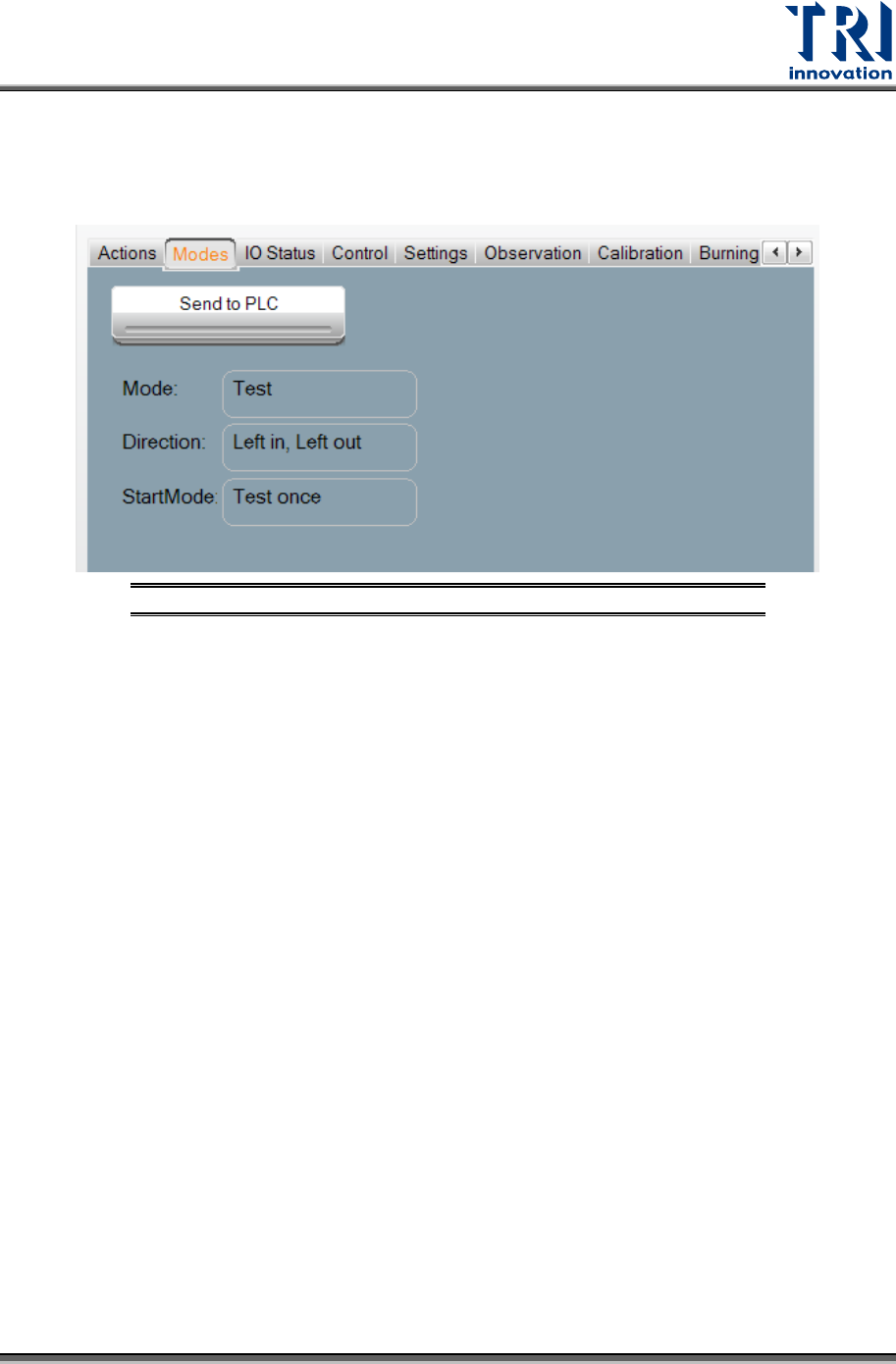
Test Research, Inc . TR7600 SIII Seri es User Gu ide – Hardw are 9 3.2 Modes Select [M odes] to c hoose the test m ode and I/O settings. After choosing [Modes], t he window below will ap pear Figure 10: VPLC/Modes Press …
Test Research, Inc.
8 TR7600 SIII Series User Guide – Hardware
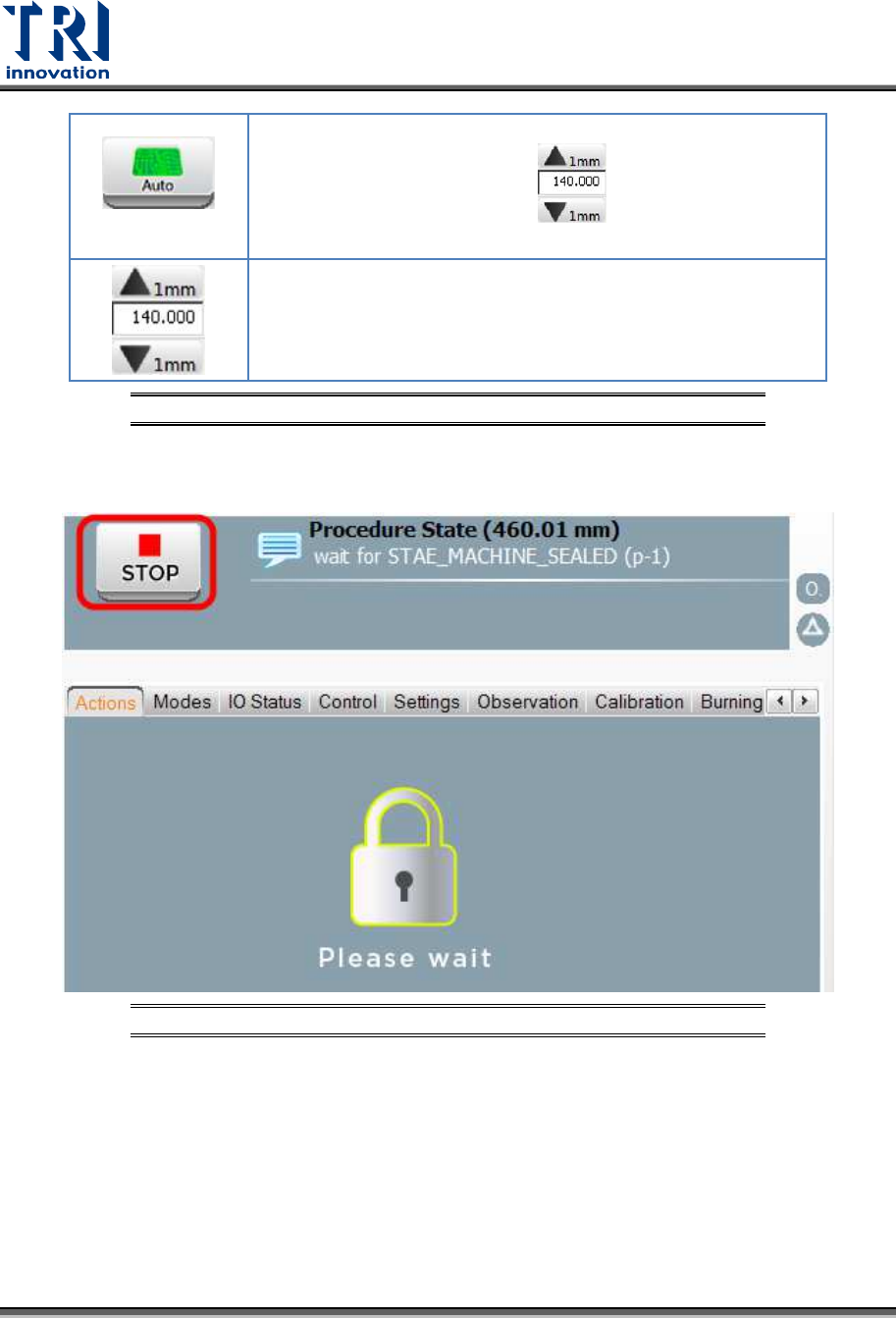
Auto Width
Click to move the conveyor to the correct position based on
the value you input in the field.
Input the conveyor width in this field and click on the [Auto
Width] button to move the conveyor to the correct position.
You also can use the [Up Arrow] and [Down Arrow] buttons to
change the width 1mm for each step.
Figure 8: VPLC/Actions
After clicking any button above, users can click the [Stop] button to terminate the process
and go back to the previous window.
Figure 9: VPLC/Stop
Test Research, Inc.
TR7600 SIII Series User Guide – Hardware 9
3.2 Modes
Select [Modes] to choose the test mode and I/O settings. After choosing [Modes], the window
below will appear
Figure 10: VPLC/Modes
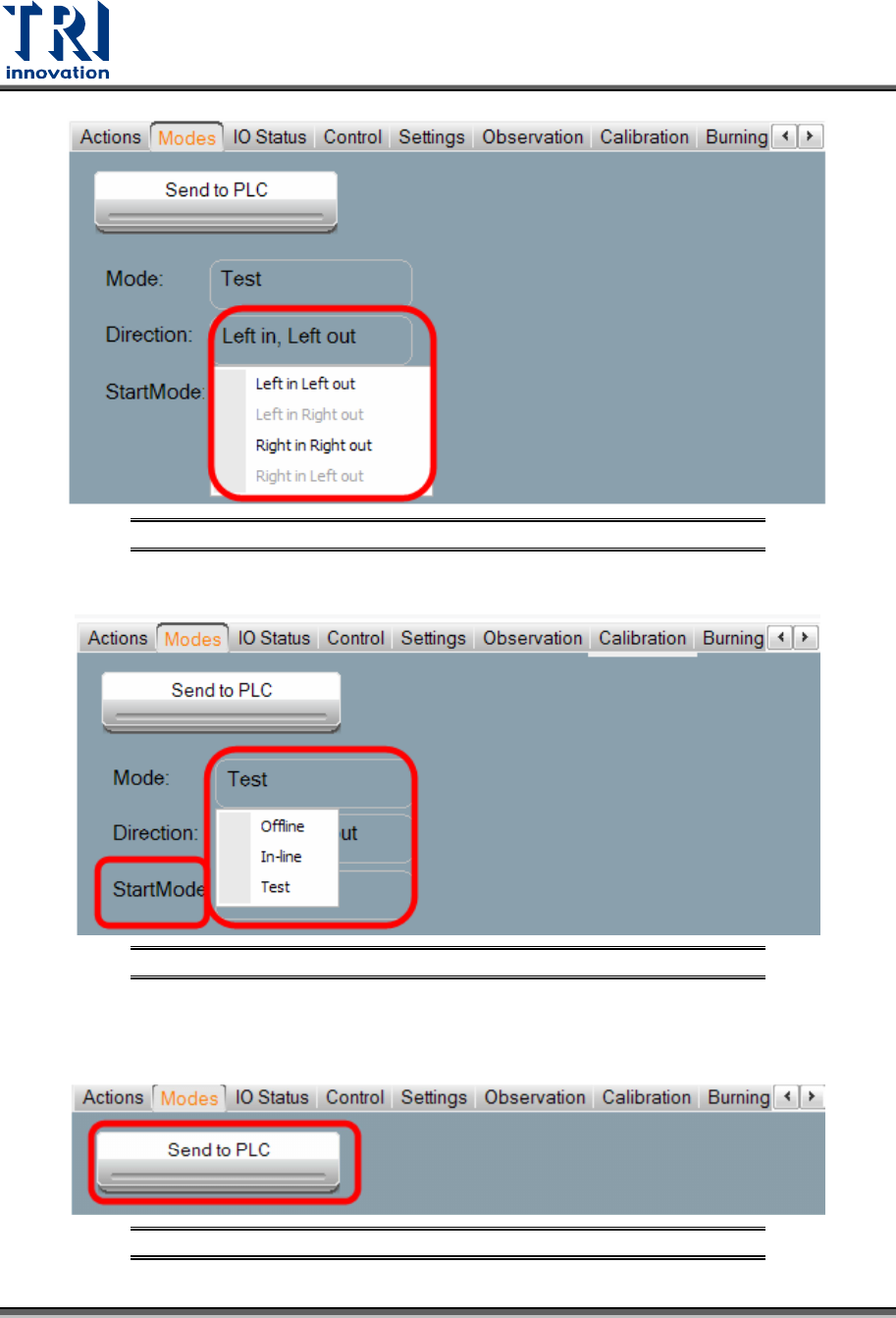
Press [Mode] to choose in between three modes: [Stand Along
],
[In-Line], or [Test]. The
setting will be automatically stored during shut down, and automatically loaded at the next
power on.
Stand Along: The machine is not connected to external equipment for testing. This mode
requires manual loading and unloading.
a) If the Mode is set to [Stand Along], [Direction] menu has [Left-In-Right-Out], [Left-In-
Left-Out], [Right-In-Left-Out] and [Right-In-Right-Out] options. For example, [Left-In-
Right-Out] means that the tested board will be delivered into the machine form the left
gate and sent out from the right gate.
b) If the Mode is set to [Stand Along], then [Start Mode] menu has [Test Once] and
[Continuous Test] options.
In-line: The machine connects to external equipment for inline testing.
a) If the Mode is set to [In-line], [Direction] menu has [Left-In-Right-Out], [Left-In-Left-
Out], [Right-In-Left-Out] and [Right-In-Right-Out] options.
b) If the Mode is set to [In-line], then [Start Mode] menu has [Start Test] option.
Test: Single board test. The machine does not connect to external equipment.
a) If the Mode is set to [Test], [Direction] menu has [Left-In-Left-Out] and [Right-In-Right-
Out] options.
b) If the Mode is set to [Test], then [Start Mode] menu has [Test Once] option.
Test Research, Inc.
10 TR7600 SIII Series User Guide – Hardware
Figure 11: VPLC/Modes/Direction
Figure 12: VPLC/Modes/Start Mode
After changing the settings, press [Send to PLC] to finish the setup.
Figure 13: VPLC/Modes/Send to PLC