TR7600 SIII_Hardware_en_v_2_0_4 - 第41页
Test Research, Inc. TR7600 SIII Series User Gu ide – Hardwa re 31 6 T ROUBLESHOOTING 6.1 Movem ent along X and U Axes Erro r The hardware err or from the m ovement along X and U axes is indicated on the m otor driver LED…
Test Research, Inc.
30 TR7600 SIII Series User Guide – Hardware
5 O
PTICAL
M
ODULE
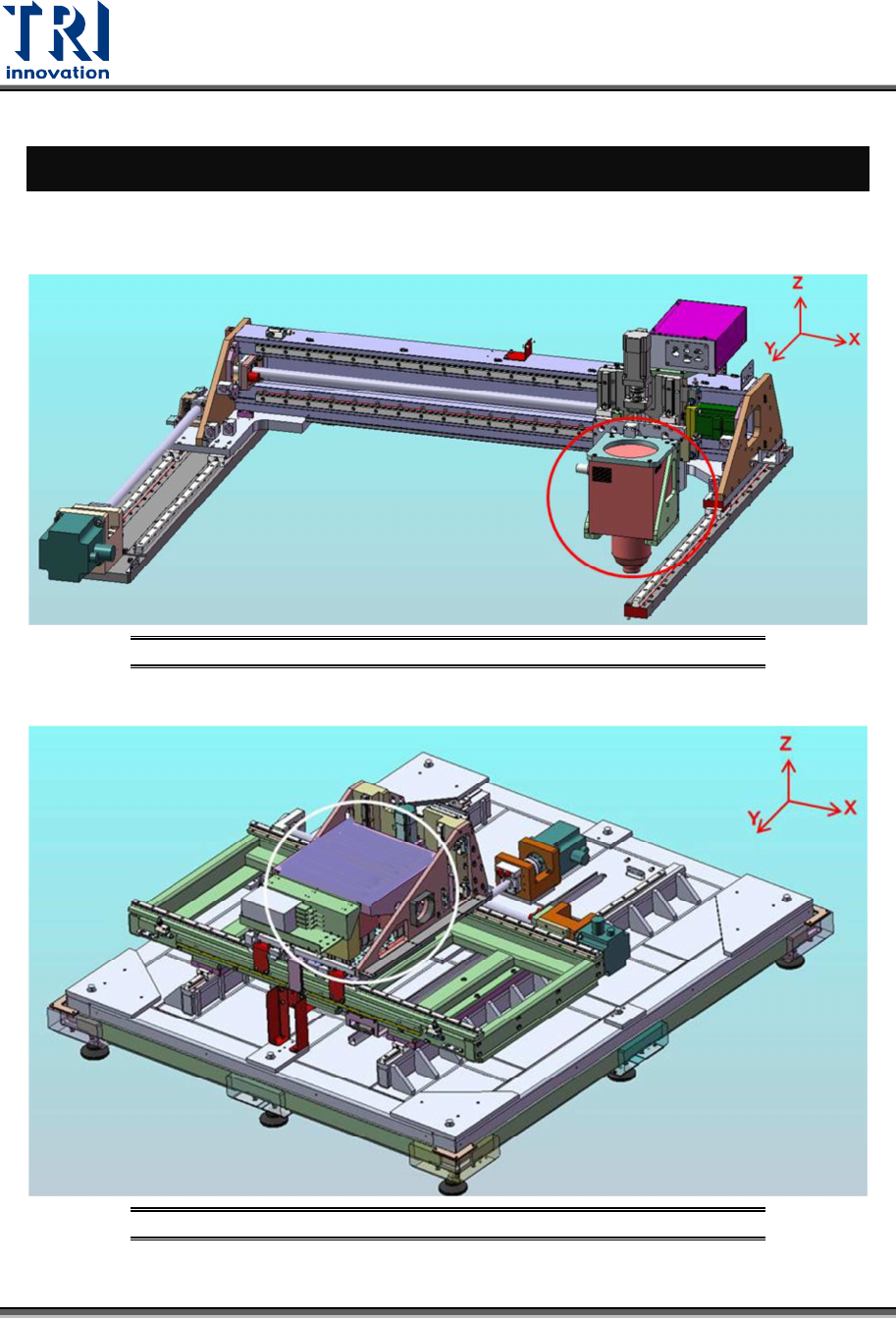
The machine’s optical module consists of an X-Ray Tube and Cameras. Their positions are
shown in the following pictures.
Figure 31: Optical Module/X-Ray Tube
Figure 32: Optical Module/Cameras
Test Research, Inc.
TR7600 SIII Series User Guide – Hardware 31
6 T
ROUBLESHOOTING
6.1 Movement along X and U Axes Error
The hardware error from the movement along X and U axes is indicated on the motor driver
LED display as shown below. Press the Mode button to toggle the display if necessary. In
case of any hardware error, see the Alarm code in the reference table below for
troubleshooting.
If no error code is shown on the LED display, but the movement along X and U axes is still
not functioning properly, please contact TRI FAE for further assistance.
6.1.1 C
HECK THE
MR-J2
ERROR CODE
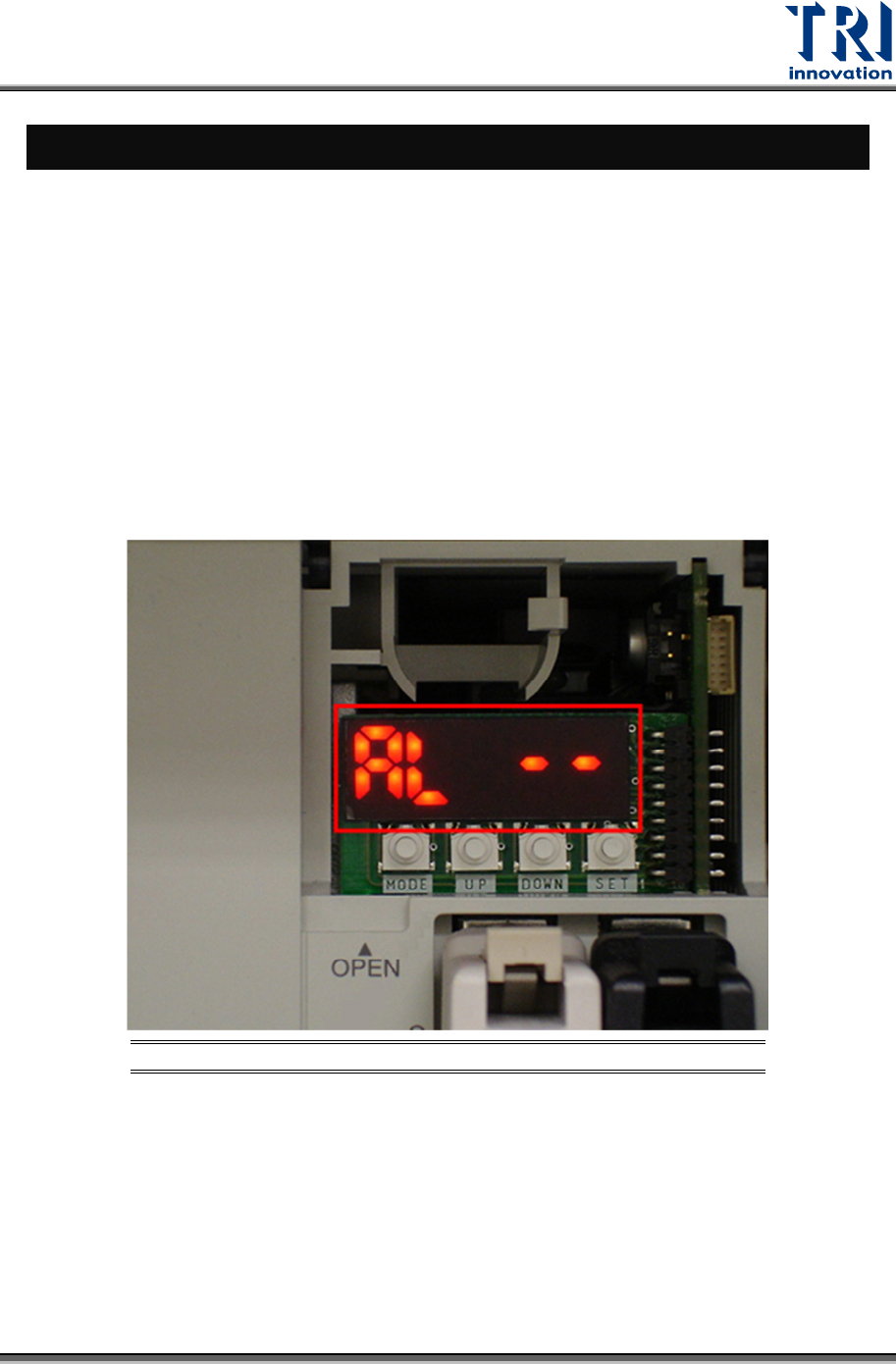
Open the cover up and check the error code. (In normal situation it shows [AL --]).
Figure 33: MR-J2 LED Displays Alarm Codes
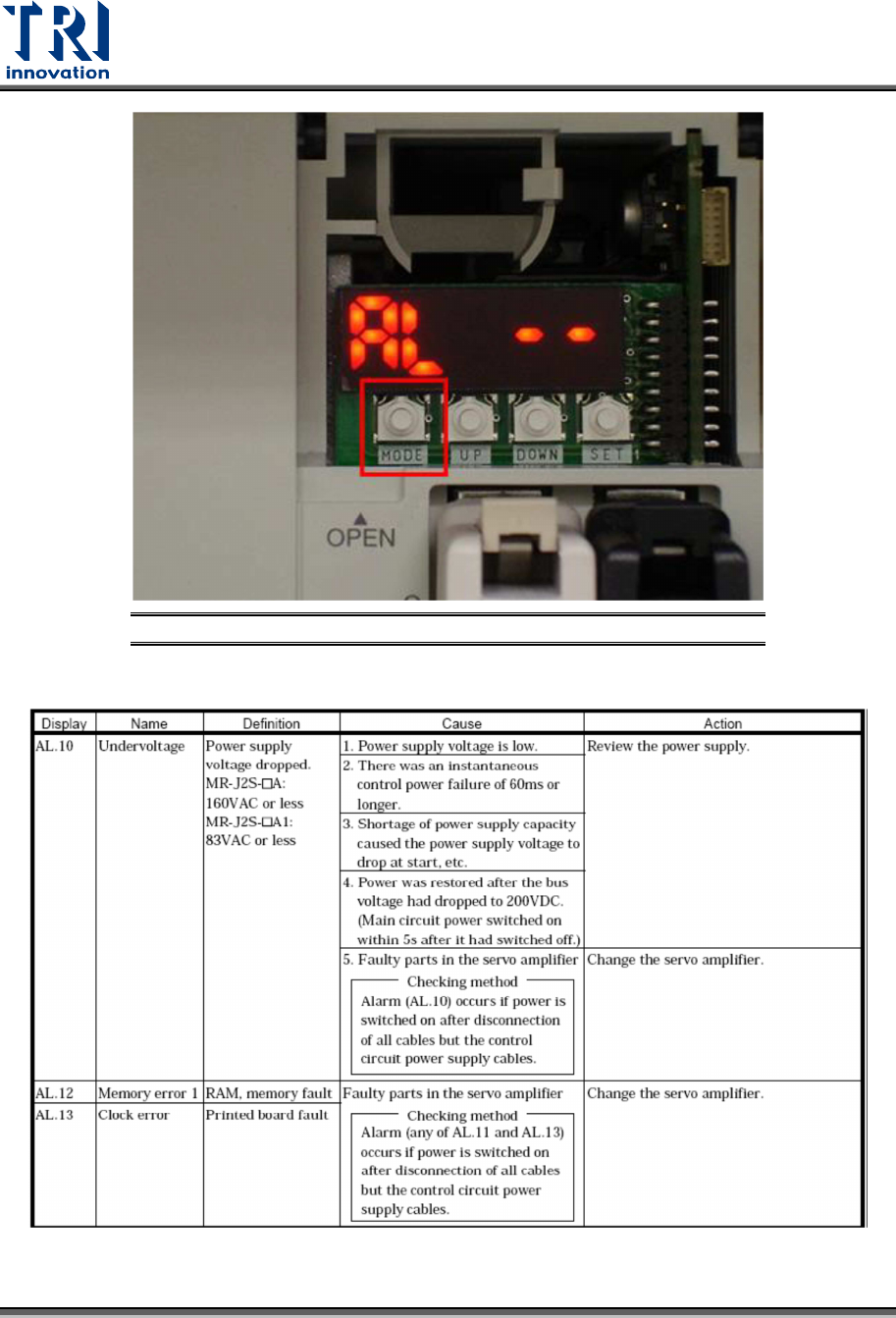
If it does not display the [AL --] screen, press [MODE] button to exchange the display.
Test Research, Inc.
32 TR7600 SIII Series User Guide – Hardware
Figure 34: MR-J2 LED Displays Alarm Codes/MODE
The meanings of error codes: