TR7600 SIII_Hardware_en_v_2_0_4 - 第58页
Test Research, Inc . 48 TR7600 SIII Series Us er Guide – Ha rdware 6.4 Gate Speed Control Use four knobs installed at the rear of the machine to control gate opening speed and closing speed. NOTE: Please don' t chan…
Test Research, Inc.
TR7600 SIII Series User Guide – Hardware 47
6.3.1 DSP
S
LAVE
M
ODULE
R
EPLACEMENT
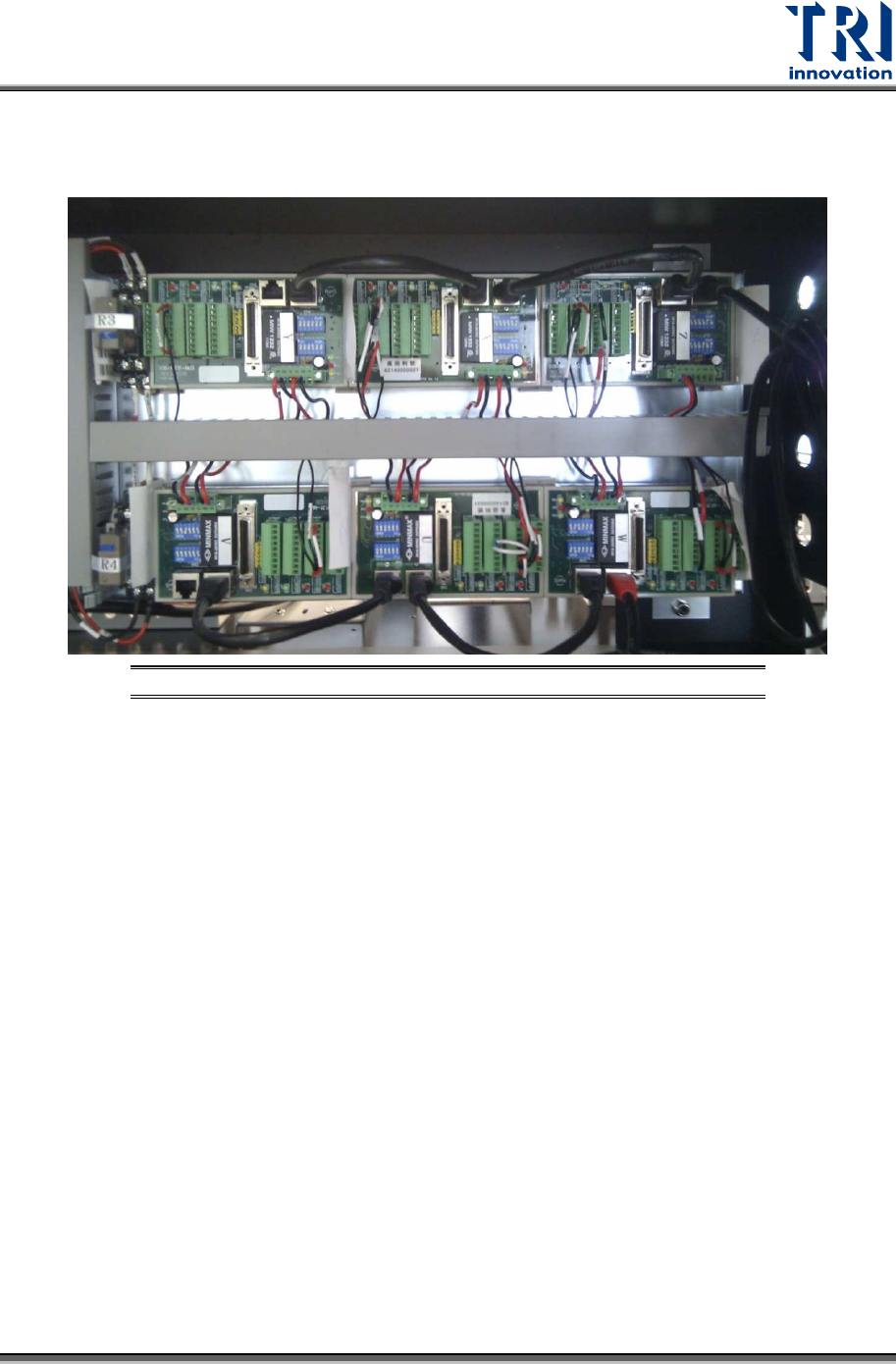
There are six DSP Slave Modules for each X, Y, Z, U, V, and W axes.
Figure 38: DSP Slave Module Replacement – Position
Replacement Steps
1) Turn off the power.
2) Remove the broken module; refer to the wiring diagram for the cable connection.
Test Research, Inc.
48 TR7600 SIII Series User Guide – Hardware
6.4 Gate Speed Control
Use four knobs installed at the rear of the machine to control gate opening speed and closing
speed.
NOTE: Please don't change gate speed without TRI engineers'
permission. Changing gate speed arbitrarily may cause problems hard to
solve.
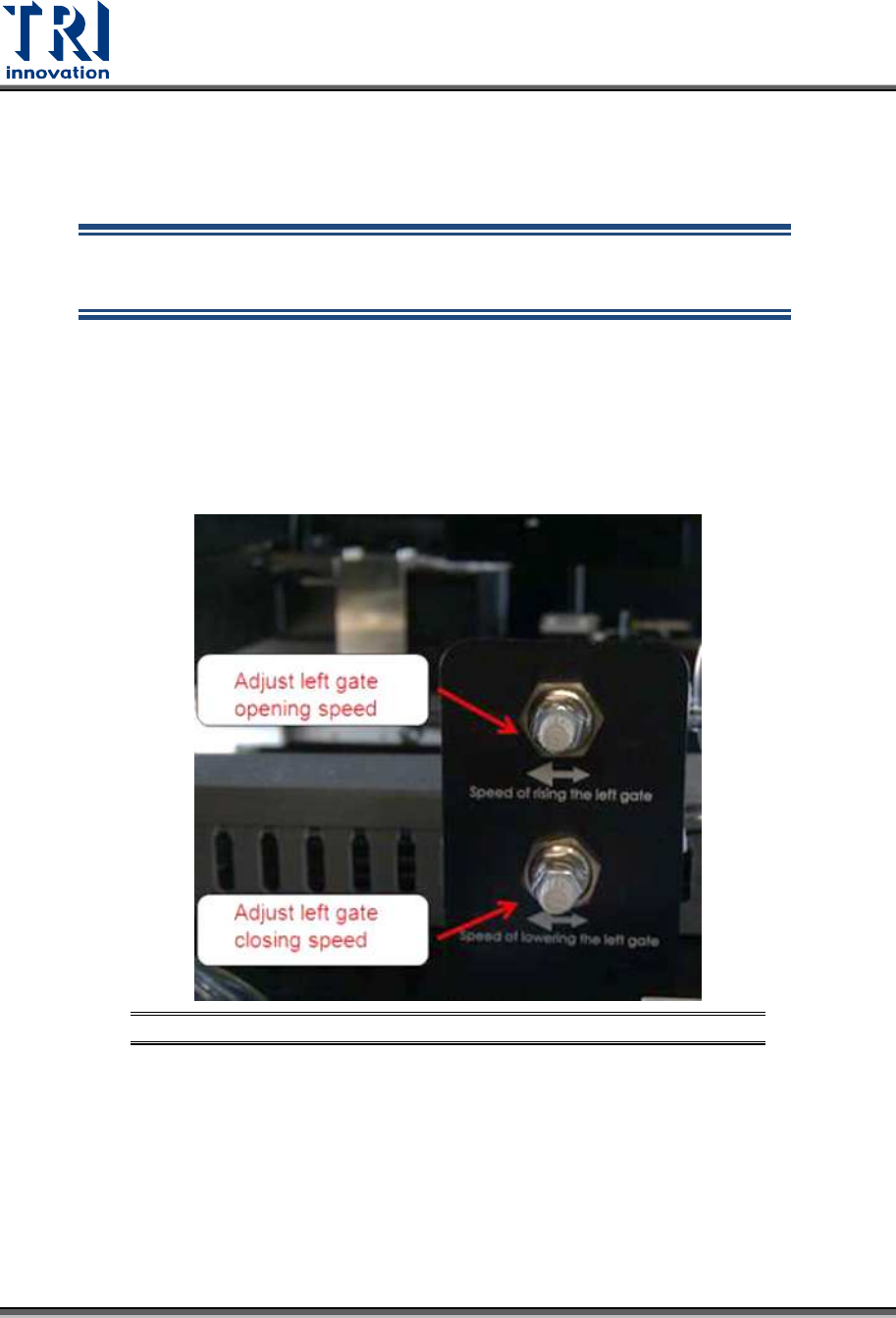
Control the speed of left gate
Turn the upper knob clockwise to decrease left gate opening speed or turn the knob
counterclockwise to increase left gate opening speed.
Turn the lower knob clockwise to decrease left gate closing speed or turn the knob
counterclockwise to increase left gate closing speed.
Figure 39: Left Gate Speed Control
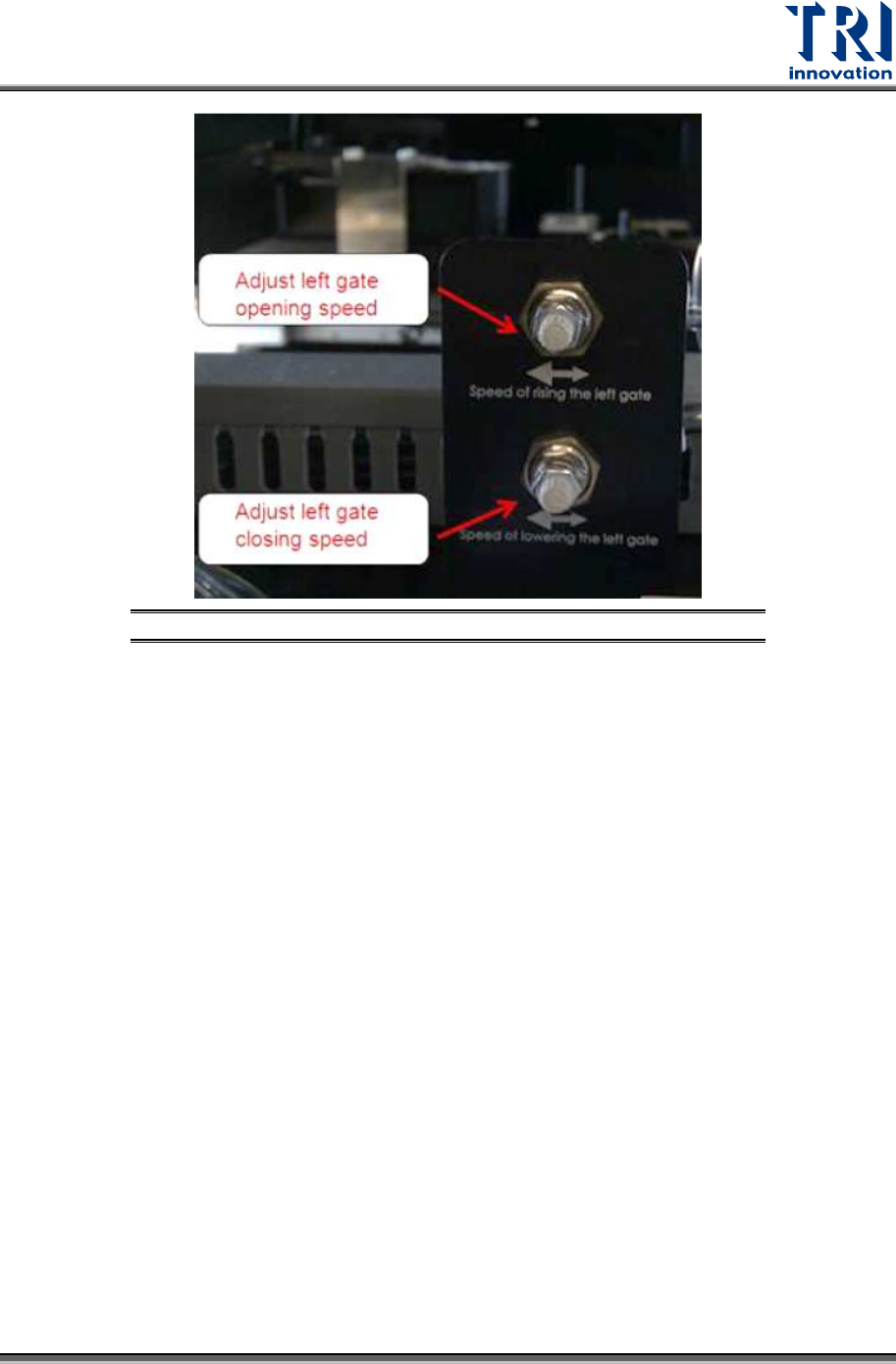
Control the speed of right gate
Turn the upper knob clockwise to decrease right gate opening speed or turn the knob
counterclockwise to increase right gate opening speed.
Turn the lower knob clockwise to decrease right gate closing speed or turn the knob
counterclockwise to increase right gate closing speed.
Test Research, Inc.
TR7600 SIII Series User Guide – Hardware 49
Figure 40: Right Gate Speed Control