KD-2077_Maintenance_Guide_Rev1.1_C.pdf - 第109页
维修调整要领书 画面 画面的显示如下所示 System B ios Setup – Ba sic CMOS Con figur…
维修调整要领书
的设定
更换后,请确认 参照设定方法的设定,不同时请变更设定。并且,更换 电路板后
一定要进行 变更操作。
注
这是控制电子计算机这里是 的数据输出输入的重要的程序,操作时,请充分注意
附带说
明一下, 电路板上的闪存内保存有程序,电池支持的 内保存有设置数据。
8-4-2-1. SSD 的识别确认
请确认 是否正确第识别
检查存储器后,如果找不到可以起动的 时,如下的通知显示出来
按键,可以移动到设定画面按键之后进行复位
设定方法
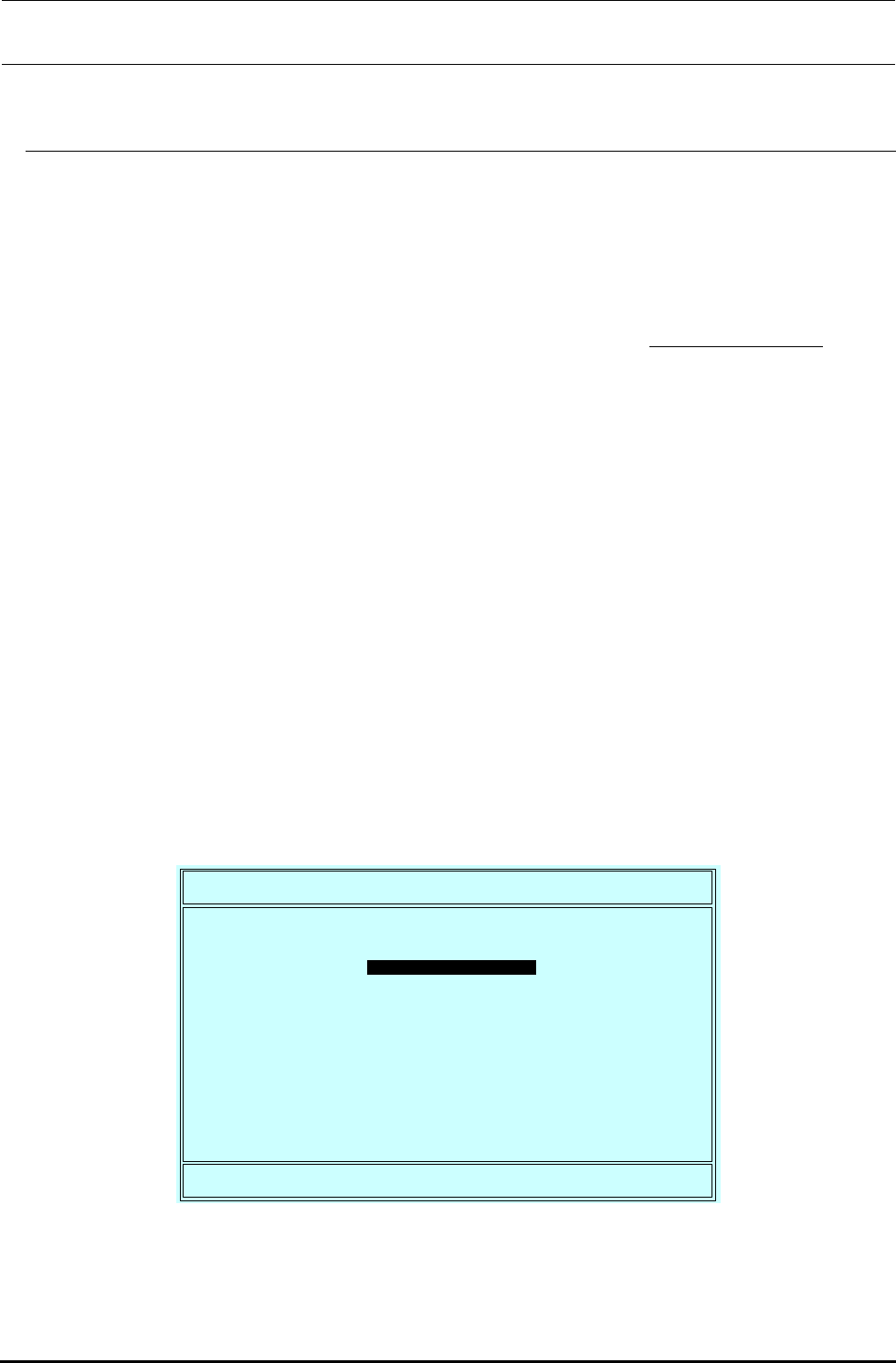
显示 画面
打开电源之后,检查存储器时,立即按键
移动到设定之后,下列的画面被显示出来把游标移动到想变更的项目上(文字被翻转的部分),
按键,实行选择的项目
System Bios Setup
–
Utility v5.2
(C) 2003 General Software, Inc. All right reserved
>Basic CMOS Configuration
Features Configuration
Custom Configuration
PnP Configuration
Shadow Configuration
Reset CMOS to last known values
Reset CMOS to factory defaults
Write to CMOS and Exit
Exit without changing CMOS
↑/↓<Tab> to select. <Esc> to continue (no save)
www.gensw.com
维修调整要领书
画面
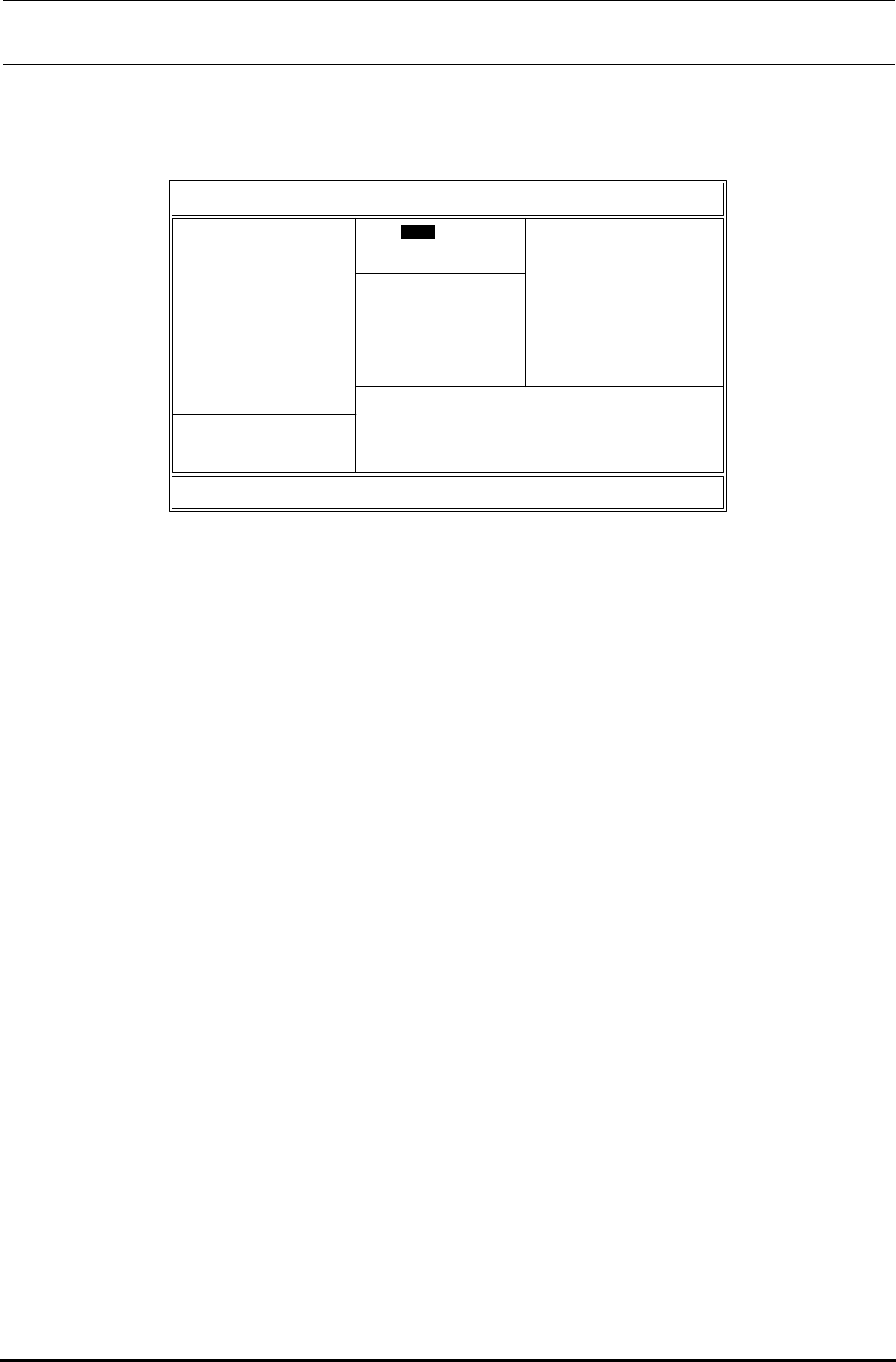
画面的显示如下所示
System Bios Setup
–
Basic CMOS Configuration
(C) 2003 General Software, Inc. All right reserved
↑/↓/←/→<CR>/<Tab> to select or <PgUp>/<PgDn>/+/- to modify
<Esc> to return to main menu
DEVICE ASSIGNMENT ODDER:
Drive A: Floppy 0
Drive B: (None)
Drive C: Ide 2/Sec Master
Drive D: Ide 0/Pri Master
Drive E: (None)
Drive F: (None)
Drive G: (None)
Drive H: (None)
Drive I: (None)
Drive J: (None)
Drive K: (None)
(Loader): (Unused)
Floppy DRIVE TYPES:
Floppy 0: 1.44 MB, 3.5"
Floppy 1: Not installed
Typematic Delay : 250 ms
Typematic Rate : 30 cps
Seek at Boot : Floppy
Show "Hit Del" : Enabled
Config Box : Enabled
F1 Error Wait : Enabled
Parity Checking : (Unused)
Memory Test Tick : Disabled
Debug Breakpoints: (Unused)
Debugger Hex Case: Upper
Memory Test: StdLo FastHi
Date:
>Jan
01, 2005
Time: 00 : 00 : 00
NumLock: Disabled
BOOT ORDER
Boot 1st: Drive C:
Boot 2nd: Drive A:
Boot 3rd: (None)
Boot 4th: (None)
Boot 5th: (None)
Boot 6th: (None)
IDE DRIVE GEOMETRY: Sect Hds Cyls
Ide 0: 3 = AUTOCONFIG, LBA
Ide 1: Not installed
Ide 2: 3 = AUTOCONFIG, LBA
Ide 3: Not installed
Memory
Base:
***KB
Ext:
***MB
栏的变更
对各编号的驱动器指定驱动器种类的分配。
请变更
栏的变更
指定驱动器检索顺序号
请变更
栏的变更
指定 (含 )的设置,要按连接目标逐一指定。
请变更为。
请变更。
的变更
用方向键把游标移动到画面右方的的
请变更
返回画面
画面上按返回到原来的画面
维修调整要领书
8 的变更
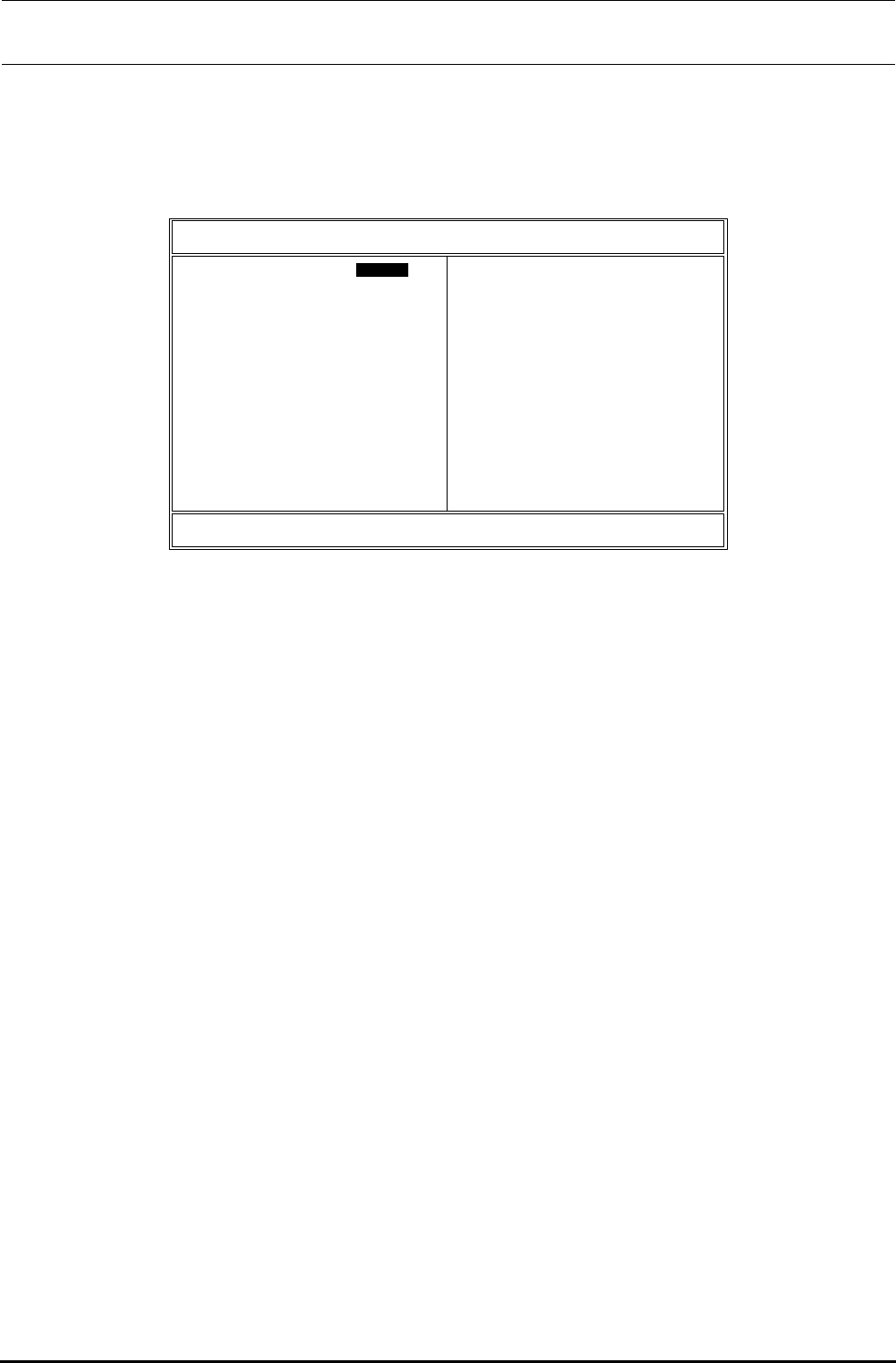
变成画面之后,把游标移动到 ,显示出以下的画面
System Bios Setup
–
Custom Configuration
(C) 2003 General Software, Inc. All right reserved
↑/↓/←/→<CR>/<Tab> to select or <PgUp>/<PgDn>/+/- to modify
<Esc> to return to main menu
Parallel Port :>Enabled
Parallel Port IRQ : 7
UART1 : Enabled
UART1 Address : 3F8h
UART1 IRQ : 4
Primary IDE cable type :
40-Wier
IDE 0 MOTER OFF Time : Disabled
IDE 1 MOTER OFF Time : Disabled
PCI INT A Assign : 5
PCI INT B Assign : 5
PCI INT C Assign : 11
PCI INT D Assign : 5
DIAG Program : Disabled
Parallel Port Address : 378h
Parallel Port Mode : Printer
UART2 : Enabled
UART2 Address : 2F8h
UART2 IRQ : 3
Secondary IDE cable type : 40-Wire
IDE 2 MOTER OFF Time : Disabled
IDE 3 MOTER OFF Time : Disabled
PCI INT E Assign : 5
PCI INT F Assign : 10
PCI INT G Assign : 9
PCI INT H Assign : 5
的变更
请将光标置于 , 进行的 变更。
的变更
请确认是。
的变更
请将光标置于 , 进行的 变更。
的变更
请将光标置于 , 进行的 变更。
的变更
请将光标置于 , 进行的 变更。
的变更
请将光标置于 , 进行的 变更。
的变更
请将光标置于 , 进行的 变更。
的变更
请将光标置于 , 进行的 变更。
结束
按键,返回到画面,按其中菜单上的
之后,
保存的设定,并结束