Portal_Manual_1.2.1_Rev_H-1.pdf - 第10页
Portal PVA Revisio n H ( 2018 ) 10 of 93 Do not s moke near t he workc ell . Always have a f ire ex tinguis he r availabl e for e mergenc y use. Before any repair or mai ntenanc e to t he system is done , turn off power …
Portal
PVA
Revision H (2018)
9 of 93
1.2 Safety
Warning symbols on the machine correspond to notations in this manual. Before
operating the system, identify these warning labels and read the notices described
below. Not all labels may be used on any specific system. Read the workcell manual for
additional safety information related to the workcell and its components.
WARNING! The safety features should NEVER be bypassed, disabled, or
tampered with. PVA is not responsible for any damages incurred, mechanical
or human, because of alteration or destruction of any safety features. If the
equipment is used in a manner not specified by PVA, the protection provided by
the equipment may be impaired.
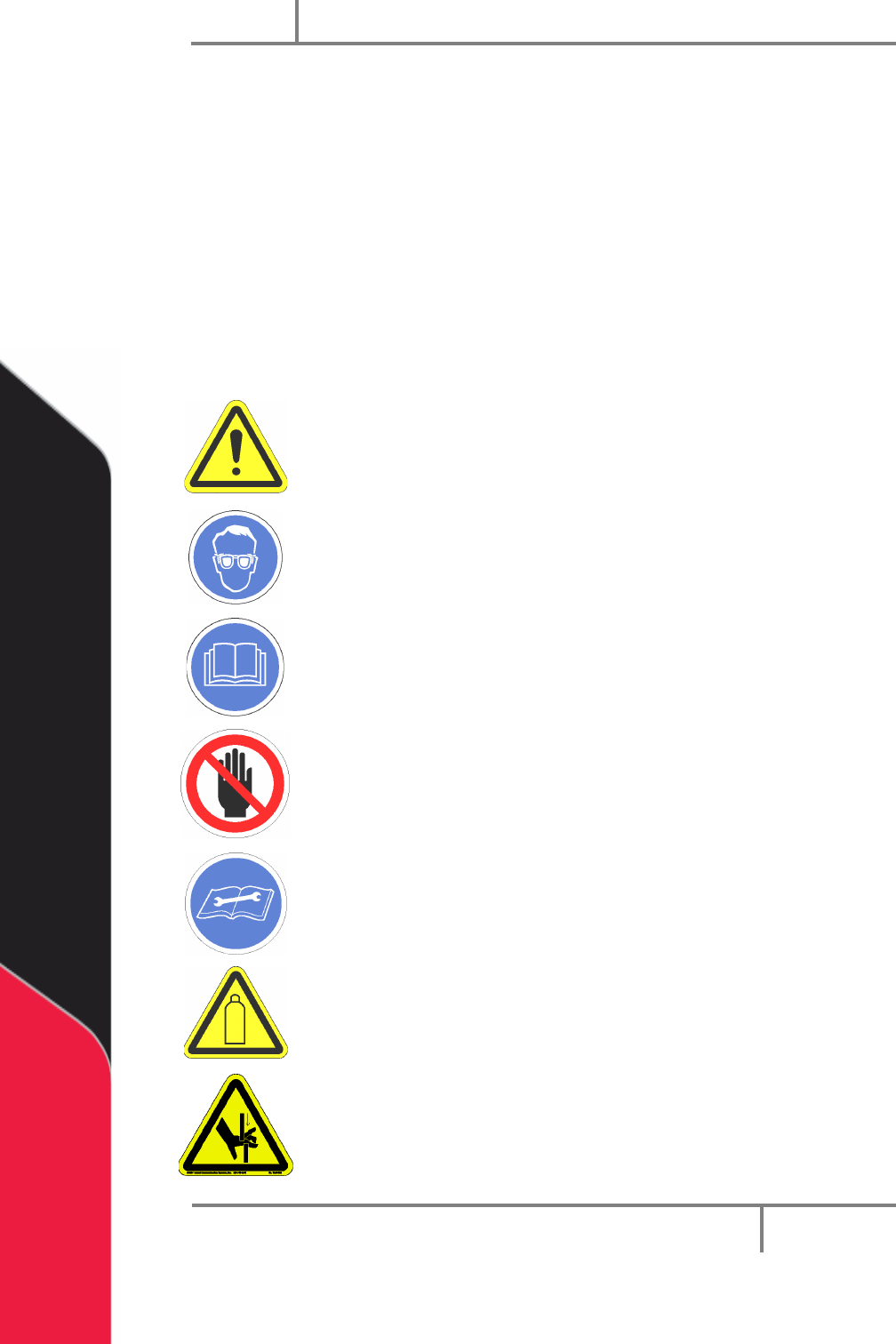
In situations where inattention could cause either personal injury or
damage to equipment, a warning notice is used.
Always wear approved safety glasses when you operate or work
near the workcell.
Before you operate the workcell, read and understand the manuals
provided with the workcell.
Never put hands or tools in areas with this symbol when the workcell
is in operation. A dangerous condition may exist.
Read and understand the manuals provided with the workcell before
any repair or maintenance is done. Only a qualified individual should
do service.
Use caution when near pressurized vessels. Find and repair any leaks
immediately. Always wear applicable safety equipment when you
work with pressurized vessels or vessels that contain chemicals.
Shear hazard from moving parts. Avoid contact.
Portal
PVA
Revision H (2018)
10 of 93
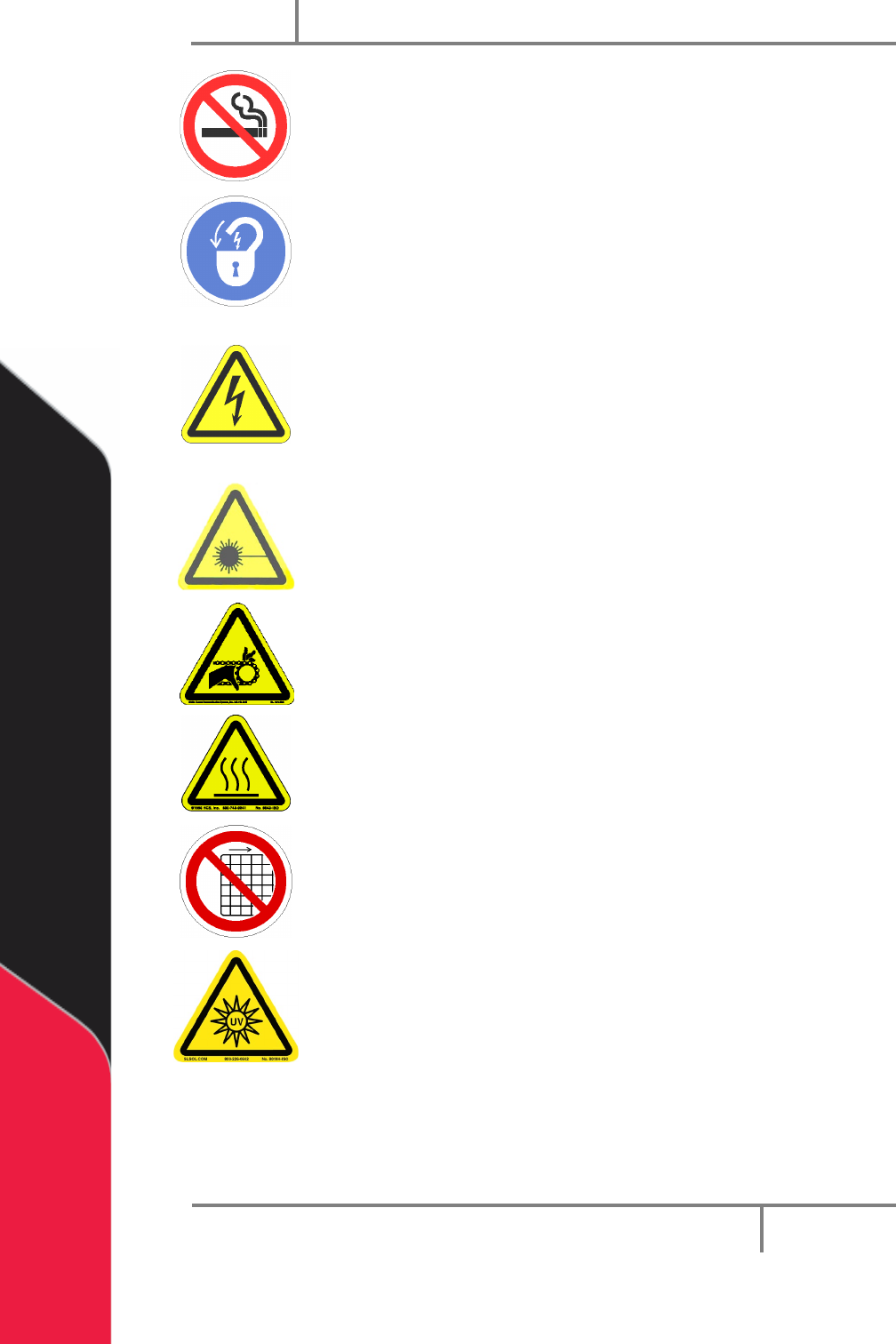
Do not smoke near the workcell. Always have a fire extinguisher
available for emergency use.
Before any repair or maintenance to the system is done, turn off
power and lockout the power disconnect switch.
Warning notices are used to emphasize that hazardous voltages,
currents, temperatures, or other conditions that could cause
personal injury exist in this equipment or may be associated with its
use. Only qualified personnel should enter areas designated with this
symbol.
A laser light source is present. Do not stare directly into the beam.
Do not use in the presence of highly reflective surfaces.
Pinch hazard from moving parts. Avoid contact.
Hot surface. Avoid contact.
Do not remove protective guarding.
Warning, UV light hazard. Do not look directly at UV light source.
Portal
PVA
Revision H (2018)
11 of 93
1.3 System Description
This manual applies to the following Precision Valve & Automation, Inc. workcells:
PVA350™
PVA6000™
PVA650™
Delta 6
PVA2000™
Delta 8
PVA3000™
The dispense path and active heads are controlled by a program stored in the motion
controller. The motion controller can save up to 30 programs at one time.
The operator controls the workcell with PVA Portal software. This includes machine
setup, manual operation, program selection, and automatic operation. Machine status
and error messages are shown in the program window and the light tower. The
operator(s) must have read this manual, or have been trained and understand the
operation of the machine.
Any uses that are not approved could result in dangerous conditions that the safety
features on the system cannot prevent.
1.4 Personal Protective Equipment
Workcell operation includes air pressure, electrical power, mechanical devices, and the
use of hazardous materials. Only qualified personnel can operate and service workcells.
Operators must use eye protection because material contents are under pressure.
Always wear gloves when handling materials and solvents. Refer to MSDS sheets on the
material that is used for other precautions.