Portal_Manual_1.2.1_Rev_H-1.pdf - 第26页
Portal PVA Revisio n H ( 2018 ) 26 of 93 6.5 PathMas ter® Fig ure 13 : Launch PathMa ster from Man ual Mode This ta b contains a butto n that launche s the include d PathMaster® software. 1. Select the Path Master tab. 2…
Portal
PVA
Revision H (2018)
25 of 93
6.4 Run Mode
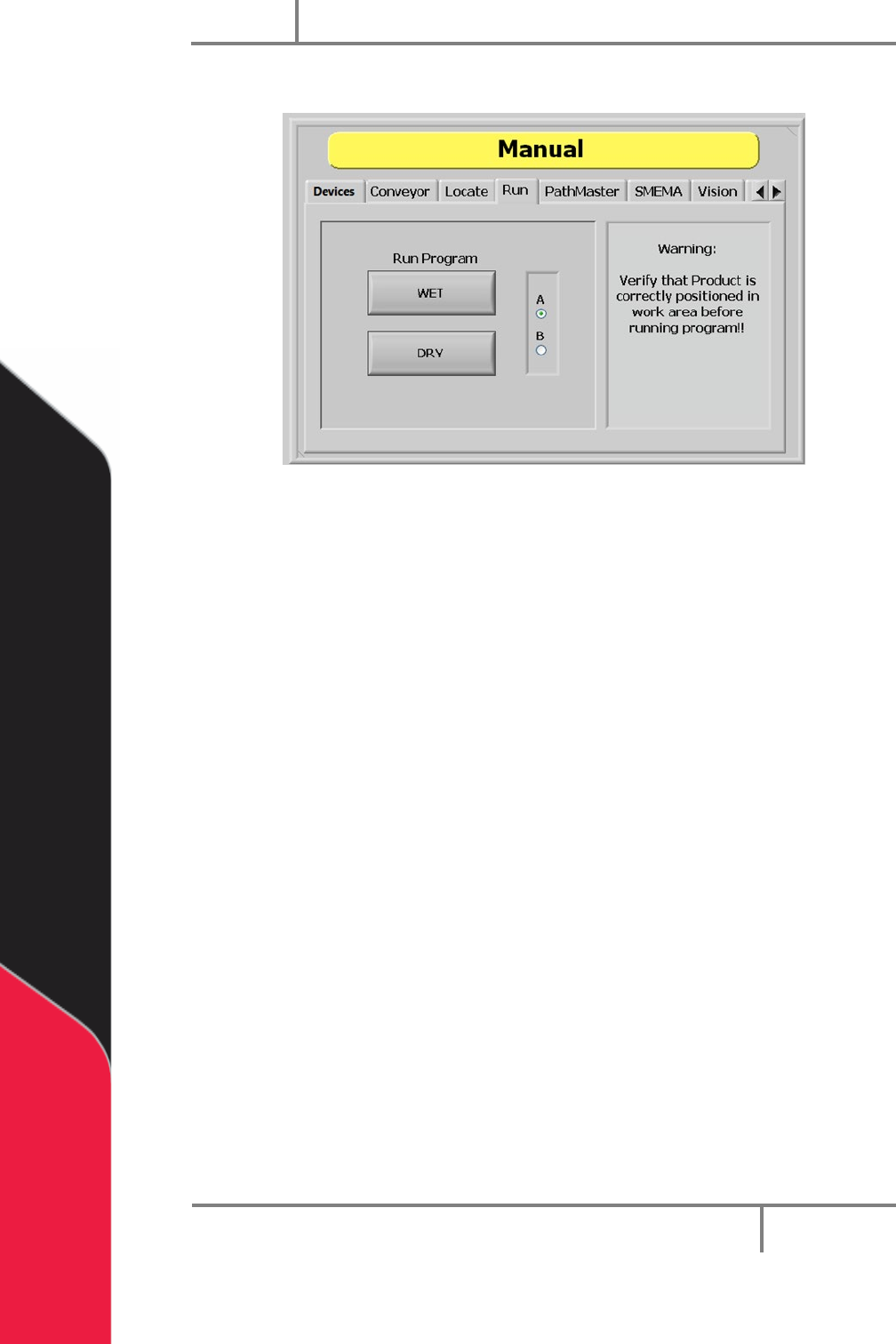
Figure 12: Run Mode, Manual Mode
In Run mode you can test a downloaded path program for a single cycle. You can run the
path as “WET” or “DRY”. Make sure that the part is in the correct position inside the
workcell before the path is run or the results will not be accurate and could damage the
workcell.
1. Select the “Run” tab.
2. Select “A” or “B” (if necessary) to select which side will run. Select “A” for the
left side program select drop down or B for right side program select drop
down.
3. Select “WET” to run the selected program with the valves on.
4. Select “DRY” to run the selected program with the valves off (valves will move
but will not dispense).
NOTE: Make sure the correct program is selected from the Program Selection
drop down menu. Make sure the part is correctly installed and all board stops
and locators are in the correct position to prevent a crash.
Portal
PVA
Revision H (2018)
26 of 93
6.5 PathMaster®
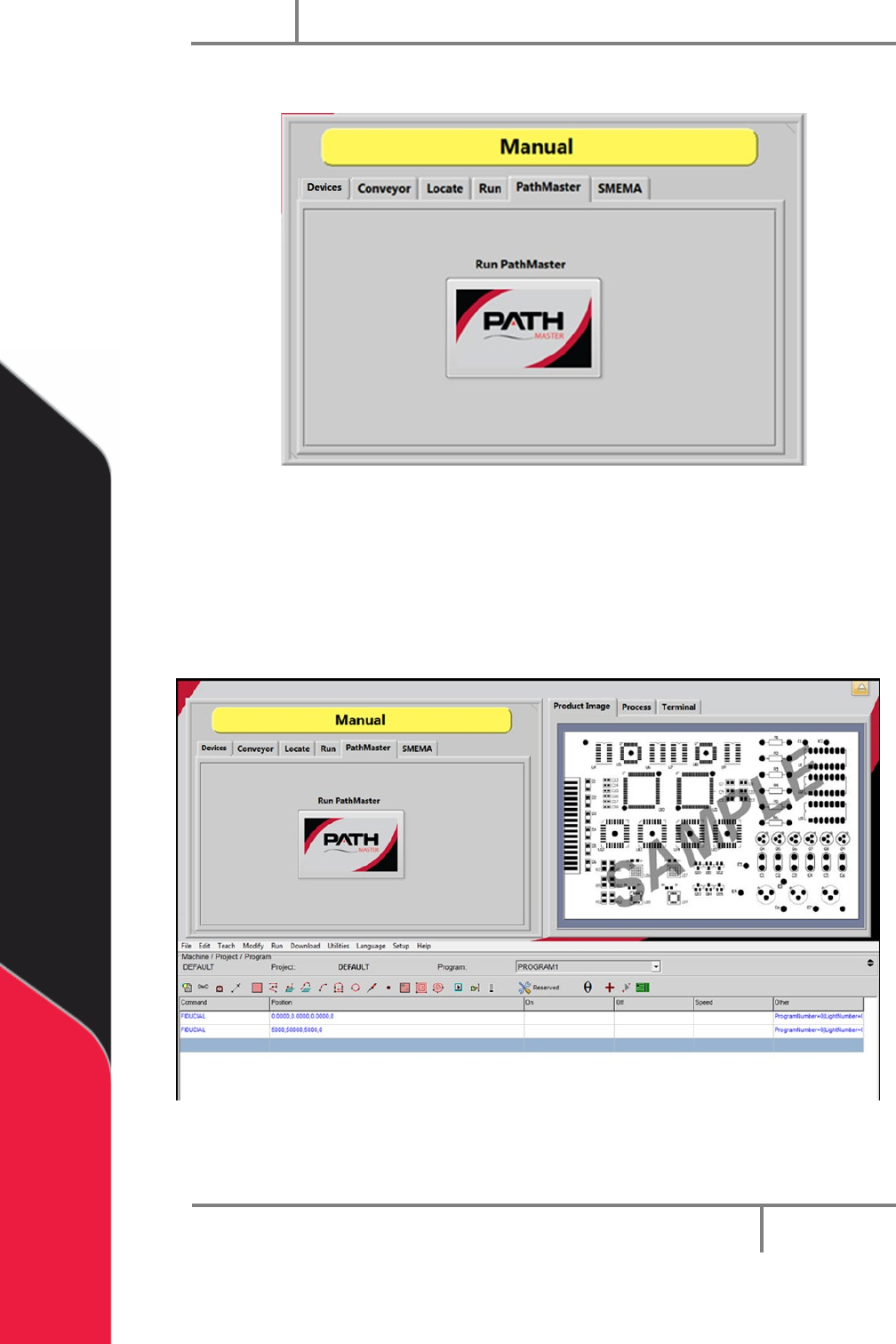
Figure 13: Launch PathMaster from Manual Mode
This tab contains a button that launches the included PathMaster® software.
1. Select the PathMaster tab.
2. Select “Run PathMaster” to open the PathMaster®. The PathMaster window
will open below the Portal screen.
Figure 14: PathMaster Open in Manual Mode of Portal
Portal
PVA
Revision H (2018)
27 of 93
6.6 SMEMA Status
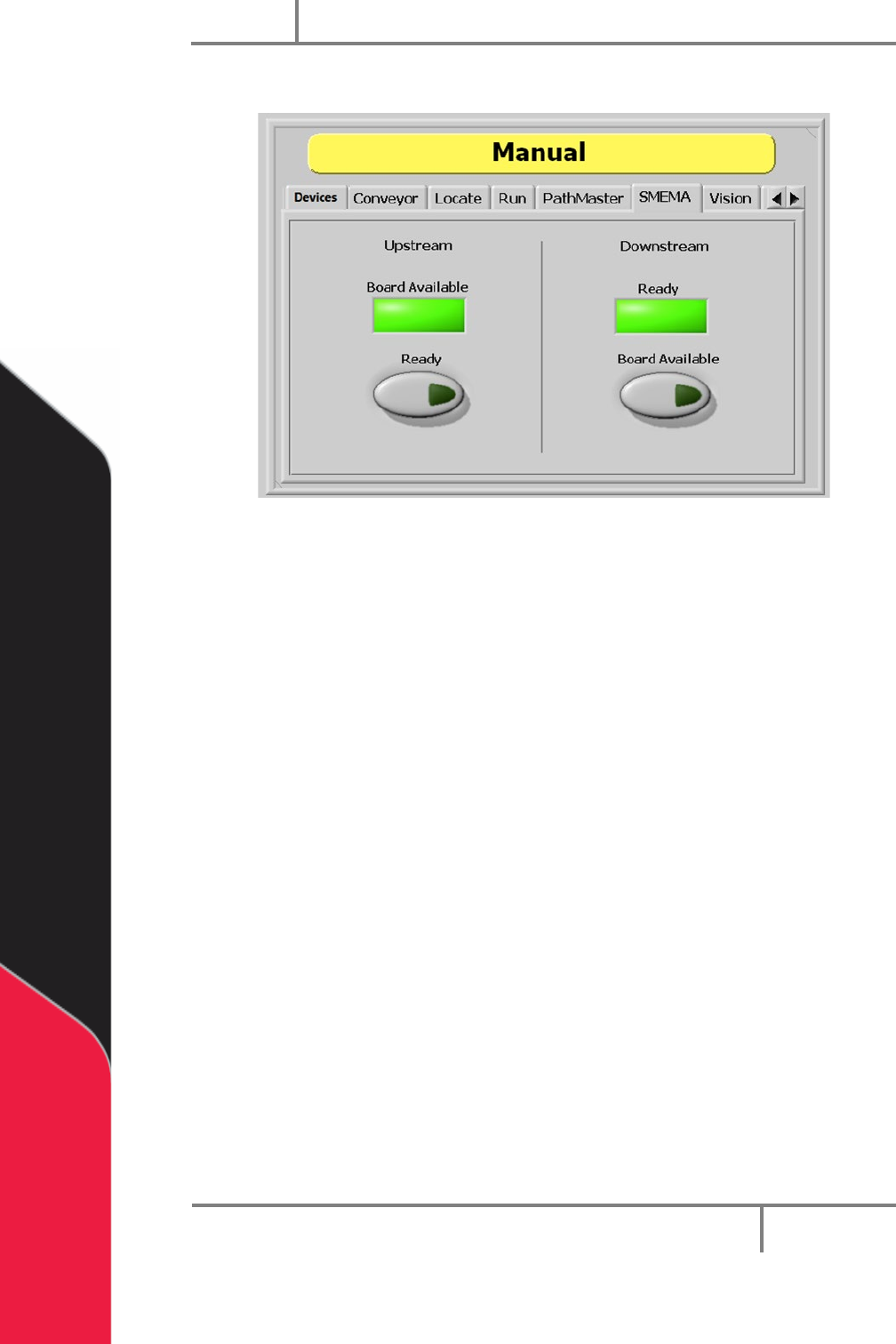
Figure 15: SMEMA Status, Manual Mode
When the workcell is put in-line, SMEMA signals communicate with upstream and
downstream machines. You can check the inputs to the workcell and change the
Upstream Ready and Downstream Board Available output signals under the “SMEMA”
tab.
1. Select the “SMEMA” tab.
The Upstream “Board Available” signal turns on when the upstream machine sends a
board available signal.
2. Select Upstream “Ready” to toggle the Ready output to the upstream machine
on or off. When on, the workcell can receive parts.
The Downstream “Ready” signal turns on when the downstream machine sends a ready
signal.
3. Select Downstream “Board Available” to toggle the Board Available output to
the downstream machine on or off. When on, the workcell can send parts.