Portal_Manual_1.2.1_Rev_H-1.pdf - 第52页
Portal PVA Revisio n H ( 2018 ) 52 of 93 10.1.2 Login to Portal 9. Login to th e PVA Por tal Softwa re. Selec t the c orrect user and enter th e passwo rd. Pus h the “ Enter ” button o n the keyboar d. 10. PVA configures…
Portal
PVA
Revision H (2018)
51 of 93
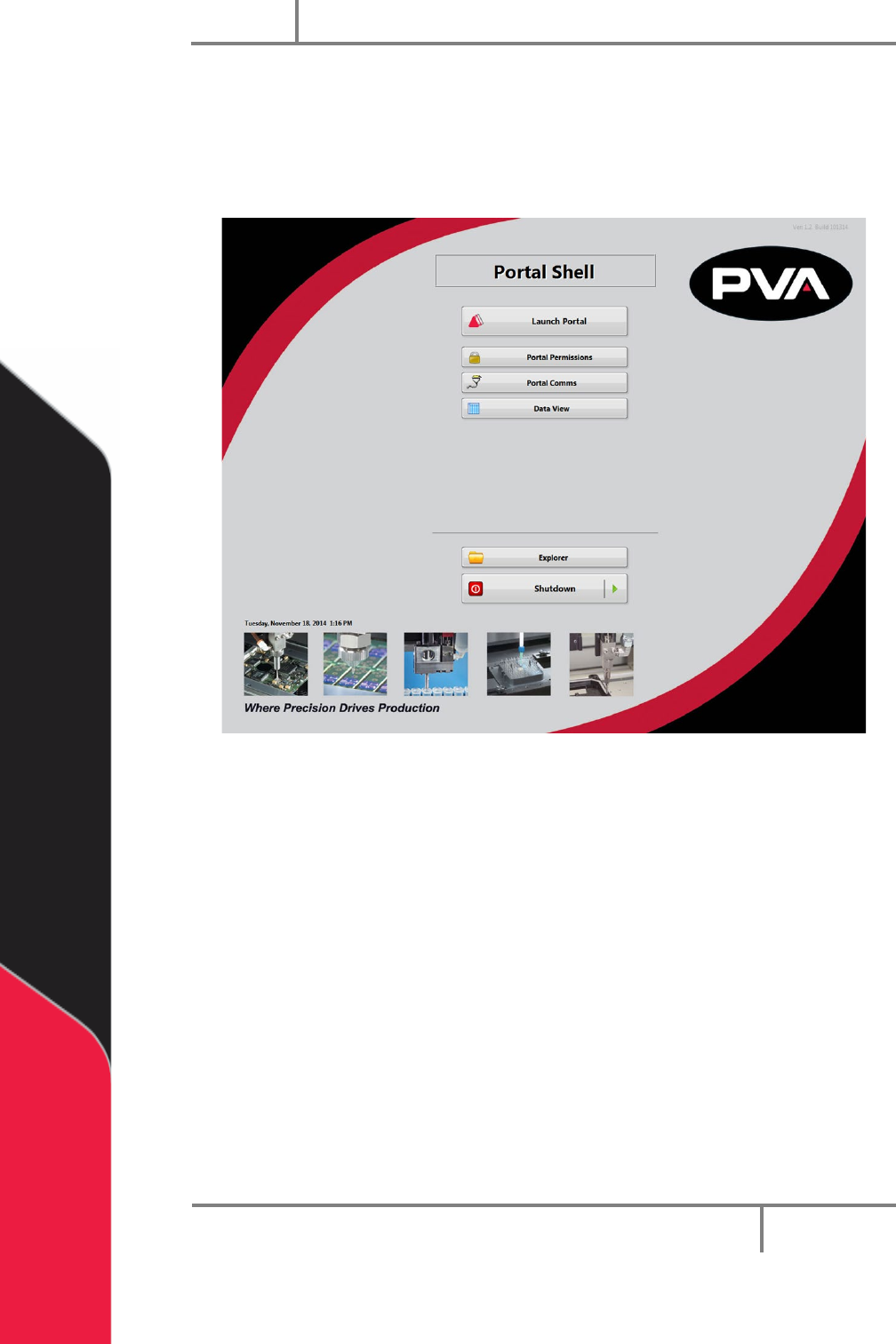
10.1.1 Portal Shell
7. Make sure the computer related to the workcell is on.
Portal Shell will open and give you a list of options.
8. Select “Launch Portal”.
Figure 41: Portal Shell
Portal
PVA
Revision H (2018)
52 of 93
10.1.2 Login to Portal
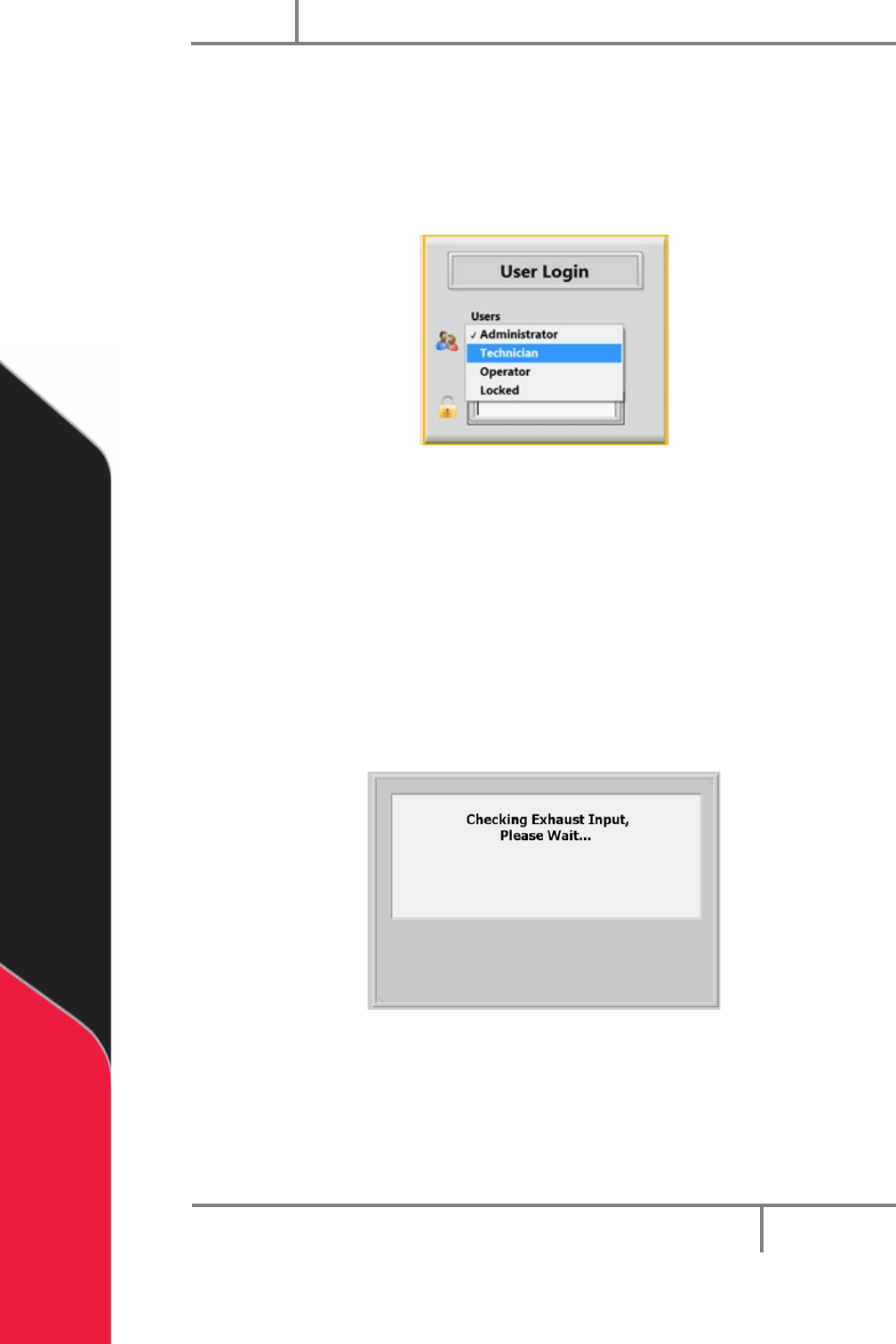
9. Login to the PVA Portal Software. Select the correct user and enter the
password. Push the “Enter” button on the keyboard.
10. PVA configures the default password as blank. Refer to portal permissions for
more information.
Figure 42: User Selection
10.2 Exhaust Verification
Once the workcell has initialized, it will do a test of the exhaust flow rate. If initialization
fails, refer to your workcell manual for fault diagnostics. The exhaust flow rate is
monitored with the on board pressure differential switch.
The workcell must exhaust at a rate no less than 300 cubic feet per minute (CFM),
otherwise a critical fault will occur and stop the motors. The test will also help to
evacuate any vapors that are in the work area. The time this takes is based on the CFM
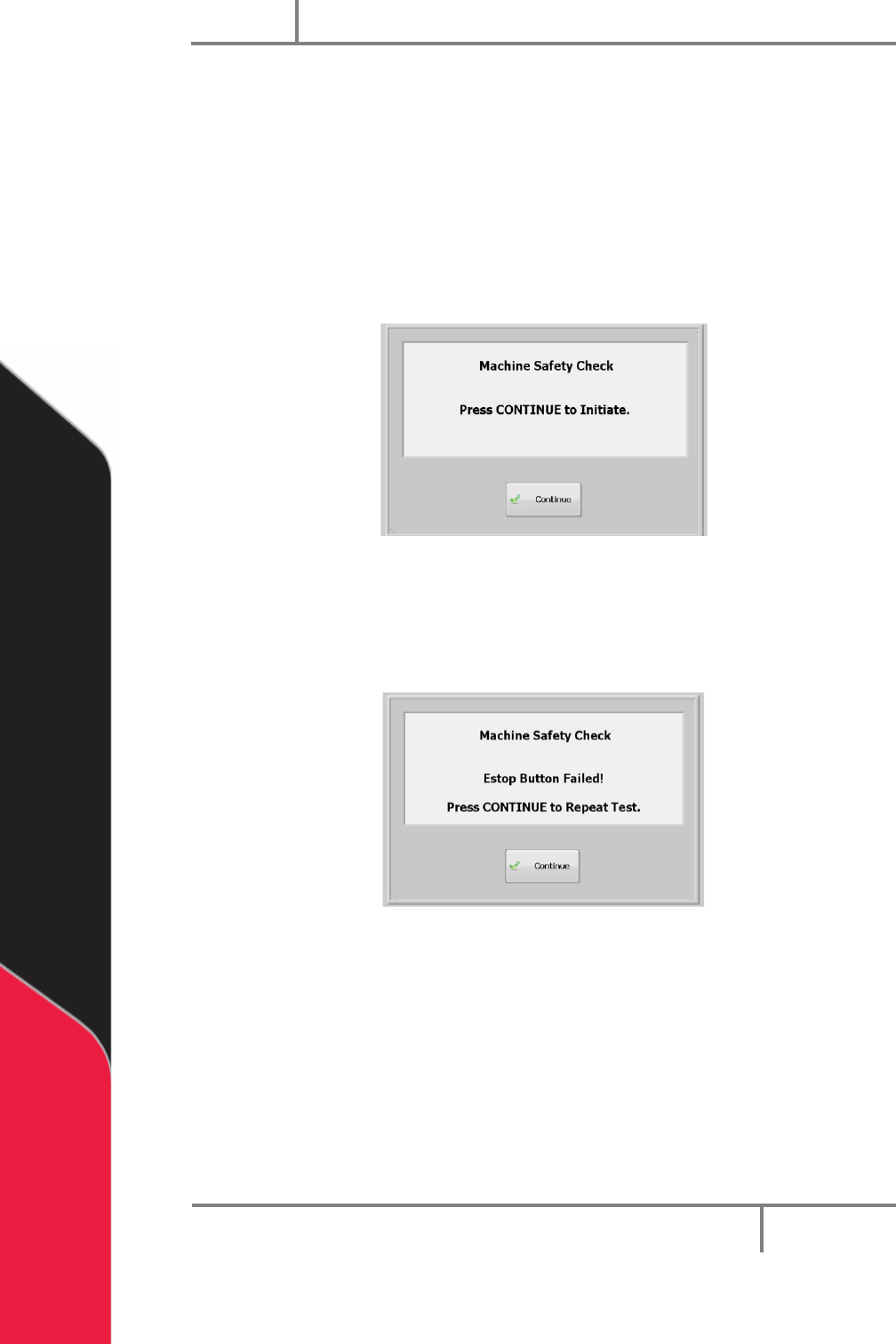
and the area that must be evacuated. The screen below will be shown:
Figure 43: Exhaust Input Screen
Portal
PVA
Revision H (2018)
53 of 93
10.3 Machine Safety Check
Once initialization and exhaust verification is complete, the operator interface shows
the message below
The machine safety check makes sure the workcell safety devices (Emergency Stop, door
interlocks, light curtain, etc.) operate correctly. During startup, the operator must start
the safety check and complete it successfully, or the machine stops all operations.
1. Select “Continue”.
Figure 44: Machine Safety Check
2. You must activate and deactivate the safety devices when shown on the screen.
All events in this procedure are timed. If an action is not done in 8 seconds an
error screen will be shown.
Figure 45: Safety Check, EStop Fail
3. Select “Continue” to repeat the test.
After the second failure, the workcell stops and must be restarted (turn the workcell
power off and on again). The second failure does not have to be for the same device. An
Emergency Stop failure followed by a door interlock failure stops the program.
NOTE: If the safety check fails, a qualified person must examine the full system
before the machine is operated again. Refer to the Troubleshooting Power
Check Failures Document.