Portal_Manual_1.2.1_Rev_H-1.pdf - 第58页
Portal PVA Revisio n H ( 2018 ) 58 of 93 11 Portal Perm is sions Each use r mus t have a passwo rd and user name . After any change s are m ade you m ust log out and log back in for any changes to be see n. To add a user…
Portal
PVA
Revision H (2018)
57 of 93
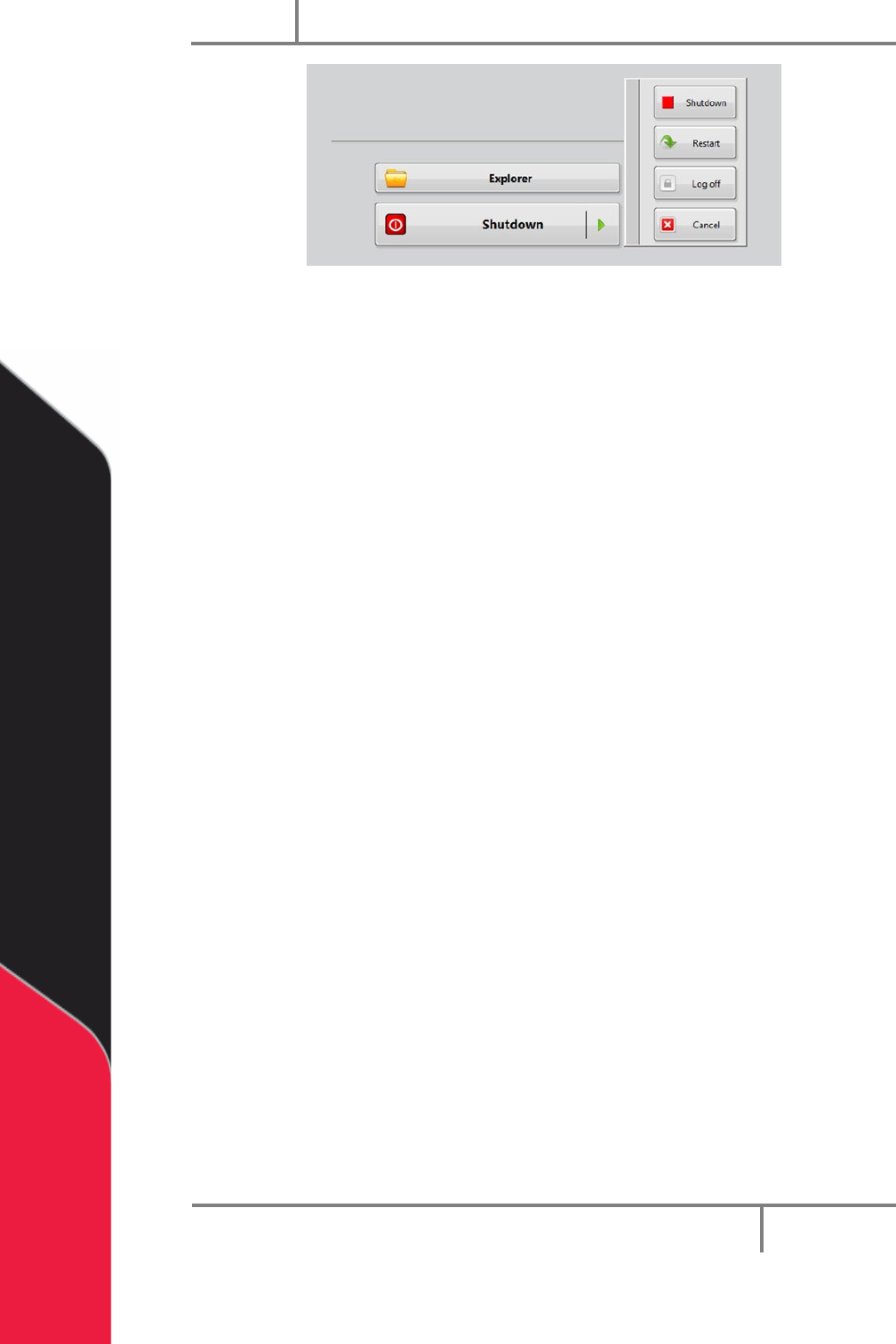
Figure 51: Portal Shutdown Options
NOTE: Make sure that the PC has been correctly shutdown BEFORE you stop
power to the workcell!
Refer to your workcell manual for additional information on how to shut down your
workcell.
Portal
PVA
Revision H (2018)
58 of 93
11 Portal Permissions
Each user must have a password and user name. After any changes are made you must
log out and log back in for any changes to be seen. To add a user or make changes to the
password or user permissions do the steps that follow:
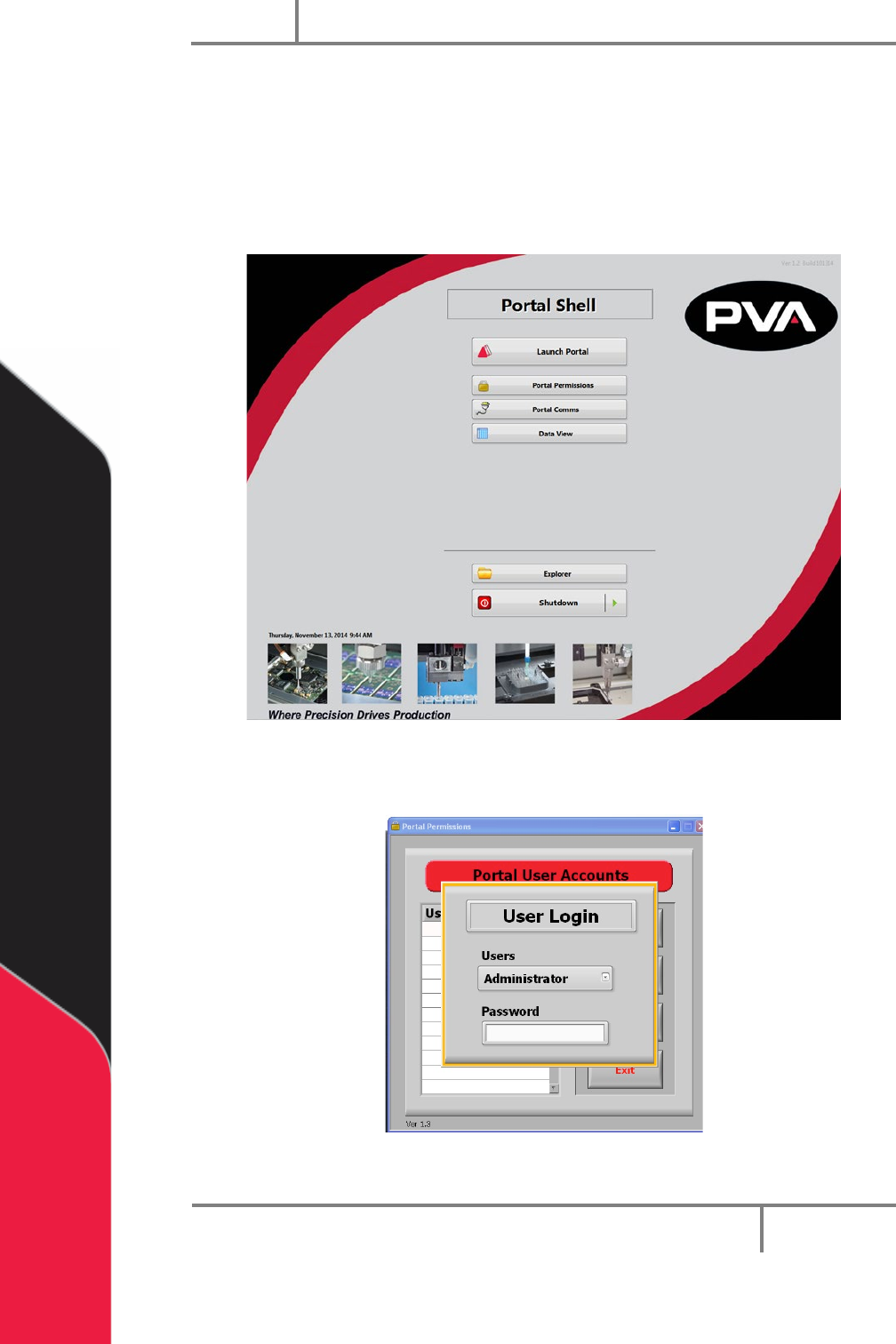
1. Select Portal Permissions from the Portal Shell screen.
Figure 52: Portal Permissions
2. The administrator must login.
Figure 53: Administrator Login
Portal
PVA
Revision H (2018)
59 of 93
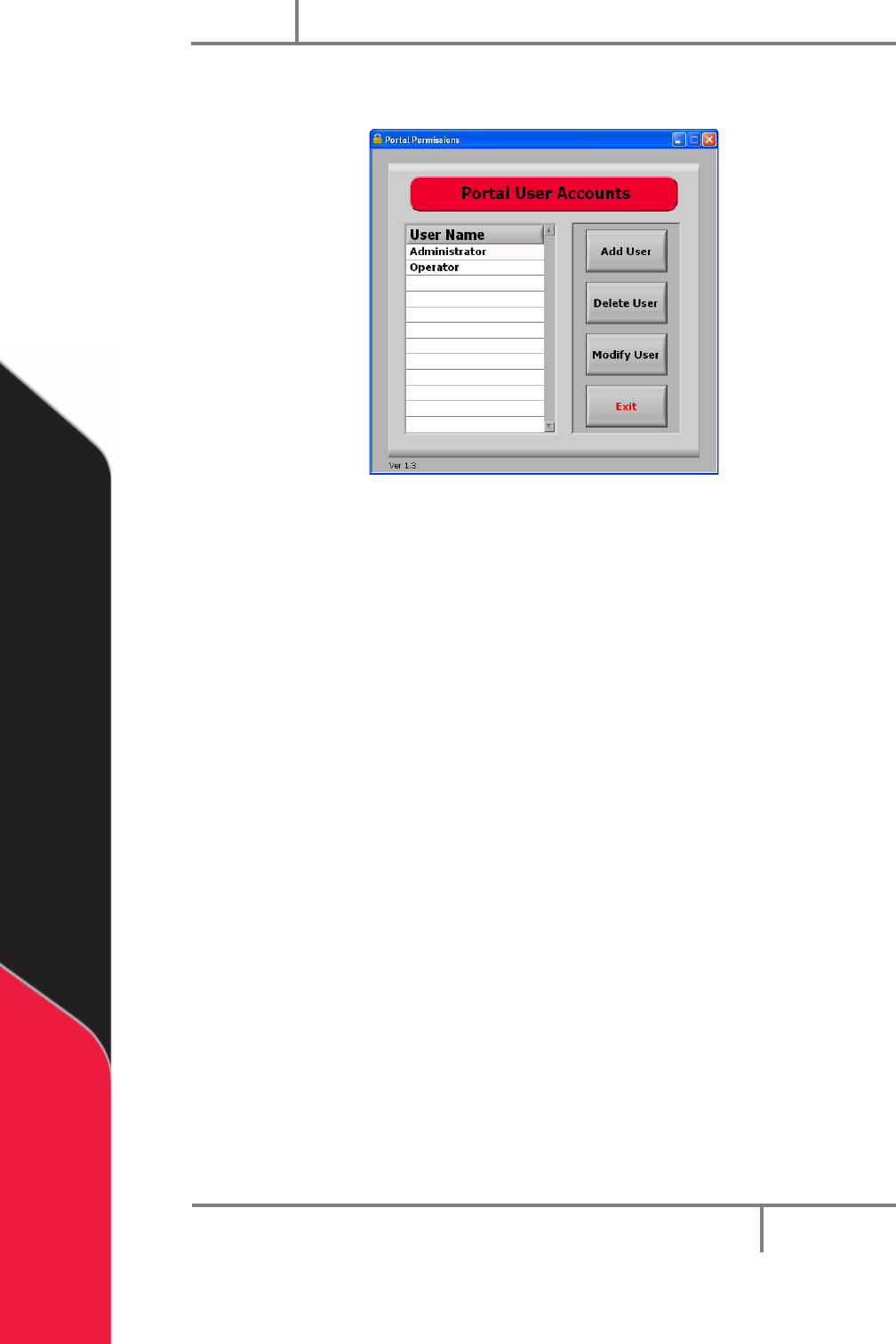
3. When the administrator is logged in, you have access to portal user accounts
and can select the permissions for each user.
Figure 54: User Accounts