Portal_Manual_1.2.1_Rev_H-1.pdf - 第63页
Portal PVA Revisio n H ( 2018 ) 63 of 93 12.2 Prima ry Co nne ct ion The P ri mar y C onnecti on tab has the sett ings for the prim ary handshaki ng betwe en the Gali l and Portal. • The Pri m ar y Handle and T ype must …
Portal
PVA
Revision H (2018)
62 of 93
12 Portal Communications
Portal communications contains the parameters for communicating between Portal and
the galil. There are two virtual communications established with the controller, the
Primary Connection, and the Unsolicited Connection.
NOTE: Changing the IP Address, Port, or Handle will cause communications
issues unless main program modifications are done correctly. Contact PVA
before you change any default values.
12.1 Communications
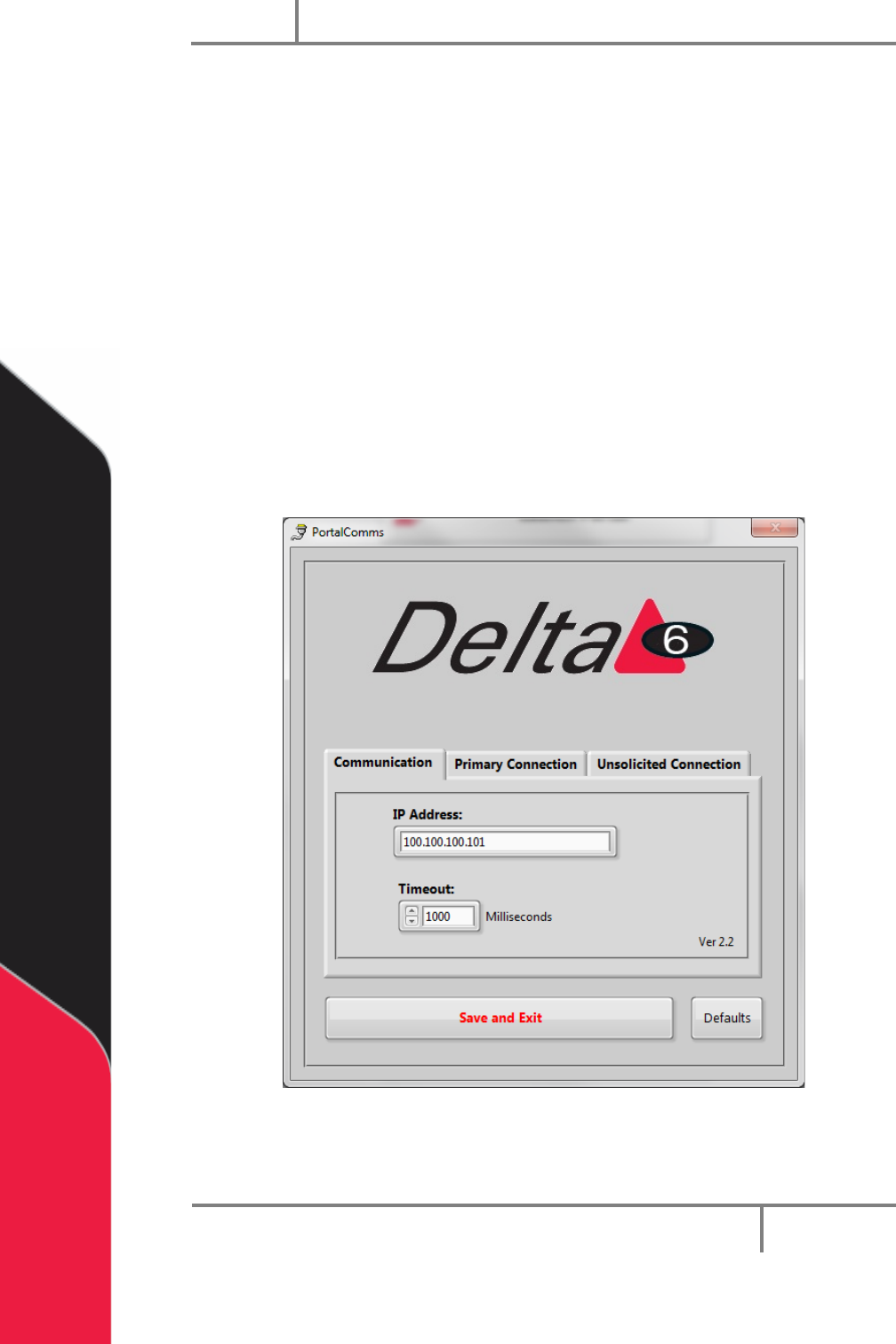
The communications tab has the IP Address and the Timeout.
1. To change the IP Address, type the value in the box.
2. To change the Timeout value, type a new value in the box or use the arrows to
increase or decrease the value.
Figure 59: PortalComms Communication
Portal
PVA
Revision H (2018)
63 of 93
12.2 Primary Connection
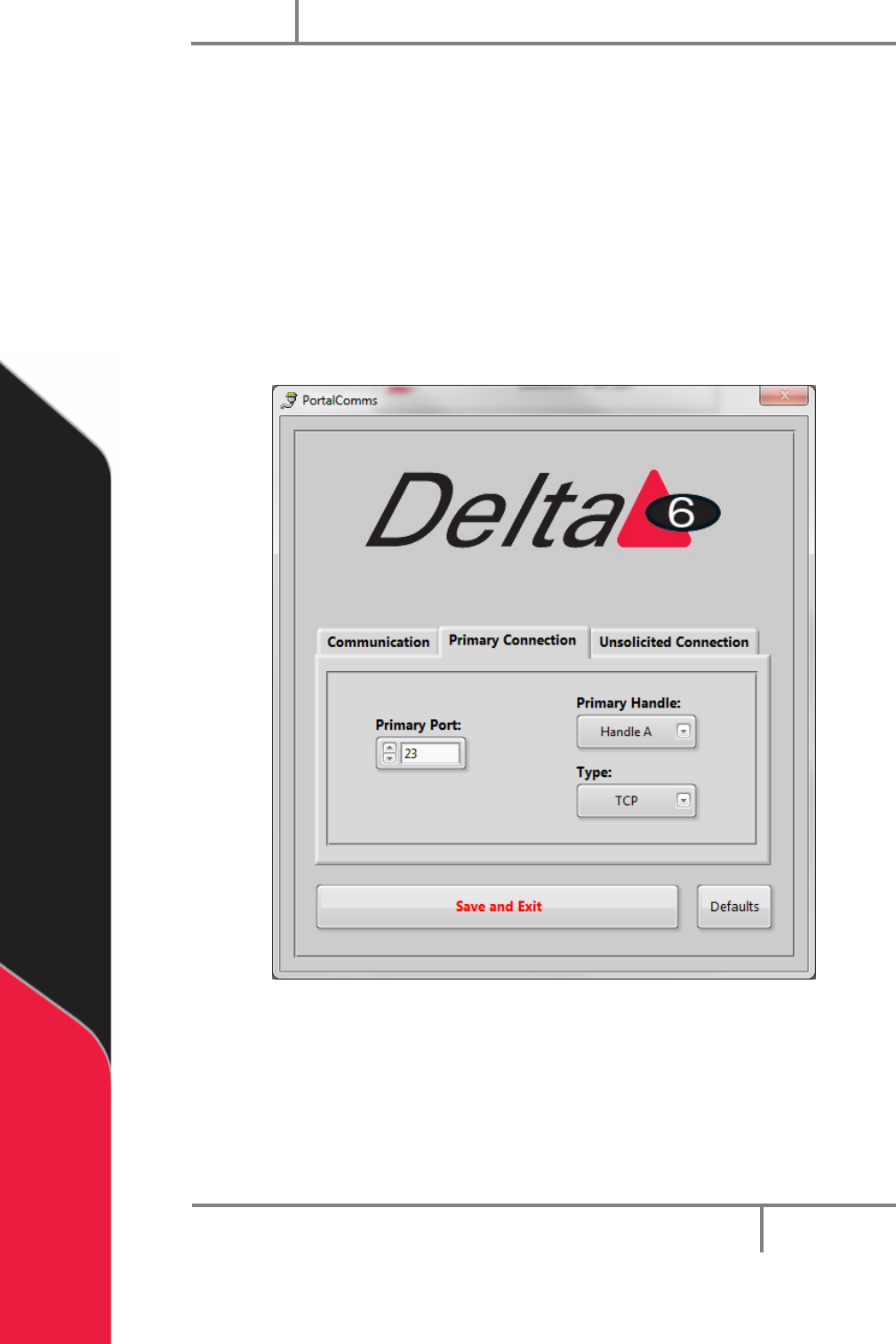
The Primary Connection tab has the settings for the primary handshaking between the
Galil and Portal.
• The Primary Handle and Type must be different from the settings for the
unsolicited connection.
• Select the arrow next to the setting to select a setting from the drop down
menu.
• You can select “Defaults” at any time to return the Primary Connection settings
to the default factory settings.
Figure 60: PotalComms Primary
Portal
PVA
Revision H (2018)
64 of 93
12.3 Unsolicited Connection
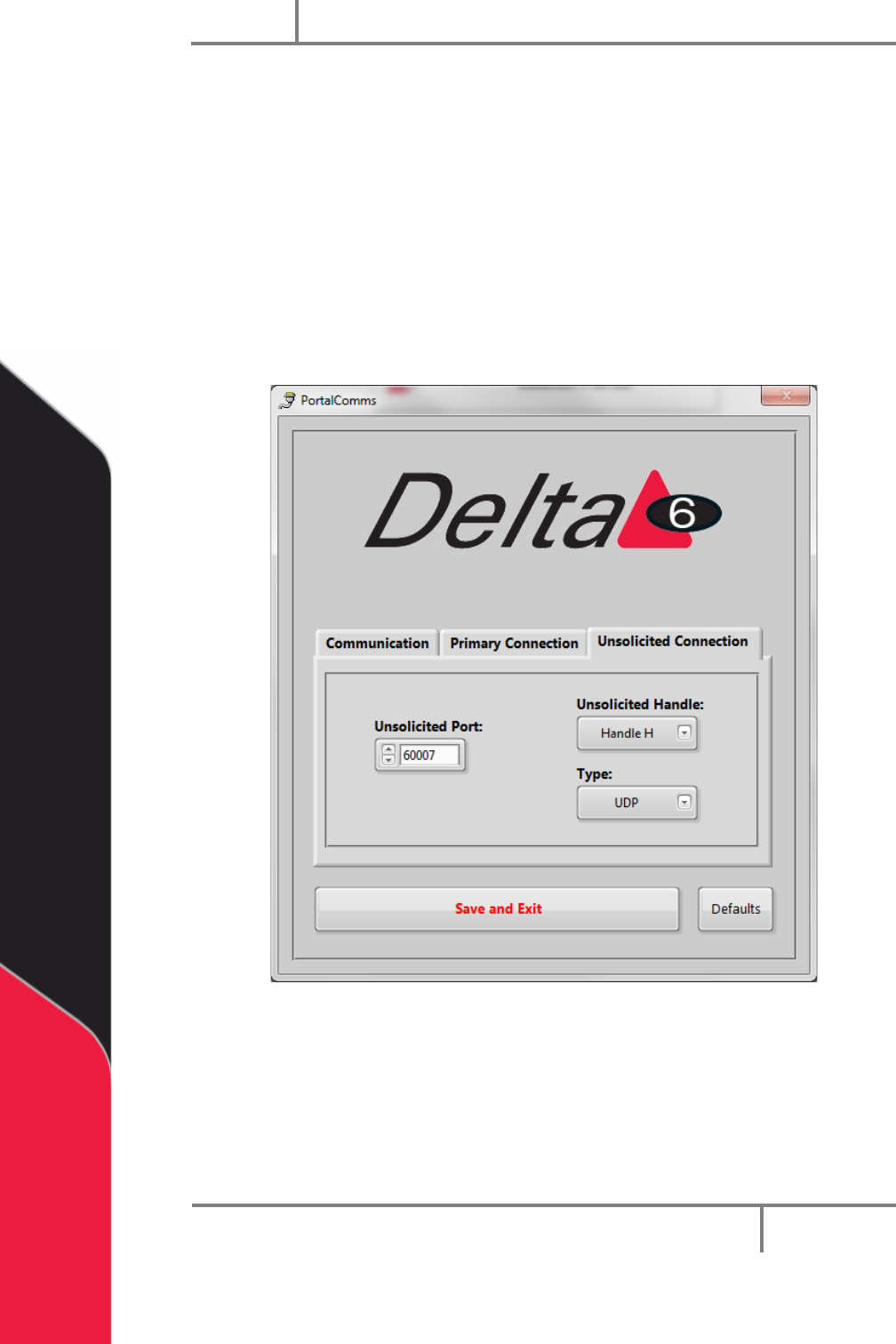
The Unsolicited Connection tab has the settings for the system messages
communication between the Galil and Portal.
• The Unsolicited Handle and Type must be different from the settings for the
primary connection.
• Select the arrow next to the setting to select a setting from the drop down
menu.
• You can select “Defaults” at any time to return the Unsolicited Connection
settings to the default factory settings.
Figure 61: PortalComms Unsolicited