Portal_Manual_1.2.1_Rev_H-1.pdf - 第75页
Portal PVA Revisio n H ( 2018 ) 75 of 93 Fig ure 88 : Quick Fi d Template 5. Give the Quick Fid inspe ction a unique nam e and then click “OK” . Fig ure 89 : Inspecti on Name The new Qui ck Fid inspec tion has been c rea…
Portal
PVA
Revision H (2018)
74 of 93
15 Quick Fid Inspection
Quick Fid Inspection is an optional application in Portal. You must have this option to
use the functions shown. This application provides the use of fiducials without the
ability to do inspections.
15.1 To Create a New Inspection
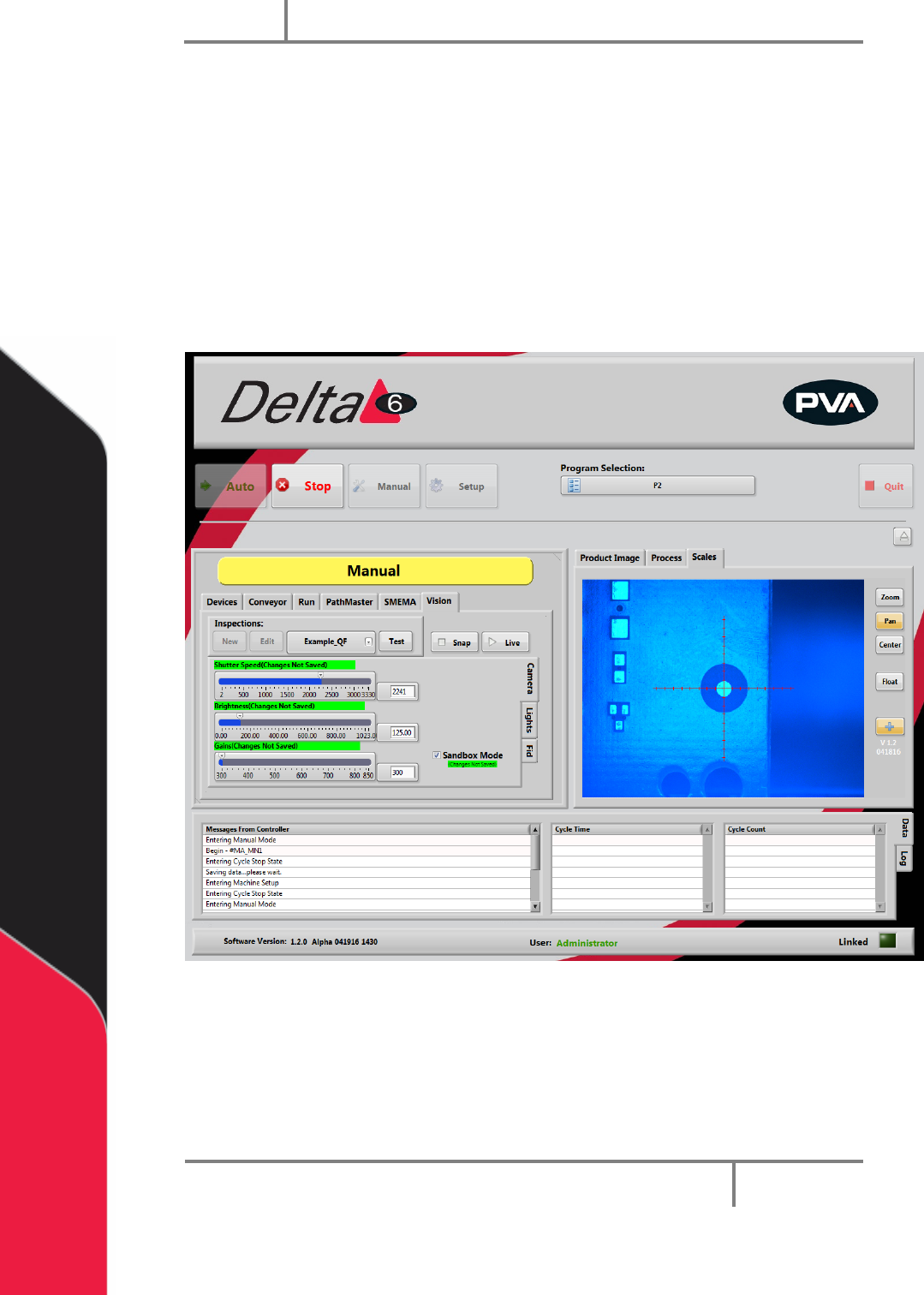
1. Uncheck “Sandbox Mode. You cannot make changes to Inspections in Sandbox
mode. Changes made to the Camera attributes in Sandbox Mode do not change
the current inspection and are discarded.
Figure 87: Quick Fids
2. Under Inspections, select “New”.
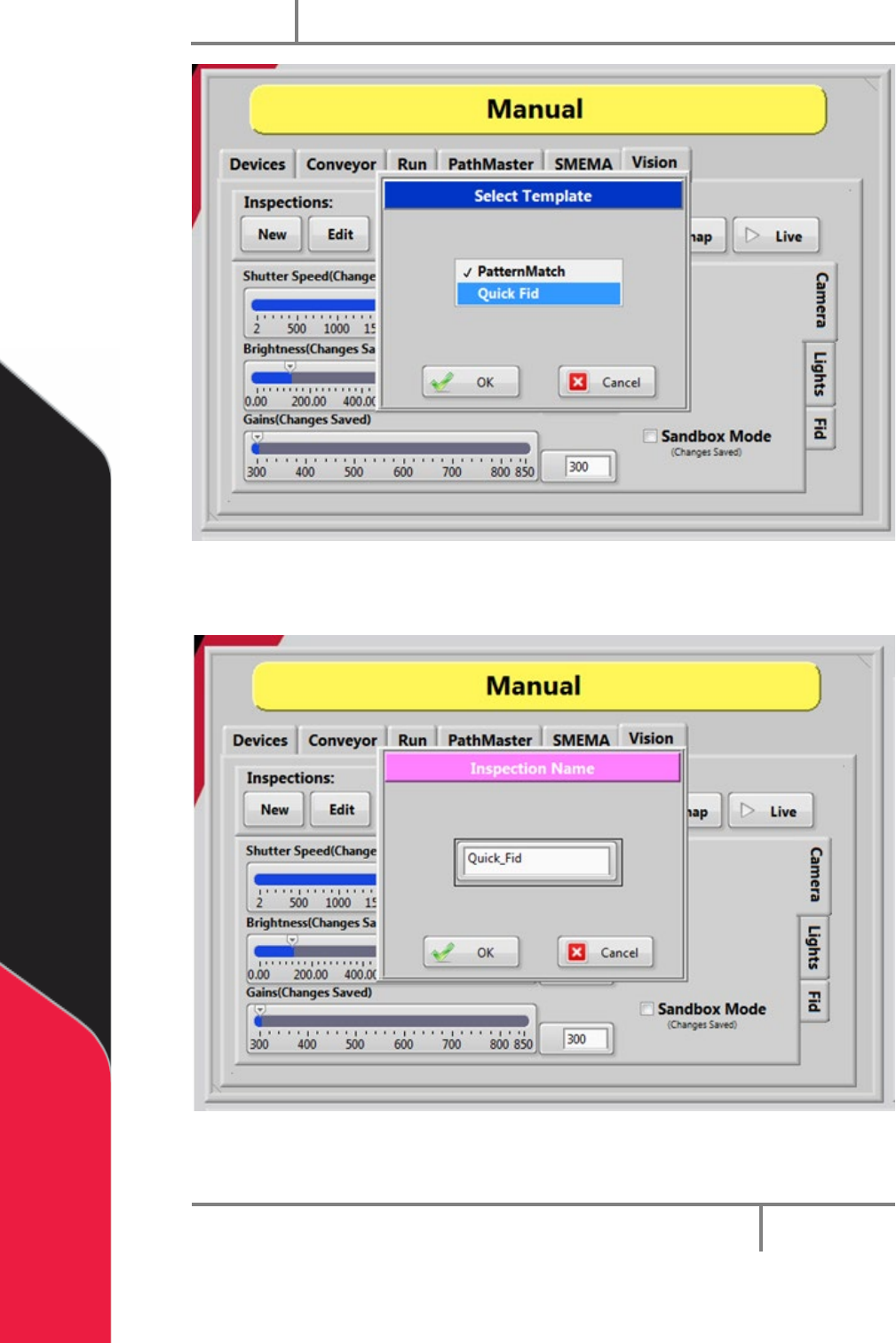
3. Select the “Quick Fid” inspection template.
4. Select “OK”.
Portal
PVA
Revision H (2018)
75 of 93
Figure 88: Quick Fid Template
5. Give the Quick Fid inspection a unique name and then click “OK”.
Figure 89: Inspection Name
The new Quick Fid inspection has been created.
Portal
PVA
Revision H (2018)
76 of 93
15.2 Edit Inspection
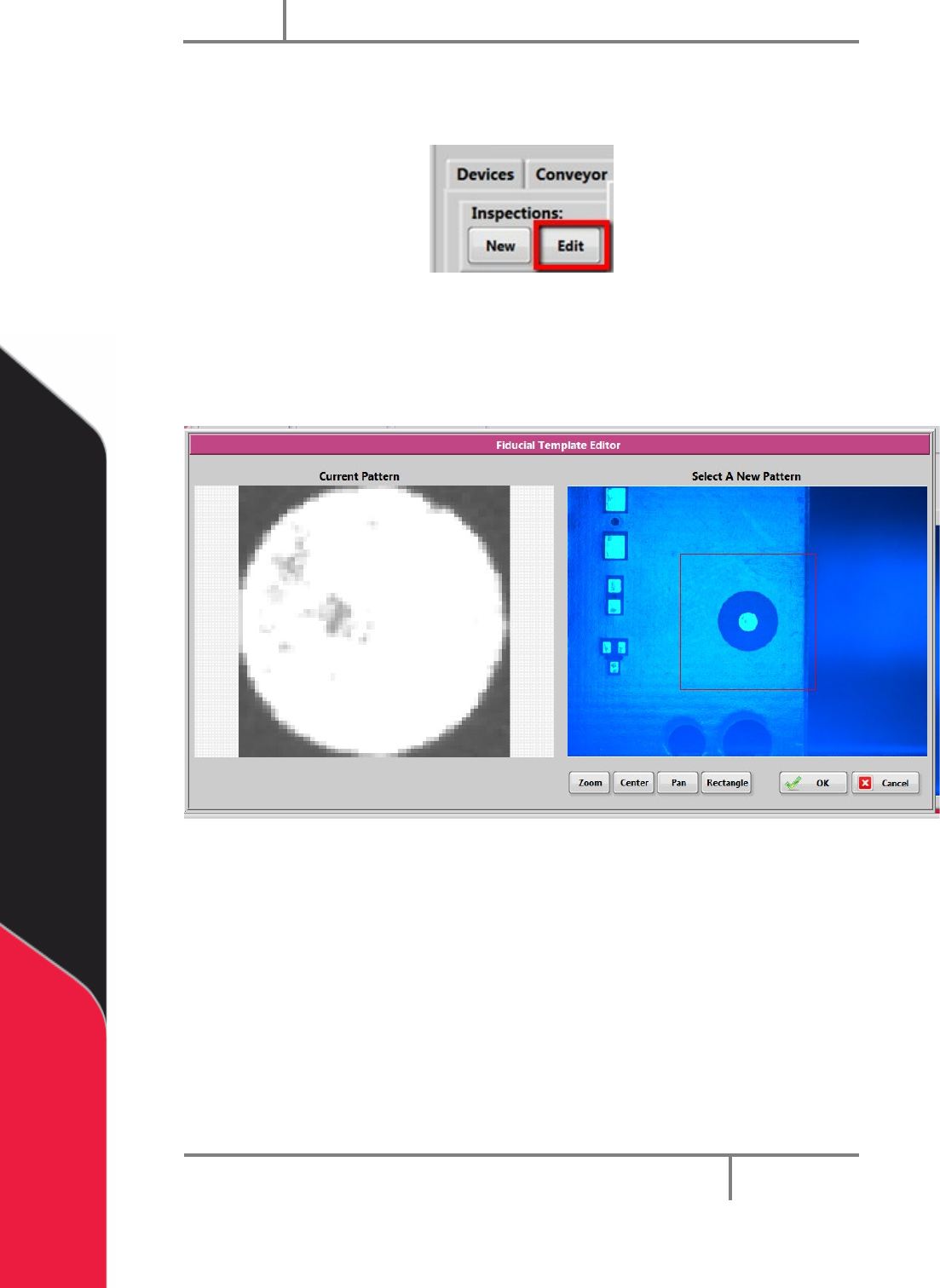
1. To edit a Quick Fid inspection, click “Edit” inspection.
Figure 90: Edit Inspection
2. Select the rectangle tool, draw a rectangle around the fiducial template.
3. Select “OK” to save the changes, or select “Cancel” to exit and not save any
changes.
Figure 91: Fiducial Template Editor