Portal_Manual_1.2.1_Rev_H-1.pdf - 第77页
Portal PVA Revisio n H ( 2018 ) 77 of 93 15.3 Sandb ox M ode In sandbox mode you ca n adjust the settings and view the effects without sa ving a ny changes . 1. Mak e sure the S andbox mode box is sel ected (ch ecked). F…
Portal
PVA
Revision H (2018)
76 of 93
15.2 Edit Inspection
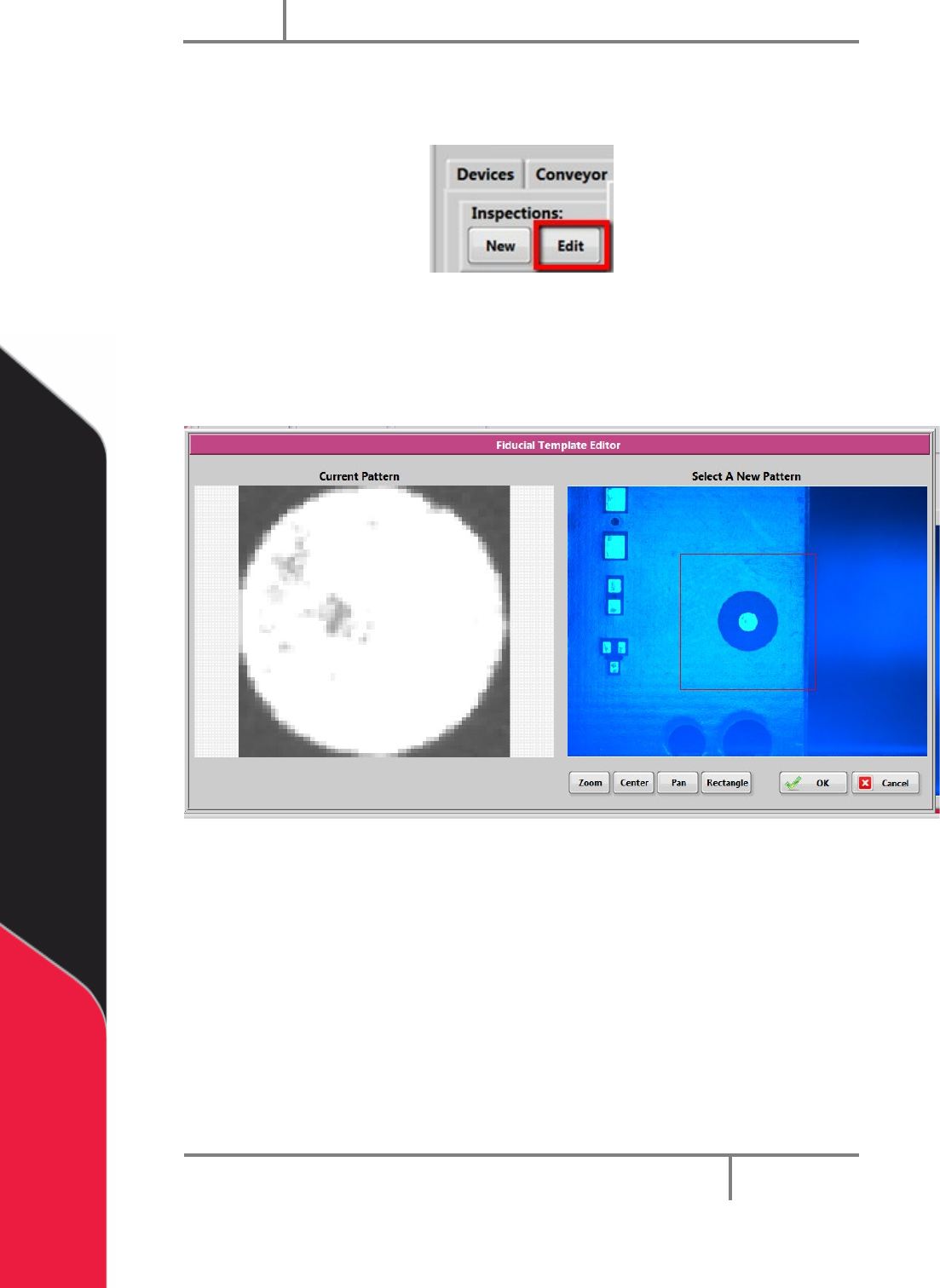
1. To edit a Quick Fid inspection, click “Edit” inspection.
Figure 90: Edit Inspection
2. Select the rectangle tool, draw a rectangle around the fiducial template.
3. Select “OK” to save the changes, or select “Cancel” to exit and not save any
changes.
Figure 91: Fiducial Template Editor
Portal
PVA
Revision H (2018)
77 of 93
15.3 Sandbox Mode
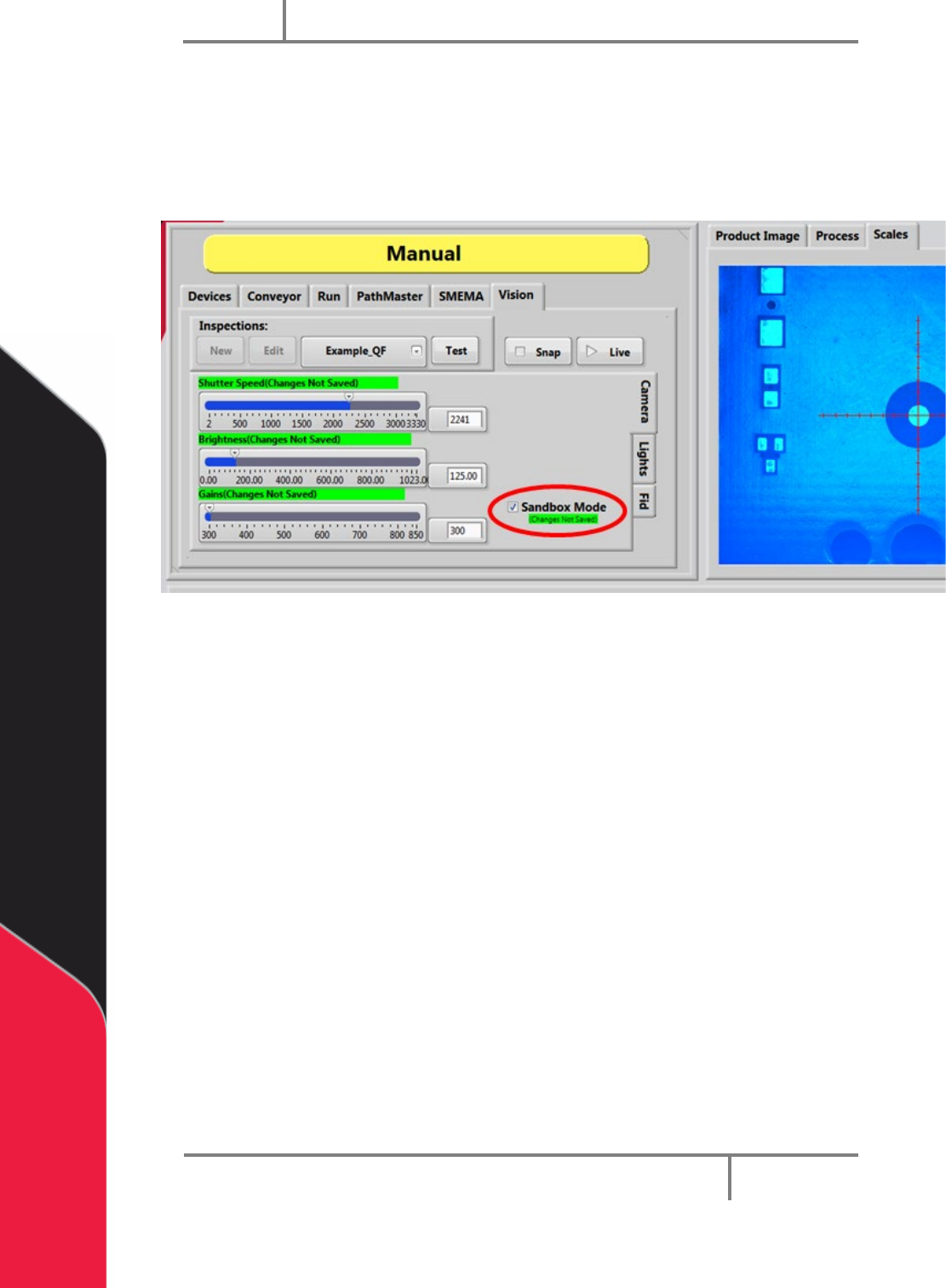
In sandbox mode you can adjust the settings and view the effects without saving any
changes.
1. Make sure the Sandbox mode box is selected (checked).
Figure 92: Sandbox Mode
2. Adjust the Shutter Speed, Brightness, and Gains to see how they affect the
image on the right.
Portal
PVA
Revision H (2018)
78 of 93
16 Fault Recovery
16.1 Recovering From Emergency Stop and Other
Machine Errors
If the Emergency Stop button is engaged or the machine encounters a system error, do
this procedure to return the machine to normal operation.
WARNING! If the Emergency Stop was engaged because of system failure, DO
NOT disengage the Emergency Stop button. Shutdown the system and have
qualified personnel repair the machine.
Do not operate the workcell again until the cause of the failure has been repaired.
1. Open the front doors and remove all parts/PCBs from the work area.
2. Close the doors and disengage the “Emergency Stop” button if it was not
engaged because of a system failure.
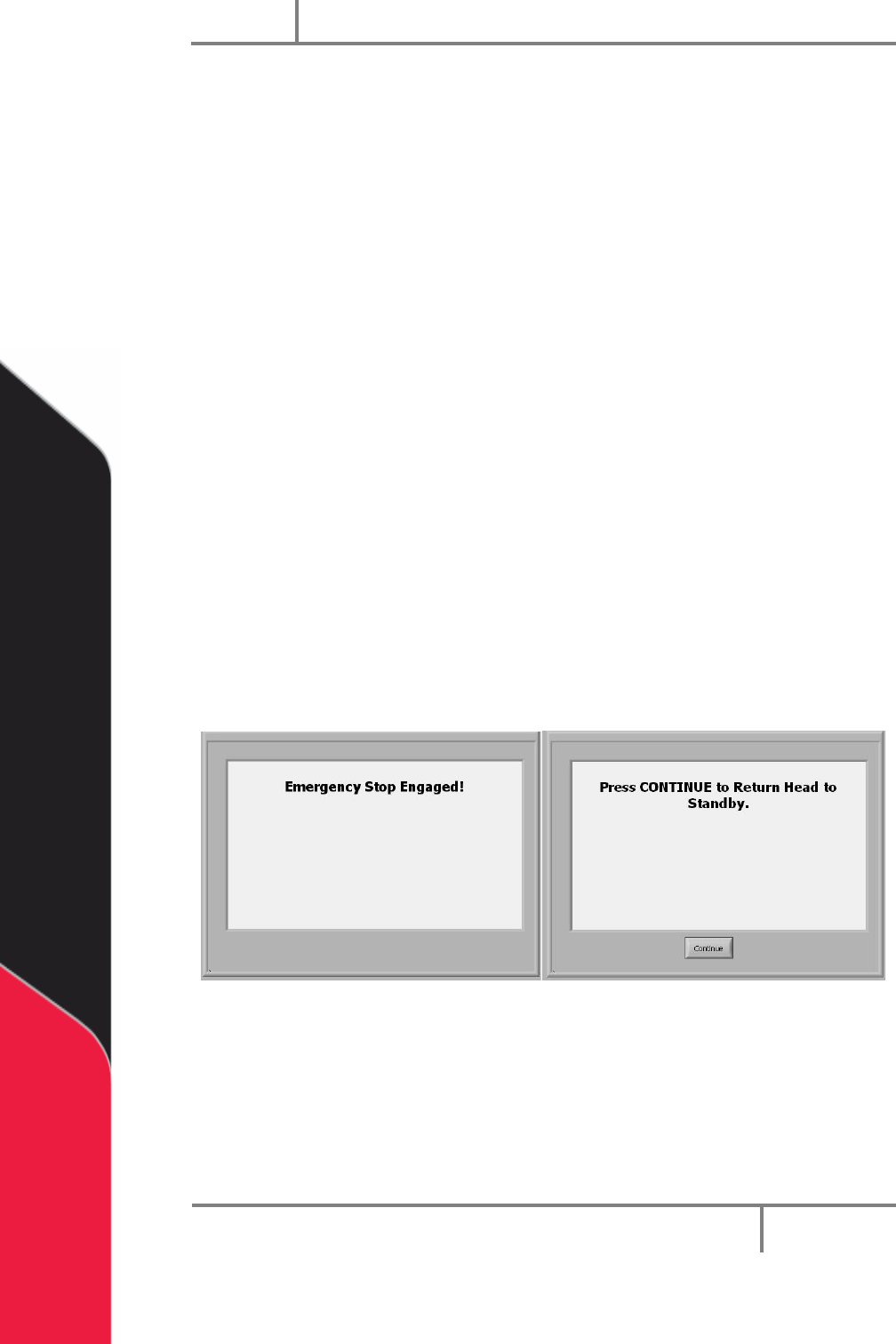
3. Push “Continue”.
4. Press “Continue” to return the head to the standby position. The screen returns
to Cycle Stop.
NOTE: All functions are disengaged until the “Emergency Stop” button is
disengaged.
Figure 93: Emergency Stop
5. Correct the fault which caused the operator to engage the “Emergency Stop”
button.
6. Open the access door.
7. Remove all parts from the work area. Find the parts that can still be used and
put them in the input queue.