TR7600 SIII_Series_Installation_en_v_2_0_2 - 第27页
Test Research, Inc . 17 TR7600 SIII Ser ies User G uide – Ins tallation 2.6 Install Three-Color Sig nal Tower The signal tow er should be installed on the top of the machine. 1) R emove the l ight tower from the acce sso…
Test Research, Inc.
TR7600 SIII Series User Guide – Installation 16
2.5 Install X-ray Tube
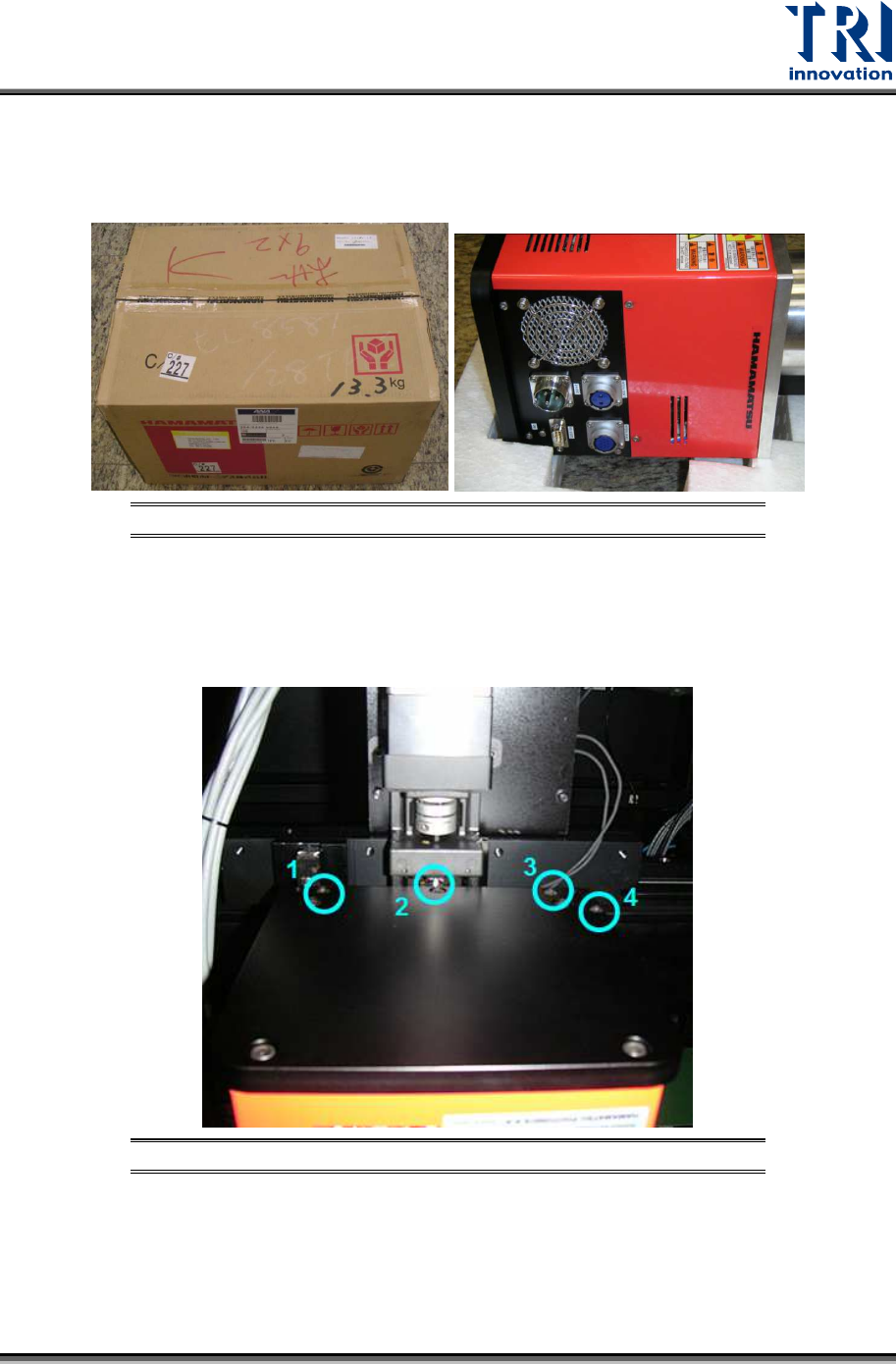
1) Carefully remove the X-ray tube from its packing carton. Avoid dropping or bumping the
unit.
Figure 27: X-Ray Source
2) Mount the X-ray tube on the upper X-Y table. Sockets on the X-ray tube should face the
left side of the machine.
3) Fasten the four screws shown in the figure below.
Figure 28: X-Ray Tube Screws
4) Connect the system cables to the tube’s sockets.
Test Research, Inc.
17 TR7600 SIII Series User Guide – Installation
2.6 Install Three-Color Signal Tower
The signal tower should be installed on the top of the machine.
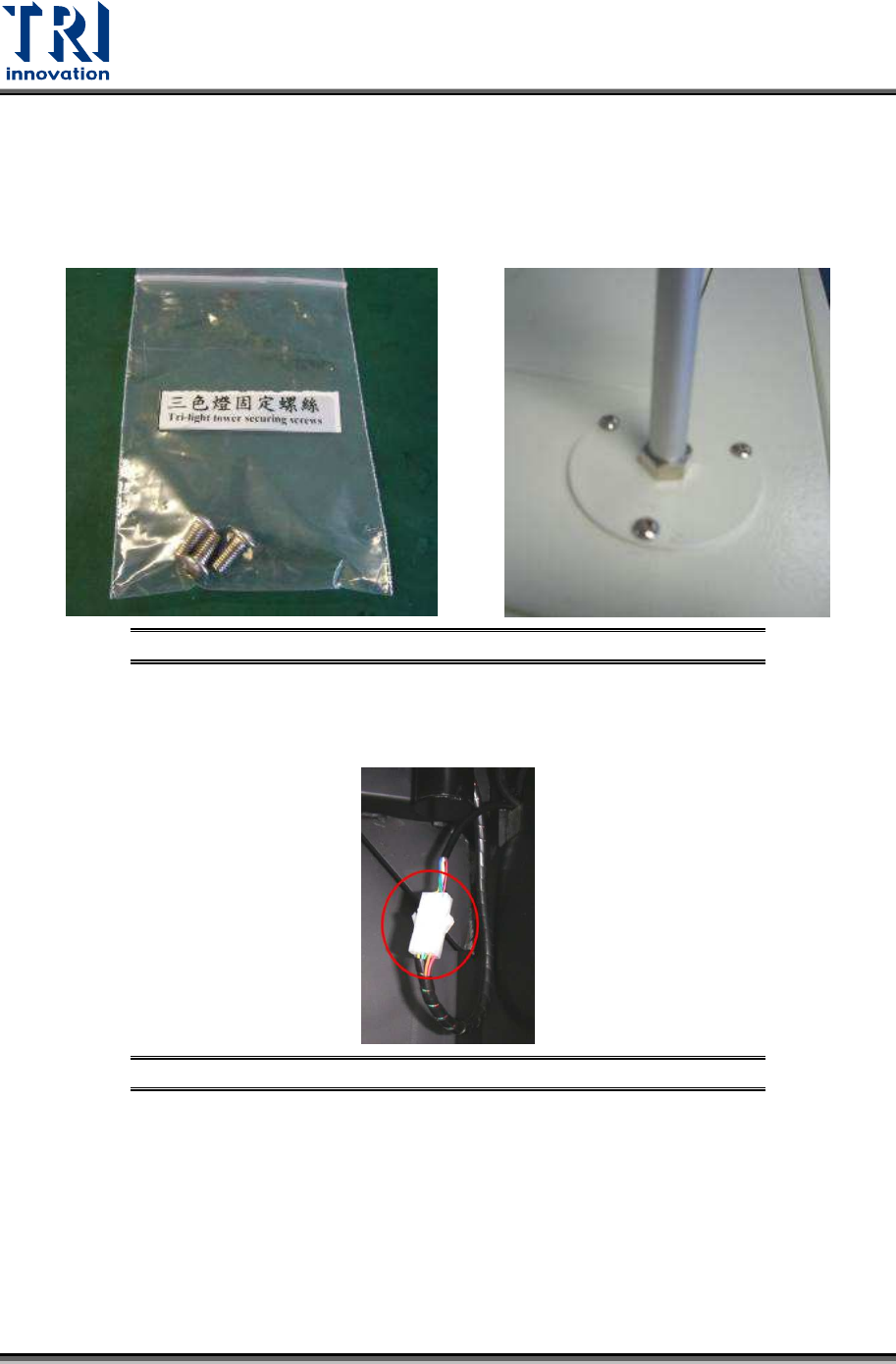
1) Remove the light tower from the accessory box.
2) Fasten these three screws tightly to install the signal tower.
Figure 29: Install the Signal Tower
3) Link the internal socket. Connect the cable of the light tower and the reserved socket
inside the machine.
Figure 30: Connect the Internal Socket
Test Research, Inc.
TR7600 SIII Series User Guide – Installation 18
2.7 Install Air Supply Hose
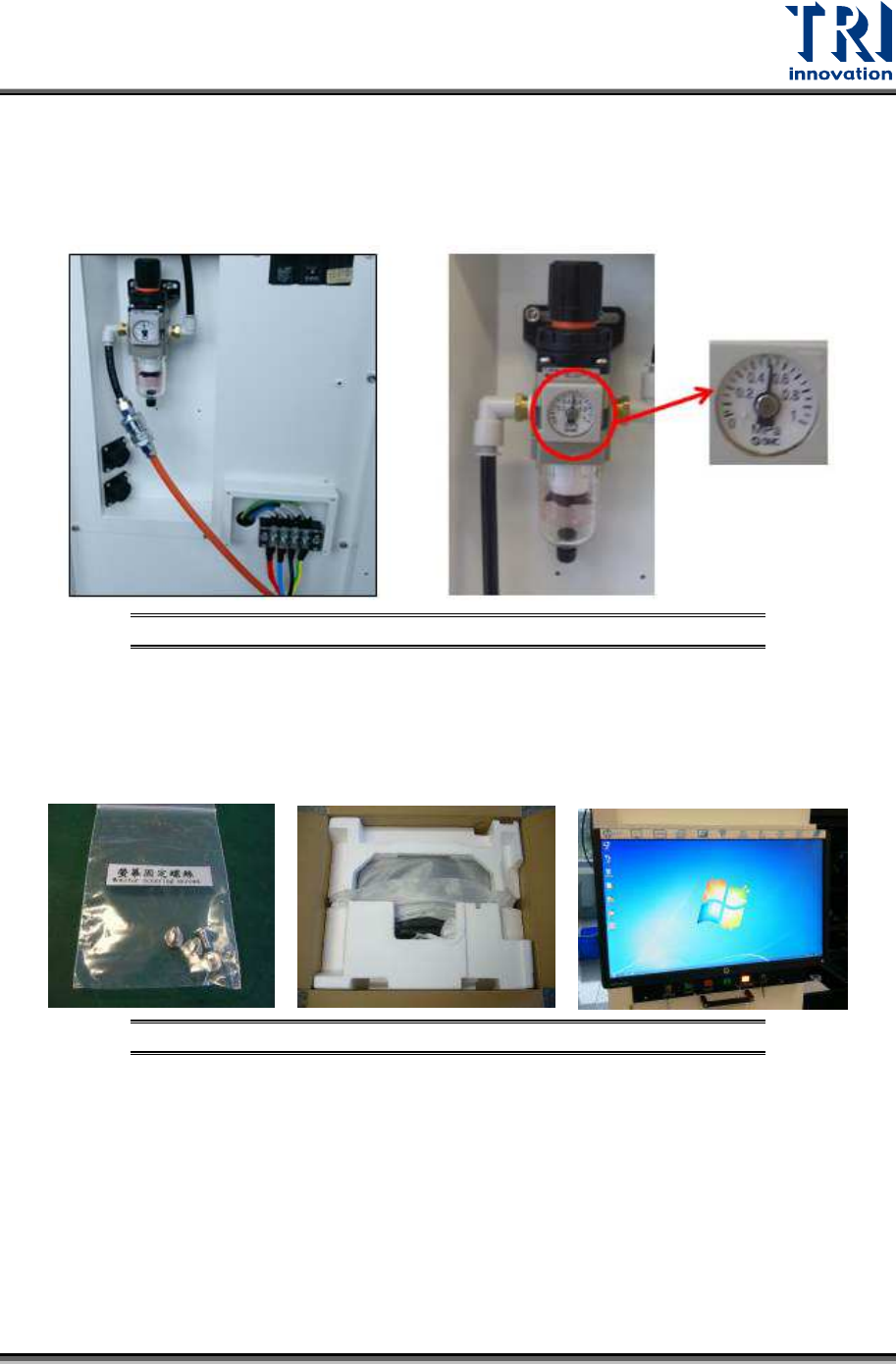
1) Connect the air supply hose to the machine.
2) Check if the pressure of the air control valve is above 0.5 MPa and below 1 MPa.
Figure 31: Check Air Pressure
2.8 Install Monitor
1) Fasten these screws below to install the monitor.
Figure 32: Install the Monitor