OM-1078-002.pdf - 第102页
(2) Make an alignment with the pointing device and press the right and left buttons simultaneously . Fig. B17 (3) When the [ENABLE] button on the operation panel is pressed in 2 seconds after the [2Point] button and the …
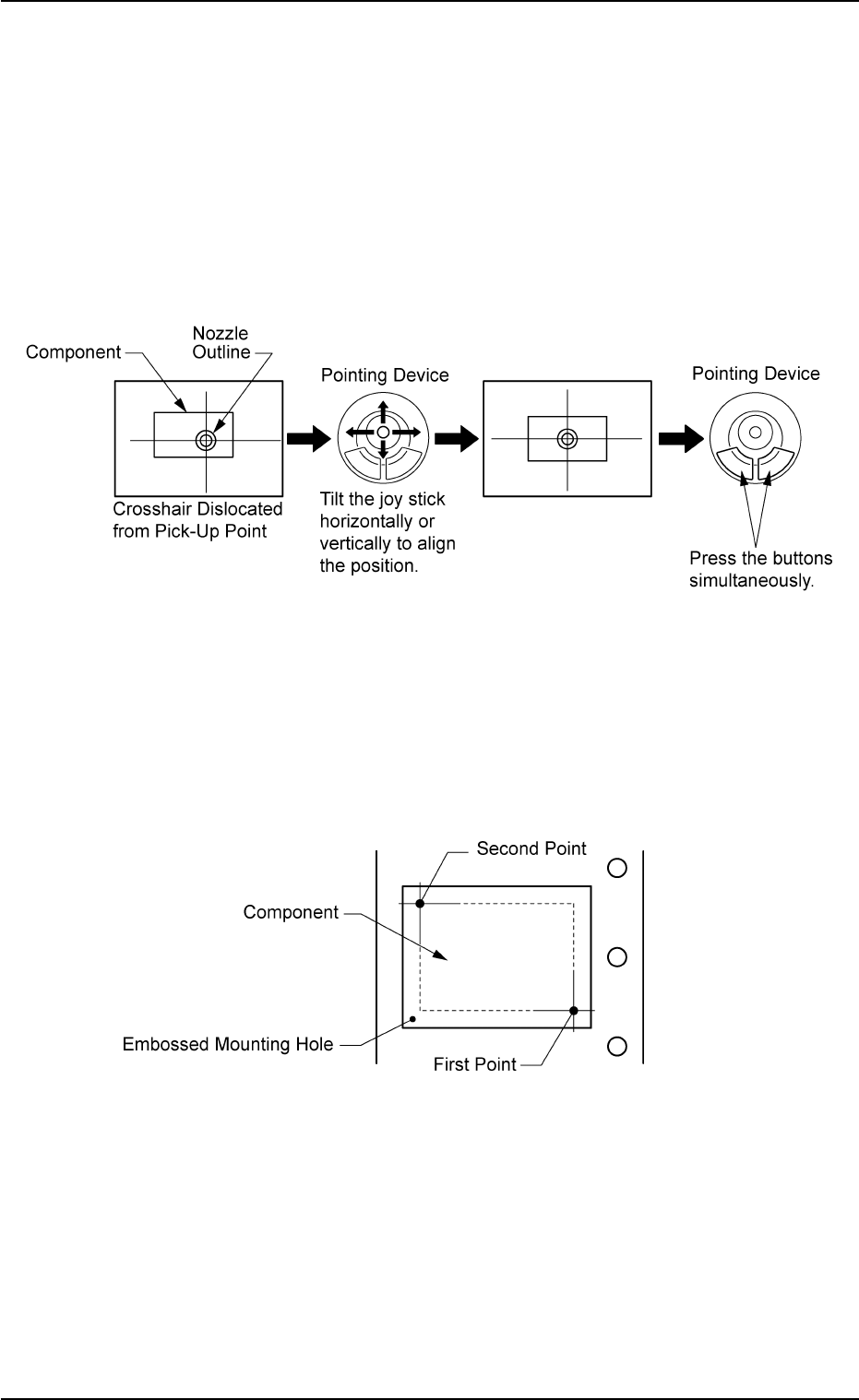
• Pointing Device Operation
[Center 1-Pt.] Button
A crosshair appears on the "Recognition" window.
Adjust the crosshair to the pick-up point, using the pointing device.
(1) When the [ENABLE] button on the operation panel is pressed in 2
seconds after the [Center 1-Pt.] button and the [ON] button (en-
titled "MOVE"), the P.E.C. recognition camera moves to the des-
ignated feeder No. position.
(2) Manipulate the pointing device as shown below.
Fig. B15
[1Point] and [2Point] Buttons
Specify two edges of the component to be picked up or the embossed
mounting hole.
Specify two edges in the embossed area of the component.
Or, specify two corner points in the embossed mounting hole.
Fig. B16
(1) When the [ENABLE] button on the operation panel is pressed in 2
seconds after the [1Point] button and the [ON] button (entitled
"MOVE"), the P.E.C. recognition camera moves to the specified
feeder No. position.
A crosshair (First Point) appears on the "Recognition" Window.
0204-001 2-28
AHI01EGP
5.3 "TEACHING" Window (Submenu)
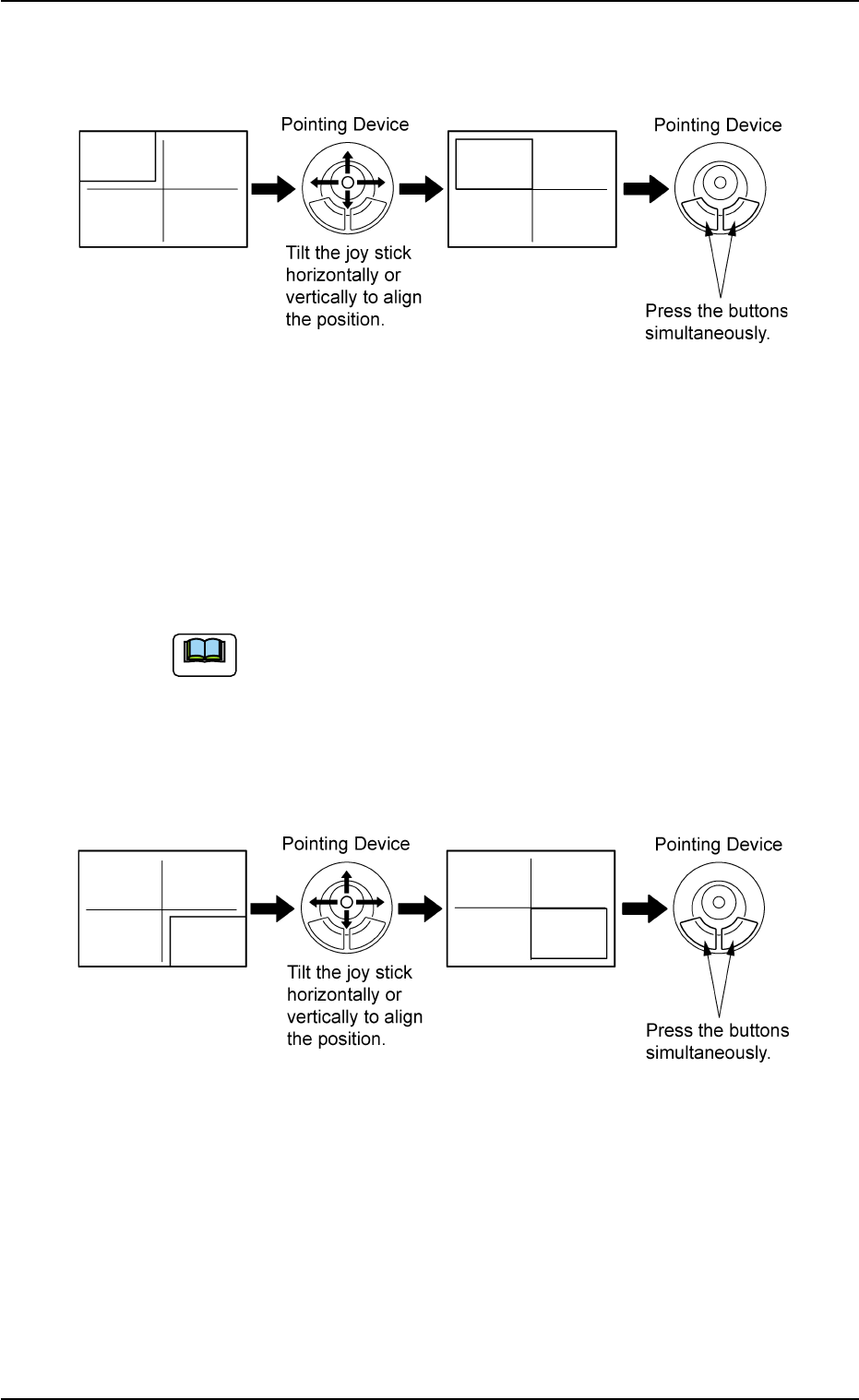
(2) Make an alignment with the pointing device and press the right
and left buttons simultaneously.
Fig. B17
(3) When the [ENABLE] button on the operation panel is pressed in 2
seconds after the [2Point] button and the [ON] button (entitled
"MOVE"), the P.E.C. recognition camera moves to the specified
feeder No. position.
A crosshair (Second Point) appears in the "Recognition" window.
When the [ON] button (entitled "MOVE") is hidden behind
the recognized image, touch the image softly to make it
disappear and press the [ON] button.
(4) Make an alignment with the pointing device and press the right and
left buttons simultaneously.
Fig. B18
0311-002 2-29
AHI01EGP
5.3 "TEACHING" Window (Submenu)
Note
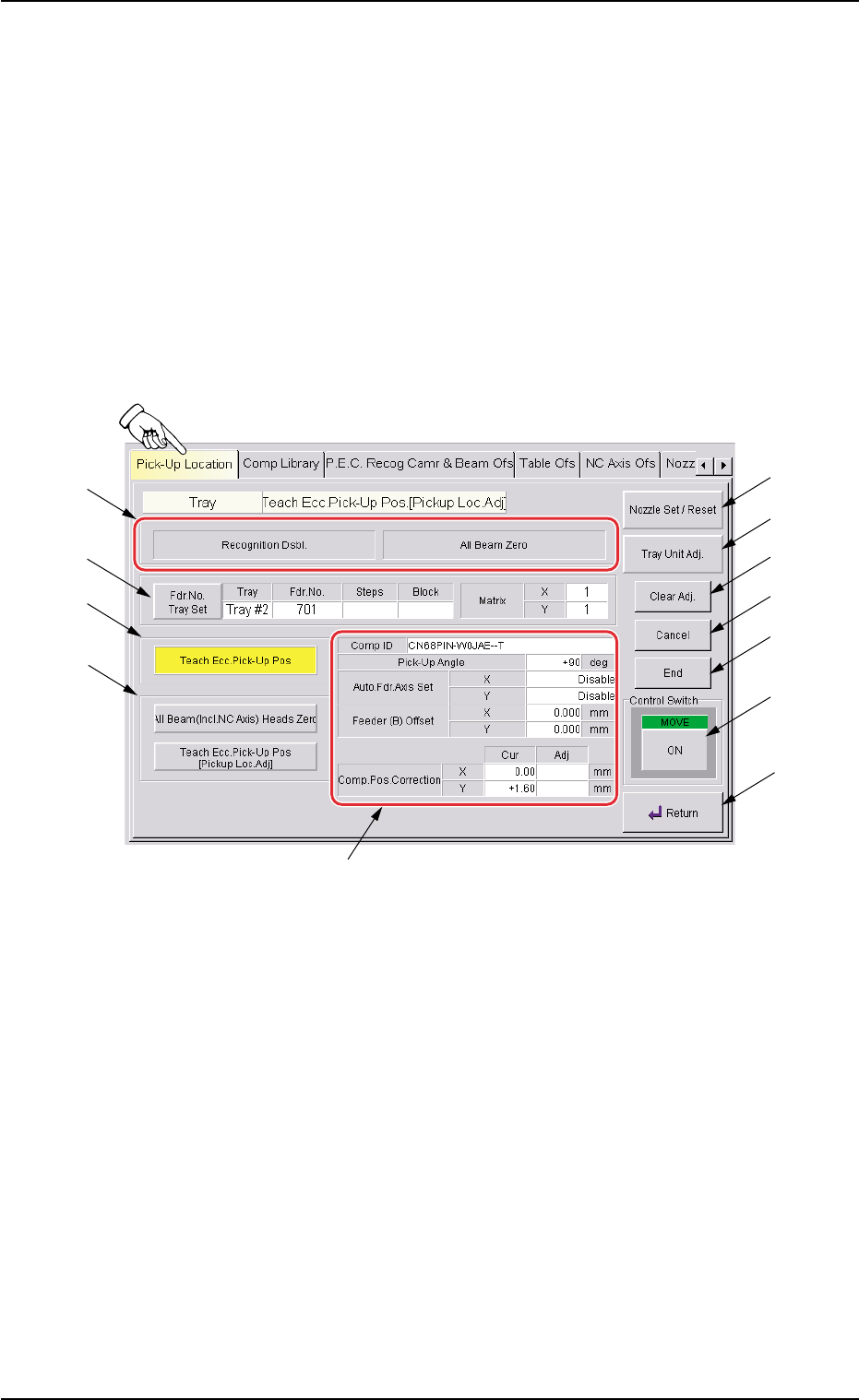
5.3.4 "Tray Teach Ecc. Pick-Up Pos. [Pickup Loc. Adj.]" Sheet
The corresponding sheet enables the operator to perform a teaching
operation on the eccentric pick-up correction position when the compo-
nent supplied from the tray feeder cannot be picked up normally at the
center.
• Sheet Layout
When the [Tray Teach Ecc. Pick-Up Pos. [Pickup Loc. Adj.]] button is
pressed in the "Pick-Up Location" tab sheet, the following sheet ap-
pears.
Fig. B19 "Tray Teach Ecc. Pick-Up Pos. [Pickup Loc. Adj.]" Sheet
0311-002 2-30
AHI01EGP
5.3 "TEACHING" Window (Submenu)
*1
*6
*7
*8
*9
*10
*11
*12
*4
*5
*3
*2