OM-1078-002.pdf - 第103页
5.3.4 "T ray T each Ecc. Pick-Up Pos. [Pickup Loc. Adj.]" Sheet The corresponding sheet enables the operator to perform a teaching operation on the eccentric pick-up correction position when the compo- nent sup…
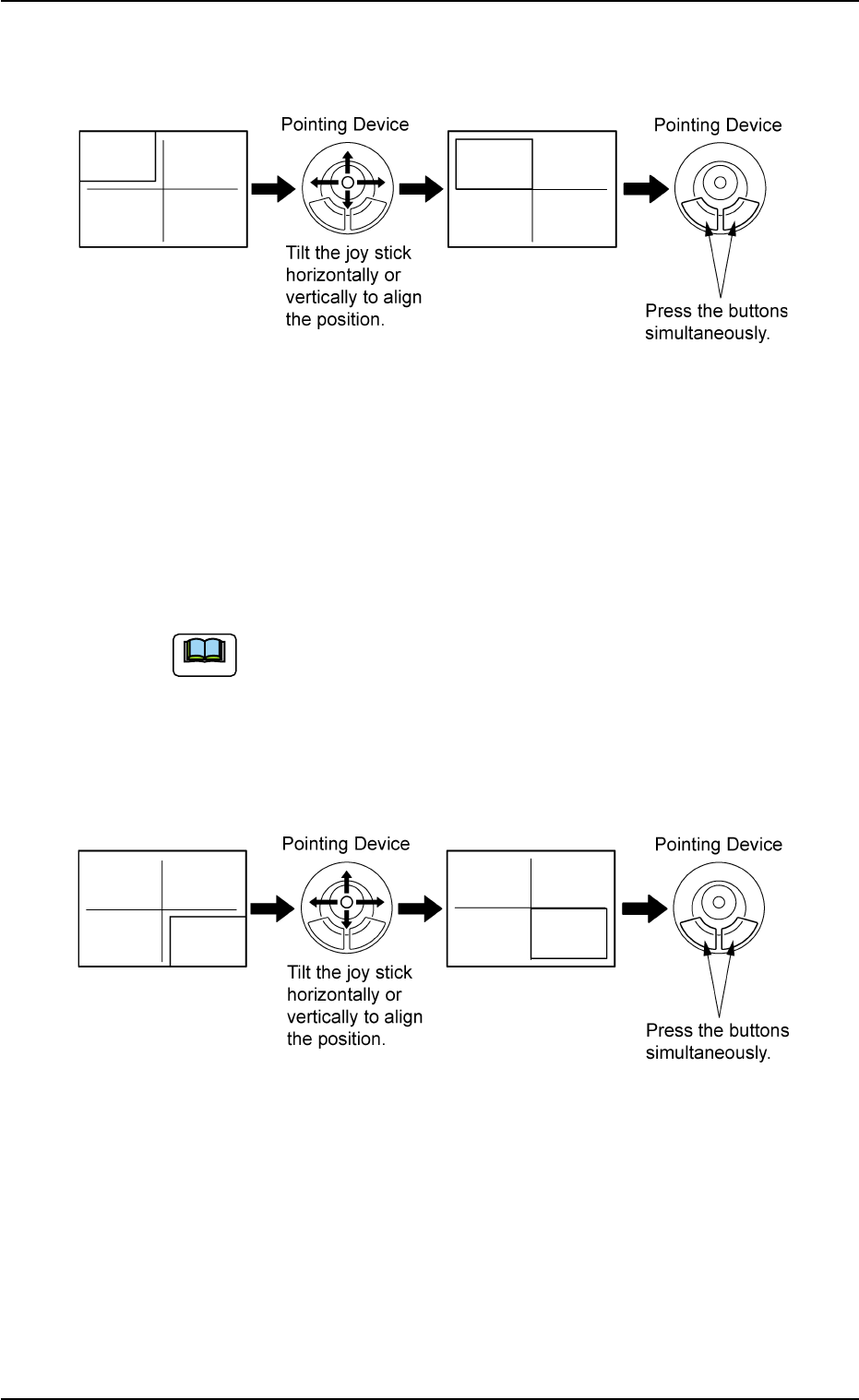
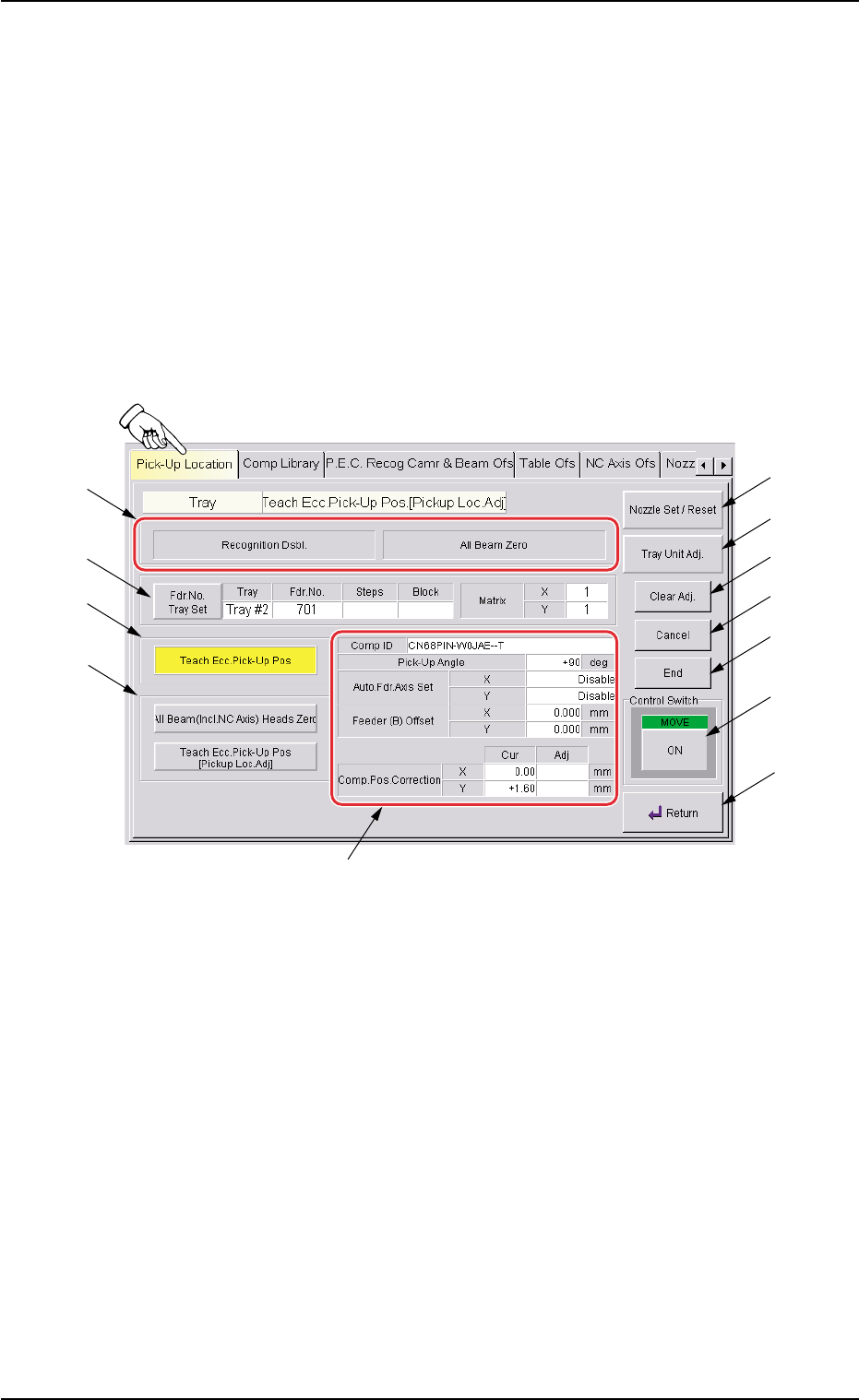
(2) Make an alignment with the pointing device and press the right
and left buttons simultaneously.
Fig. B17
(3) When the [ENABLE] button on the operation panel is pressed in 2
seconds after the [2Point] button and the [ON] button (entitled
"MOVE"), the P.E.C. recognition camera moves to the specified
feeder No. position.
A crosshair (Second Point) appears in the "Recognition" window.
When the [ON] button (entitled "MOVE") is hidden behind
the recognized image, touch the image softly to make it
disappear and press the [ON] button.
(4) Make an alignment with the pointing device and press the right and
left buttons simultaneously.
Fig. B18
0311-002 2-29
AHI01EGP
5.3 "TEACHING" Window (Submenu)
Note
5.3.4 "Tray Teach Ecc. Pick-Up Pos. [Pickup Loc. Adj.]" Sheet
The corresponding sheet enables the operator to perform a teaching
operation on the eccentric pick-up correction position when the compo-
nent supplied from the tray feeder cannot be picked up normally at the
center.
• Sheet Layout
When the [Tray Teach Ecc. Pick-Up Pos. [Pickup Loc. Adj.]] button is
pressed in the "Pick-Up Location" tab sheet, the following sheet ap-
pears.
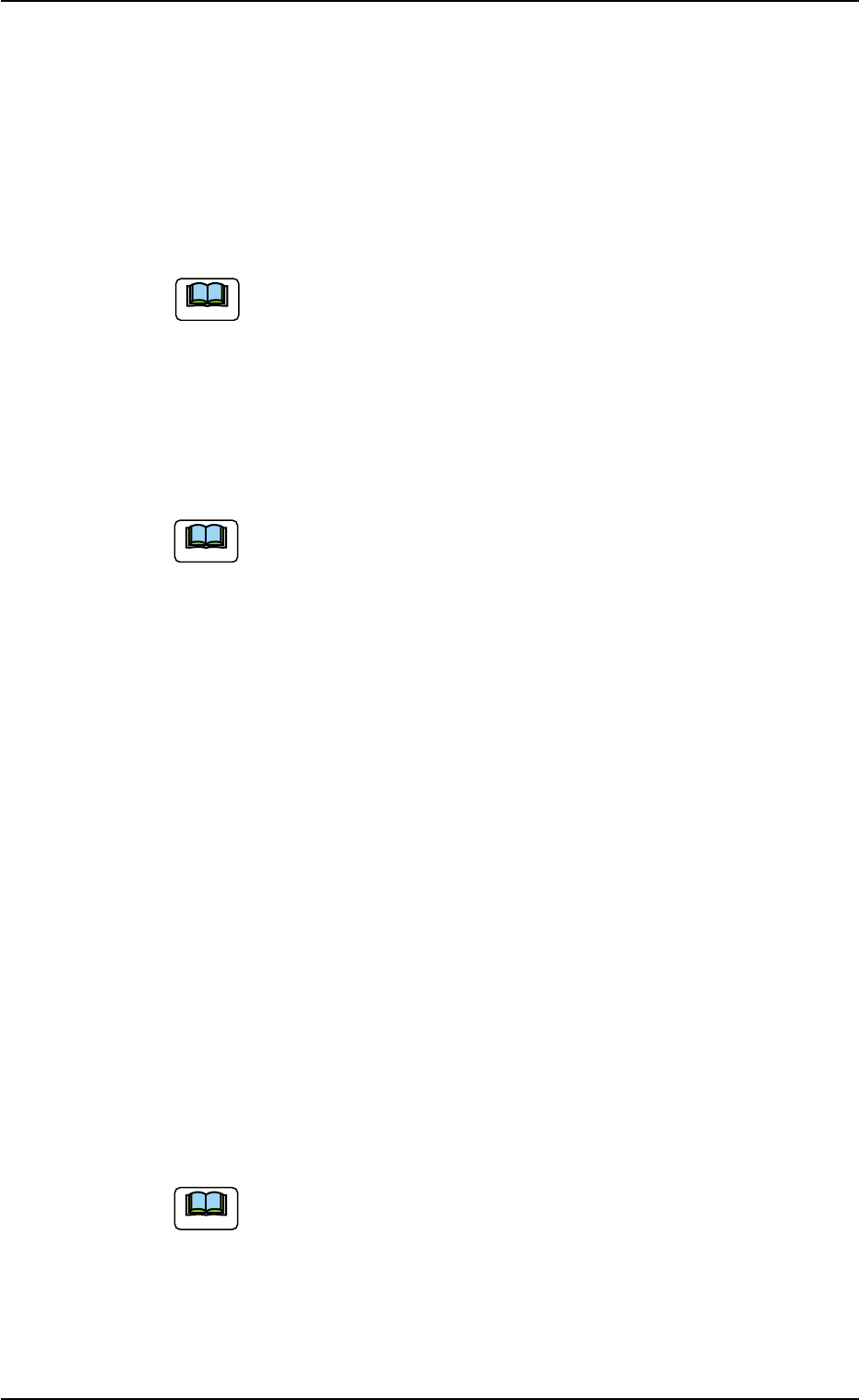
Fig. B19 "Tray Teach Ecc. Pick-Up Pos. [Pickup Loc. Adj.]" Sheet
0311-002 2-30
AHI01EGP
5.3 "TEACHING" Window (Submenu)
*1
*6
*7
*8
*9
*10
*11
*12
*4
*5
*3
*2
• Sheet Composition
*1 Set Status
When the "P.E.C. Dsbl." or the "Comp. Recognition Dsbl." check
box in the "Test Run" tab sheet is turned on (checked), the back-
ground color of "Recognition Dsbl." turns light red (No background
color in normal cases).
No recognition processing is made even if a teaching op-
eration is performed when each check box is turned on
(checked) in the "Test Run" tab sheet. Therefore, various
teaching operations will get incorrect results.
When all beams are zeroed completely, the background color of "All
Beam Zero" turns green. Otherwise, the background has no color.
(a) When each section is not set up and a teaching opera-
tion is performed, note that the offset values may not
be taught correctly.
(b) Before performing a teaching operation, be sure to zero
all beams.
*2 Fdr. No. Tray Set
Set the feeder No. to be taught.
When the [Fdr. No.] button is pressed, the "Feeder No. Set" sheet
appears.
Refer to "5.3.6 "Feeder No. Set" Sheet" for details.
*3 [Teach Ecc. Pick-Up Pos] Button
When the [ENABLE] button on the operation panel is pressed in 2
seconds after this button and the [ON] button (entitled "MOVE"), the
P.E.C. recognition camera moves to the pick-up location corrective
position (based on the component center position (Design Position
+ Feeder (B) Offset) of the pertinent feeder) specified in the compo-
nent library, making it possible to capture an image.
Proceed to the operation of the pointing device and execute the
manual alignment operation.
Before the eccentric pick-up position adjustment is made,
it is necessary to correctly teach the center position of the
required component.
0311-002 2-31
AHI01EGP
5.3 "TEACHING" Window (Submenu)
Note
Note
Note