OM-1078-002.pdf - 第109页
• Pointing Device Operation [T each Ecc. Pick-Up Pos [Pickup Loc. Adj]] Button (1) When the [ENABLE] button on the operation panel is pressed in 2 seconds after the [Eccentric Pt.] button and the [ON] button (en- titled …
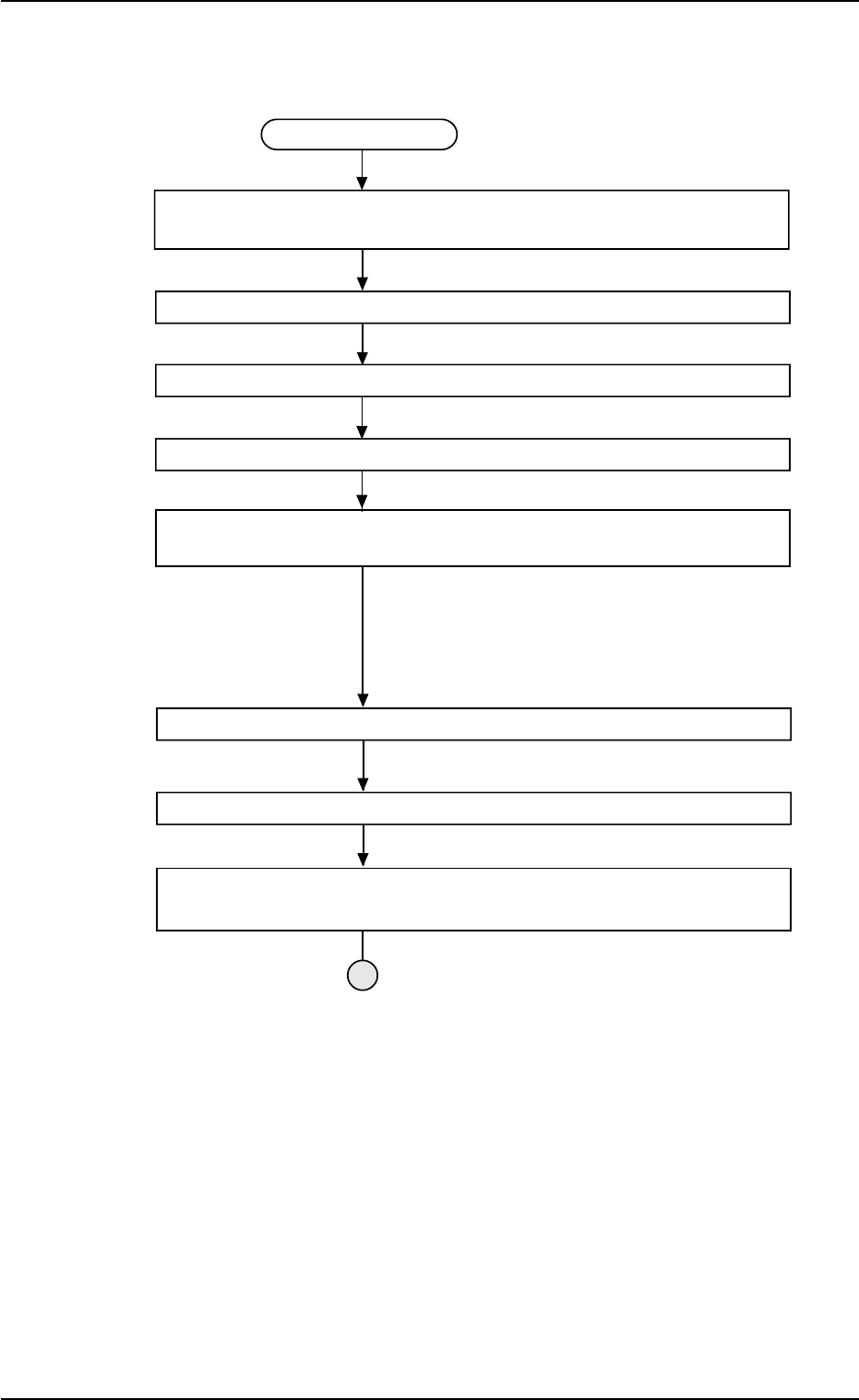
Teaching Procedure
Selection of [Tray Teach Ecc. Pick-Up Pos. [Pickup Loc. Adj]] Button in
Fig. B10
Selection of Head
Setting of Objective Feeder No. for Teaching
Refer to "5.3.6 "Feeder No. Set" Sheet" for details.
Select the [Teach Ecc. Pick-Up Pos. [Pickup Loc. Adj]] button.
Press the [ENABLE] button on the operation panel in 2 seconds after the
[ON] button (entitled "MOVE").
An image is taken into the pick-up location corrective po-
sition of the objective feeder for teaching by the P.E.C.
recognition camera.
The pickup position correction data set up at teaching
execution is reflected.
Positioning Operation with Pointing Device
Refer to "Pointing Device Operation" (described later) for
details.
Selection of [End] Button
Selection of [YES] Button in "Confirmation" Dialog Box for Replacement of
Component Library Data
Fig. B22
0204-001 2-35
AHI01EGP
5.3 "TEACHING" Window (Submenu)
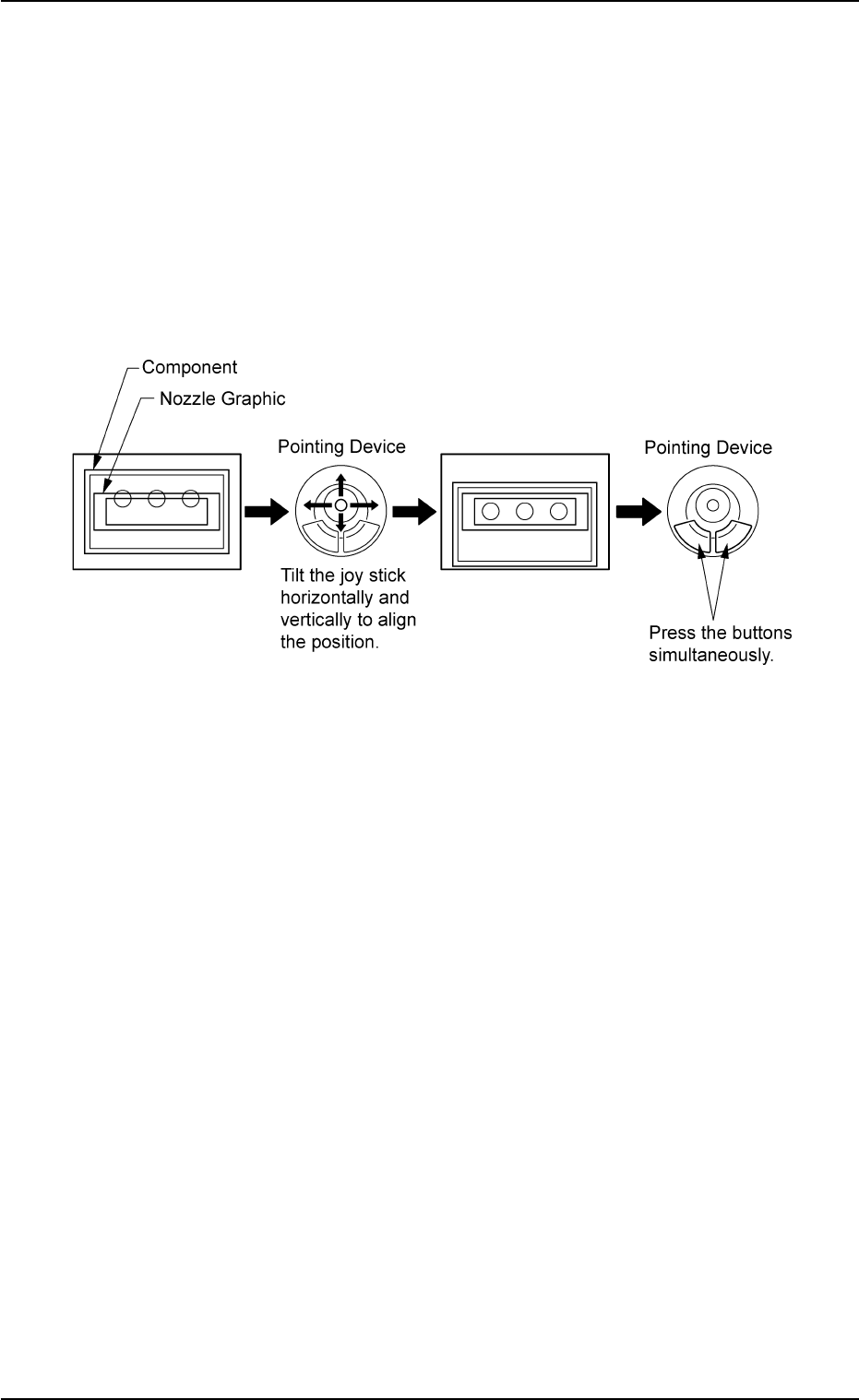
• Pointing Device Operation
[Teach Ecc. Pick-Up Pos [Pickup Loc. Adj]] Button
(1) When the [ENABLE] button on the operation panel is pressed in 2
seconds after the [Eccentric Pt.] button and the [ON] button (en-
titled "MOVE"), the P.E.C. recognition camera moves to the speci-
fied feeder No. position.
The graphic of the nozzle appears on the "Recognition" window.
(2) Make an alignment with the pointing device and press the right and
left buttons simultaneously.
Fig. B23
0204-001 2-36
AHI01EGP
5.3 "TEACHING" Window (Submenu)
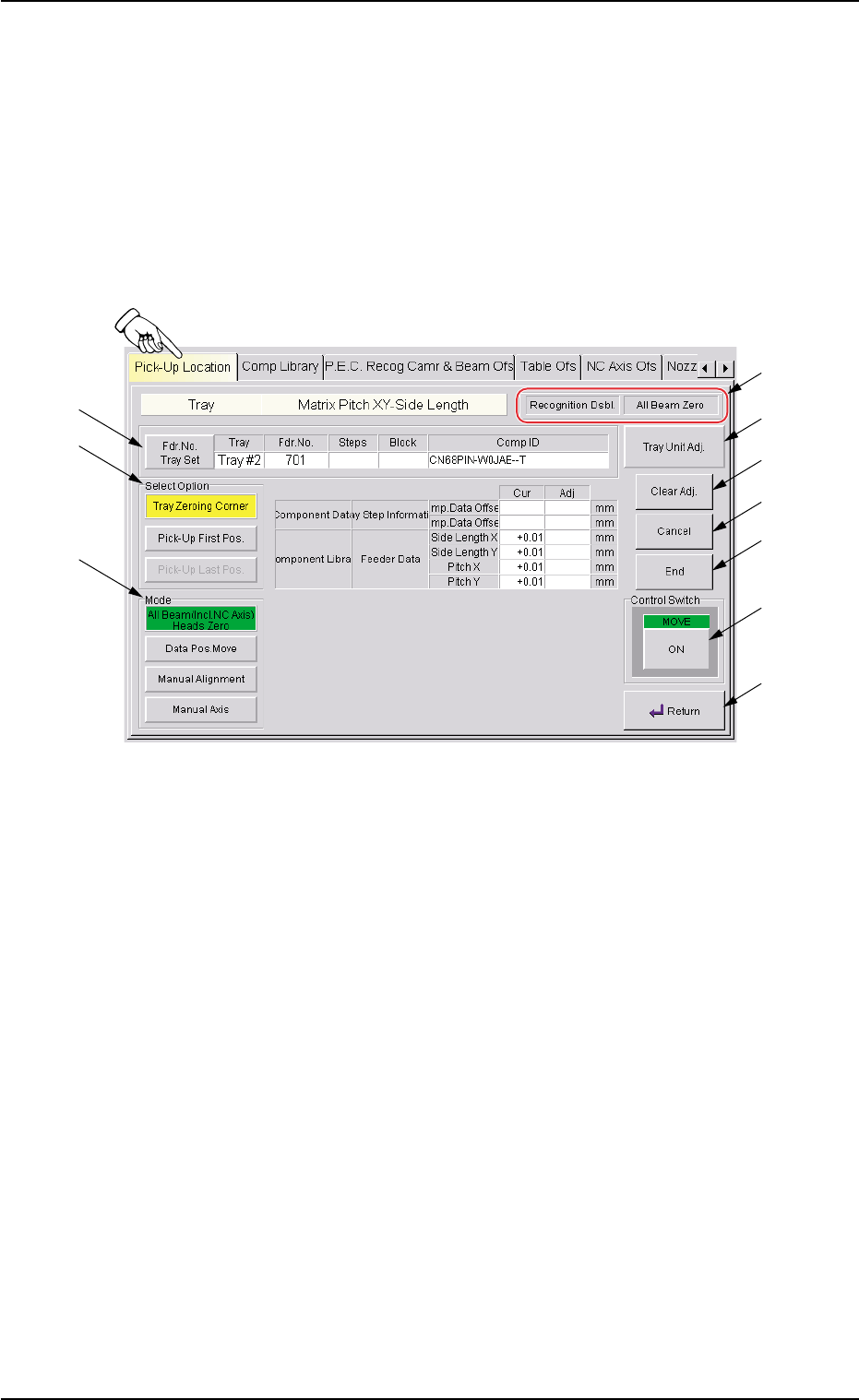
5.3.5 "Tray Matrix Pitch XY-Side Length" Sheet
This sheet makes it possible to perform teaching operations on the tray
matrix pitches X and Y, the side lengths, and the positional offsets.
• Sheet Layout
When the [Tray Matrix Pitch XY-Side Length] button is pressed in the
"Pick-Up Location" tab sheet, the following sheet appears.
Fig. B24 "Tray Matrix Pitch XY-Side Length" Sheet
0311-002 2-37
AHI01EGP
5.3 "TEACHING" Window (Submenu)
*6
*5
*4
*7
*8
*9
*10
*1
*2
*3