OM-1078-002.pdf - 第110页
5.3.5 "T ray Matrix Pitch XY-Side Length" Sheet This sheet makes it possible to perform teaching operations on the tray matrix pitches X and Y , the side lengths, and the positional offsets. • Sheet Layout When…
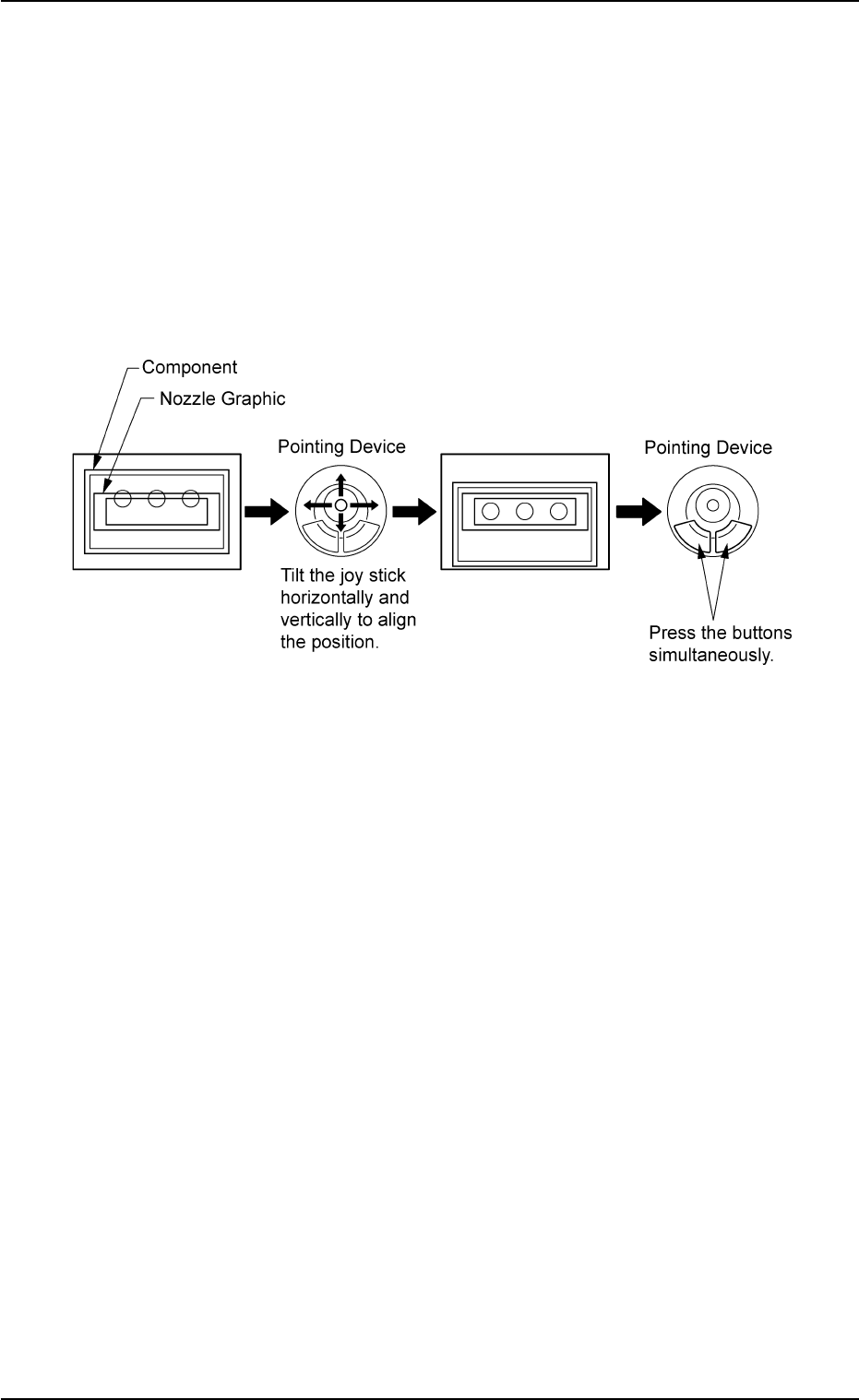
• Pointing Device Operation
[Teach Ecc. Pick-Up Pos [Pickup Loc. Adj]] Button
(1) When the [ENABLE] button on the operation panel is pressed in 2
seconds after the [Eccentric Pt.] button and the [ON] button (en-
titled "MOVE"), the P.E.C. recognition camera moves to the speci-
fied feeder No. position.
The graphic of the nozzle appears on the "Recognition" window.
(2) Make an alignment with the pointing device and press the right and
left buttons simultaneously.
Fig. B23
0204-001 2-36
AHI01EGP
5.3 "TEACHING" Window (Submenu)
5.3.5 "Tray Matrix Pitch XY-Side Length" Sheet
This sheet makes it possible to perform teaching operations on the tray
matrix pitches X and Y, the side lengths, and the positional offsets.
• Sheet Layout
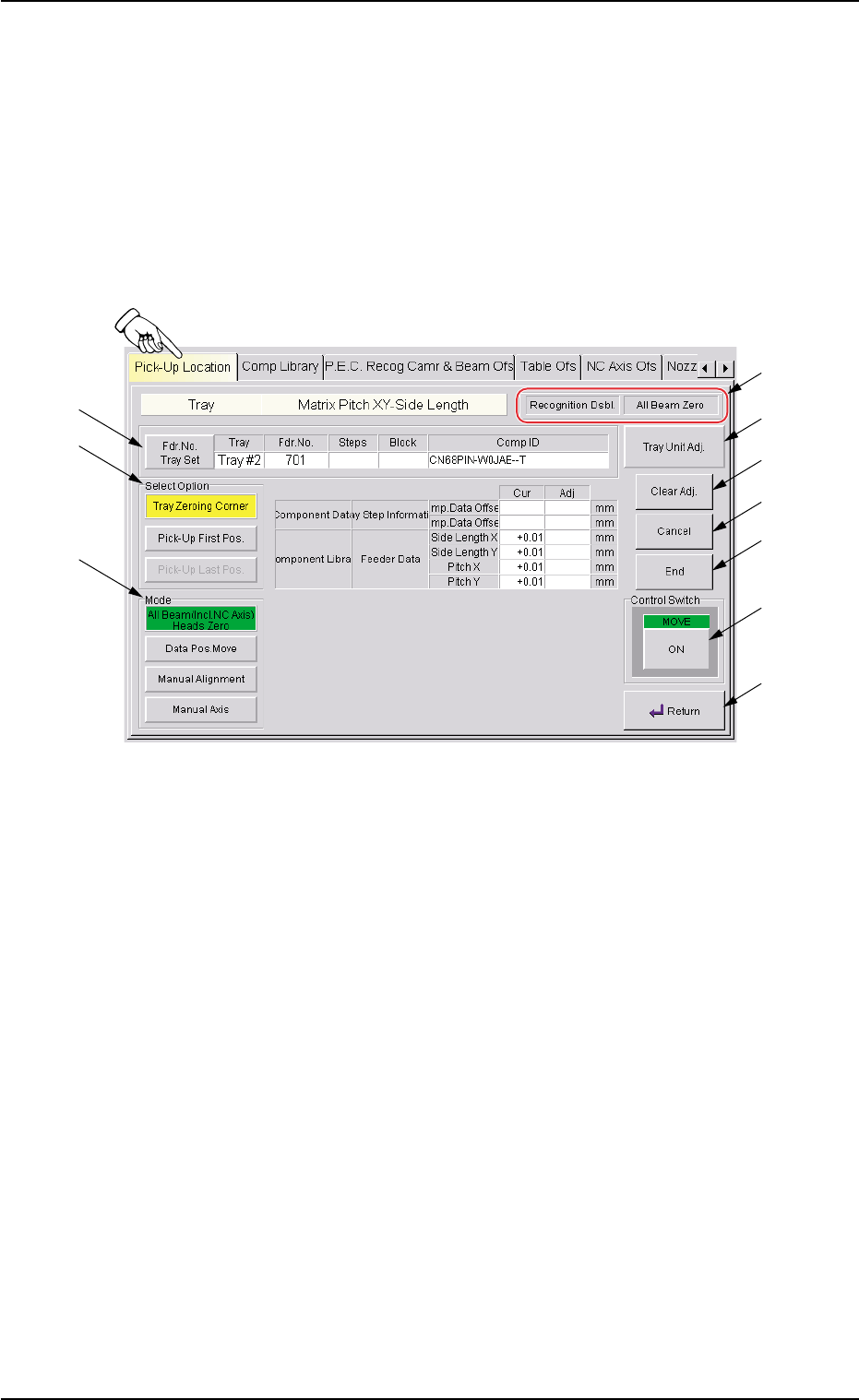
When the [Tray Matrix Pitch XY-Side Length] button is pressed in the
"Pick-Up Location" tab sheet, the following sheet appears.
Fig. B24 "Tray Matrix Pitch XY-Side Length" Sheet
0311-002 2-37
AHI01EGP
5.3 "TEACHING" Window (Submenu)
*6
*5
*4
*7
*8
*9
*10
*1
*2
*3

• Sheet Composition
*1 Fdr. No. Tray Set
Set the feeder No. to be taught.
When the [Fdr. No.] button is pressed, the "Feeder No. Set" sheet
appears.
Refer to "5.3.6 "Feeder No. Set" Sheet" for details.
*2 "Select Option" Group Box
The following buttons are provided in this group box.
[Tray Zeroing Corner] Button
When this button is pressed, the teaching operation is preformed
on the tray zeroing corner.
The teaching operation is performed on the tray zeroing corner
through manual alignment to calculate the tray positional offsets ("X
(mm) and "Y (mm)") of "OFFSET" in the component data ("Tray
Steps Information").
[Pick-Up First Pos.] Button
When this button is pressed, the teaching operation is performed
on the position where the first component should be taken out from
the tray.
While the "SIDE LENGTH" parameters (X and Y) in "TRAY DATA"
are calculated, the first data for pitch calculation is extracted.
[Pick-Up Last Pos.] Button
When this button is pressed, the teaching operation is performed
on the position where the last component should be taken out from
the tray.
This function is used to extract the second data for pitch calcula-
tion. The "PITCH (CALC.)" parameters (X and Y) in the component
data are calculated in combination with the previously calculated
first data (takeout position).
0204-001 2-38
AHI01EGP
5.3 "TEACHING" Window (Submenu)