OM-1078-002.pdf - 第130页
1.3.2 "TRA Y #2 STEP" T ab • • • • • Sheet Layout When the "TRA Y #2 STEP" tab is pressed in the "Placement Feeder Location" tab sheet, the following tab sheet appears. Fig. C12 "T ray …
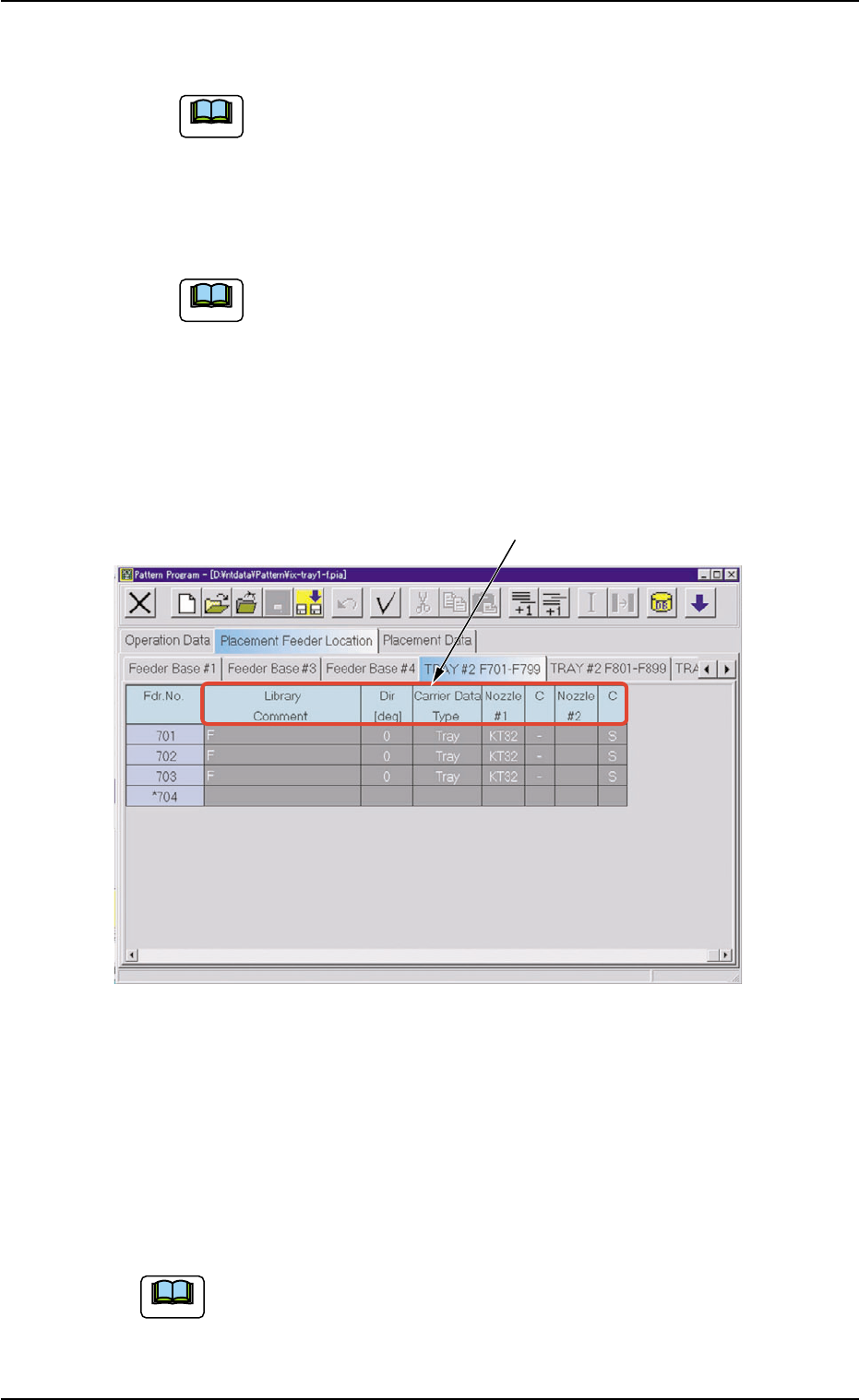
*2 Fdr. No.
Shown under this title are the feeder Nos.
Refer to "
••
••
• Operation Procedure" (described later) for the
detailed information on how to add or delete feeder Nos.
(Fdr. Nos.).
*3 Component ID
Displayed are the currently allocated component IDs.
Refer to "4.3.2 "Component ID List" Window" in "Section
2" (the instruction manual (Vol. 3: Programming and Ma-
chine Data) of the main machine) for the detailed informa-
tion on how to enter or delete component IDs.
*4 C, Comment
Enter parameters in these text boxes.
Fig. C11-1 "TRAY #2 F701-F799" Tab Sheet
*5 Library Comment, Dir [deg], Carrier Data Type, Nozzle #1, C,
Nozzle #2, C
Displayed are the parameters specified in the component library.
••
••
• Operation Procedure
Refer to "4.3 "Placement Feeder Location" Tab" in "Section 2"
(the instruction manual (Vol. 3: Programming and Machine Data)
of the main machine) for details.
1.3 "Placement Feeder Location" Tab
0311-002 3-9 AHI01EGP
Note
Note
Note
*5
1.3.2 "TRAY #2 STEP" Tab
••
••
• Sheet Layout
When the "TRAY #2 STEP" tab is pressed in the "Placement Feeder
Location" tab sheet, the following tab sheet appears.
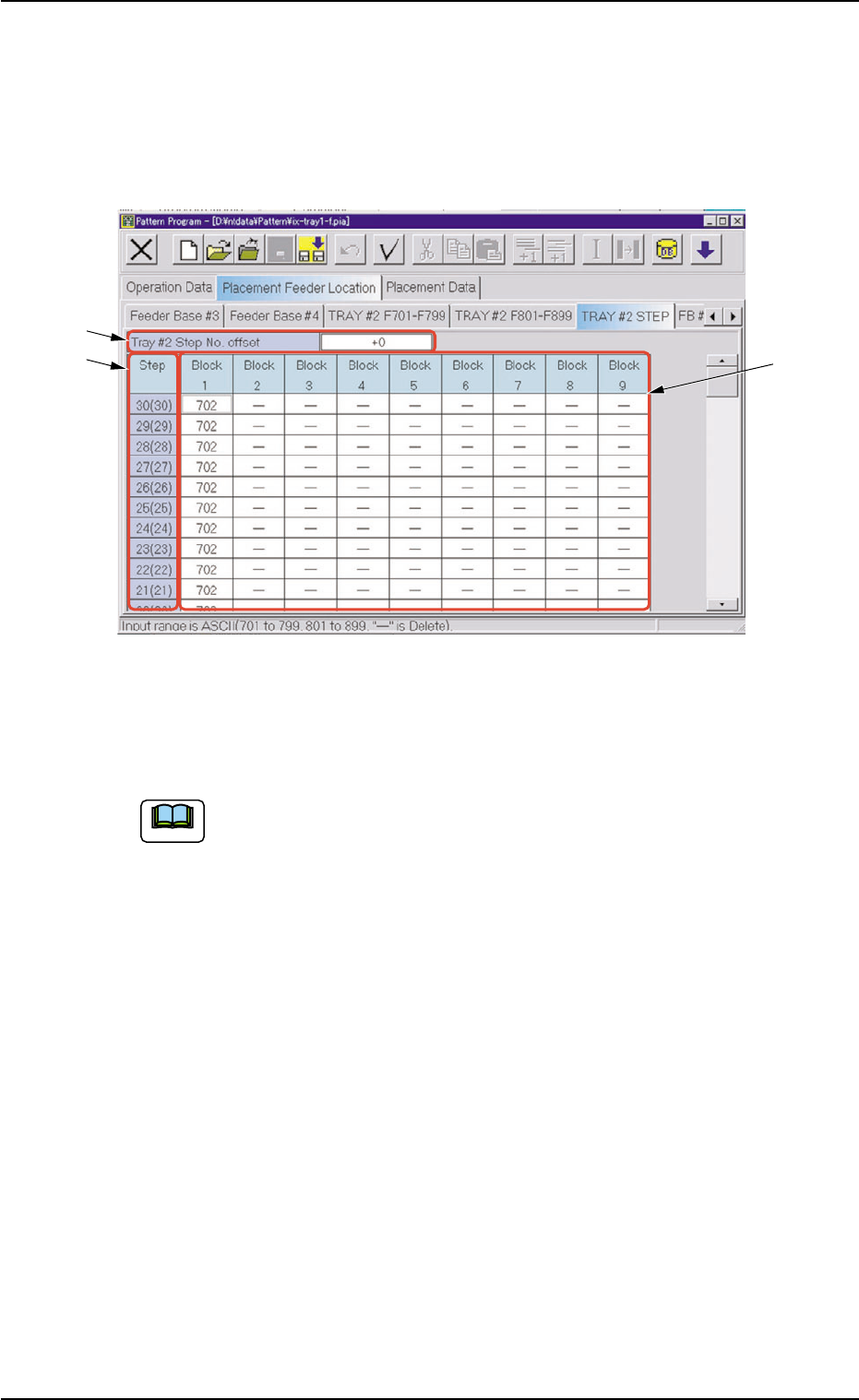
Fig. C12 "Tray #2 Step" Tab Sheet
••
••
• Sheet Composition
Refer to "4.1.3 Basic Usage of Text Boxes" in "Section 2" (the
instruction manual (Vol. 3: Programming and Machine Data) of
the main machine) for the detailed information on how to enter
parameters.
*1 Tray #2 Step No. Offset
Enter parameters in this text box.
*2 Step
Displayed are the step Nos.
*3 Block 1 through Block 9
Enter parameters in these text boxes.
1.3 "Placement Feeder Location" Tab
0311-002 3-10 AHI01EGP
*2
*1
*3
Note
••
••
• Editing of Tray #2 Step Information Data
Operation Procedure
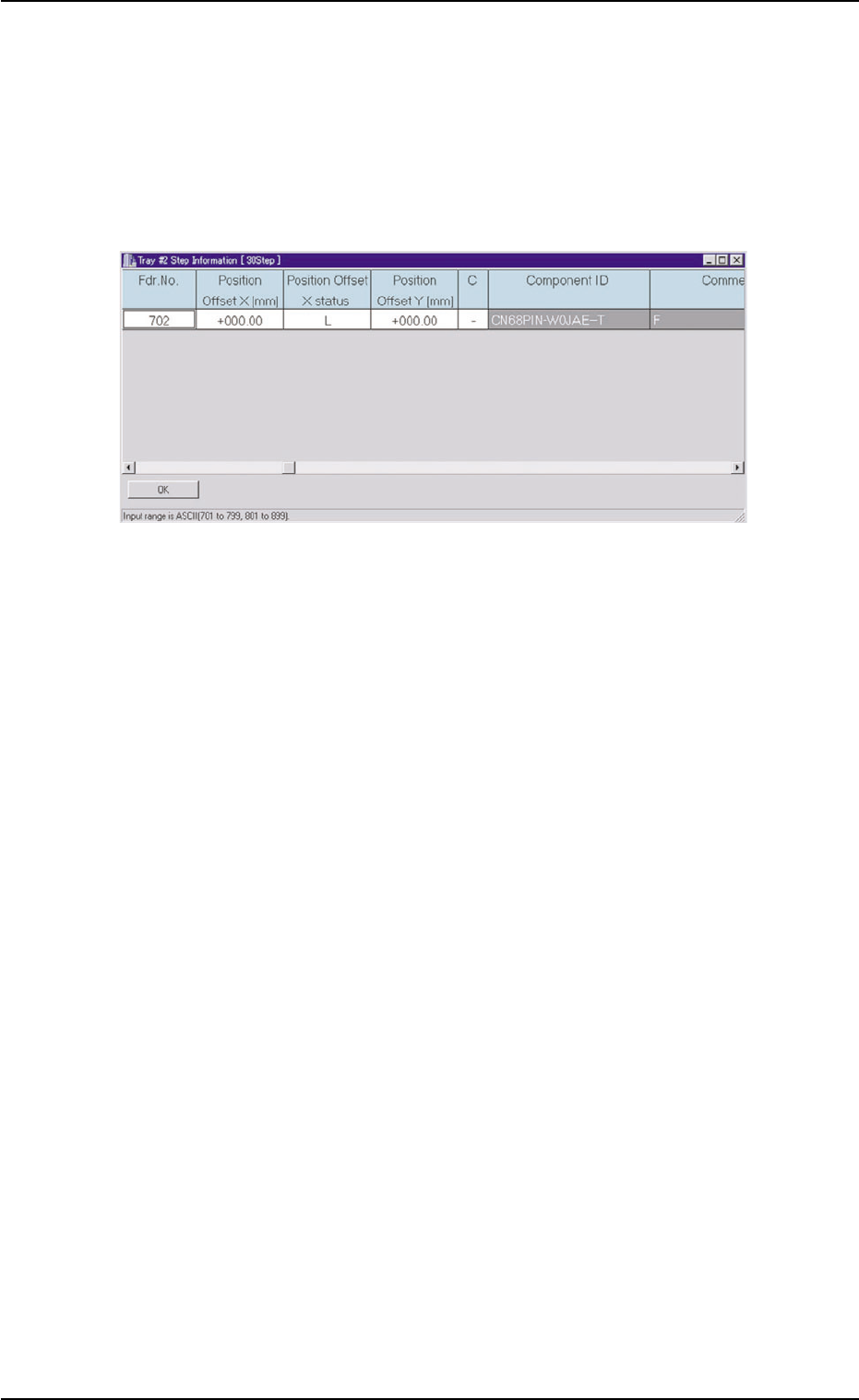
(1) When the step to be edited is selected in the "TRAY #2 STEP" tab
sheet (Fig. C12), the "Tray #2 Step Information" window opens.
Fig. C13 "Tray #2 Step Information" window
(2) Select the "Position Offset X status" text box and set Reference
Point X of the block.
(3) Select the "Position Offset X [mm]" text box and set the reference
coordinate of the tray based on the pallet reference position of the
block.
(4) Select the "Position Offset Y [mm]" text box and set the reference
coordinate of the tray based on the pallet reference position of the
block.
(5) When the "C" text box is selected, a control command can be set in
the text box.
1.3 "Placement Feeder Location" Tab
0311-002 3-11 AHI01EGP