OM-1078-002.pdf - 第138页
3 . 2 Auto Operation 3.2.1 "T ray Matrix Update Setup" T ab • • • • • Sheet Layout When the "T ray Matrix Update Setup" tab is pressed in the "Auto Op- eration" tab sheet, the following tab …

Rack level [mm]
This offset data is used to align the traverse chute in height with the
step (shelf) of the rack when a pallet is drawn from the rack. The
deviation from the design level can be set in this text box.
The entered offset value is reflected on the travel of the elevator
shaft in the tray unit when the elevator is moved for the alignment of
the pallet drawing step (pallet drawing from the rack).
To set the elevator position in a higher level, a minus value must be
entered in the text box.
Rack putback level [mm]
This offset data is used to adjust the setup position of the rack. The
deviation from the design level can be set in this text box.
The entered offset value is reflected on the travel of the elevator
shaft in the tray unit.
Check how the engagement is made when the elevator shaft is
moved to the setup position of the rack according to the design dis-
tance (dimension) and enter an appropriate value in the text box.
To set the elevator position in a higher level, a minus value must be
entered in the text box.
3.1 "Offset Data" Tab
0109-001 3-17 AHI01EGP
3.2 Auto Operation
3.2.1 "Tray Matrix Update Setup" Tab
••
••
• Sheet Layout
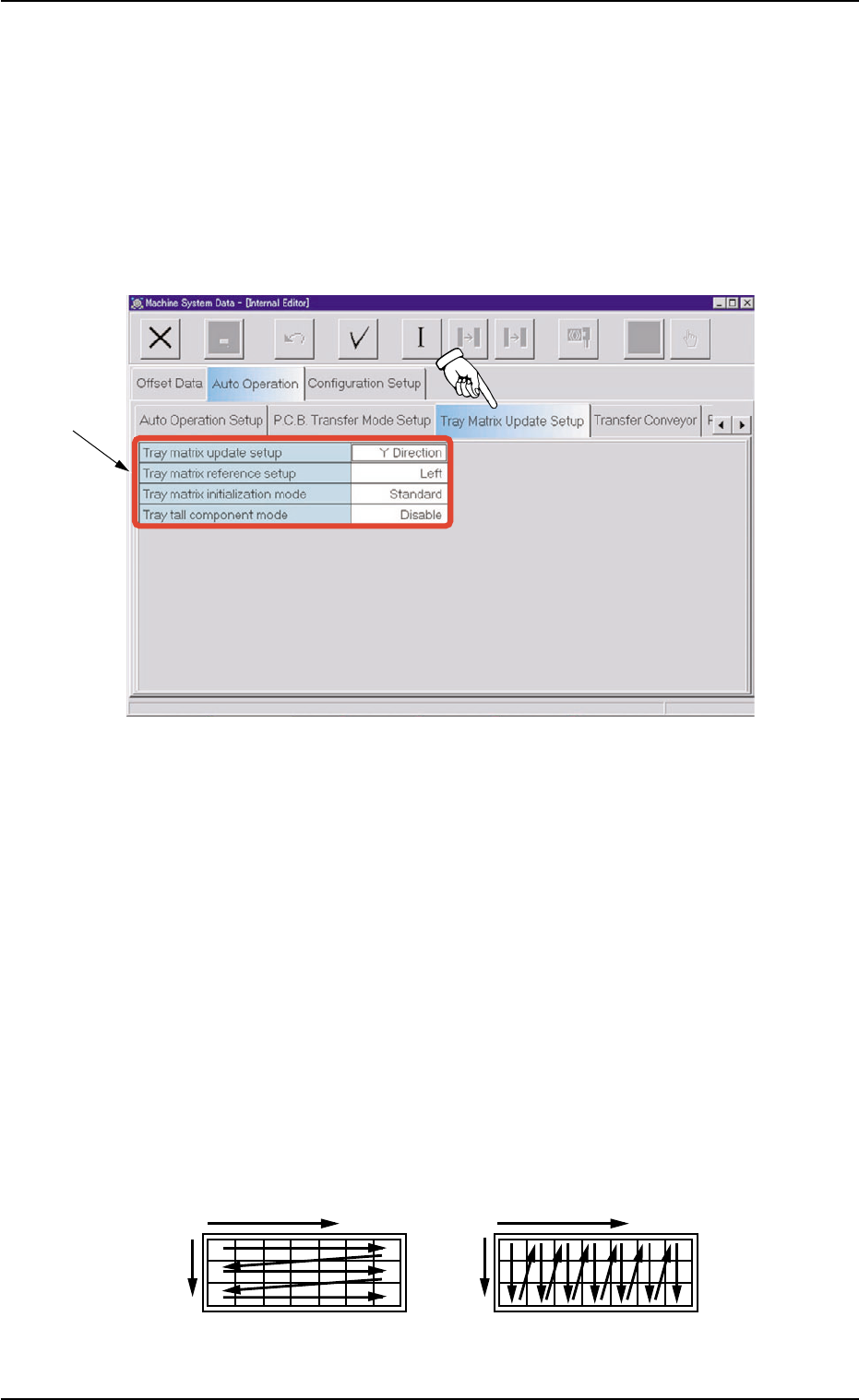
When the "Tray Matrix Update Setup" tab is pressed in the "Auto Op-
eration" tab sheet, the following tab sheet appears.
Fig. C17 "Tray Matrix Update Setup" Tab Sheet
••
••
• Sheet Composition
*1 Items
The following items are displayed.
Tray matrix update setup
Select "X Direction" or "Y Direction" (direction in which components
should be taken out) in the text box.
In normal cases, "Y Direction" should be selected.
When it is necessary to keep the interchangeability with TIM-X1000/
1100 series, set "X Direction" in the "Tray matrix update setup" text
box.
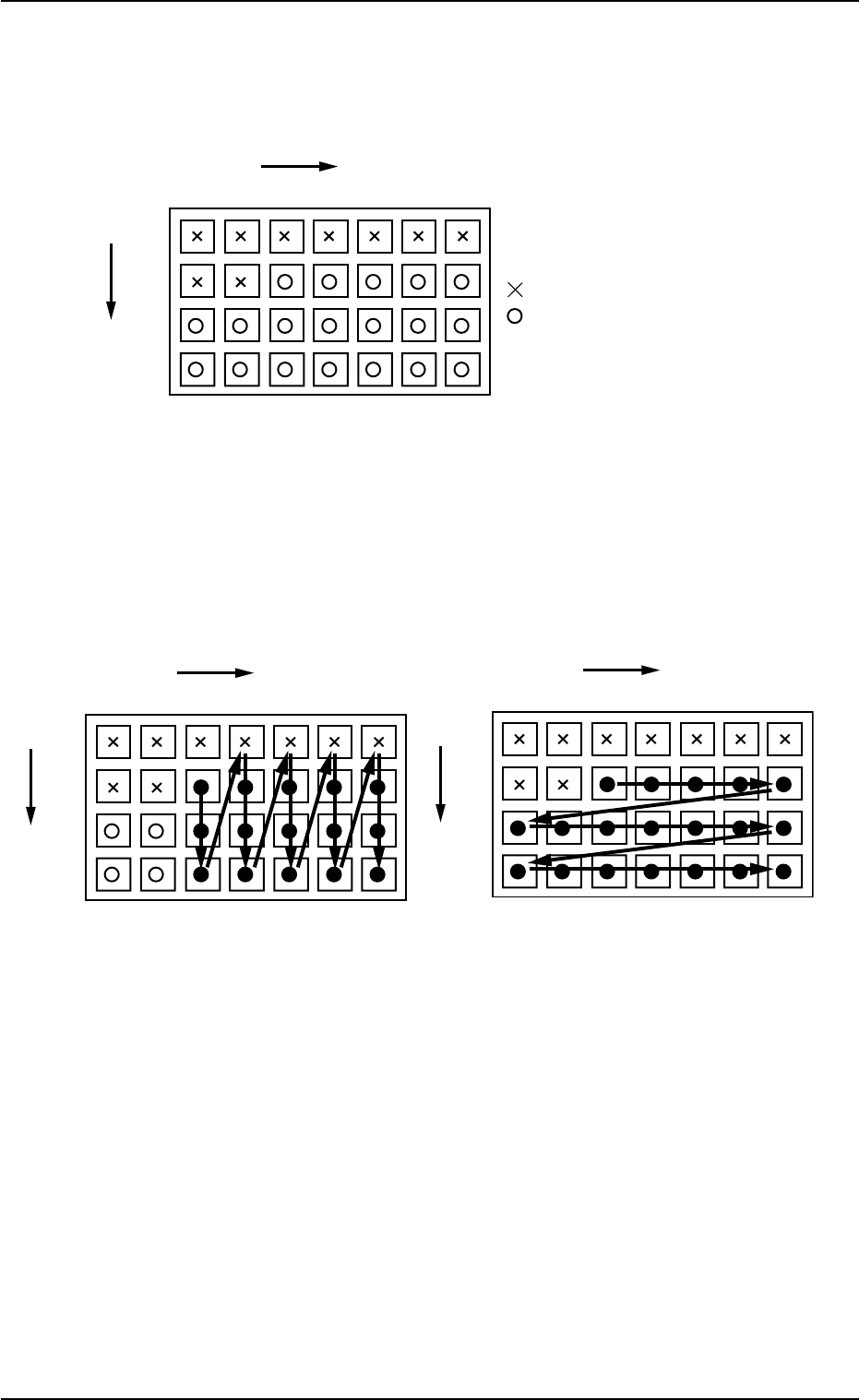
Fig. C18 Shows the order (arrow directions) in which components are taken out.
3.2 Auto Operation
0311-002 3-18 AHI01EGP
*1
X
YY
X
Selection of "Y Direction"Selection of "X Direction"
0311-002 3-19 AHI01EGP
Example: The tray is in the condition (in the middle of process)
shown in Fig. C19.
(Tray in Middle of Process)
Fig. C19
• The first component pick-up position is assumed to be "X: 3, Y: 2".
z : Component Picked Normally
{ : Component Left Behind
Shadowed : Mispick
Fig. C20 Fig. C21
3.2 Auto Operation
1
1
2
99
.
23 99
X
Y
.
.
.....
.
: No Components (Already taken out)
: Components
1
1
2
99
.
23 99
X
Y
.
.
......
Selection of "Y Direction"
Selection of "X Direction"
1
1
2
99
.
23 99
X
Y
.
.
......