OM-1078-002.pdf - 第73页
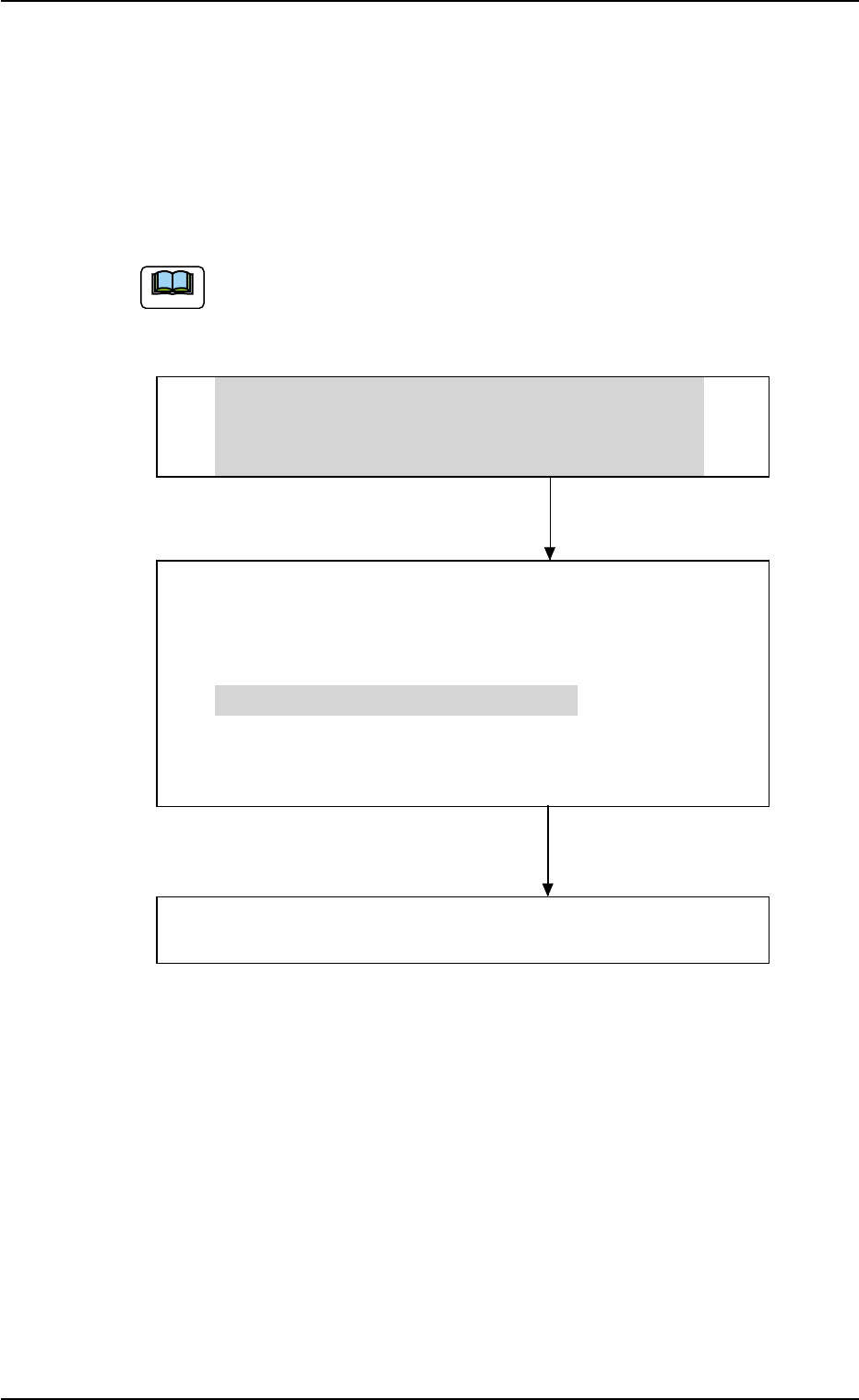
3. Program Change Operation 3. Program Change Operation 3. 1 Scope A program change operation (selection of a pattern program as current one) can be performed through the following steps. The grayed areas are the items r…

2.2 Functions
2.2.1 Direct Pickup
The placement heads of the main machine pick up components directly
from the pallet drawn out from the multi-layer tray.
As a result, irregular-shaped component picks can be made by using
only the vacuum nozzles provided for the main machine. No special
nozzles are required.
The picks can also be controlled elaborately.
2.2.2 Variable Drawing Speed of Elevator and Pallet
By specifying the elevator and transfer speeds in the "Opn. Mpde" tab
sheet, the speeds of the elevator up/down movement and the actions to
draw out the pallet to the traverses and return it can be changed when
the posture of the components to be fed is unstable.
2.2.3 Block Allocation Function
Up to 9 different pieces of component allocation data can be set for one
pallet.
When small trays are handled, additional types of components can be
allocated by installing several trays, increasing the number of compo-
nents to be used.
Moreover, not only grid-type trays but also staggered-type ones can be
handled regarding them as parallel-bank-arranged ones (overlapped grid-
type trays), making it possible to make flexible use of trays.
2.2.4 Pallet Alternate Function
The trays having the same type of components can be set on several
stages (pallets) in the rack. Every time the feeder gets empty of compo-
nents, it automatically selects another spare step (stage) which stores
the tray having the same type of components, making it possible for the
main machine to perform the operation continuously.
By providing several steps (stages) with a group of components used
frequently among the component types, an interval of component sup-
ply can be prolonged.
The order of the pallet alternate actions is based on the ascending order
(advancing from a smaller step No.) of the rack step Nos.
2.2 Functions
0109-001 2-6 AHI01EGP
3. Program Change Operation
3. Program Change Operation
3.1 Scope
A program change operation (selection of a pattern program as current
one) can be performed through the following steps.
The grayed areas are the items related to the multi-layer tray
feeder.
• Preparation for Program Selection as Current One
(1) Preparation for Component Library
(2) Creation of Pattern Program as Current One
(3) Registration of Pattern Program for Production Model
• Selection of Program as Current One
(1) Zeroing Operation
(2) Selection of Current Pattern Program
(3) Adjustment of P.C.B. Positioning Section
(4) Preparation for Nozzle Stocker Section
(5) Preparation for Multi-Layer Tray Feeder
• Preparation for Pallets
Refer to "3.3.3 Preparation for Pallets" in "Section 1" for
details.
• Confirmation of Component Placement
(1) Component Placement Test
(2) Confirmation and Setting of Operation Mode
0311-002 2-7 AHI01EGP
Note
3.2 Preparation for Program Change Operation
3.2.1 Preparation for Component Library
Library data must be created for new components when there is no
component library data required to create a pattern program.
(a) Refer to "2. Component Library" in "Section 3" for the sum-
mary.
(b) Refer to "Component Library (TIM-X Series)" in the instruc-
tion manual of the main machine for details.
3.2.2 Creation of Pattern Program for Production Model
A pattern program is required for automatic operation.
Refer to "1. Pattern Program" in "Section 3" for details.
3.2.3 Registration of Pattern Program for Production Model
The pattern program and the component library data can be sent from
the network terminal (option) to the machine side.
3.2 Preparation for Program Change Operation
Note
0311-003 2-8 AHI01EGP