OM-1078-002.pdf - 第74页
3 .2 Preparation for Program Change Operation 3.2.1 Preparation for Component Library Library data must be created for new components when there is no component library data required to create a pattern program. (a) Refe…
3. Program Change Operation
3. Program Change Operation
3.1 Scope
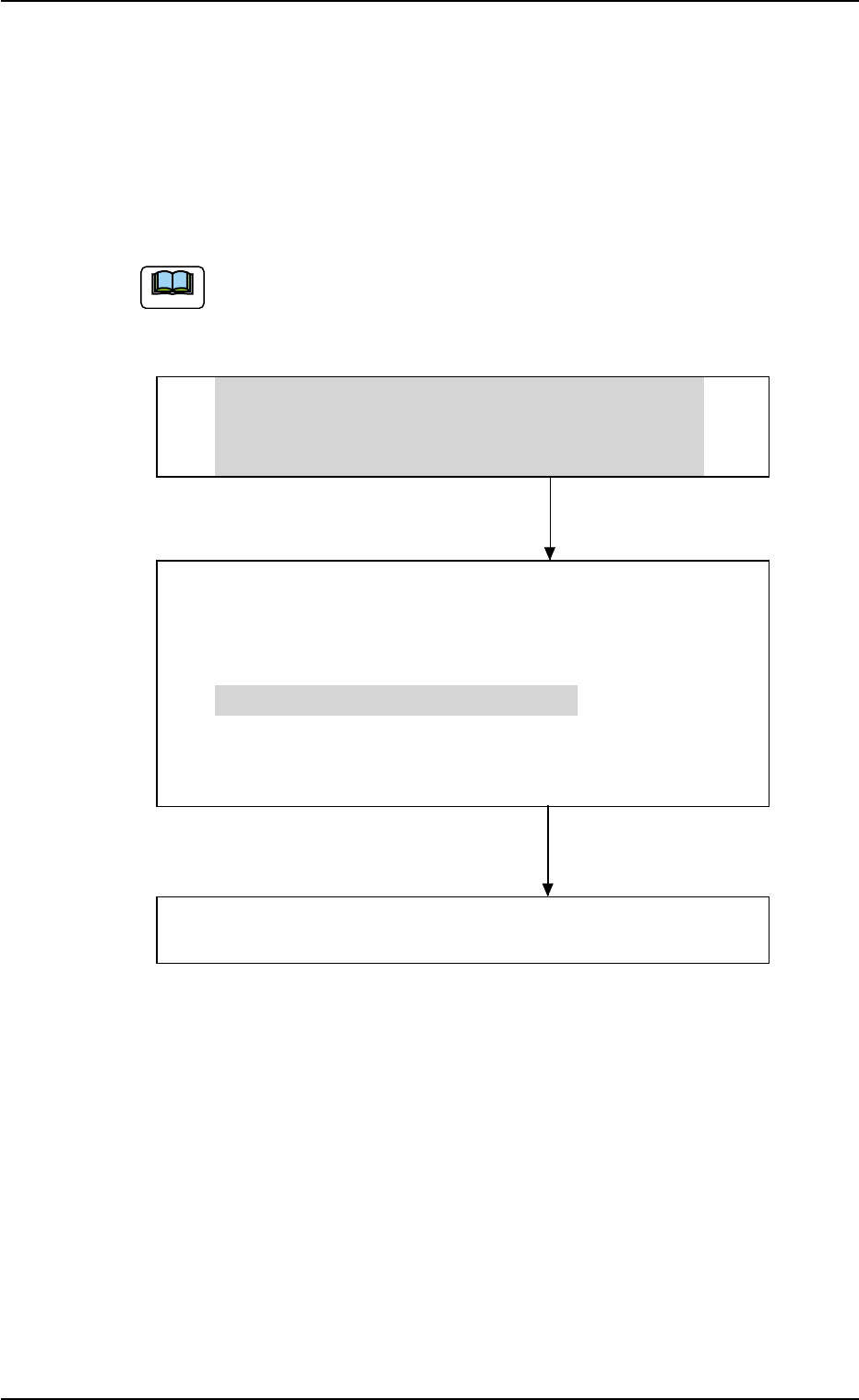
A program change operation (selection of a pattern program as current
one) can be performed through the following steps.
The grayed areas are the items related to the multi-layer tray
feeder.
• Preparation for Program Selection as Current One
(1) Preparation for Component Library
(2) Creation of Pattern Program as Current One
(3) Registration of Pattern Program for Production Model
• Selection of Program as Current One
(1) Zeroing Operation
(2) Selection of Current Pattern Program
(3) Adjustment of P.C.B. Positioning Section
(4) Preparation for Nozzle Stocker Section
(5) Preparation for Multi-Layer Tray Feeder
• Preparation for Pallets
Refer to "3.3.3 Preparation for Pallets" in "Section 1" for
details.
• Confirmation of Component Placement
(1) Component Placement Test
(2) Confirmation and Setting of Operation Mode
0311-002 2-7 AHI01EGP
Note

3.2 Preparation for Program Change Operation
3.2.1 Preparation for Component Library
Library data must be created for new components when there is no
component library data required to create a pattern program.
(a) Refer to "2. Component Library" in "Section 3" for the sum-
mary.
(b) Refer to "Component Library (TIM-X Series)" in the instruc-
tion manual of the main machine for details.
3.2.2 Creation of Pattern Program for Production Model
A pattern program is required for automatic operation.
Refer to "1. Pattern Program" in "Section 3" for details.
3.2.3 Registration of Pattern Program for Production Model
The pattern program and the component library data can be sent from
the network terminal (option) to the machine side.
3.2 Preparation for Program Change Operation
Note
0311-003 2-8 AHI01EGP
0311-002 2-8-1 AHI01EGP
4. Menus for Automatic Operation
• Window Layout
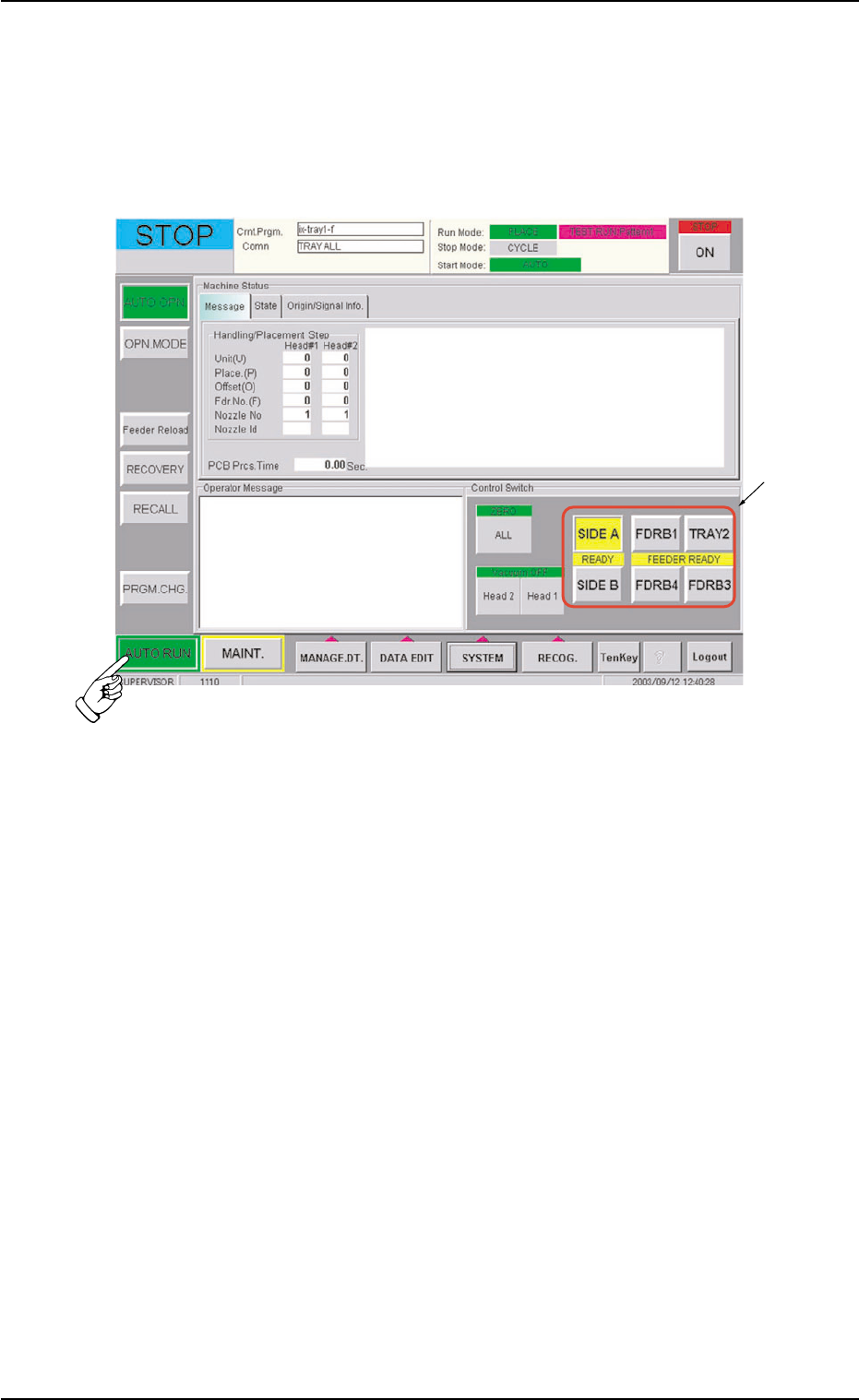
When the [AUTO RUN] button on the main menu bar is pressed, the
following window opens.
Fig. B1 "AUTO RUN" Menu Window
• Window Composition
*1 Control Buttons
After the pallet is replaced and the machine is set ready for opera-
tion, press the pertinent tray feeder button.
4. Menus for Automatic Operation
*1