OM-1078-002.pdf - 第75页
031 1-002 2-8-1 AHI01EGP 4 . Menus for Automatic Operation • Window Layout When the [AUTO RUN] button on the main menu bar is pressed, the following window opens. Fig. B1 "AUTO RUN" Menu Window • Window Composi…
3.2 Preparation for Program Change Operation
3.2.1 Preparation for Component Library
Library data must be created for new components when there is no
component library data required to create a pattern program.
(a) Refer to "2. Component Library" in "Section 3" for the sum-
mary.
(b) Refer to "Component Library (TIM-X Series)" in the instruc-
tion manual of the main machine for details.
3.2.2 Creation of Pattern Program for Production Model
A pattern program is required for automatic operation.
Refer to "1. Pattern Program" in "Section 3" for details.
3.2.3 Registration of Pattern Program for Production Model
The pattern program and the component library data can be sent from
the network terminal (option) to the machine side.
3.2 Preparation for Program Change Operation
Note
0311-003 2-8 AHI01EGP
0311-002 2-8-1 AHI01EGP
4. Menus for Automatic Operation
• Window Layout
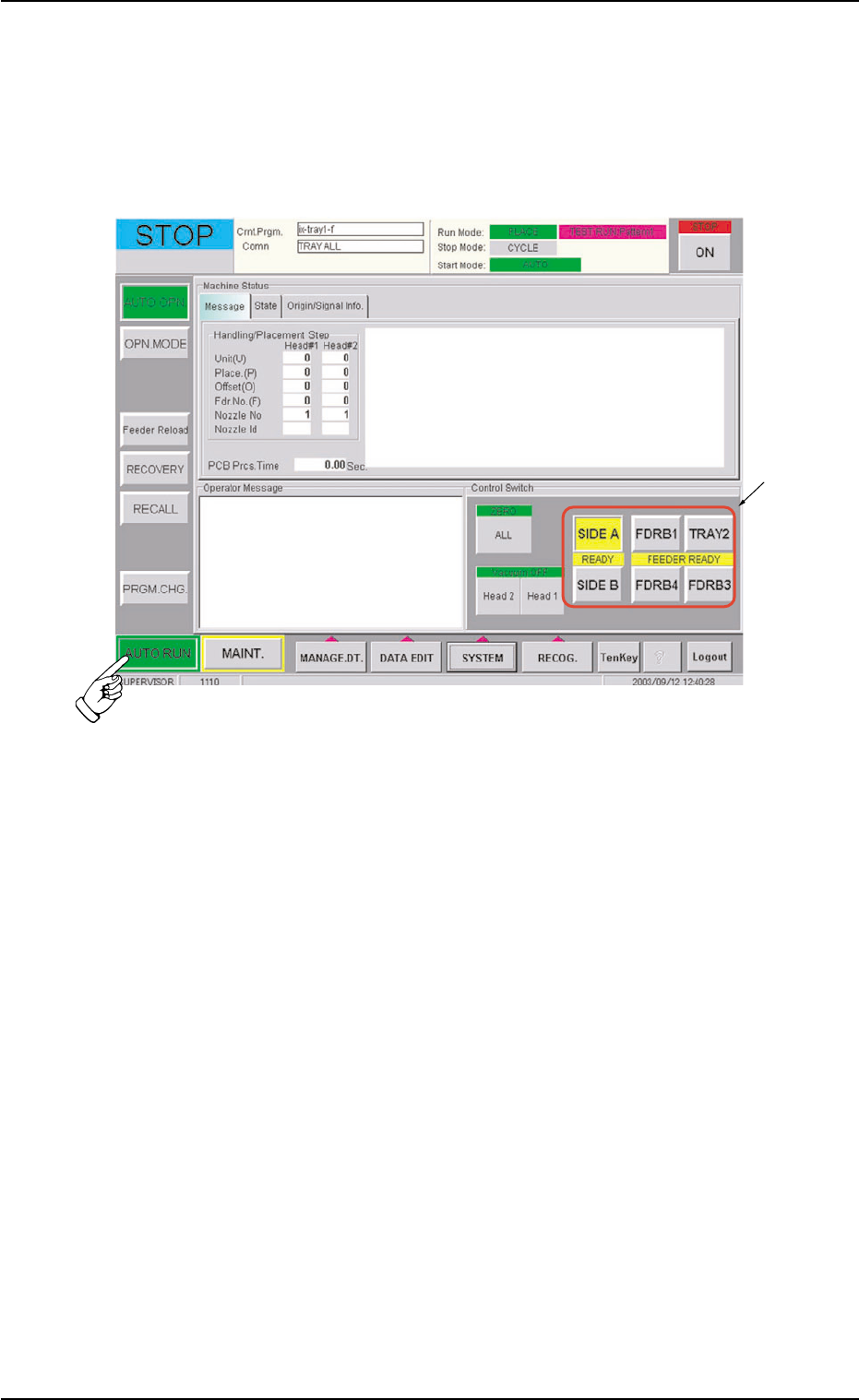
When the [AUTO RUN] button on the main menu bar is pressed, the
following window opens.
Fig. B1 "AUTO RUN" Menu Window
• Window Composition
*1 Control Buttons
After the pallet is replaced and the machine is set ready for opera-
tion, press the pertinent tray feeder button.
4. Menus for Automatic Operation
*1
0311-002 2-8-2 AHI01EGP
4.1 "AUTO OPN." Window (Submenu)
4.1.1 "Origin/Signal Info." Tab
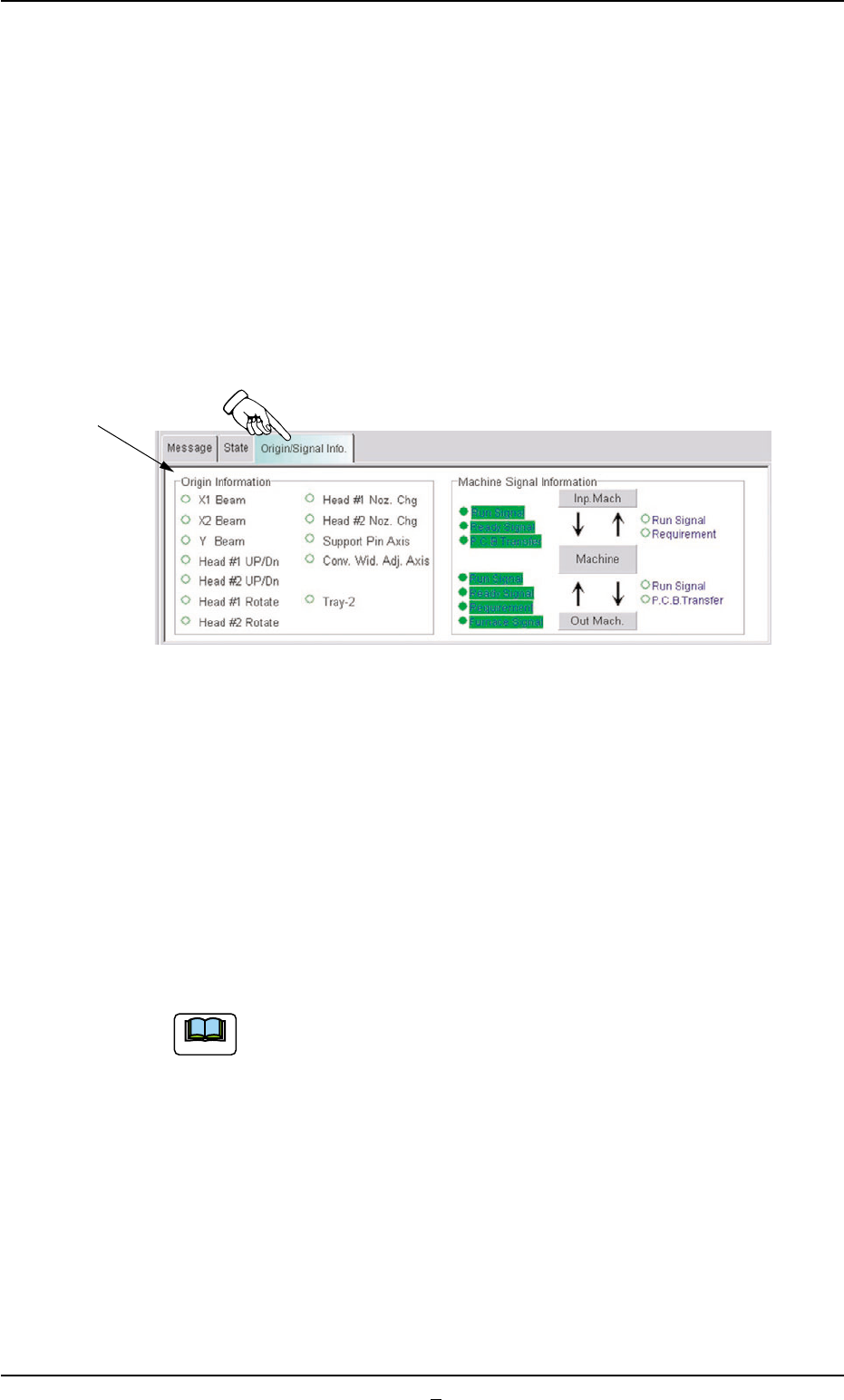
The origin information on each device and the status (ON/OFF status)
of the input and output machines are shown at real time.
• Sheet Layout
When the "Origin/Signal Info." tab is pressed in the "AUTO OPN."
window (submenu), the following tab sheet appears inside the win-
dow.
Fig. B1-1 "Origin/Signal Info." Tab Sheet
• Sheet Composition
*1 Origin Information
It is indicated whether or not each device of the multi-layer tray feeder
is zeroed.
The devices located at their origins are marked with "•".
The origin information is not displayed while the machine is running.
When zeroing operation is started, this tab sheet appears
automatically.
4.1 "AUTO OPN." Window (Submenu)
Note
*1