OM-1078-002.pdf - 第78页
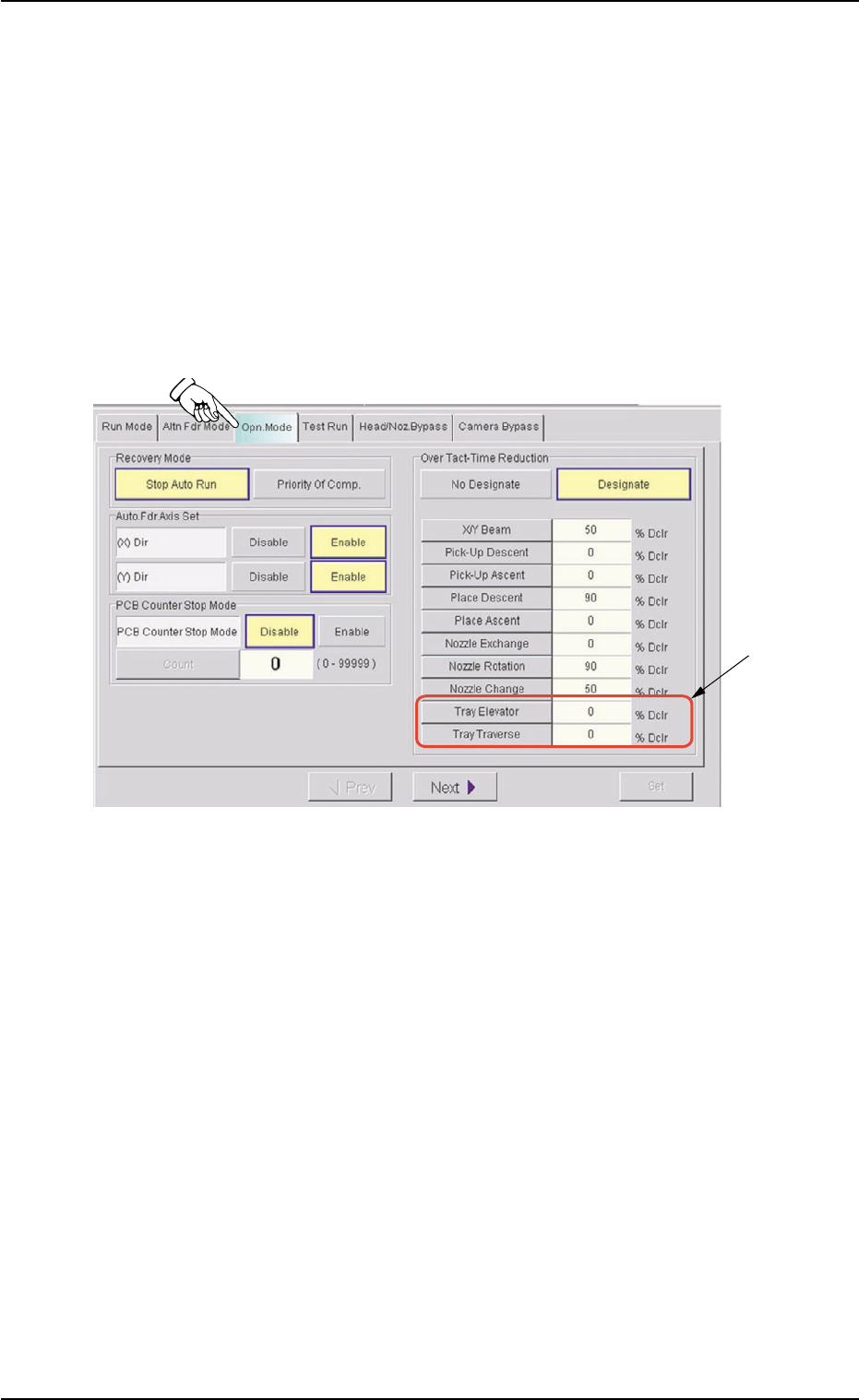
• • • • • Sheet Composition *1 "Over T act-T ime Reduction" Group Box [T ray Elevator] Button When pressed, this button opens the "T ray Elevator" edit window , enabling the operator to specify the sp…
4.2 "OPN. MODE" Window (Submenu)
4.2.1 "Opn. Mode" Tab
Parameters can be specified as operation speeds of the tray elevator
and traverses.
••
••
• Sheet Layout
When the "Opn. Mode" tab is pressed in the "OPN. MODE" window
(submenu), the following tab sheet appears inside the window.
Fig. B1-2 "Opn. Mode" Tab Sheet
0311-003 2-9
AHI01EGP
*1
4.2 "OPN. MODE" Window (Submenu)
••
••
• Sheet Composition
*1 "Over Tact-Time Reduction" Group Box
[Tray Elevator] Button
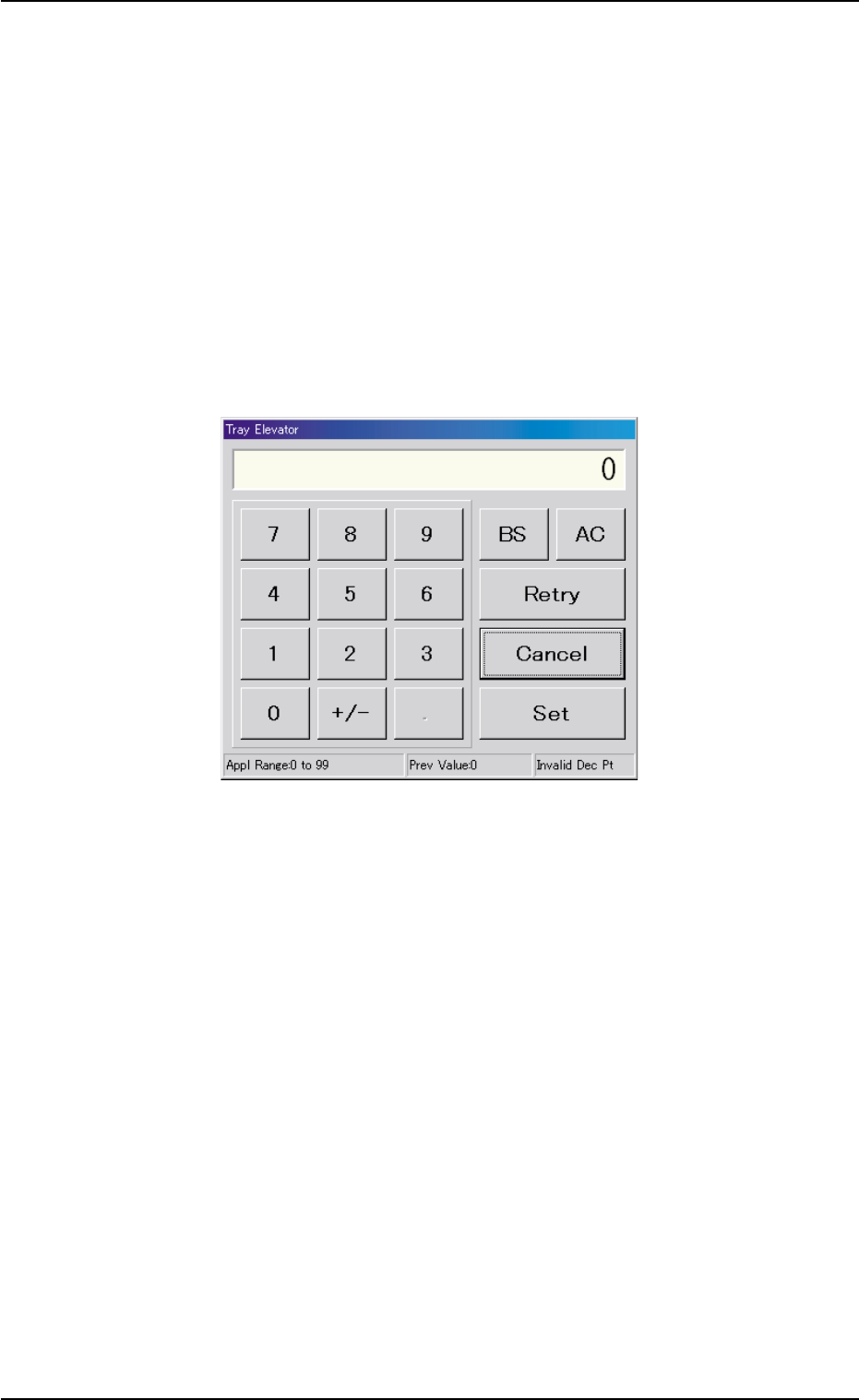
When pressed, this button opens the "Tray Elevator" edit window,
enabling the operator to specify the speed reduction rate of the tray
elevator.
[Tray Traverse] Button
When pressed, this button opens the "Tray Traverse" edit window,
enabling the operator to specify the speed reduction rate of the tray
traverse.
Fig. B2 "Tray Elevator" Edit Window
0204-002 2-10
AHI01EGP
4.2 "OPN. MODE" Window (Submenu)
4.2.2 "Test Run" Tab
The corresponding tab sheet enables the operator to specify a test pat-
tern.
••
••
• Sheet Layout
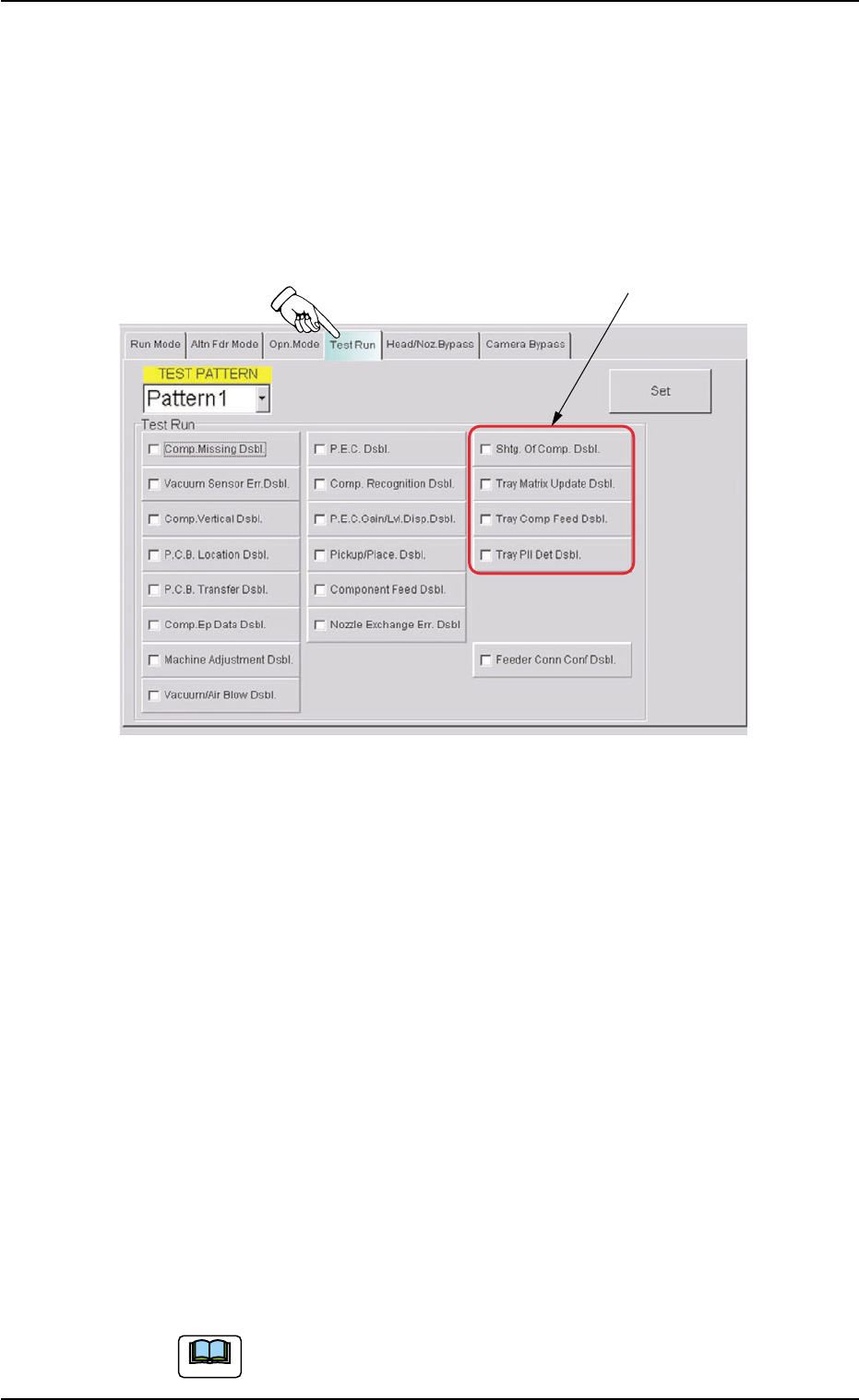
When the "Test Run" tab is pressed in the "OPN. MODE" window
(submenu), the following tab sheet appears inside the window.
Fig. B3 "Test Run" Tab Sheet
••
••
• Sheet Composition
*1 "Test Run" Group Box
Select one of the following buttons as a test mode.
The following buttons are provided in this group box.
[Shtg. Of Comp. Dsbl.] Button
[Tray Matrix Update Dsbl.] Button
[Tray Comp Feed Dsbl.] Button
[Tray Pll Det Dsbl.] Button
When one of the above buttons is pressed, a check mark appears
in the check box of the button and the background color of the but-
ton turns creamy white, indicating that the function is selected.
To cancel the selection, press the button again. The check mark in
the check box disappears and the background color of the button
turns gray (original color).
Several functions can be selected.
0311-003 2-11
AHI01EGP
*1
4.2 "OPN. MODE" Window (Submenu)
Note