OM-1078-002.pdf - 第84页
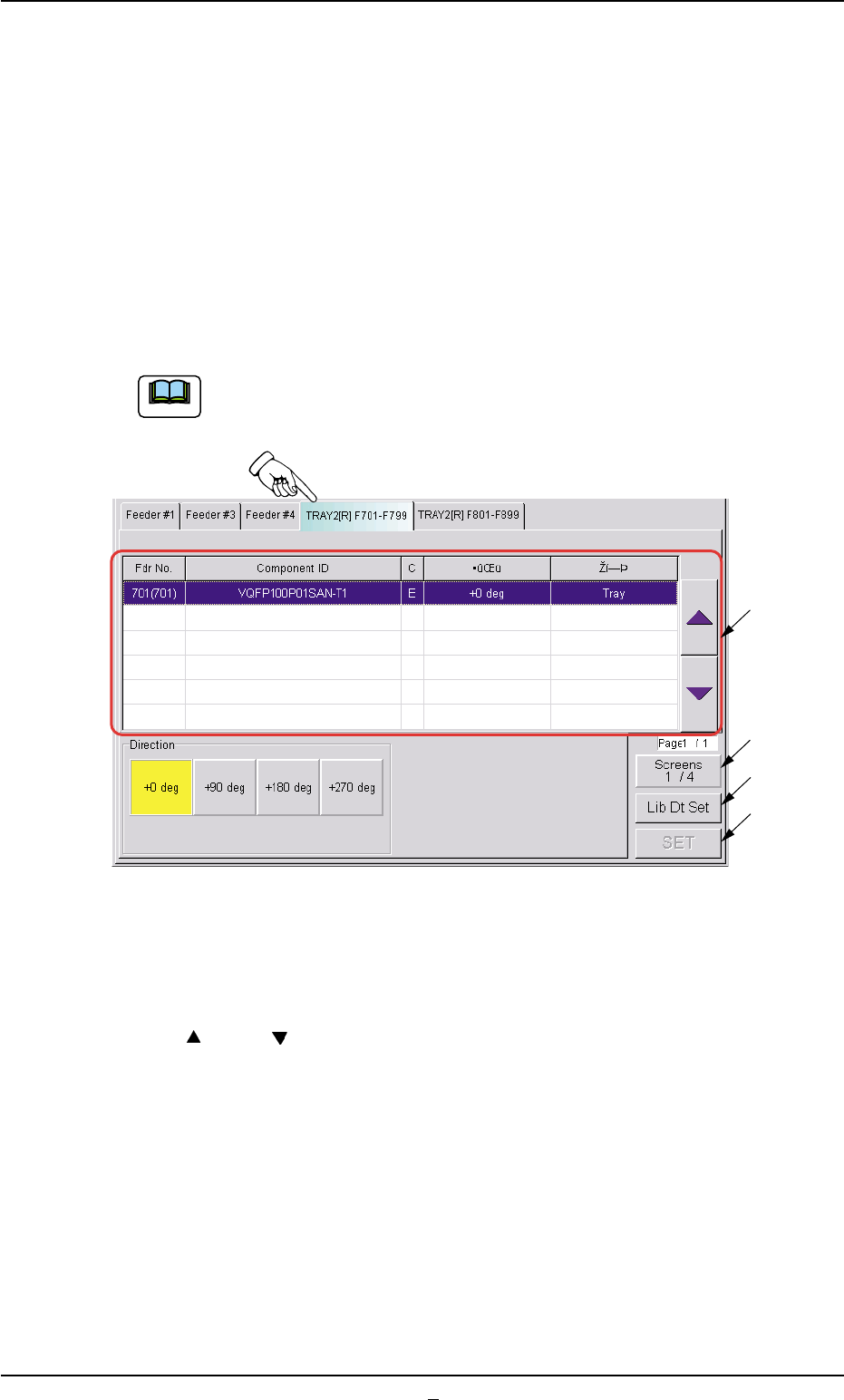
031 1-001 2-15-1 AHI01EGP 4.4 "RECOVERY" Window (Submenu) *2 [Screens] Button When this button is pressed, different titles appear in each tab sheet. Pressing this button again resumes the original titles. *3 […
4.4 "RECOVERY" Window (Submenu)
4.4.1 "Comp Carriage Dt Edit" Tab
(1) "TRAY2 [R] F701-F799" Tab Sheet
• Sheet Layout
When the "TRAY2 [R] F701-F799" tab is pressed in the "Comp Car-
riage Dt Edit" tab sheet ("RECOVERY" Window (Submenu)), the fol-
lowing tab sheet appears.
Follow the same procedure to make the "TRAY2 [R] F801-
899" tab sheet visible.
Fig. B7 "TRAY2[R] F701-F799" Tab Sheet
• Sheet Composition
*1 [
] and [ ] Buttons
Select the component for which the component carriage data should
be changed.
When the registered components occupy more than 1 page, use
the scroll bar (up and down arrows) on the right edge of the tab
sheet to scroll up or down the list of components.
0311-003 2-15 AHI01EGP
Note
4.4 "RECOVERY" Window (Submenu)
*3
*4
*2
*1

0311-001 2-15-1 AHI01EGP
4.4 "RECOVERY" Window (Submenu)
*2 [Screens] Button
When this button is pressed, different titles appear in each tab sheet.
Pressing this button again resumes the original titles.
*3 [Lib Dt Set] Button
When this button is pressed, the simply changed packaging style of
the components is fed back to the library.
*4 [SET] Button
When this button is pressed, the changed values are set and the
frames of the changed items in the "List of Component Carriage
Data" (*1) are changed to be kept in blank.
4.5 "RECALL" Window (Submenu)
4.5.1 "Servo Alarm" Tab
••
••
• Sheet Layout
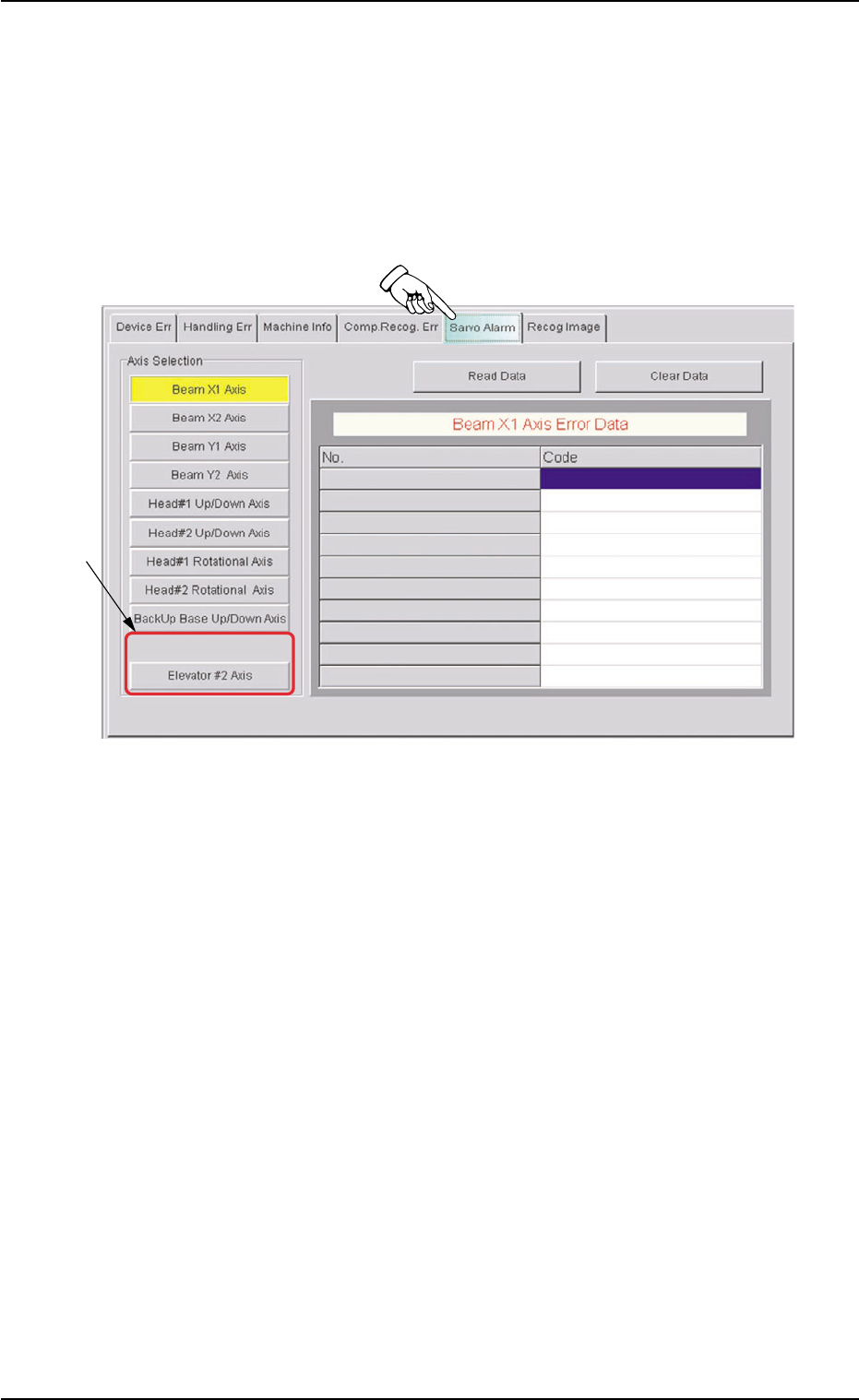
When the "Servo Alarm" tab is pressed in the "RECALL" window
(submenu), the following tab sheet appears.
Fig. B7-1 "Servo Alarm" Tab Sheet
••
••
• Sheet Composition
*1 Axis Selection
This sheet is provided with the following buttons.
[Elevator #1 Axis] Button
[Elevator #2 Axis] Button
When one of these button is pressed, the selected button turns yel-
low, indicating that the unit (axis) for which the alarm information
should be issued is selected.
Pressing the button again changes the background color to the origi-
nal one, indicating that the selection is canceled.
4.5 "RECALL" Window (Submenu)
*1
0311-001 2-15-2 AHI01EGP