OM-1078-002.pdf - 第85页
4 . 5 "RECALL" Window (Submenu) 4.5.1 "Servo Alarm" T ab • • • • • Sheet Layout When the "Servo Alarm" tab is pressed in the "RECALL" window (submenu), the following tab sheet appe…

0311-001 2-15-1 AHI01EGP
4.4 "RECOVERY" Window (Submenu)
*2 [Screens] Button
When this button is pressed, different titles appear in each tab sheet.
Pressing this button again resumes the original titles.
*3 [Lib Dt Set] Button
When this button is pressed, the simply changed packaging style of
the components is fed back to the library.
*4 [SET] Button
When this button is pressed, the changed values are set and the
frames of the changed items in the "List of Component Carriage
Data" (*1) are changed to be kept in blank.
4.5 "RECALL" Window (Submenu)
4.5.1 "Servo Alarm" Tab
••
••
• Sheet Layout
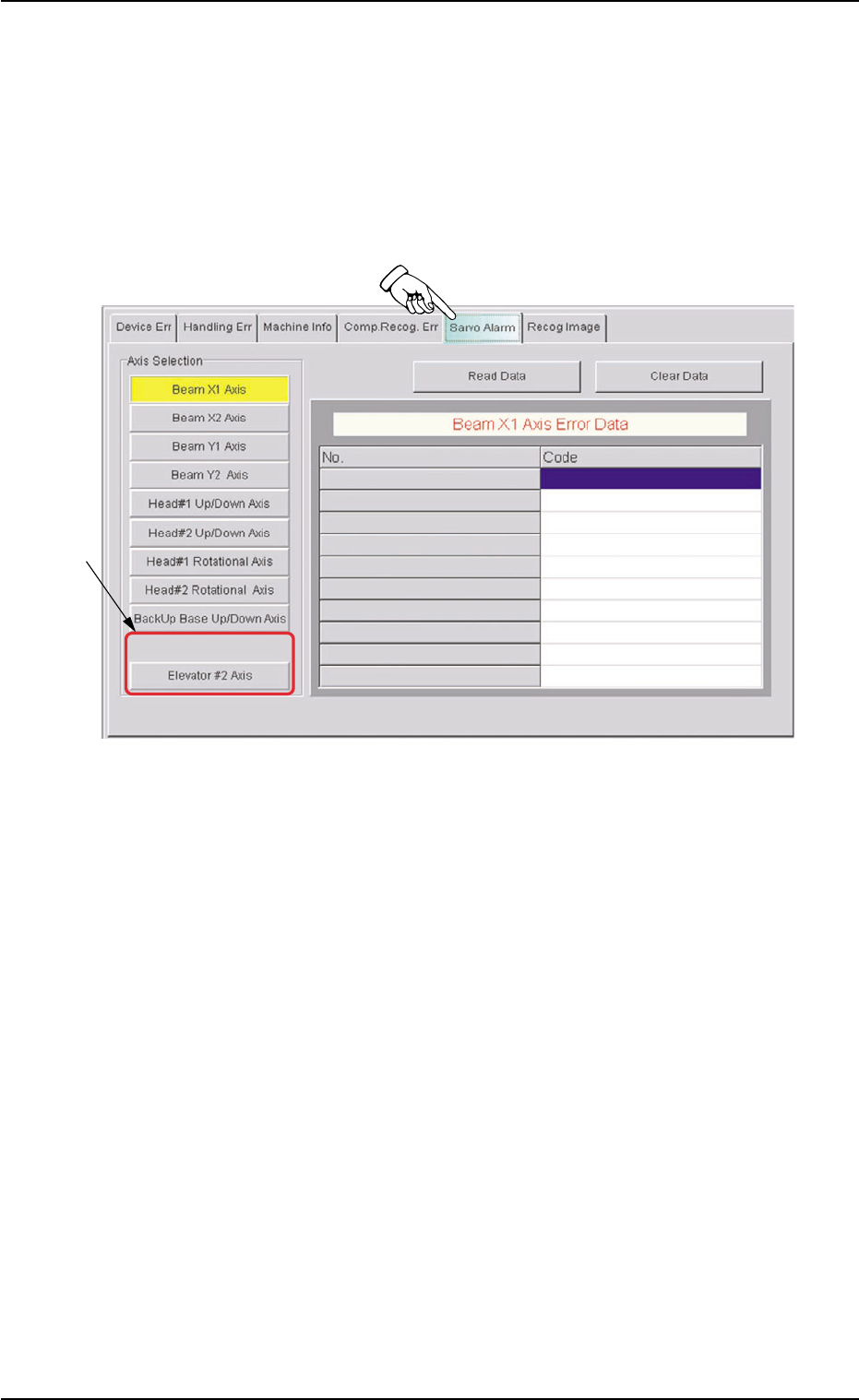
When the "Servo Alarm" tab is pressed in the "RECALL" window
(submenu), the following tab sheet appears.
Fig. B7-1 "Servo Alarm" Tab Sheet
••
••
• Sheet Composition
*1 Axis Selection
This sheet is provided with the following buttons.
[Elevator #1 Axis] Button
[Elevator #2 Axis] Button
When one of these button is pressed, the selected button turns yel-
low, indicating that the unit (axis) for which the alarm information
should be issued is selected.
Pressing the button again changes the background color to the origi-
nal one, indicating that the selection is canceled.
4.5 "RECALL" Window (Submenu)
*1
0311-001 2-15-2 AHI01EGP
0311-001 2-15-3 AHI01EGP
5. Menus for Maintenance
5. Menus for Maintenance
••
••
• Windows Layout
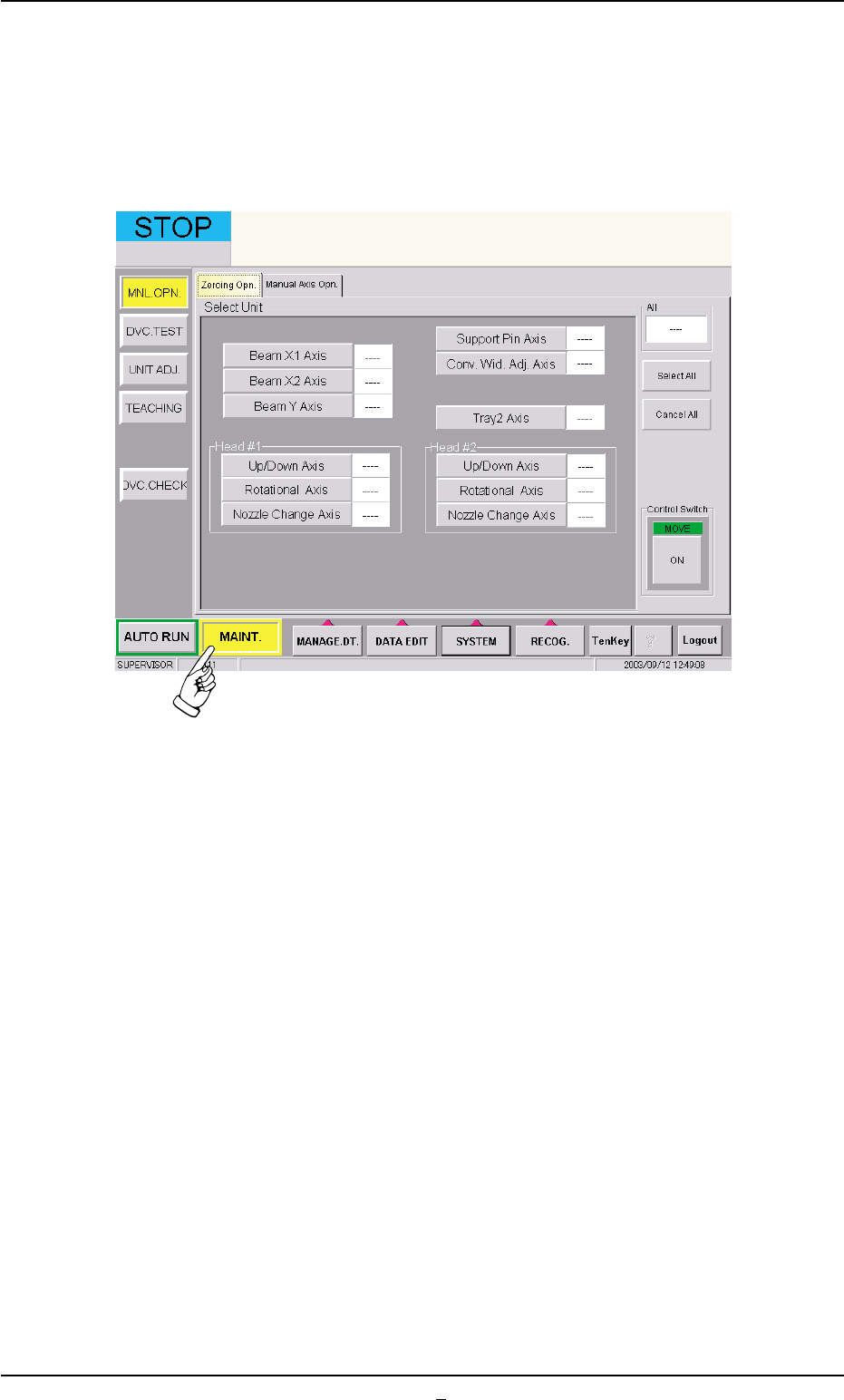
When the [MAINT.] button on the main menu bar is pressed, the fol-
lowing window opens.
Fig. B8 "MAINT." Window