RS-1_instruction manual.pdf - 第1006页
Part 2 D etaile d Descript ion of E ach Functi on Chapter 12 Handling th e Optional Device s 12 - 122 12.16.6 Manual Control 12.16.6.1 ATC control When you se lect [Other s] – [ATC control ] from the “Manua l Control” sc…
Part 2 Detailed Description of Each Function Chapter 12 Handling the Optional Devices
12-121
12.16.5.2 <Others> button of the “Production” tab
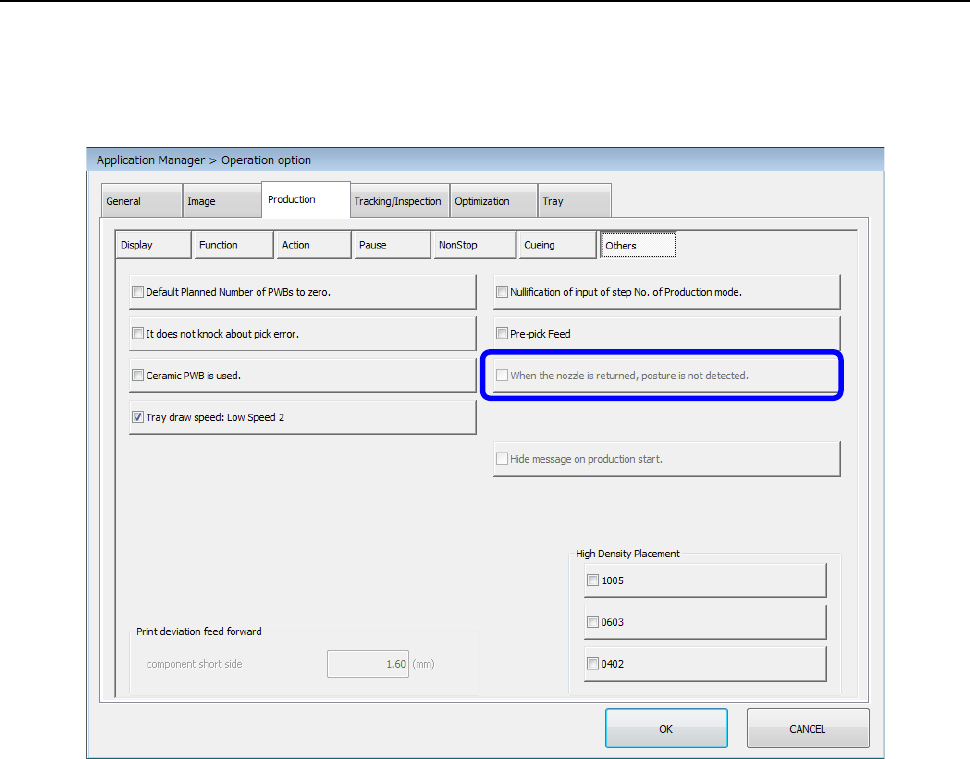
When you press the <Others> button, the “Production other options setting screen” appears.
When you select [Device enable] – [Head], and then enable the “Manual nozzle” check box, the
“Production other options setting screen” is displayed as shown below. You cannot set the “When
the nozzle is returned, posture is not detected” check box.
Part 2 Detailed Description of Each Function Chapter 12 Handling the Optional Devices
12-122
12.16.6 Manual Control
12.16.6.1 ATC control
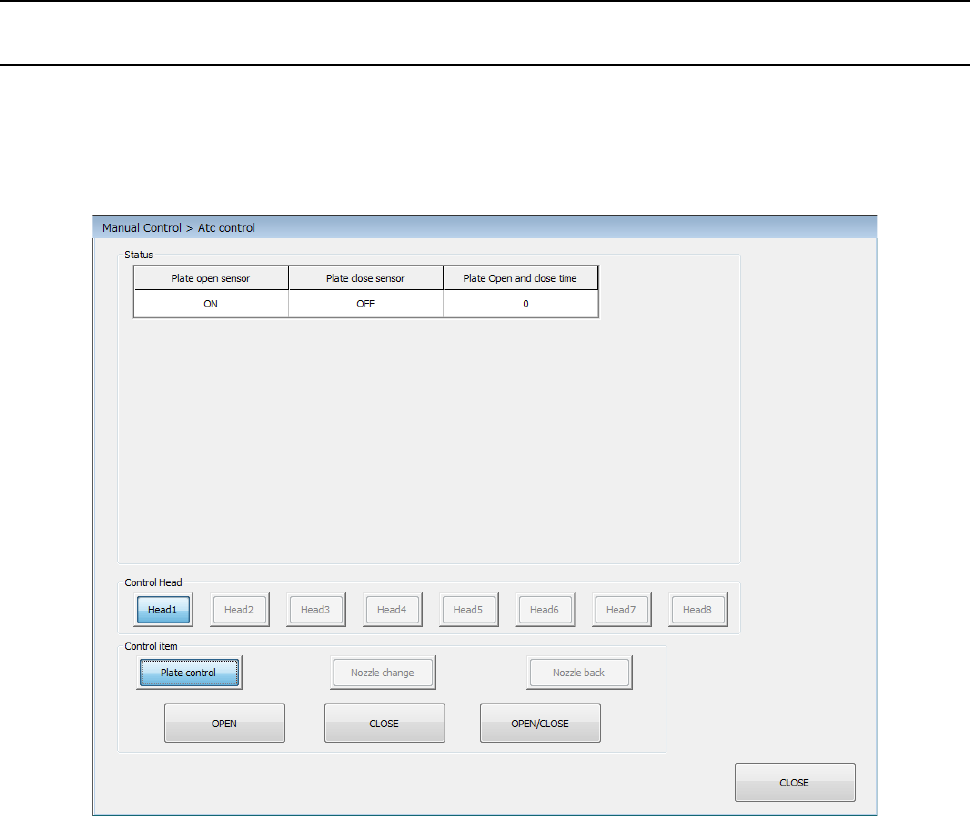
When you select [Others] – [ATC control] from the “Manual Control” screen, the “ATC control”
screen appears. When you select [Device enable] – [Head], and then enable the “Manual nozzle”
check box, the “ATC control” screen is displayed as shown below.
You can control the <Place control> button only.
Part 2 Detailed Description of Each Function Chapter 12 Handling the Optional Devices
12-123
12.16.7 Machine Information
12.16.7.1 Nozzle usage information
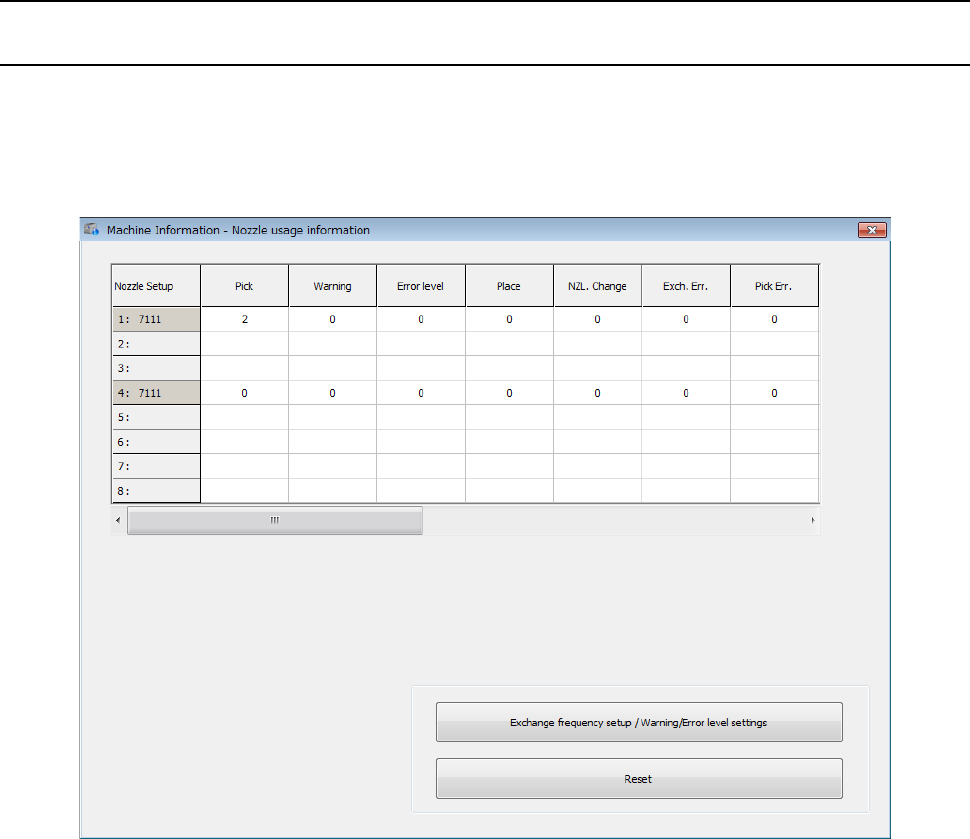
Nozzle usage information is controlled according to ATC numbers and nozzle numbers. When you
select [Device enable] – [Head], and then enable the “Manual nozzle” check box, the “Nozzle usage
information” screen is displayed as shown below.
This screen displays nozzle usage information for each head.