RS-1_instruction manual.pdf - 第510页
Part 1 B asic O peration Chapter 4 Cr eating a Produc tion Progra m 4- 175 4.5.3 .2 Duplicating a line This comma nd copies a r ecord of data of the select ed l ine and in serts it. H owever , all data may not be copie d…
Part 1 Basic Operation Chapter 4 Creating a Production Program
4-174
4.5.3 Functions to be invoked from the “List” screen
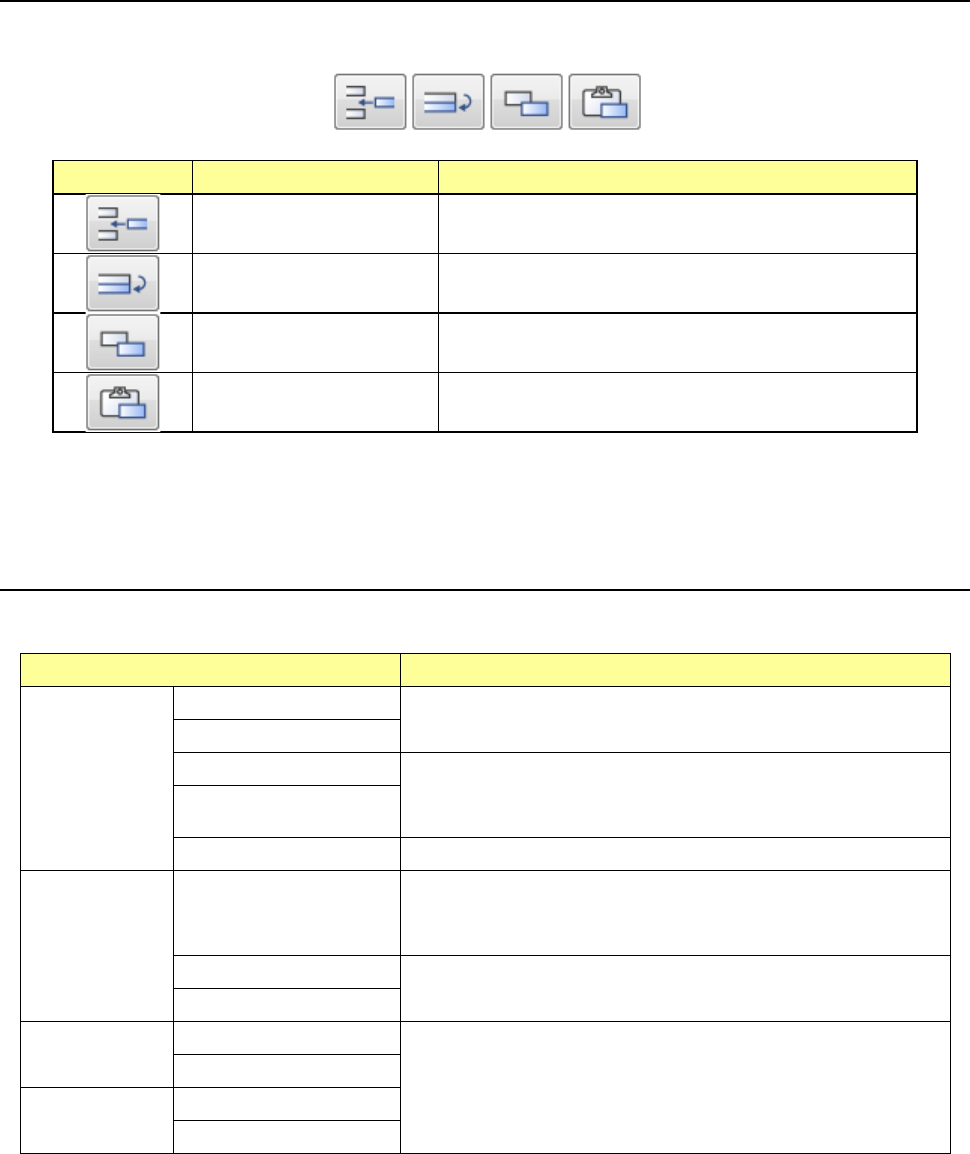
These are the auxiliary functions for creating a production program. The Edit buttons are
displayed on the lower right corner of the “List” screen.
Icon Function Description
Inserting of a line Inserts a blank record to the selected line.
Duplicating of a line Copies a record of data of the selected line and inserts it.
However, all data may not be copied.
Copy of a cell Stores a cell(s) whose range is selected and highlighted
into the memory buffer.
Pasting of a cell
Pastes data stored in the memory buffer with the [Copy of
a cell] command.
You can change the width of a cell or sort data on each “List” screen of the Program Editor.
4.5.3.1 Inserting a line
This function inserts a bank record in the selected line.
Screen Function
PWB data
Basic setting screen
This function cannot be used.
Dimension setup screen
Circuit Layout screen This command inserts a blank line to the cursor position.
After this command is executed, the cursor moves to the leftmost
input field of the blank line.
Ex. Bad Mark screen
PWB Conveyor screen This command cannot be used.
Placement
data
List screen
This command inserts a blank line to the cursor position.
The placement ID becomes “#.” The cells for the placement
positions, “Angle” and “Component name” are blank.
Area Mark screen
This command cannot be used.
Area Bad Mark screen
Component
data
List screen
This command cannot be used.
Form screen
Pick data
List screen
Form screen
* If you used the sort function, you cannot select the command for inserting a line.
Part 1 Basic Operation Chapter 4 Creating a Production Program
4-175
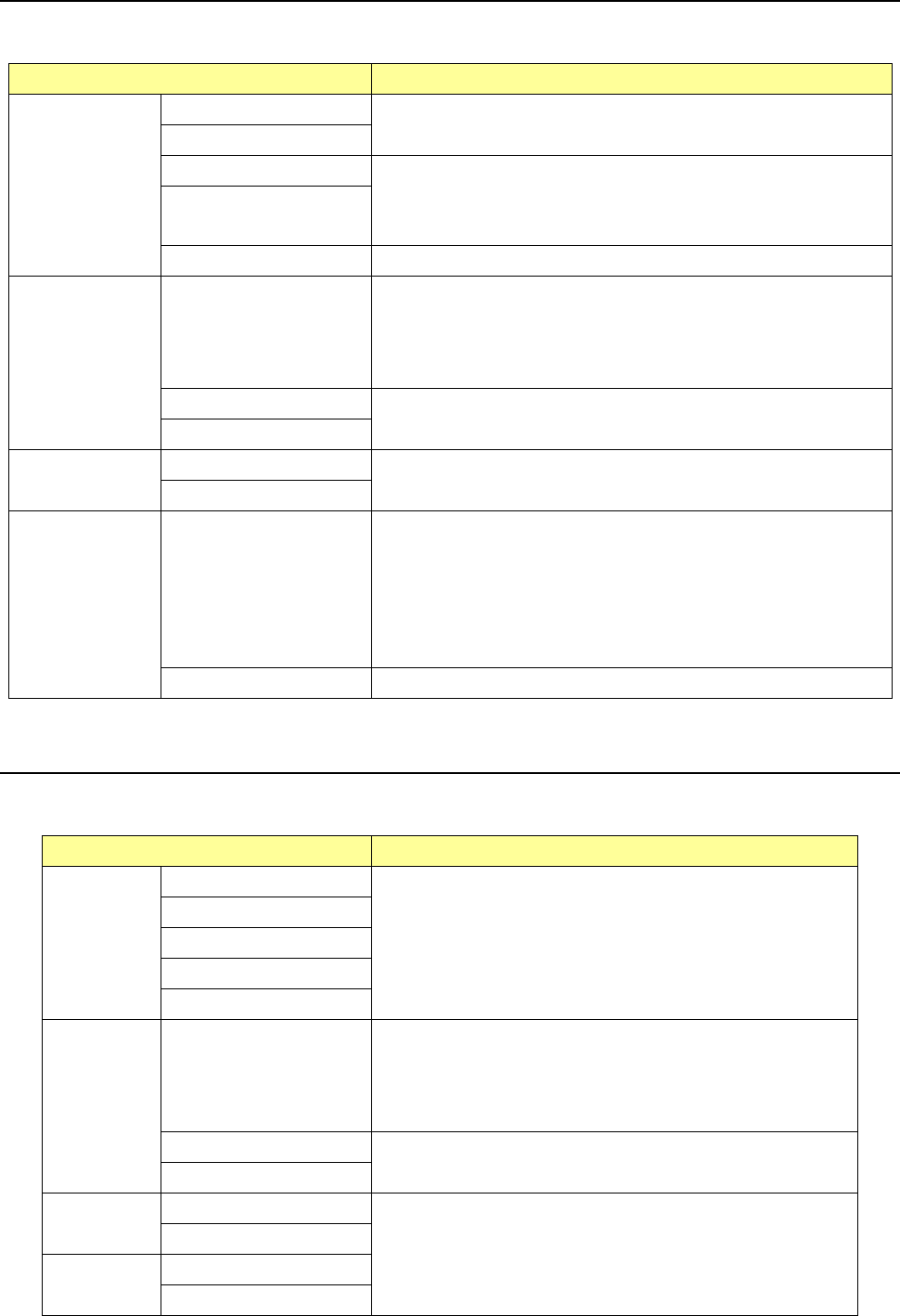
4.5.3.2 Duplicating a line
This command copies a record of data of the selected line and inserts it. However, all data may
not be copied.
Screen Function
PWB data
Basic setting screen
This function cannot be used.
Dimension setup screen
Circuit Layout screen
This command copies a line on which the cursor is located, and
inserts it to the next line.
After this command is executed, the cursor moves to the leftmost
input field of the copied line.
Ex. Bad Mark screen
PWB Conveyor screen This command cannot be used.
Placement data
List screen
This command copies a line on which the cursor is located, and
inserts it to the next line.
After this command is executed, the cursor moves to the leftmost
input field of the copied line.
The placement ID becomes “#.”
Area Mark screen
This command cannot be used.
Area Bad Mark screen
Component data
List screen
This command cannot be used.
Form screen
Pick data
List screen
The data entered in the “Component name,” “Package” and “Tape
feeder” menu items is copied, and other items are initialized.
For a tray, “*” is displayed as the component pick-up coordinates
until you enter a value in the “Pos” field.
For an MTS, the coordinates of a component pick-up position are
copied, and you cannot edit them until you enter a value in the
“Pos” field.
Form screen This command cannot be used.
* If you used the sort function, you cannot select the command for duplicating a line.
4.5.3.3 Copying a cell
This command stores a cell(s) whose range is selected and highlighted into the memory buffer.
To paste the copied cell(s) into data, execute the command for “pasting a cell.”
Screen Function
PWB data
Basic setting screen
This command cannot be used.
Dimension setup screen
Circuit Layout screen
Ex. Bad Mark screen
PWB Conveyor screen
Placement
data
List screen
The cells to be copied are: “X,” “Y,” “Angle” and “Component
name.”
Data of a cell in which the cursor is located is stored in the
memory buffer.
To paste the copied cell to data, execute the command for
pasting a cell.
Area Mark screen
This command cannot be used.
Area Bad Mark screen
Component
data
List screen
This command cannot be used.
Form screen
Pick data
List screen
Form screen
Part 1 Basic Operation Chapter 4 Creating a Production Program
4-176
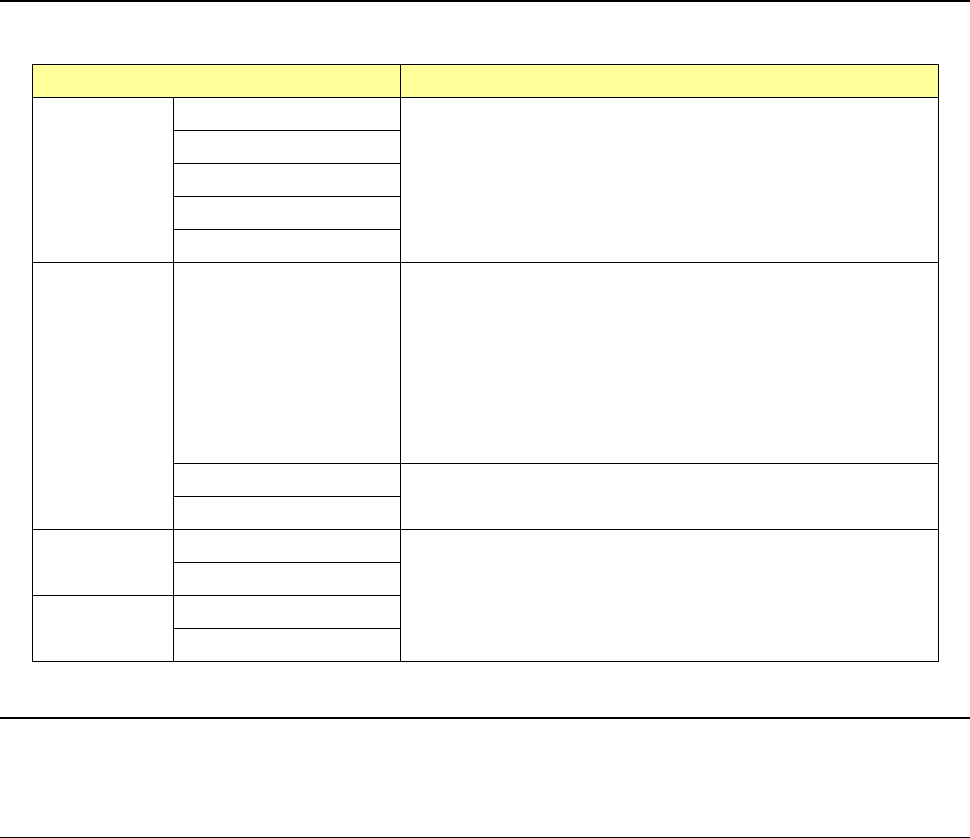
4.5.3.4 Pasting a cell
This command pastes data stored in the memory buffer with the command for “copying a cell.”
Screen Function
PWB data
Basic setting screen
This command cannot be used.
Dimension setup screen
Circuit Layout screen
Ex. Bad Mark screen
PWB Conveyor screen
Placement
data
List screen
This command overwrites the corresponding items of the line on
which the cursor is located with data stored in the memory
buffer with the command for copying a cell.
If the memory buffer is empty, this command cannot be
selected.
The memory buffer holds data until the current screen is
switched to another data edit screen (this command can be
executed continuously).
Data cut from each cell, “X,” “Y” and “Angle,” can be pasted to
the same type of cell only.
Area Mark screen
This command cannot be used.
Area Bad Mark screen
Component
data
List screen
This command cannot be used.
Form screen
Pick data
List screen
Form screen
4.5.3.5 Changing the width of a cell of the “List” screen
When you move an area around the border line between two cells while touching it, the shape of
the cell changes and this allows you to change the width of the cell.
4.5.3.6 Sort function on the “List” screen
When you touch a header (area showing an item name) of a column on the “List” screen twice
quickly, you can use the column as a sort key to sort data.
Every time you touch it twice, the sort operations are switched: cancel of the sort operation ->
sorting in ascending order -> sorting in descending order -> cancel of the sort operation.
- Clearing the sorted state
When you load a file or when you execute the optimization function, the sorted states of all
screens are cleared.
If you change any Pick data on the “Feeder layout” screen, the sorted state of the “List”
screen of the “Pick” data is cleared.
- Edit commands disabled in the sorted state
Some of the Edit commands cannot be used in the sorted state.
The following commands cannot be used: [Cut], [Delete], [Insert line], [Duplicate] and [Mark
copy].
Execute these commands in the unsorted state.