RS-1_instruction manual.pdf - 第546页
Part 1 B asic O peration Chapter 4 Cr eating a Produc tion Progra m 4- 211 While the sy stem is recog nizing a bank mark, the screen like the o ne shown below ap pears. The image shot with the O CC is displayed at the up…
Part 1 Basic Operation Chapter 4 Creating a Production Program
4-210
4.5.6.3 Feeder bank mark
This function checks edited data of a production program.
The system memorizes the measured values of the coordinates at which the system recognizes a
feeder bank mark, and uses them to correct the coordinates when the system teaches the pick
data.
CAUTION
To prevent any accident causing injuries, never put your hands or
head inside the machine while the machine is operating.
(1) Recognizing a bank mark
Select the [Machine operation] command from the menu bar, and the [Feeder bank mark (front)]
command or the [Feeder bank mark (rear)] command from the “Machine operation” menu.
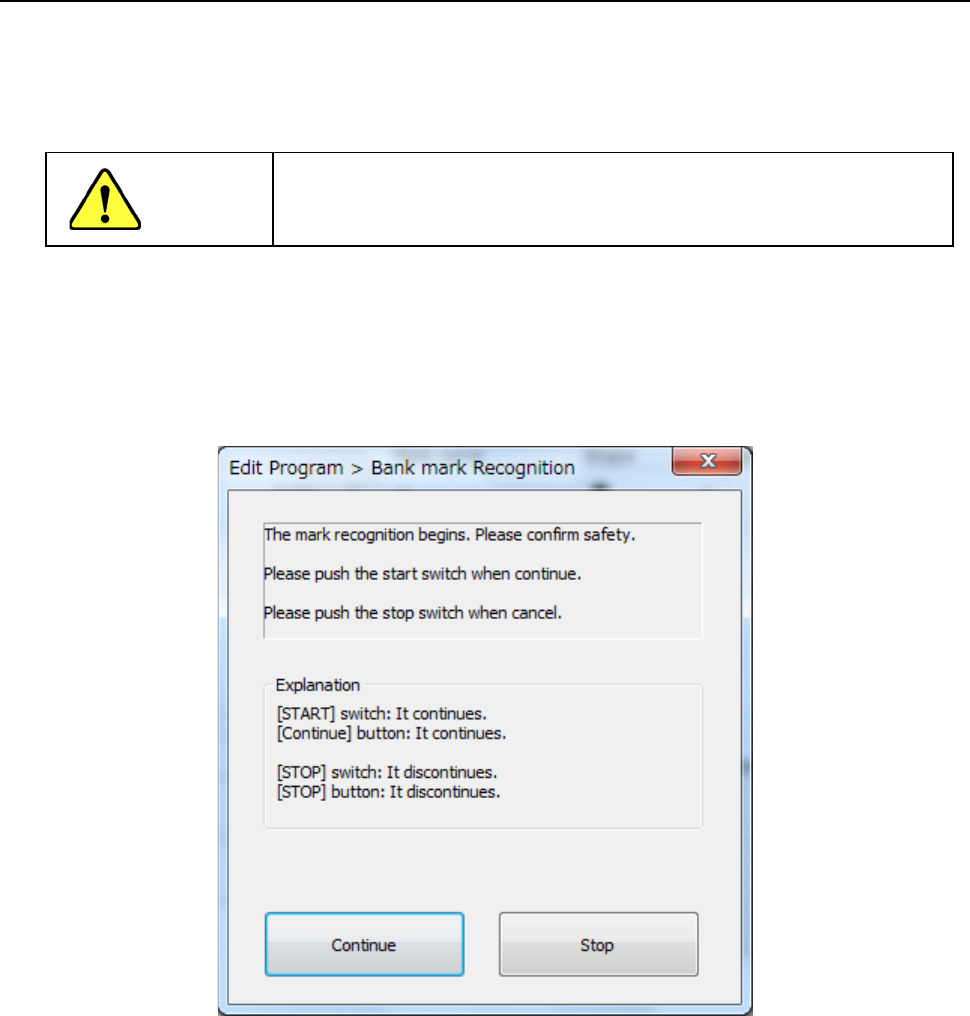
The confirmation screen appears in every case.
Only after checking the safety, press the <START> switch or the <Continue> button.
Part 1 Basic Operation Chapter 4 Creating a Production Program
4-211
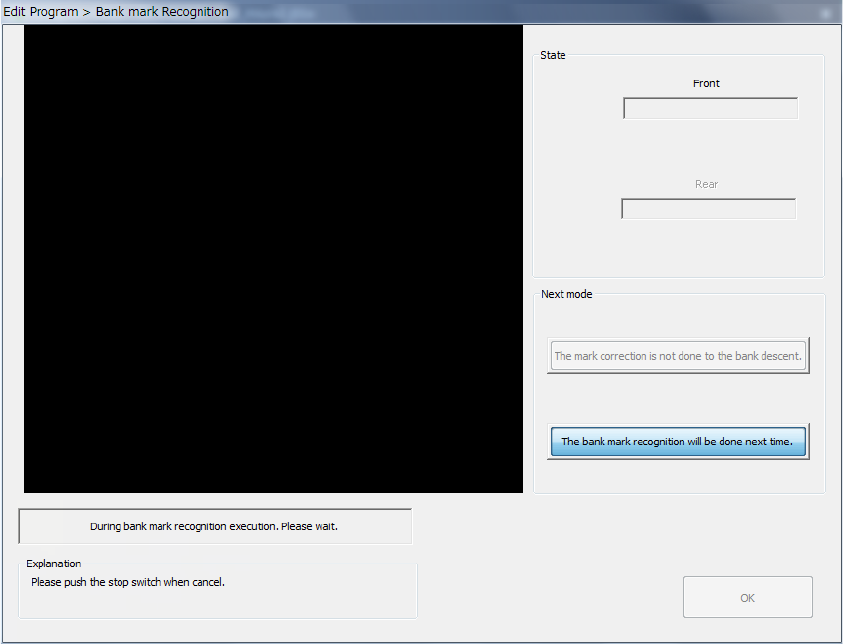
While the system is recognizing a bank mark, the screen like the one shown below appears.
The image shot with the OCC is displayed at the upper left corner of the screen.
To abort recognition of a bank mark for some reason even though the system is recognizing the
mark, press the <STOP> switch.
The system stops recognizing the mark even though it is set to continuously keep recognizing
marks, and then displays the start screen again.
1) State
• Front/Rear
The system displays the operation condition at the position on the specified station the
system is processing.
Part 1 Basic Operation Chapter 4 Creating a Production Program
4-212
2) Explanation/Next mode
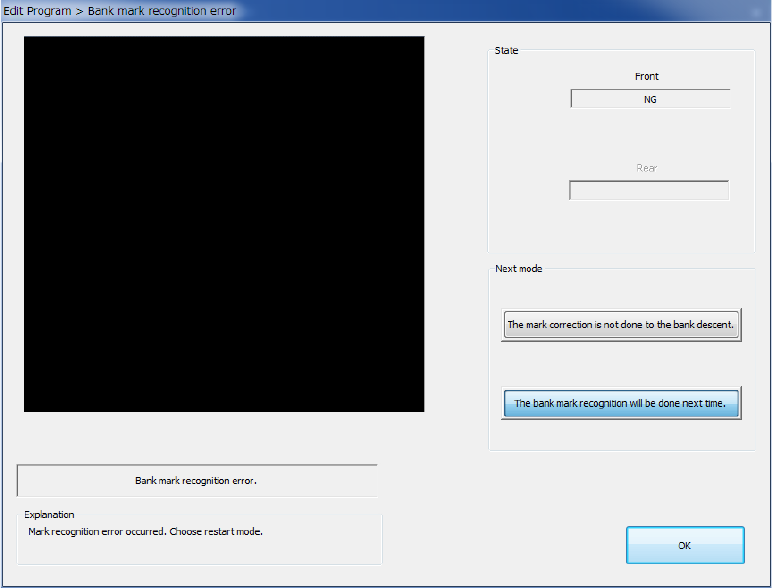
If the system fails to recognize a bank mark, the corresponding error message is displayed
in the “Explanation” column of the dialog box, and you can select any of the buttons in the
“Next mode” column.
If an error occurs, the system does not memorize the recognition results.
Select when to recognize a mark:
a) The mark correction is not done to the bank descent (the default position is to be used)
The system applies the default position to the coordinates on the bank where a
recognition error occurred, and handles that position as it is recognized already.
b) The bank mark recognition will be done next time.
The system handles a bank where a recognition error occurred as an unrecognized
bank. Therefore, the system cannot correct a bank mark.
If the system has to correct a bank mark next time, it has to recognize the mark again.
After selecting the button, press the <OK> button. The system finishes recognizing a bank
mark.
If any bank is not been recognized yet when the system is set to recognize bank marks
continuously, the system continues recognizing marks.