RS-1_instruction manual.pdf - 第785页
Part 2 D etaile d Descript ion of E ach Functi on Chapter 9 M anual Control 9- 13 String art and the l aser height D escription This indica tes th e appropri ate laser he ight. The laser sens or obtained th e shape of a …
Part 2 Detailed Description of Each Function Chapter 9 Manual Control
9-12
9.3.3.5 Control item: Meas. (SWEEP)
This control item measures the head with laser (SWEEP).
The SWEEP function rotates a substance to be measured in the detection area to detect a
component pick-up error, angle error and size. The laser unit analyzes the obtained data based
on the component shape specified in the “Compo shape” combo box to calculate the
measurement results. The measurement results are displayed in the “Status” area.
When the control item “Meas. (SWEEP)” is selected, press the <Exec> button for control. When
you select <LA> button, the head is moved to the end (bottom surface of the component when a
component is picked up) of this head.
The status displayed in the “Measurement result” area is updated when the system finishes
measuring.
For the window type at measurement, refer to “9.3.3.4 Control item: Meas. (ONCE).
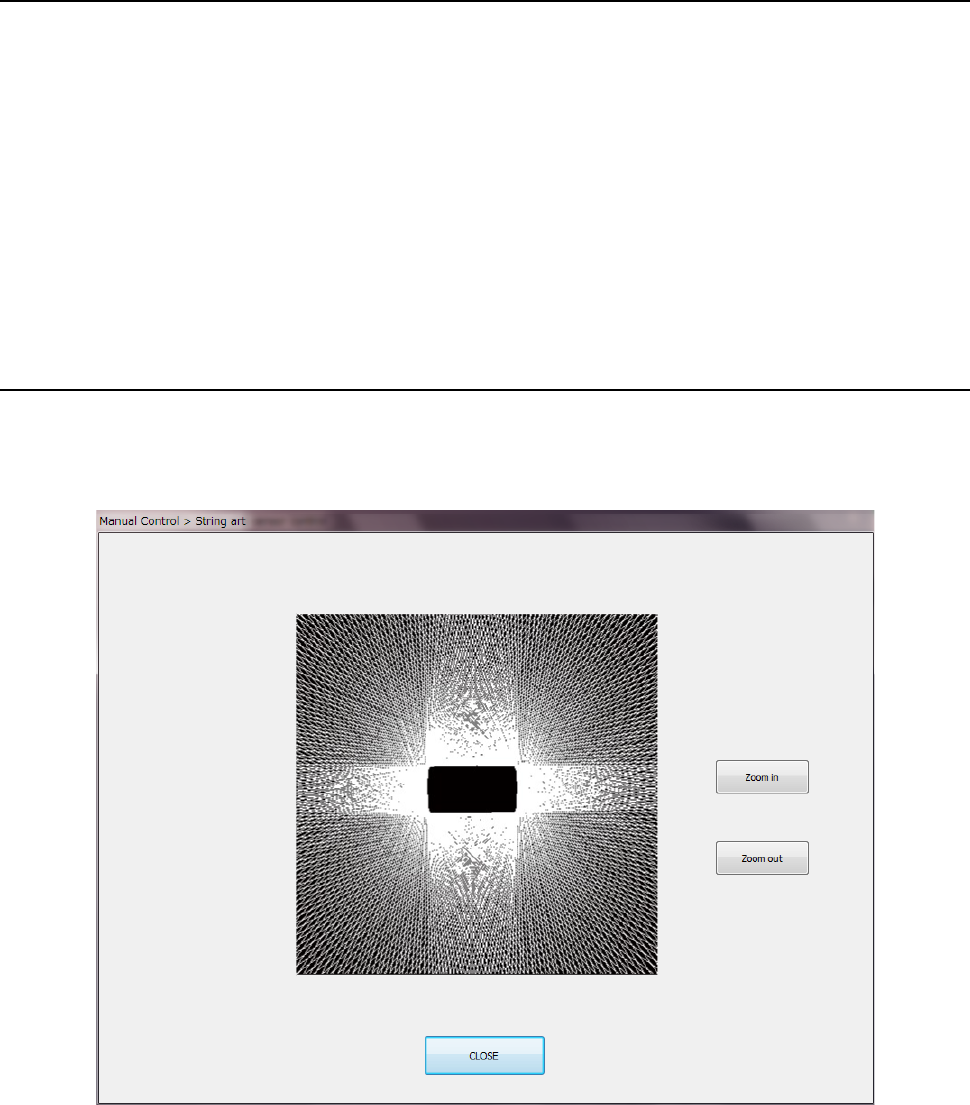
9.3.3.6 Control item: String art
This button displays the string art (outline of a component) based on data obtained with the
SWEEP function.
When the control item “String art” is elected, press the <Exec> button for control.
For an example of string art based on the laser height, refer to the table shown on the next page.
Part 2 Detailed Description of Each Function Chapter 9 Manual Control
9-13
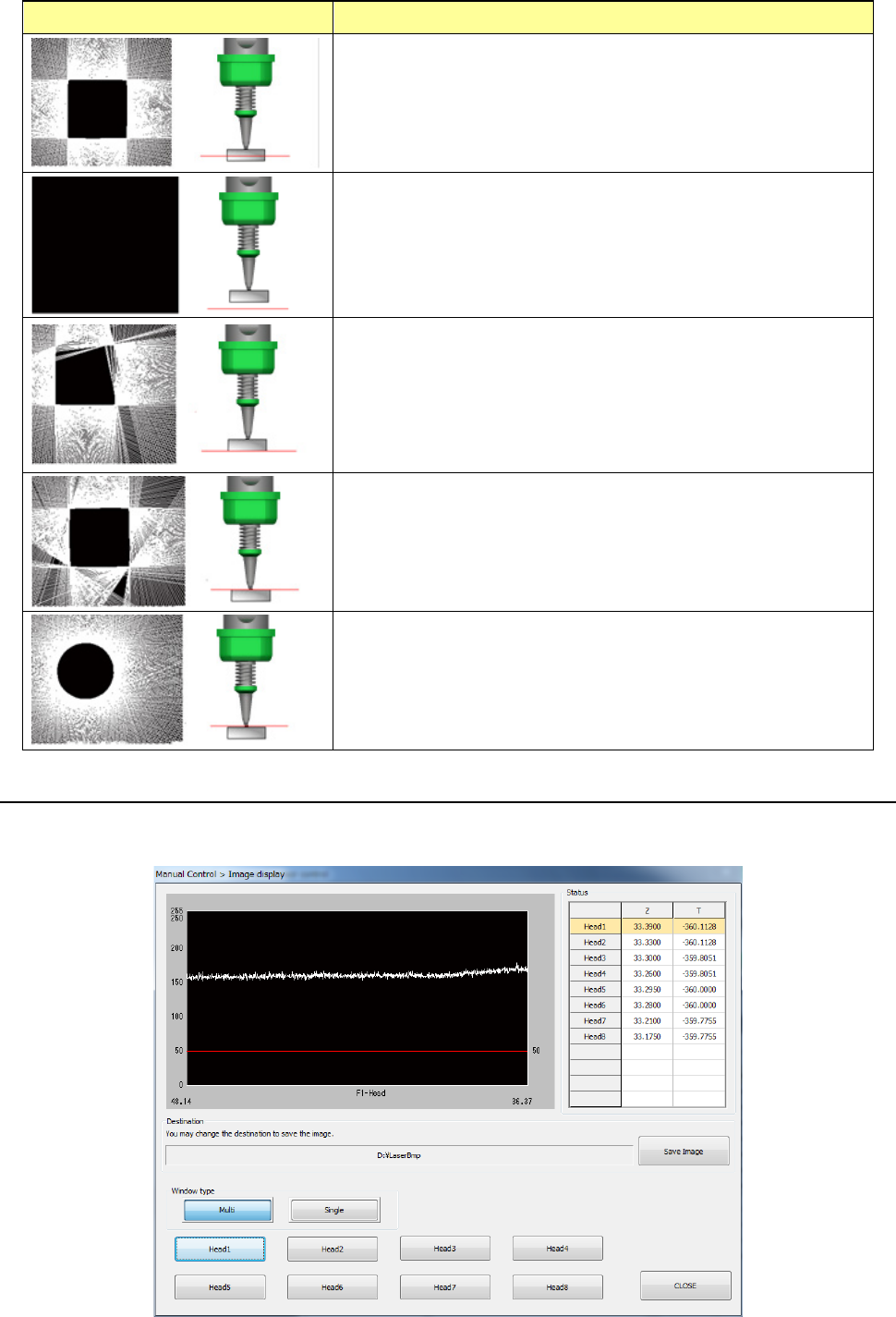
String art and the laser height Description
This indicates the appropriate laser height. The laser sensor
obtained the shape of a component correctly. When the laser
sensor obtains the component shape, it returns the SWEEP
recognition result to the system.
If a component is not located at a position that is irradiated with
laser, the system does not obtain any edge data. Therefore,
any string art is not drawn, and the screen becomes black. In
this case, the laser sensor fails to perform SWEEP, and returns
a no-component error to the system.
If the laser height is almost the same as the height of the
bottom side of a component, the component does not shield
laser sufficiently and the sensor does not obtain the edge data
at several positions. Therefore, the string art shape becomes
inappropriate, and the laser sensor fails to perform SWEEP
and returns a recognition error to the system.
If the laser height is almost the same as the height of the
boundary between the top side of a component and the nozzle,
the component does not shield laser sufficiently in the same
way as the above. Therefore, the laser sensor fails to
perform SWEEP.
If the laser height is the same as not the height of a component
but that of the nozzle tip, the string art shows the shape of the
nozzle tip.
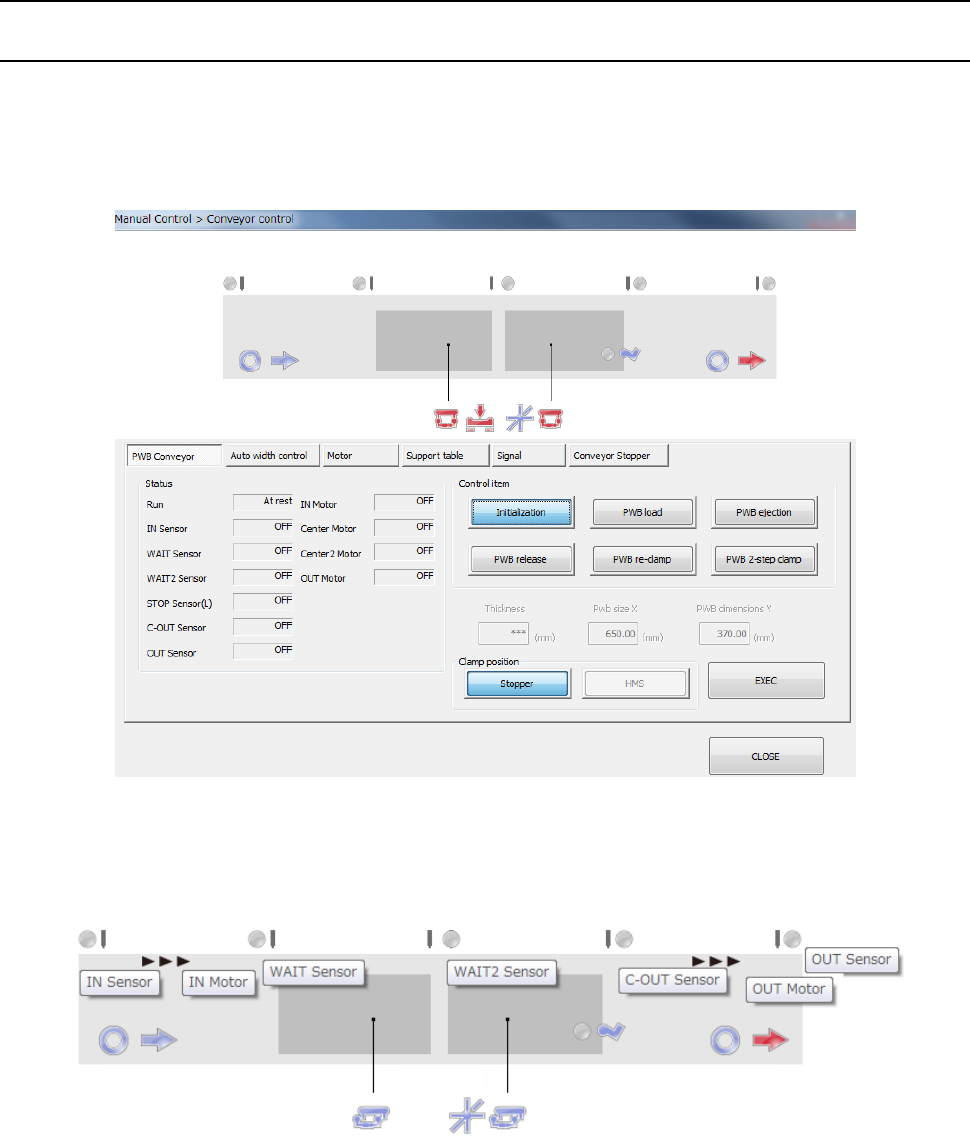
9.3.3.7 Control item: Image display
This button displays the image data sensed with the laser sensor for the selected head.
When the control item “Image display” is selected, press the <Exec> button for control.
Part 2 Detailed Description of Each Function Chapter 9 Manual Control
9-14
9.4 Conveyor
9.4.1 Conveyor control
When you select [Conveyor (C)] - [Conveyor control (V)] form the pull-down menu, or when you
select the [Conveyor control] command button, the “Conveyor control” screen appears.
When you select [Conveyor] → [Conveyor control] in the menu, the conveyor control dialog is
displayed.
The status of each conveyor sensor/conveyor motor is displayed in the upper part of the screen.
The conveyor stopper and stopper sensor on the IN side are displayed when the option stopper is
valid.
The tool hint is displayed by putting the cursor on the sensor display figure. The above figure
displays each stop sensor/motor sensor.
For the display figure of each sensor, refer to the table on the next page.