RS-1_instruction manual.pdf - 第966页
Part 2 D etaile d Descript ion of E ach Functi on Chapter 12 Handling th e Optional Device s 12 - 82 12.13.3.2 Load nozzle check After the m achine r ecogn izes a nozz l e on the “ ATC nozzle setup ” screen, i t push in …
Part 2 Detailed Description of Each Function Chapter 12 Handling the Optional Devices
12-81
12.13.3 Setup
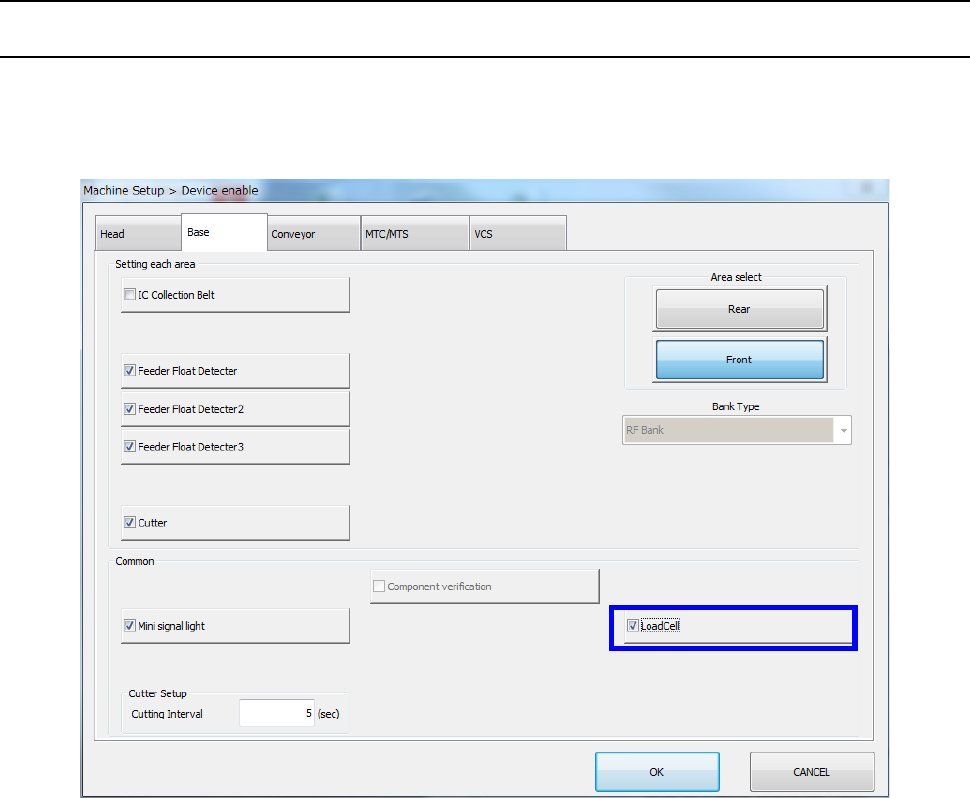
12.13.3.1 Setting on the “Device enable” screen (Enabling/disabling a load cell)
Select the [Setting group] command on the “Machine Setup” screen, and then the [Device enable]
command. Next, select the “Base” tab, and then check to see if a checkmark is placed in the “Load
Cell” check box.
Part 2 Detailed Description of Each Function Chapter 12 Handling the Optional Devices
12-82
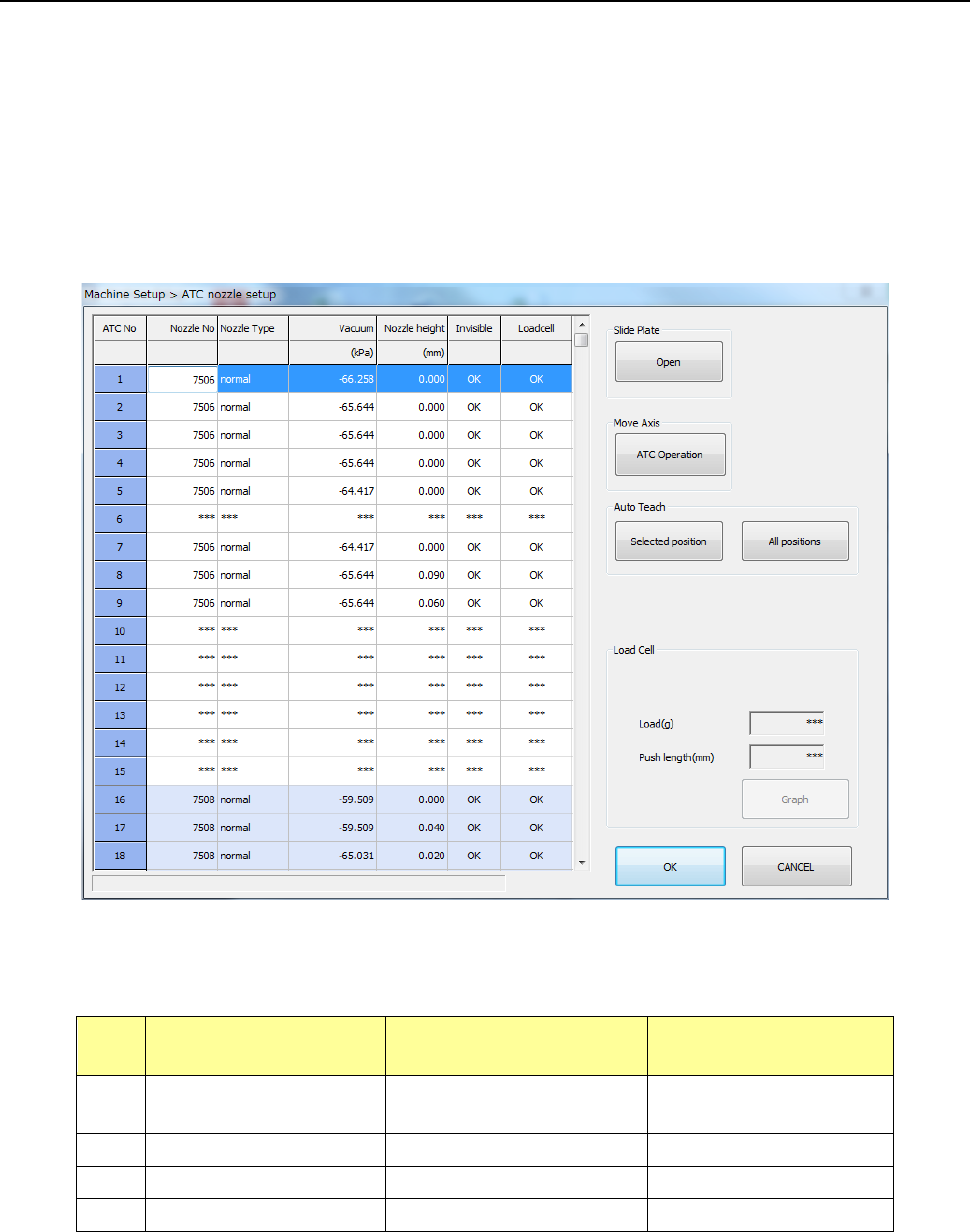
12.13.3.2 Load nozzle check
After the machine recognizes a nozzle on the “ATC nozzle setup” screen, it push in the nozzle onto
the load cell 0.1 mm by 0.1 mm until the pushing distance reaches the value specified in the “Push
length” field, and then it checks to see if the measured load is within the threshold value range to
inspect the sliding state (this is to be displayed in the “Load Cell” column).
Note that imposed load is checked for standard nozzles whose number is from 7500 to 7509 and
7680, and low load control nozzles No. 76*1, 76*2 and 76*3.
The machine automatically runs a simulation to check to see if all load of low load control nozzles
within the load input range can be corrected.
Nozzles for which the machine runs a load check and the threshold value range for checking load
are described in the table below.
No. Nozzle number
Push length to be
checked (mm)
Threshold value for
checking (%)
1
7500 to 7505,
7509 and 7680
1.5 Theoretical value ± 50
2
7506, 7507 and 7508
1.5
Theoretical value ± 40
3
76*1 and 76*2
4.5
Theoretical value ± 40
4
76*3
4.5
Theoretical value ± 40
Part 2 Detailed Description of Each Function Chapter 12 Handling the Optional Devices
12-83
12.13.4 Operation option
12.13.4.1 Production (Action)
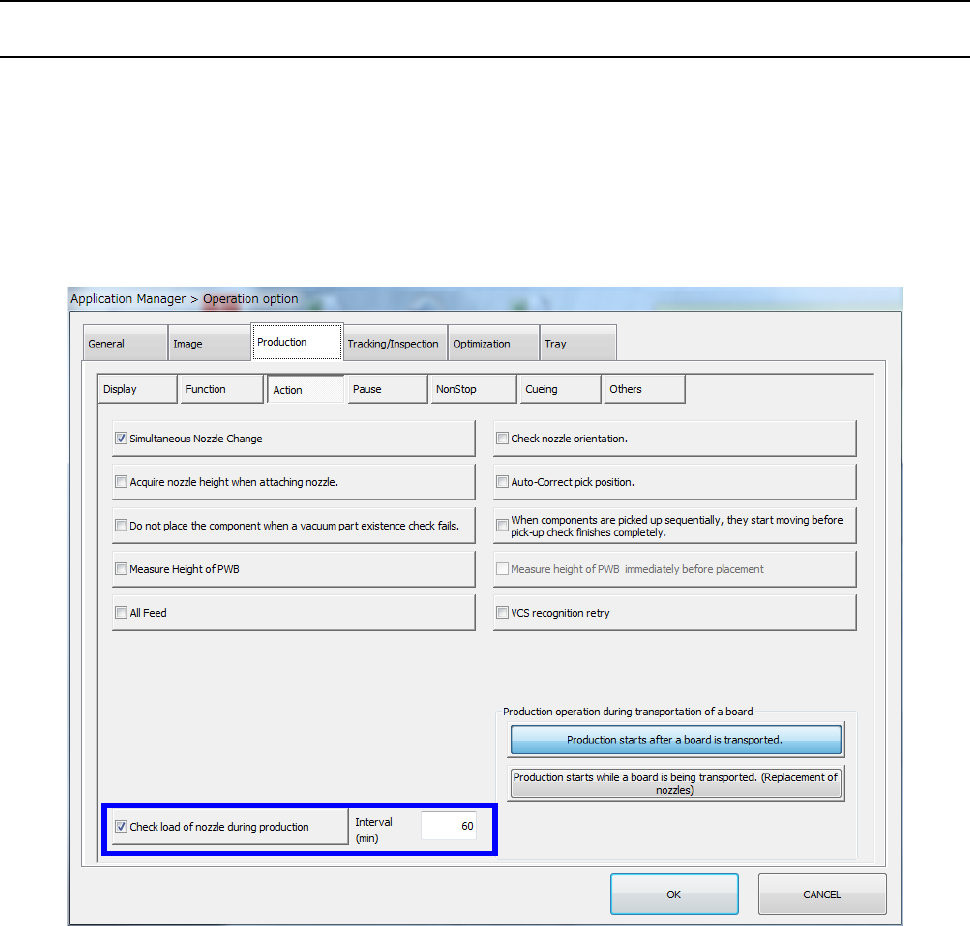
When you select the “Action” tab from the “Production” tab displayed on the “Operation option”
screen, and then place a checkmark in the “Check load of nozzle during production” check box, the
machine reacquires load data of a low load nozzle to be used in PWB production when production
starts and every time the specified time passes (specified in the “Interval” field) during production (to
be precise, when a board is load to the machine).
As a result, the machine can always control load according to a load profile appropriate for the
nozzle condition.