User Manual SIPLACE Head Care Station -.pdf - 第6页
6 User Manual SIPLACE Head Care Station 10/2017 Table of Contents

5User Manual SIPLACE Head Care Station 10/2017
Table of Contents
4.3.2 Installing the HCS software.. 49
5 Working with the HCS.. 53
5.1 Remote desktop operation.. 53
5.2 Head verification process.. 54
5.2.1 Setting up the heads.. 54
5.2.1.1 Setting up C&P20x and CPP heads.. 54
5.2.1.2 Setting up a P&P module.. 58
5.2.2 Switching on the HCS.. 61
5.2.3 Starting the HCS software.. 62
5.2.3.1 Test Bench Start screen.. 63
5.2.3.2 First start of software.. 63
5.2.4 Changing the user role.. 64
5.2.5 Check / adjust the force sensor reference voltage.. 64
5.2.6 Verifying a head.. 66
5.2.6.1 Check / enter meta data.. 66
5.2.6.2 Selection of measurements.. 67
5.2.6.3 Starting the head verification.. 68
5.2.6.4 Inserting tools.. 69
5.2.6.5 Measurement progress.. 70
5.3 Dismounting the heads.. 71
5.4 Helpful HCS functions.. 71
5.4.1 Adding users.. 71
5.4.2 Removing a user.. 72
5.4.3 Setting up the test bench ID.. 72
5.4.4 Checking / modifying the zero point correction.. 72

6 User Manual SIPLACE Head Care Station 10/2017
Table of Contents
1 Introduction
1.1 Overview
User Manual SIPLACE Head Care Station 10/2017 7
1 Introduction
This user manual provides information on the installation and operation of the SI-
PLACE
®
HeadCareStation(HCS).
1.1 Overview
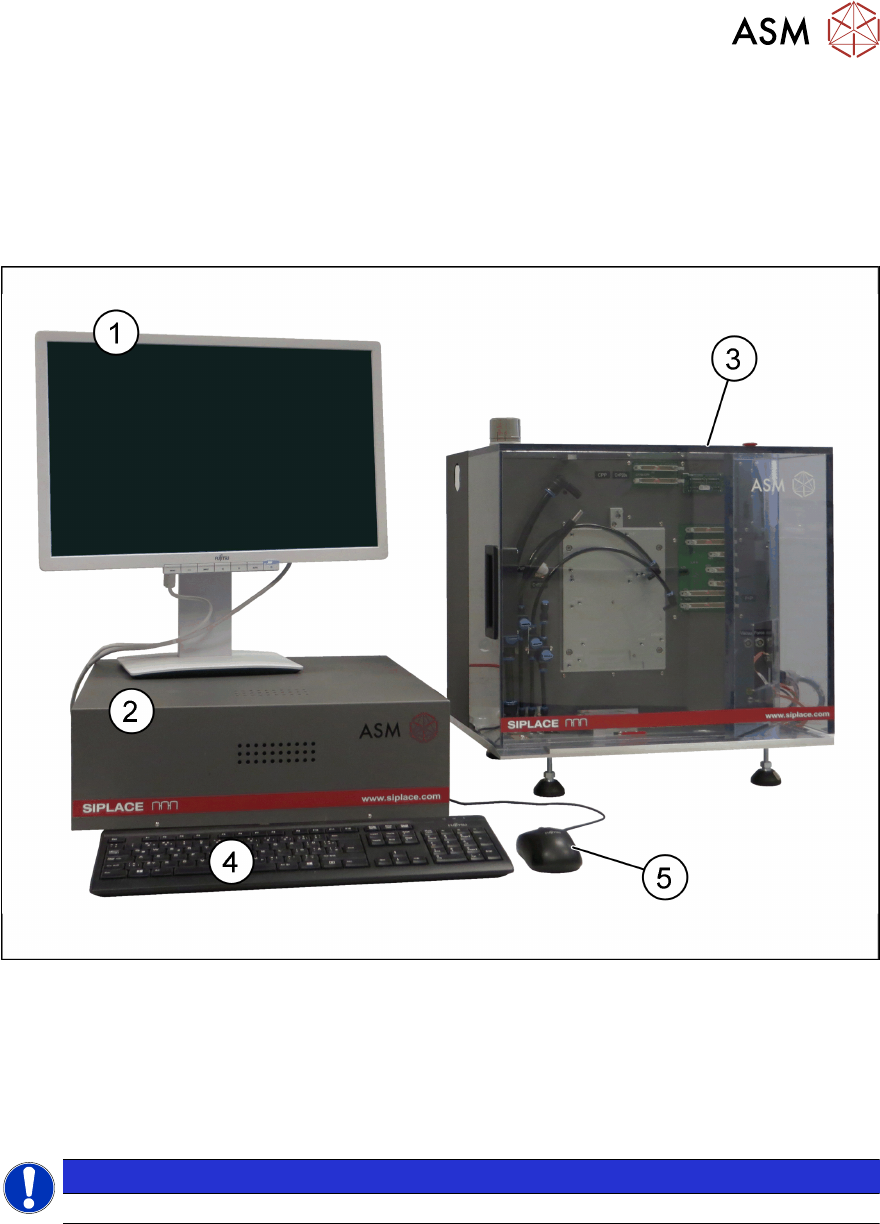
Fig.1: HCS complete
1 Monitor 2 Control box HCS 2.3 [03149138-xx]
3 HCS 2.3 head unit CPx+TH
[03149140-xx]
4 Keyboard
5 Mouse
NOTICE
Monitor, keyboard and mouse are not included in the scope of delivery.
1.1.1 Description
The HeadCareStation(HCS) is a service tool to verify the functional setup of SIPLACE placement
heads outside the machine.
The following placement heads can be verified:
C&P20, C&P20A, C&P20M, C&P20P, C&P20M2, CPP, CPPM, TH (Pick&Place module)
For more information, see 1.4.6 "Abbreviations" [}12].