3OM-1208-011_w.pdf - 第141页
3-54 AIVEDT -ID Fig. 3C43 "Handling/Placement Data" T ab Sheet 0606-009 2.2 "Pattern Program" Edit Window
3-53
AIVEDT-ID
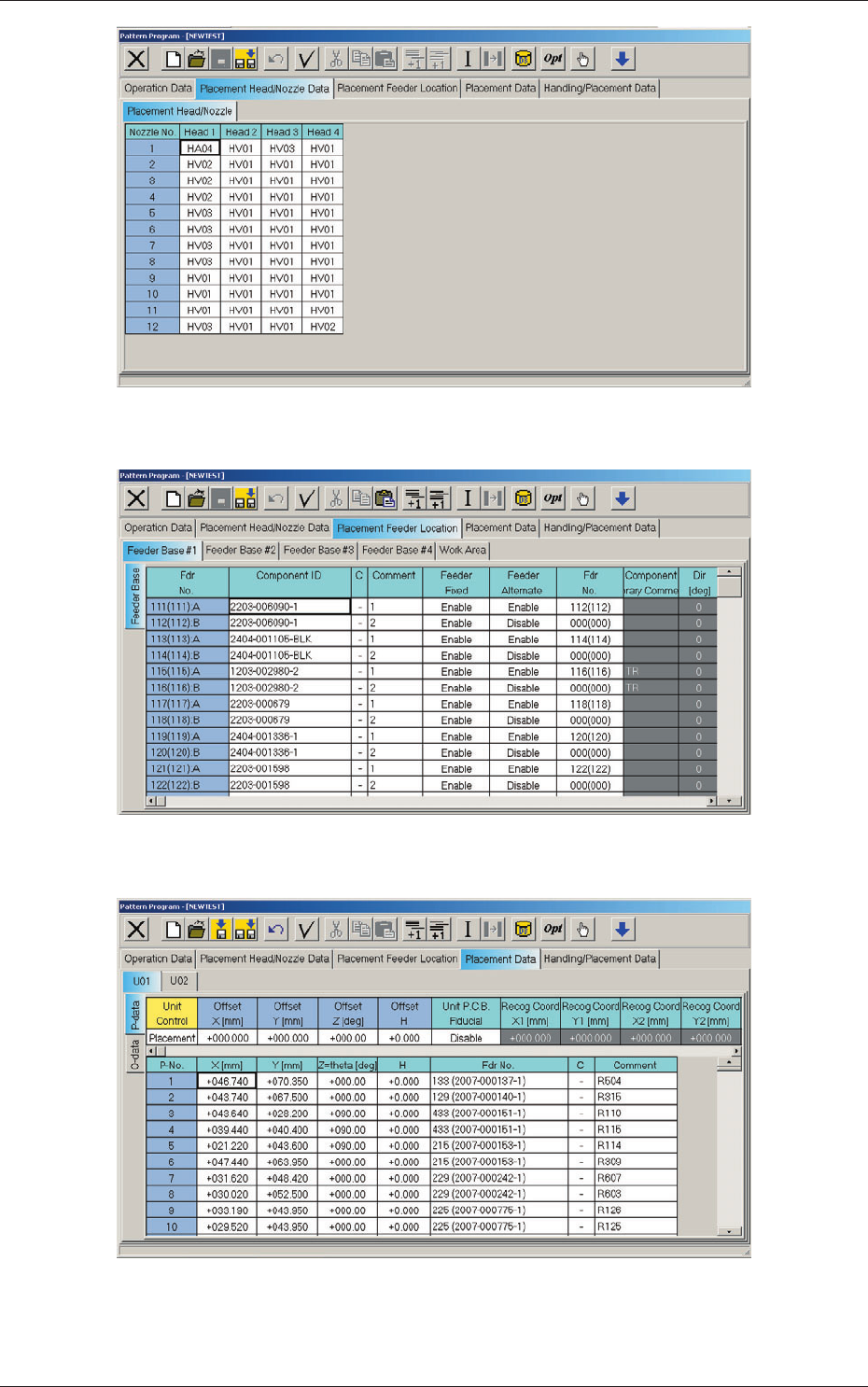
Fig. 3C40 "Placement Head/Nozzle Data" Tab Sheet
Fig. 3C41 "Placement Feeder Location" Tab Sheet
Fig. 3C42 "Placement Data" Tab Sheet
0606-009
2.2 "Pattern Program" Edit Window
3-54
AIVEDT-ID
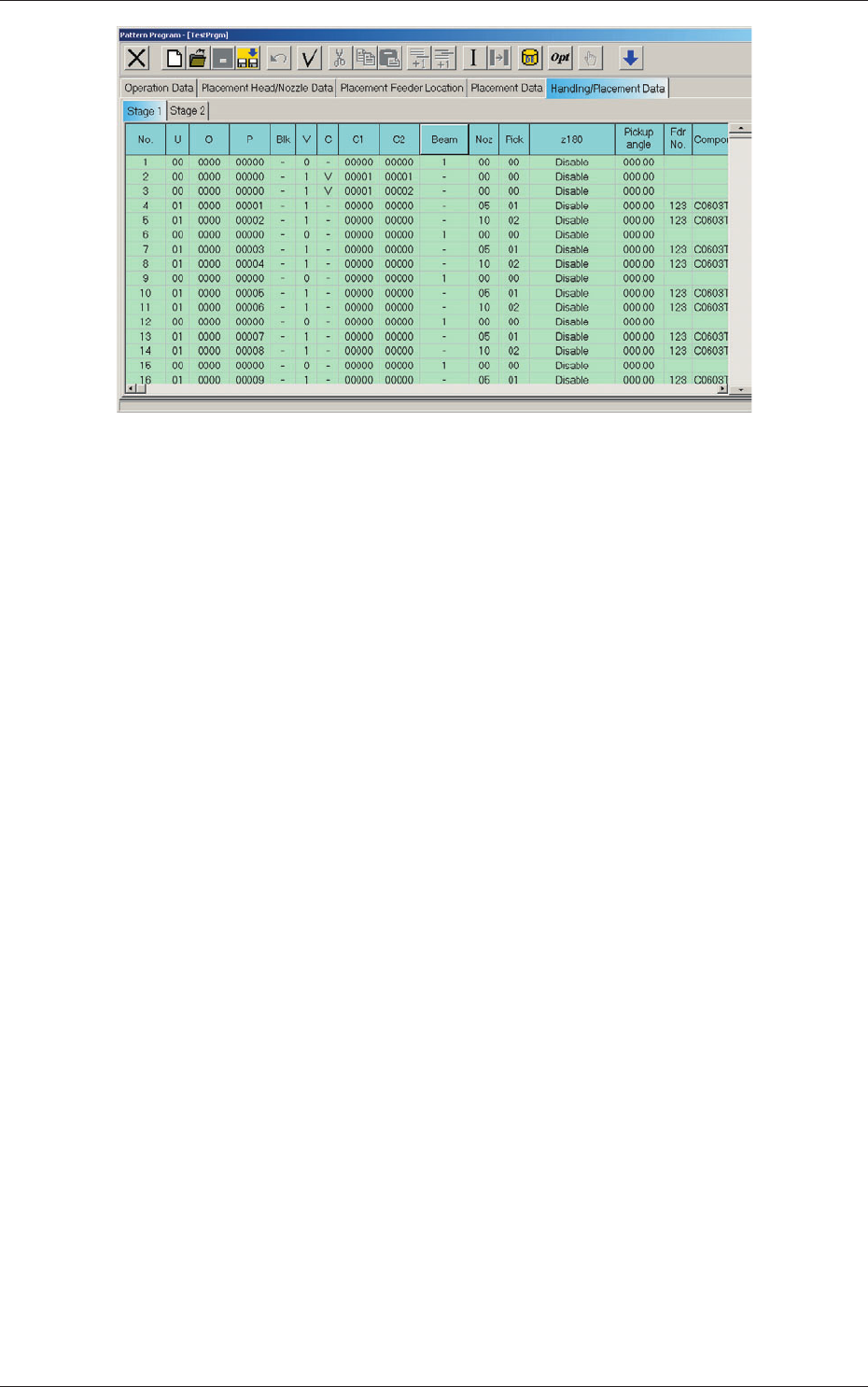
Fig. 3C43 "Handling/Placement Data" Tab Sheet
0606-009
2.2 "Pattern Program" Edit Window
3-55
AIVEDT-ID
2.3 Icons
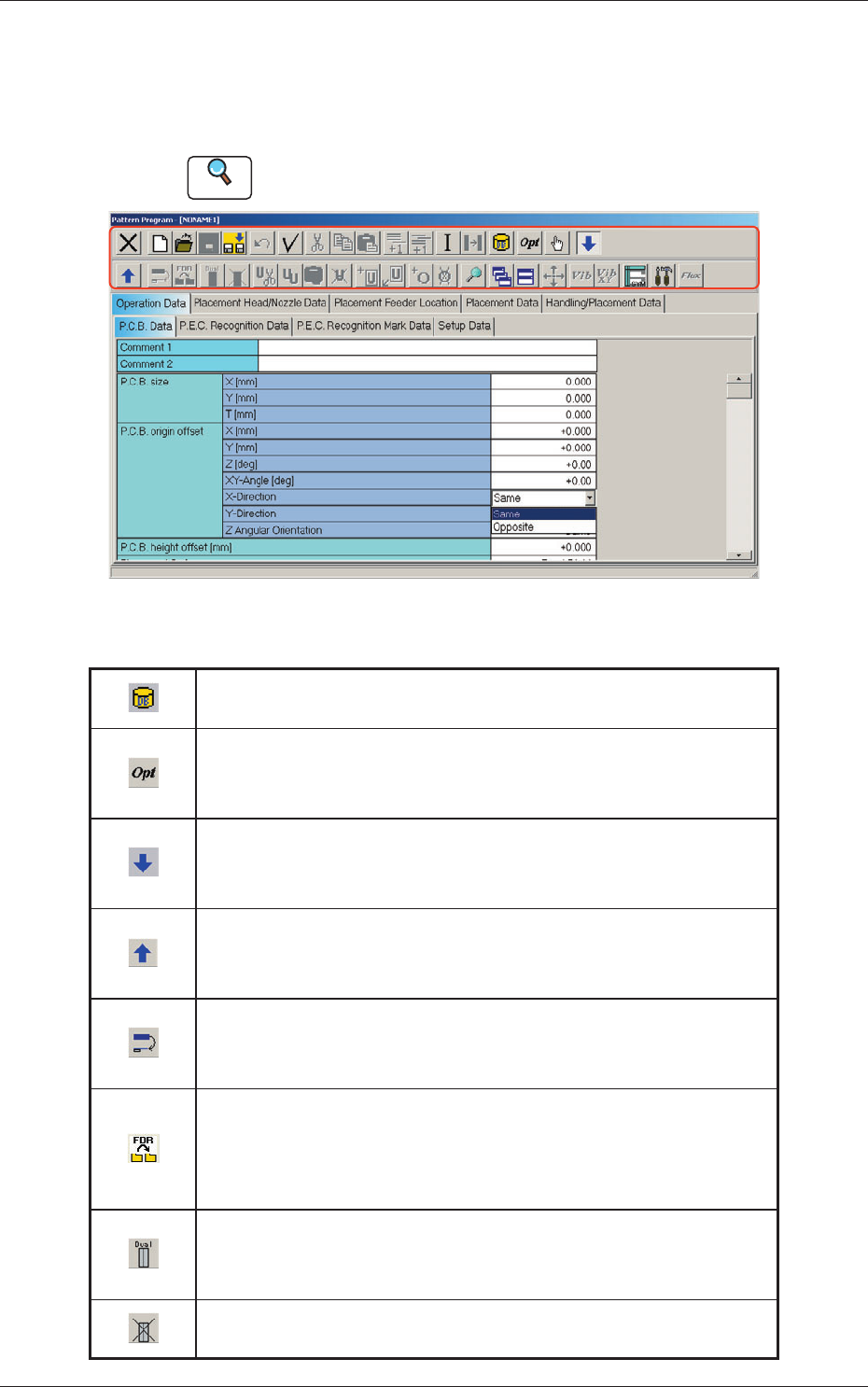
Described below is the meaning of each icon that will be used only in
the "Pattern Program" edit window.
Reference
Refer to "1.2 Basic Icons" in "Chapter 2" for the meaning of the basic icons.
Fig. 3C44 "Pattern Program" Edit Window
Table 3C3-1
Component ID List Display
When selected, this opens the "Component ID List" window.
Optimization
When selected, this executes the optimization of the currently
opened pattern program.
Open 2nd. Toolbar
When selected, this opens the second toolbar.
The second toolbar is also provided with some icons.
Close 2nd. Toolbar
When selected, this closes the second toolbar.
The displayed icons become unavailable.
Transfer the selected step data
When selected, this transfers the placement feeder location data and
the placement data.
Transfer the selected placement feeder location data to
another file together with the placement data.
When selected, this transfers the placement feeder location data to
another file together with the placement data.
Setting up dual feeder
When selected, this sets up the successive placement feeder location
data for the dual feeder.
Releasing dual feeder
When selected, this releases the setting of the dual feeder.
0606-009
2.3 Icons