3OM-1208-011_w.pdf - 第185页
4-16 AKFEDT -ID (4) Enter a new component ID name as a file name and press [Save] button in the "Save Component Data" window . The data in the active edit window is saved as a file with the entered component ID n…
4-15
AKFEDT-ID
2.2 Saving of Component IDs
The following describes how to save a newly created file (component ID) or
the edited parameters of the component ID.
(1) Press the [Save] or the [Save As] icon on the toolbar.
: Saving active file
When pressed, this saves the edited component ID (file),
replacing the original component ID (file) with the current one.
: Save As
When pressed, this saves a newly created file (data of a new
component ID) or the edited file with another name (component
ID).
(2) When the [Saving active file] icon is pressed, the active component
library data is saved with the current component ID name, replacing the
original program with the active one.
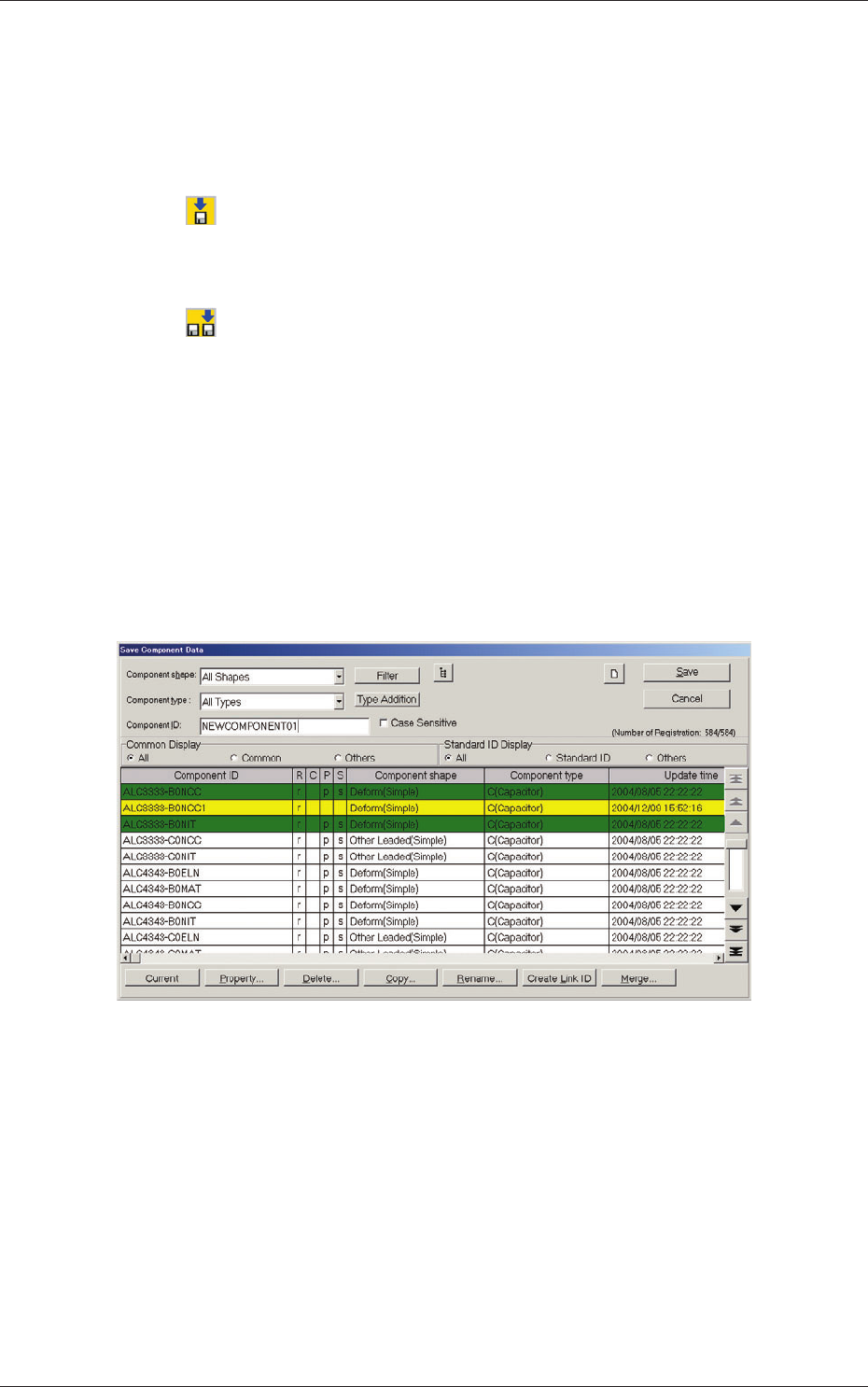
(3) When the [Save As] icon is pressed, the following "Save Component
Data" window opens.
Fig. 3D11 "Save Component Data" Window
0606-009
2.2 Saving of Component IDs
4-16
AKFEDT-ID
(4) Enter a new component ID name as a file name and press [Save] button
in the "Save Component Data" window.
The data in the active edit window is saved as a file with the entered
component ID name.
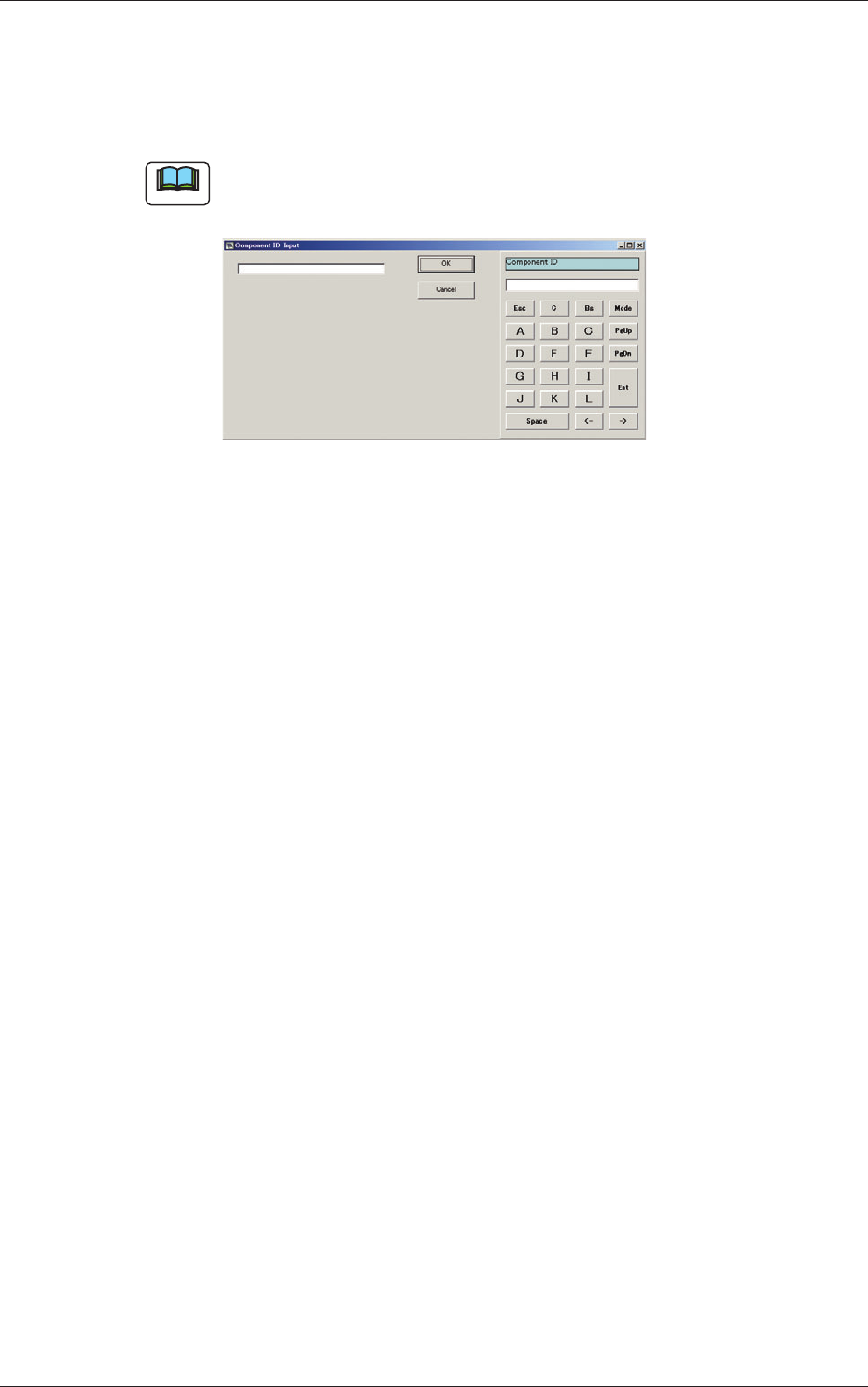
Note
Double-clicking the "Component ID:" text box opens the "Component ID
Input" window.
Fig. 3D12 "Component ID Input" Window
A component ID can be entered with the touch keypad.
0606-009
2.2 Saving of Component IDs

5-A
AIVEDT-ID
0606-009
Chapter 5
Management Data
This chapter describes the functions and operations related
to "Management Data", "Pattern Program Management
Data", "Bypass & Rate Data", etc.
•
Menus for Management Data
•
Management Data
•
Pattern Program Management Data
•
Bypass & Rate Data