3OM-1208-011_w.pdf - 第188页
5-1 AIVEDT -ID 0606-009 1. Menus for Management Data 1. Menus for Management Data The corresponding window enables the operator to select the data to be summed up and displayed. The "MANAGEMENT DA T A" window i…

5-B
AIVEDT-ID
0606-009
5-1
AIVEDT-ID
0606-009
1. Menus for Management Data
1. Menus for Management Data
The corresponding window enables the operator to select the data to be
summed up and displayed.
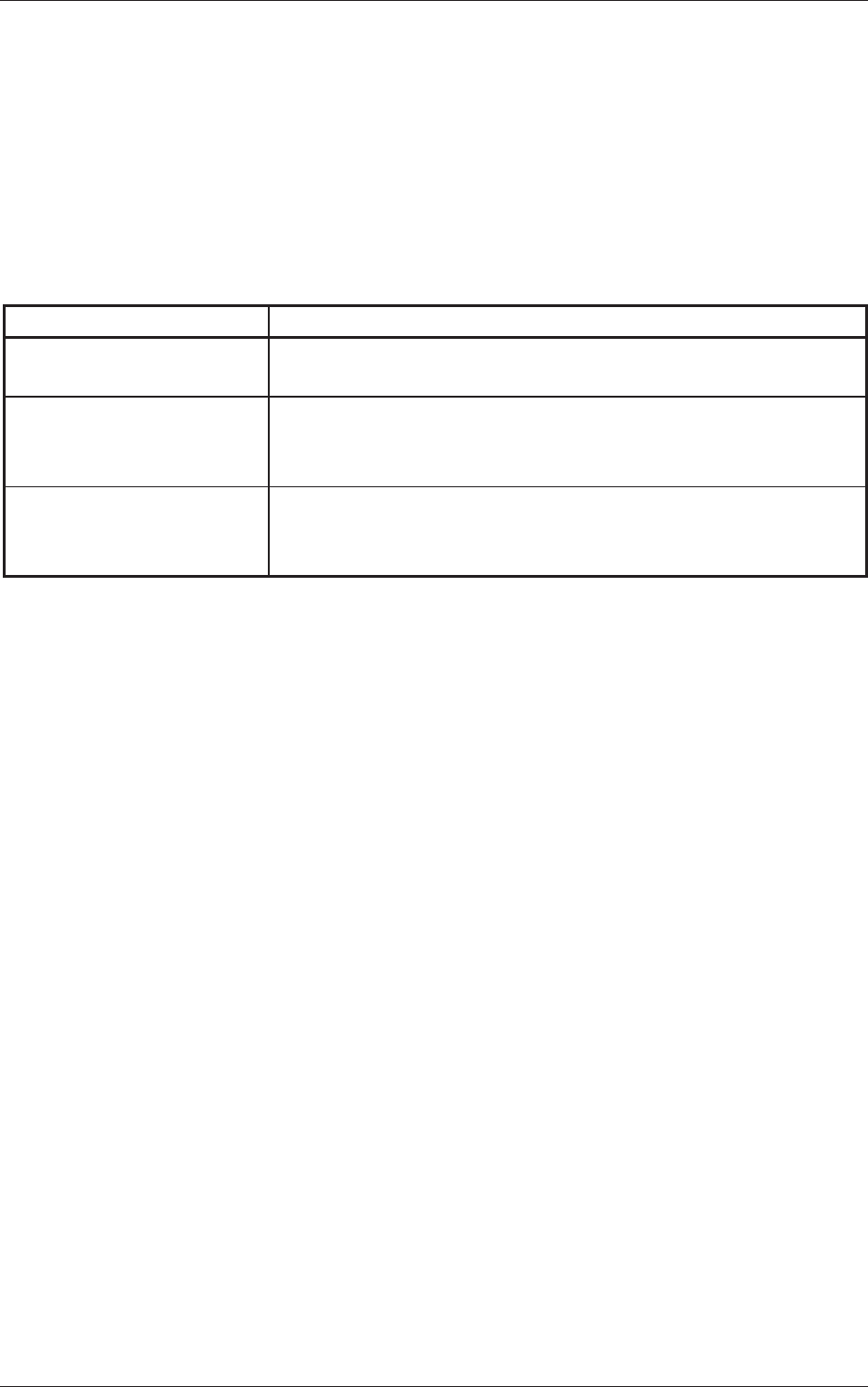
The "MANAGEMENT DATA" window is provided with the following
three buttons. When a button is pressed, the corresponding window opens,
enabling the operator to select the required data.
Table 3E1
Buttons Description
Management Data
The corresponding tab sheet enables the operator to view the summed
management data covering the whole machine performance.
Pattern Program
Management Data
The corresponding tab sheet enables the operator to view the
summed pattern program management data related to each individual
pattern programs.
Bypass & Rate Data
The corresponding tab sheet enables the operator to check the pickup
r
ate
calculated for each nozzle and based on each pickup rate specified
in the auto operation setup data.
5-2
AIVEDT-ID
1.1 Outline of Management Data
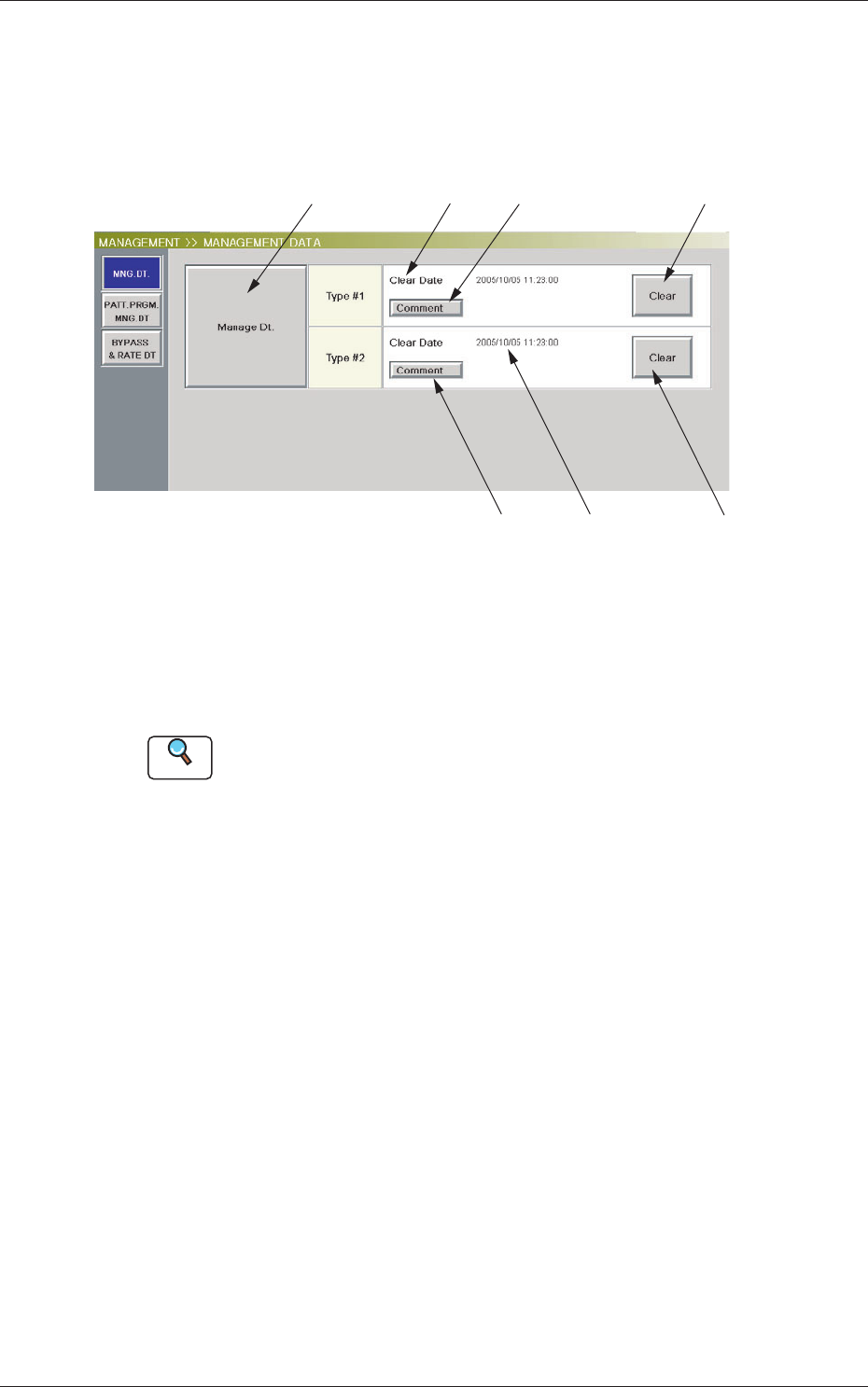
When the [MNG. DT.] button is pressed in the "MANAGEMENT DATA"
window, the scope of the management data is displayed.
[4]
[3]
[2]
[1]
[5]
[6]
[7]
Fig. 3E1 "Manage Dt." Window
[1 ] [Manage Dt.] Button
When this button is pressed, the "Management Data - [manage (Type1)]"
window opens.
Reference
Refer to "2. Management Data" for the details of the "Management Data"
window.
[2] "File Information (Type #1)" Pane
This pane displays the clear date & time and the comment of
"Management Data (Type #1)".
[3] [Comment] Button
When pressed, this opens the "Comment" window.
A comment can be entered for "Type #1".
[4] [Clear] Button
When this button is pressed, all data of "Management Data (Type #1)"
is cleared and the clear date is updated.
0606-009
1.1 Outline of Management Data