3OM-1208-011_w.pdf - 第258页
6-25 AIVEDT -ID 2.1.9 Head Rotational Angle Axis Offset When the "Head [1/2]" tab is pressed in the "Device Offset" tab sheet and the "Hd Rotate Axis" tab is selected, the following tab shee…
6-24
AIVEDT-ID
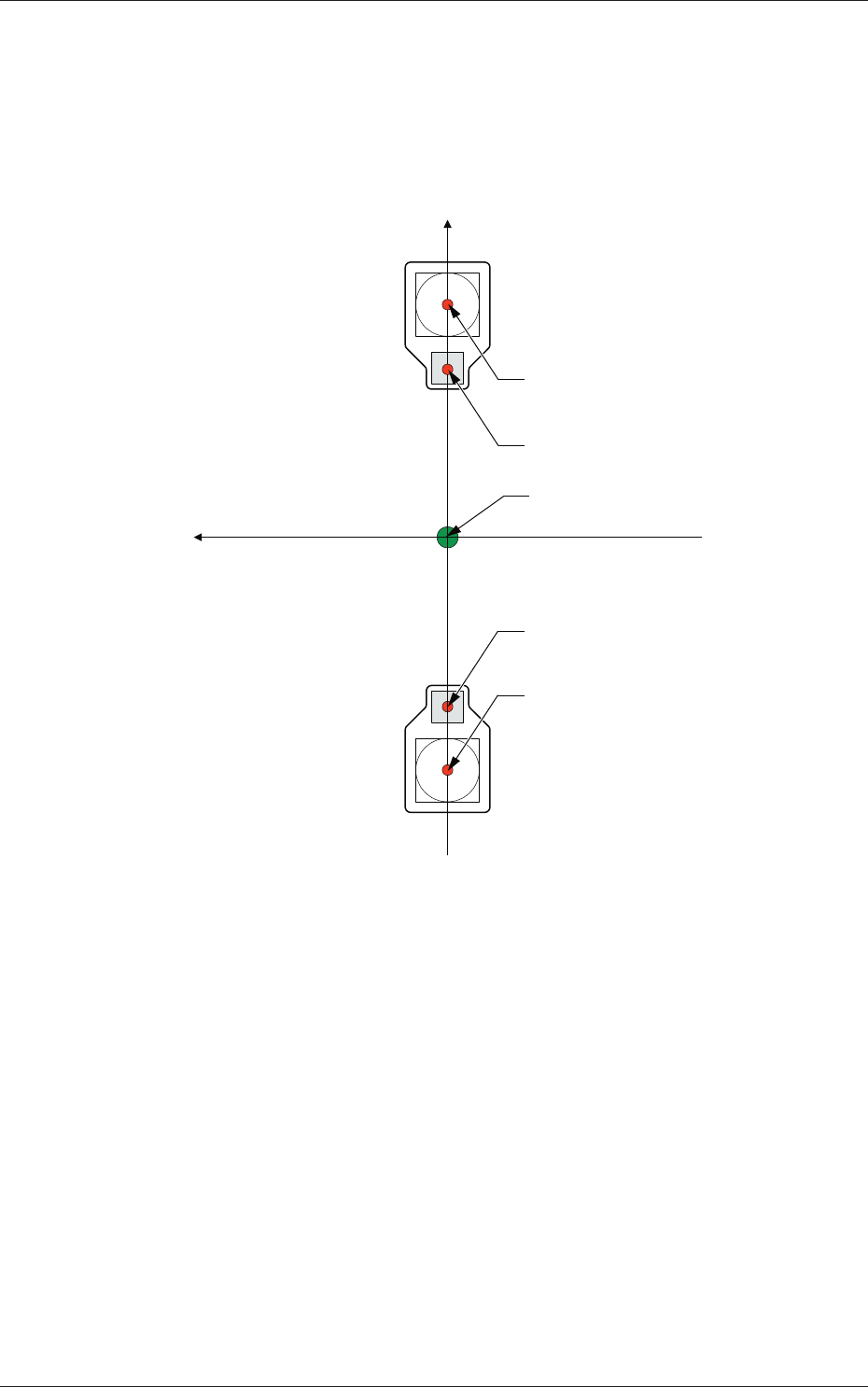
Head 1, Head 2, Head 3, and Head 4
X (Horizontal), Y (Vertical) [mm]
The set parameters are used to adjust the deviations in the design value
betwe
en the head rotational center and the center of the PEC recognition
camera.
Xm (+)
Ym (+)
Xm-Ym : Machine Reference
Coordinate System
Center of PEC Recognition Camera
Center of PEC Recognition Camera
Head Rotational Center
Head Rotational Center
Pm. Machine Reference
Coordinate Origin
Fig. 3F23
0606-009
2.1 Device Offset Data
6-25
AIVEDT-ID
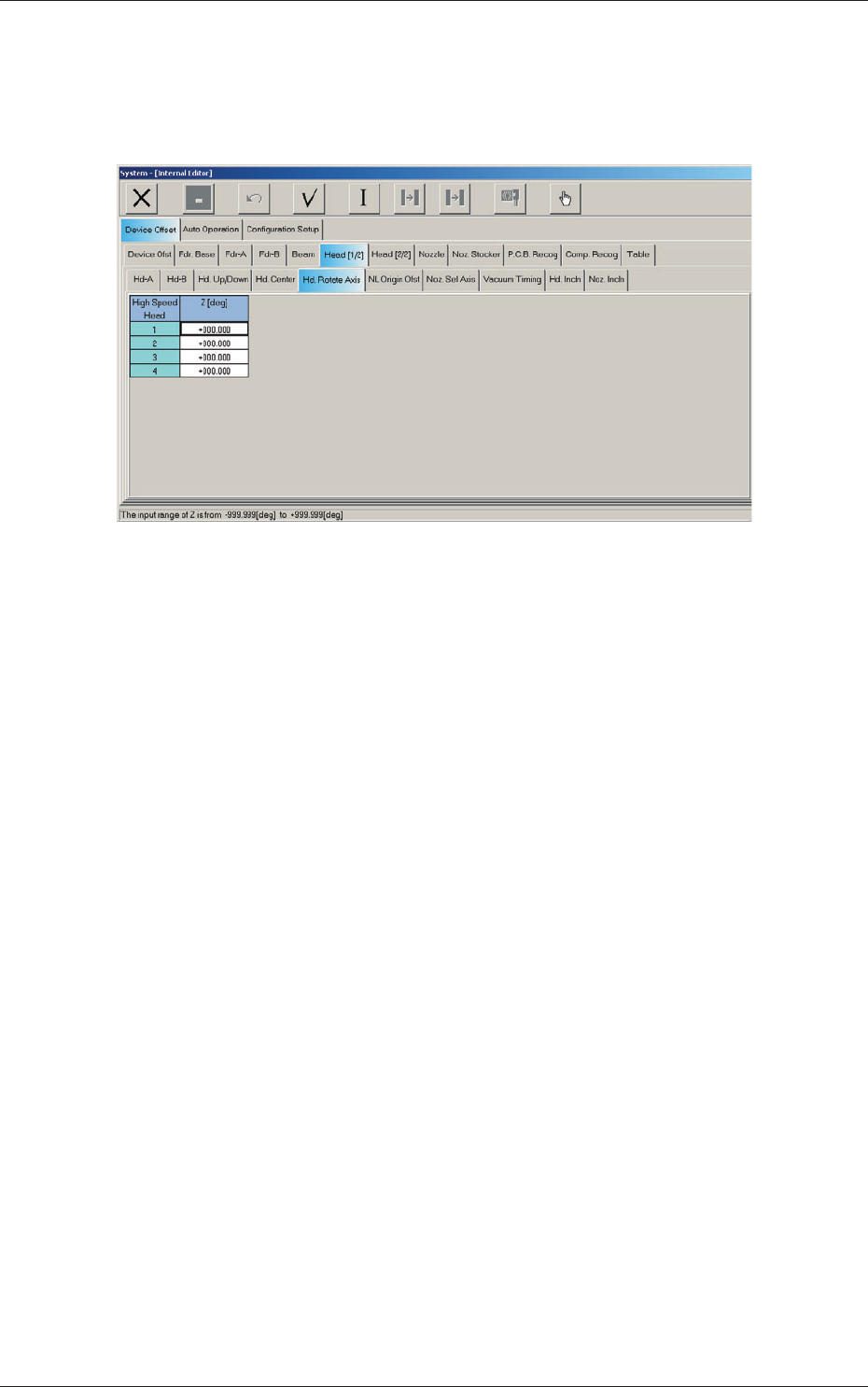
2.1.9 Head Rotational Angle Axis Offset
When the "Head [1/2]" tab is pressed in the "Device Offset" tab sheet and the
"Hd Rotate Axis" tab is selected, the following tab sheet appears.
Fig. 3F24 "Head Rotate Axis" Tab Sheet
0606-009
2.1 Device Offset Data
6-26
AIVEDT-ID
0606-009
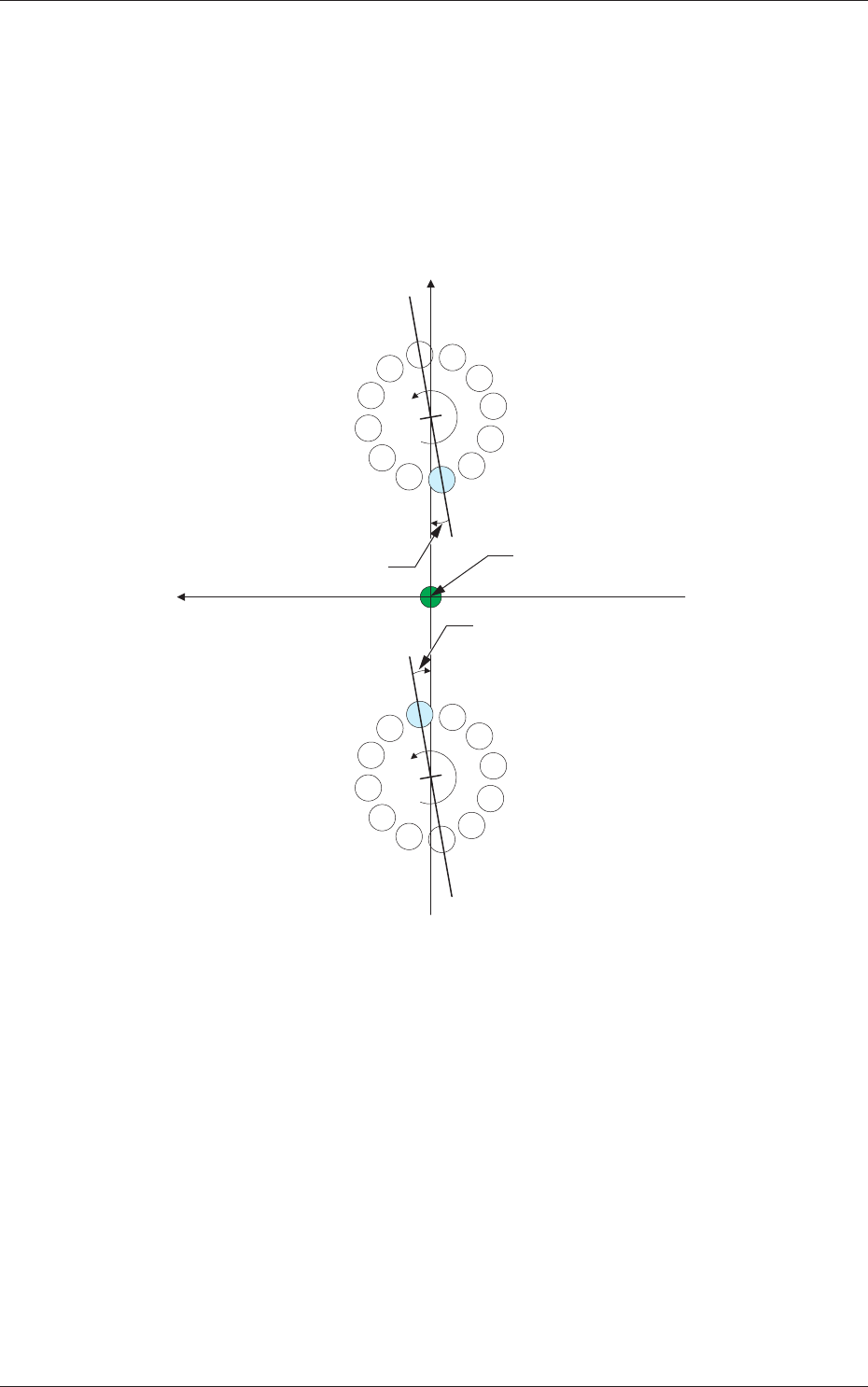
Head 1, Head 2, Head 3, and Head 4
Z [deg]
The set parameters are used to adjust the angular deviations of the line
connecting Nozzles 1 and 7 at the head rotational Z-phase position
based on the machine coordinate reference.
When the line is tilted clockwise in the machine reference X/Y
coordinate system, a plus sign must be affixed to the offset data.
Xm (+)
Ym (+)
Xm-Ym : Machine Reference
Coordinate System
1
2
3
4
5
6
7
8
9
10
11
12
1
2
3
4
5
6
7
8
9
10
11
12
DD Motor Z-Phase
Stop Position
DD Motor Z-Phase
Stop Position
DD (+)
DD (+)
Head Rotational Angle Offset
Head Rotational Angle Offset
Pm. Machine Reference
Coordinate Origin
Fig. 3F25
2.1 Device Offset Data