3OM-1208-011_w.pdf - 第285页
6-52 AIVEDT -ID 2.2 Auto Operation When the "Auto Operation" tab is pressed in the "System - [Internal Editor]" window , the following tab sheet appears. Fig. 3F51 "Auto Operation" T ab Shee…
6-51
AIVEDT-ID
2.1.24 Table Offset
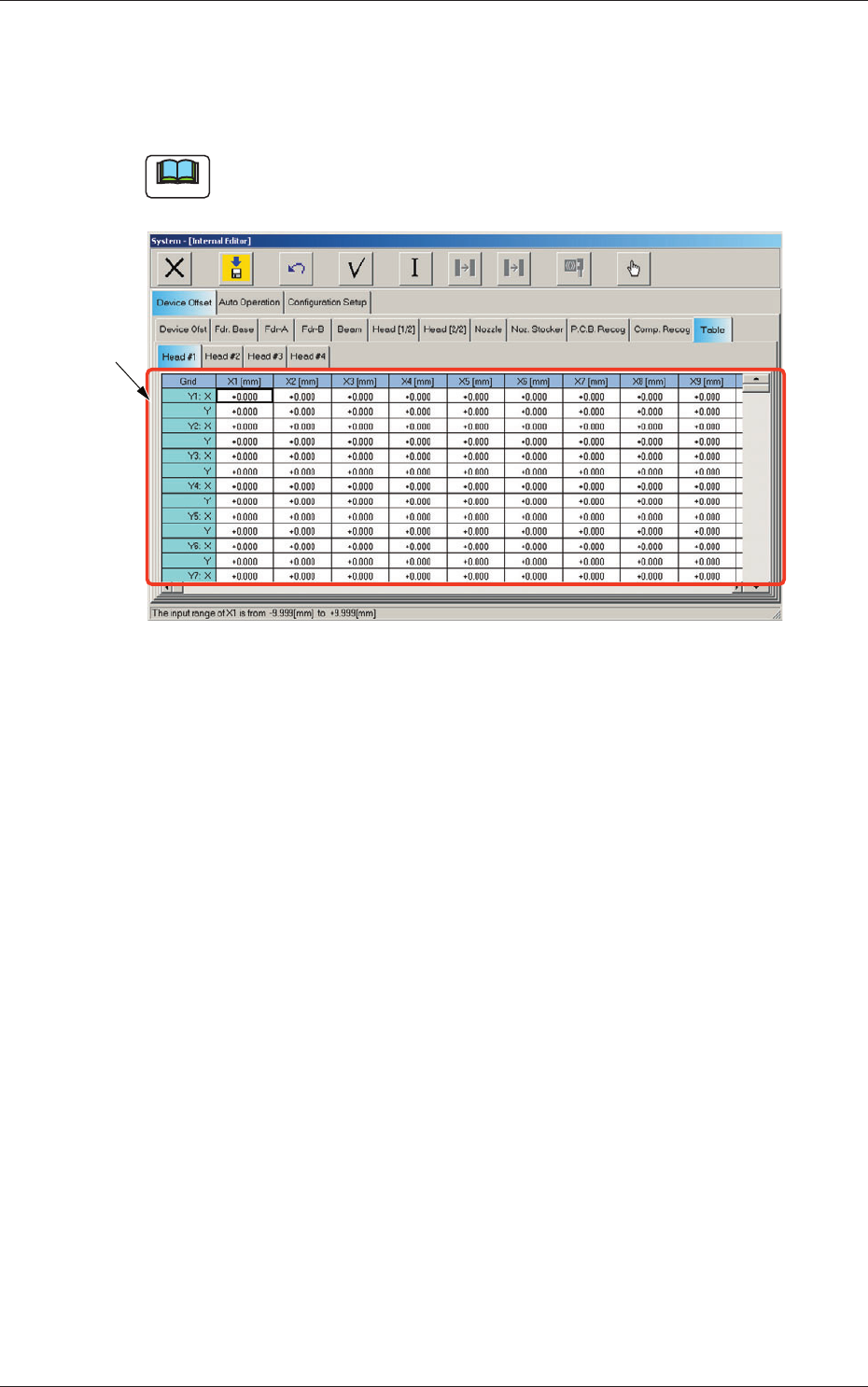
When the "Table" tab is pressed in the "Device Offset" tab sheet and the
"Head #1" tab is selected, the following tab sheet appears.
Note
As for the "Head #2", "Head #3", and "Head #4" tab sheets, the same
contents as the "Head #1" tab sheet are displayed.
[1]
Fig. 3F50 "Head #1" Tab Sheet
[1] Grid (X1 through X30, Y1 through Y30: X, Y) [mm]
Enter the amount of deviation based on the specified distance when
Head #1 has moved as far as the specified distance (each grid point,
X Direction: X1 through X30, Y Direction: Y1 through Y30) from the
PCB positioning reference.
These values are calculated automatically through the teaching
operation and entered in each text box.
0606-009
2.1 Device Offset Data
6-52
AIVEDT-ID
2.2 Auto Operation
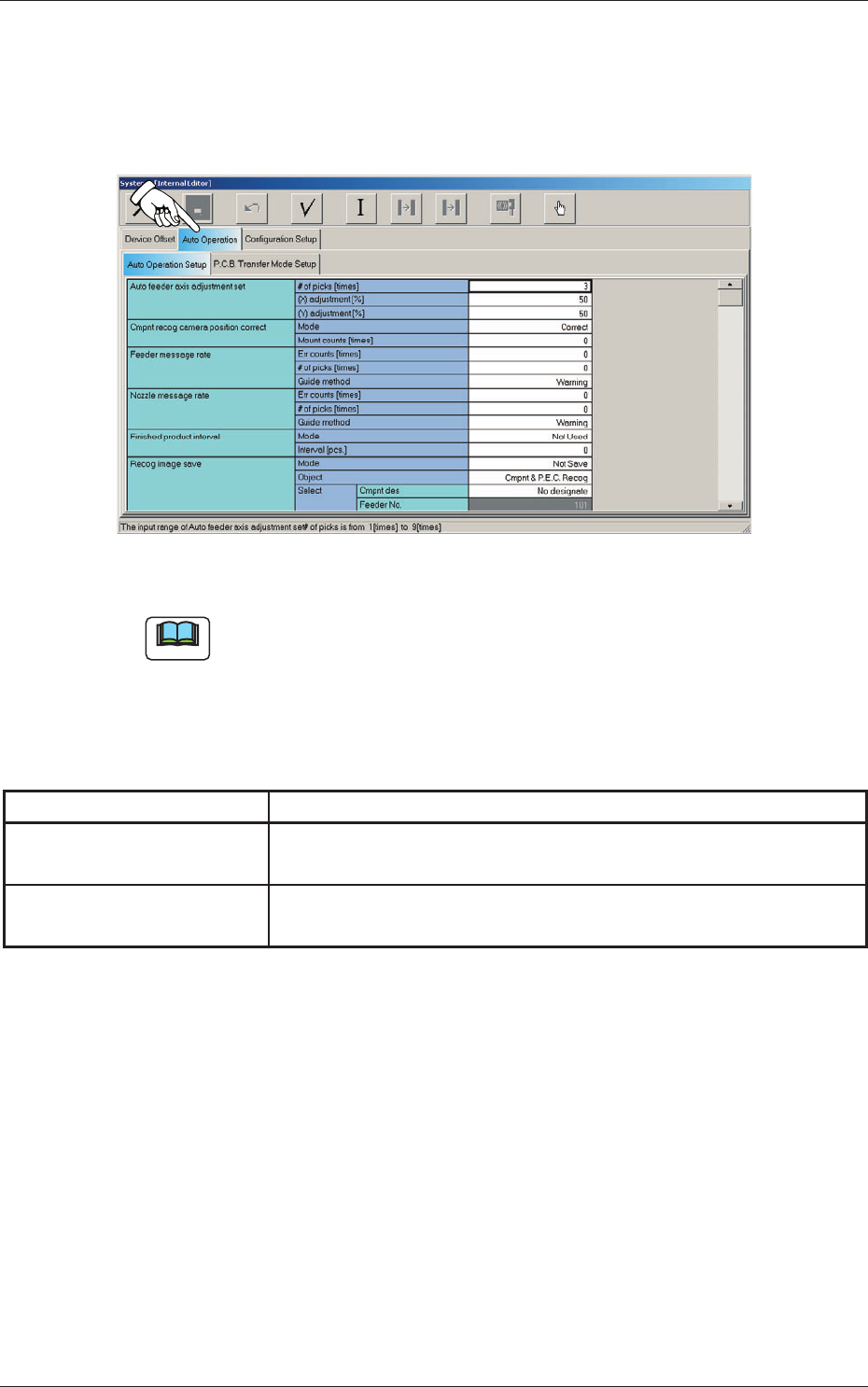
When the "Auto Operation" tab is pressed in the "System - [Internal Editor]"
window, the following tab sheet appears.
Fig. 3F51 "Auto Operation" Tab Sheet
Note
The tab sheet may look different, depending on which options are selected.
The "Auto Operation" tab sheet has the following subtab sheets. When a
subtab is pressed, the corresponding subtab sheet appears.
Table 3F4
Tabs Description
Auto Operation Setup
Set various types of parameters related to the automatic operation of
the machine.
PCB Transfer Mode Setup
Set the operation mode of the input and output machines and the
requirements for PCB transfer and positioning operations.
0606-009
2.2 Auto Operation
6-53
AIVEDT-ID
2.2.1 Auto Operation Setup
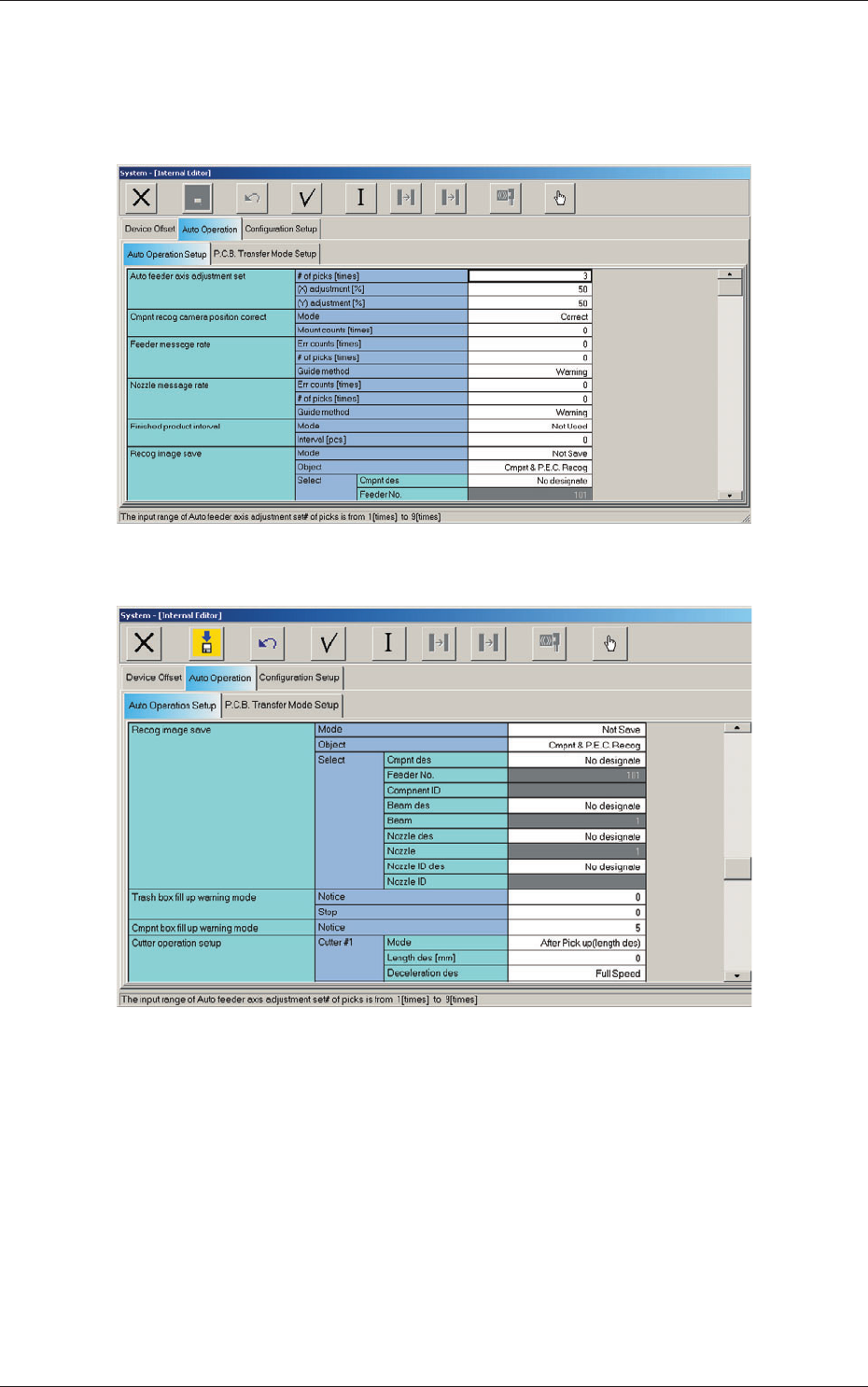
When the "Auto Operation Setup" tab is pressed in the "Auto Operation" tab
sheet, the following tab sheet appears.
Fig. 3F52 "Auto Operation Setup" Tab Sheet (1)
Fig. 3F53 "Auto Operation Setup" Tab Sheet (2)
2.2 Auto Operation
0606-009