3OM-1208-011_w.pdf - 第293页
6-60 AIVEDT -ID [9] Cutter operation setup Cutters #1, #2, #3, and #4 Specify the following items for each cutter operation. Mode Select one of the following options to determine whether or not the cutter function should…

6-59
AIVEDT-ID
[7] Trash box fill up warning mode
Notice and Stop
The quantity of waste tape is calculated according to the number of
tape cuts determined in the carrier data ("Tape width [mm]", "Tape feed
pitch [mm]", and "Type") of the component library data. This function
is used to calculate the amount of waste tape, issue a warning message
indicating that the trash box is full of waste tape, and perform the stop
operation of the machine.
Enter parameters in the "Notice" and "Stop" text boxes.
Note
When "0" is set in each text box, this function becomes invalid.
Counts of Tape Waste Chips
The counts of tape cuts differ, depending on the components being used.
[8] Cmpnt box fill up warning mode
Notice
Enter a parameter which represents the rate of component occupation in
the component box to be used to issue a warning message.
0606-009
2.2 Auto Operation

6-60
AIVEDT-ID
[9] Cutter operation setup
Cutters #1, #2, #3, and #4
Specify the following items for each cutter operation.
Mode
Select one of the following options to determine whether or not the
cutter function should be used.
Not Cut
After Pick up (length des)
When Transfer (length des)
When Transfer (every time)
Length des [mm]
Set the length of the tape to be cut by each cutter
.
Deceleration des
Select one of the following options to determine the rate of the speed
reduction.
Full Speed, 10%Decr
, 20%Decr, 30%Decr, 40%Decr,
50%Decr
, 60%Decr, 70%Decr, 80%Decr, 90%Decr
0606-009
2.2 Auto Operation
6-61
AIVEDT-ID
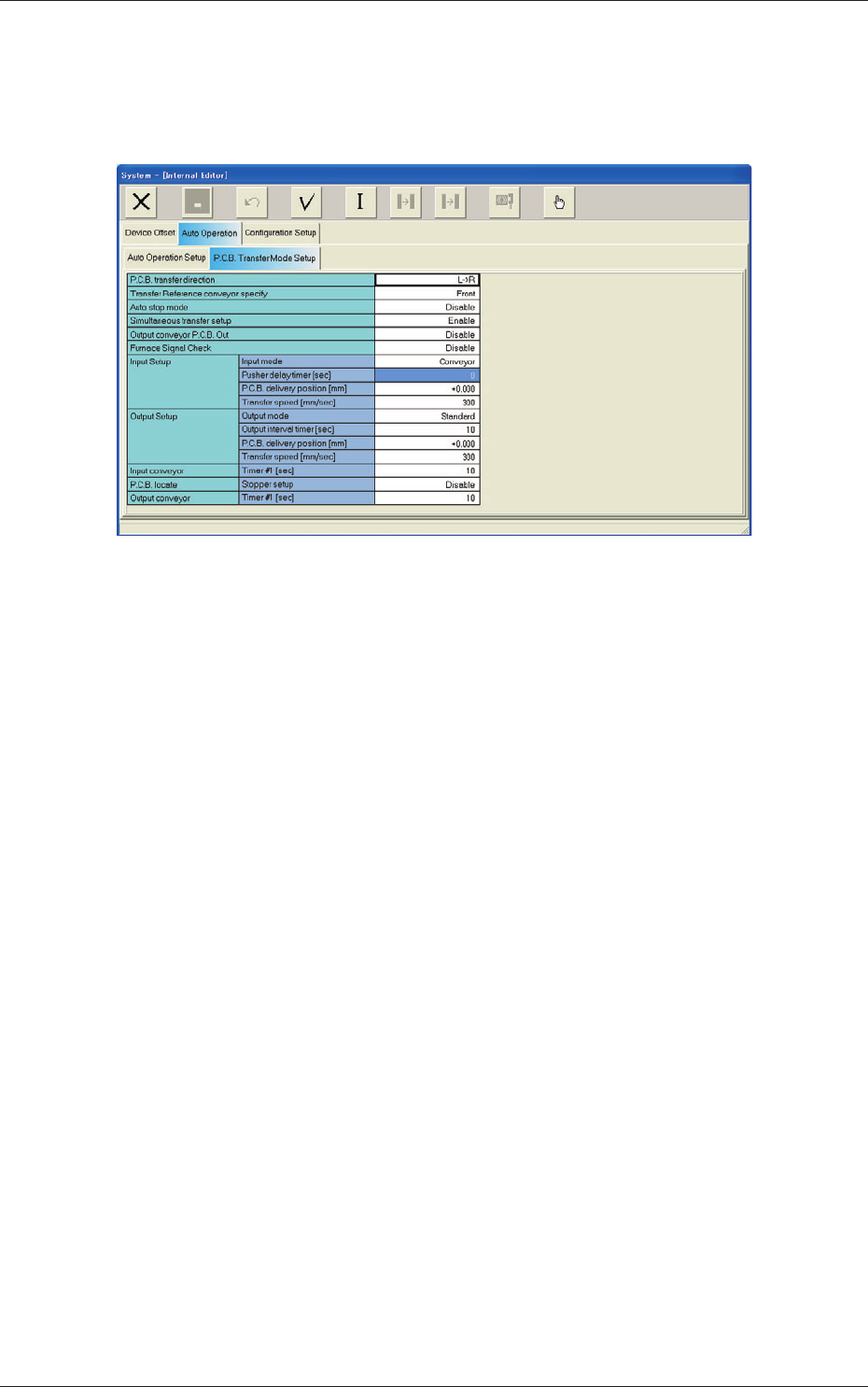
2.2.2 PCB Transfer Mode Setup
When the "PCB Transfer Mode Setup" tab is pressed in the "Auto Operation"
tab sheet, the following tab sheet appears.
Fig. 3F55 "PCB Transfer Mode Setup" Tab Sheet 1
0606-009
2.2 Auto Operation