3OM-1208-011_w.pdf - 第315页
6-82 AIVEDT -ID Pu Holes 1 through 4 Size X [mm], Y [mm] Set the dimensions of the nozzle pickup holes in the text boxes. Up to 4 pieces of pickup holes can be specifi ed. Note In the case of "Circle", set the s…
6-81
AIVEDT-ID
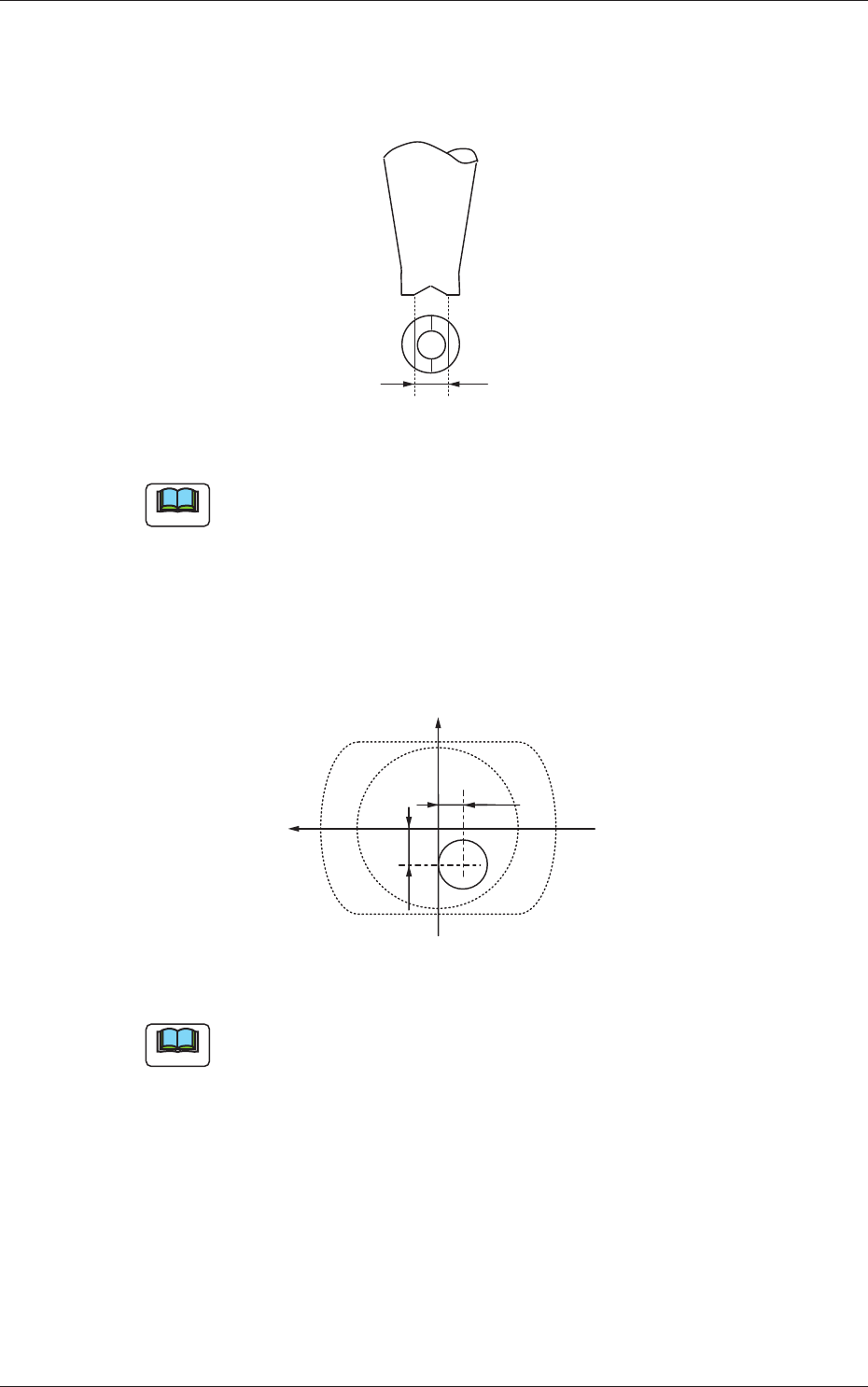
V-groove Size [mm]
When the V-grooved nozzle is used for cylindrical components, set the
size of the V-groove in the corresponding text box.
Fig. 3F73
Note
In the case of the nozzle without a V groove, set "0.00" in the
corresponding text box.
Eccntrc X (Horizontal), Y (Vertical) [mm]
When the center of the nozzle end is eccentric in comparison with the
outer shape of the nozzle, set the eccentricity in both X and Y directions
in the coordinate system viewed from the nozzle top side (clamp side).
-Y1
+X
+Y
-X1
Fig. 3F74
Note
Set "0.00" in both text boxes for standard nozzles.
0606-009
3.2 Nozzle Data
6-82
AIVEDT-ID
Pu Holes 1 through 4
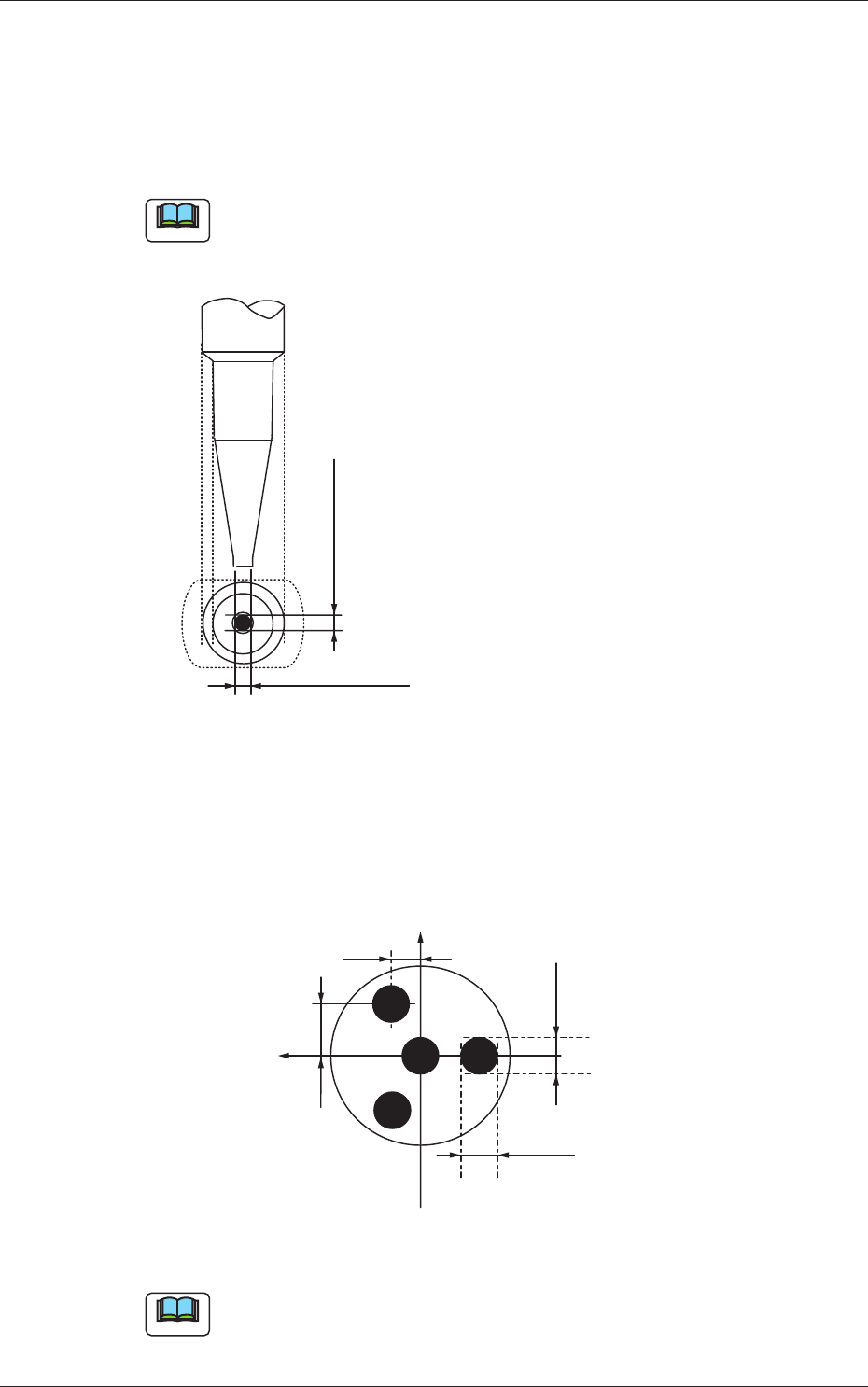
Size X [mm], Y [mm]
Set the dimensions of the nozzle pickup holes in the text boxes.
Up to 4 pieces of pickup holes can be specifi
ed.
Note
In the case of "Circle", set the same dimensions for "Size X [mm]" and
"Size Y [mm]"
In the case of "Rect", set Dimensions X and Y.
Outside Dimension X
Set the dimensions of the pickup hole.
Outside Dimension Y
Fig. 3F75
Lct X [mm], Y [mm]
Set parameters representing the locations of the pickup holes based on
the center of the nozzle ends.
Up to 4 pieces of pickup holes can be specifi
ed.
+X
Size Y1
Size X1
+X2
+Y2
+Y
Fig. 3F76
Note
When no relevant hole is found, set "+0.00" in both text boxes.
0606-009
3.2 Nozzle Data

6-83
AIVEDT-ID
Silhouette Shape
"Circle" or "Rect" can be selected as a silhouette shape of the object
nozzle that will be captured when the back lighting recognition is
performed.
Silhouette Outer Sizes X (Horizontal) [mm] and Y (Vertical) [mm]
Set the outer sizes of the object nozzle ends (silhouettes) that will be
captured.
Note
In the case of "Circle", set the same dimensions for "X" and "Y".
In the case of "Rect", set the dimensions X and Y.
Nozzle Classification
One of the following options can be selected as a classified nozzle type.
High Speed
Odd-shape
Multi
Visible flag
"Visible" or "Unvisible" can be selected to determine whether or not
this nozzle should be displayed.
V
isible :
This displays the selected nozzle in the "Nozzle T
ype"
list.
The "Visible"-selected nozzle is expressed in yellow in
the nozzle data.
Unvisible
:
This does not display the selected nozzle in the "Nozzle
Type" list.
The "Unvisible"-selected nozzle is expressed in white in
the nozzle data.
0606-009
3.2 Nozzle Data