3OM-1208-011_w.pdf - 第317页
6-84 AIVEDT -ID 3.2.1 Addition of New Nozzle T ype (1) Press the icon ( ). The "Nozzle T ype Property" window opens. Fig. 3F77 (2) Enter parameters (nozzle data) in the text boxes. (3) Press the [OK] button. Th…
6-83
AIVEDT-ID
Silhouette Shape
"Circle" or "Rect" can be selected as a silhouette shape of the object
nozzle that will be captured when the back lighting recognition is
performed.
Silhouette Outer Sizes X (Horizontal) [mm] and Y (Vertical) [mm]
Set the outer sizes of the object nozzle ends (silhouettes) that will be
captured.
Note
In the case of "Circle", set the same dimensions for "X" and "Y".
In the case of "Rect", set the dimensions X and Y.
Nozzle Classification
One of the following options can be selected as a classified nozzle type.
High Speed
Odd-shape
Multi
Visible flag
"Visible" or "Unvisible" can be selected to determine whether or not
this nozzle should be displayed.
V
isible :
This displays the selected nozzle in the "Nozzle T
ype"
list.
The "Visible"-selected nozzle is expressed in yellow in
the nozzle data.
Unvisible
:
This does not display the selected nozzle in the "Nozzle
Type" list.
The "Unvisible"-selected nozzle is expressed in white in
the nozzle data.
0606-009
3.2 Nozzle Data
6-84
AIVEDT-ID
3.2.1 Addition of New Nozzle Type
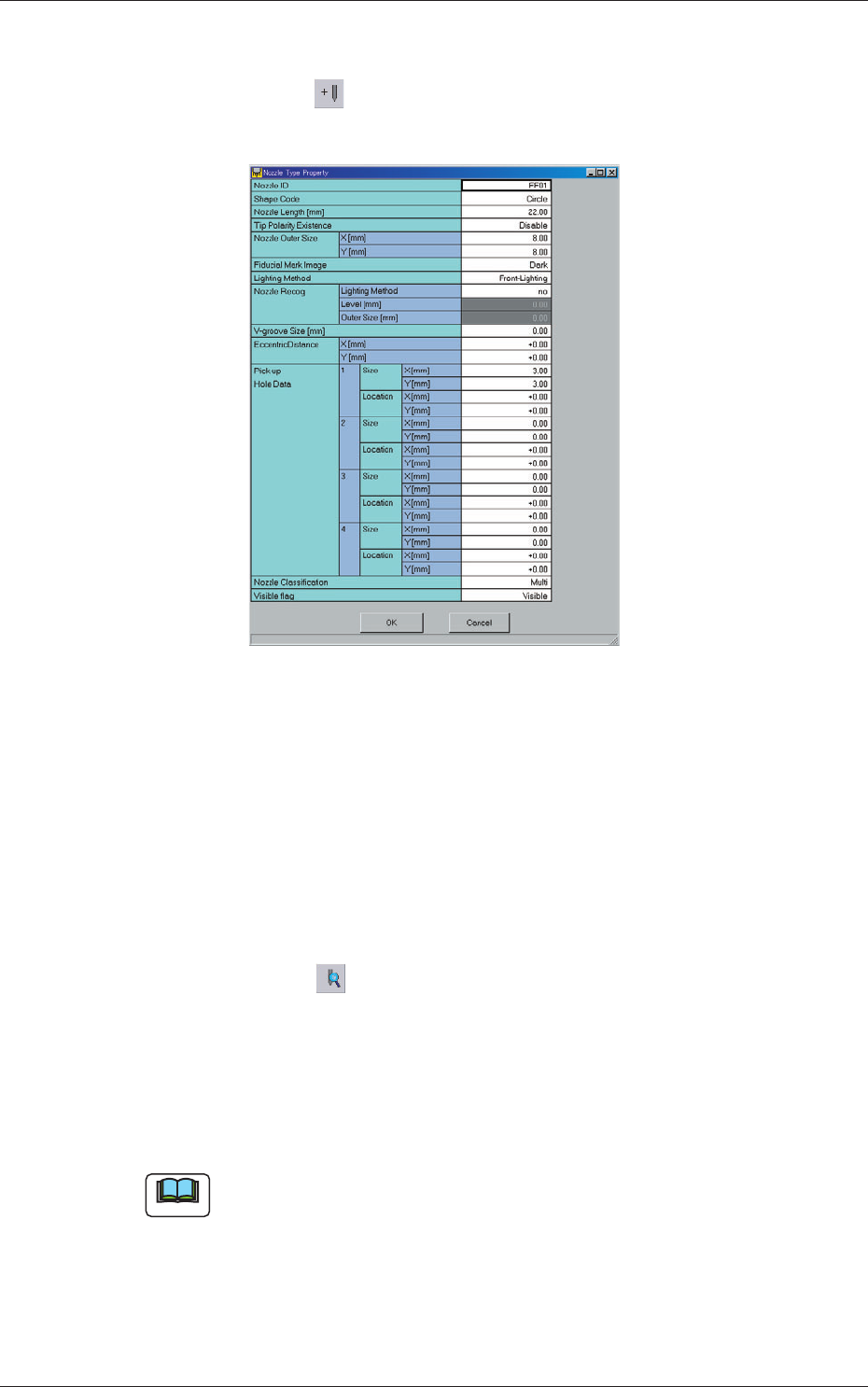
(1) Press the icon ( ).
The "Nozzle Type Property" window opens.
Fig. 3F77
(2) Enter parameters (nozzle data) in the text boxes.
(3) Press the [OK] button.
The nozzle data is added as new one.
3.2.2 How to change a nozzle type
(1) Select the nozzle data to be changed.
(2) Press the icon ( ).
The "Nozzle Type Property" window opens.
(3) Change the data.
(4) Press the [OK] button.
The nozzle data is changed.
Note
When the [Cancel] button is pressed in the "Nozzle Type Property"
window, the window closes without newly adding or modifying the data.
0606-009
3.2 Nozzle Data
6-85
AIVEDT-ID
3.2.3 How to delete a nozzle type
(1) Select the nozzle data to be deleted.
(2) Press the icon ( ).
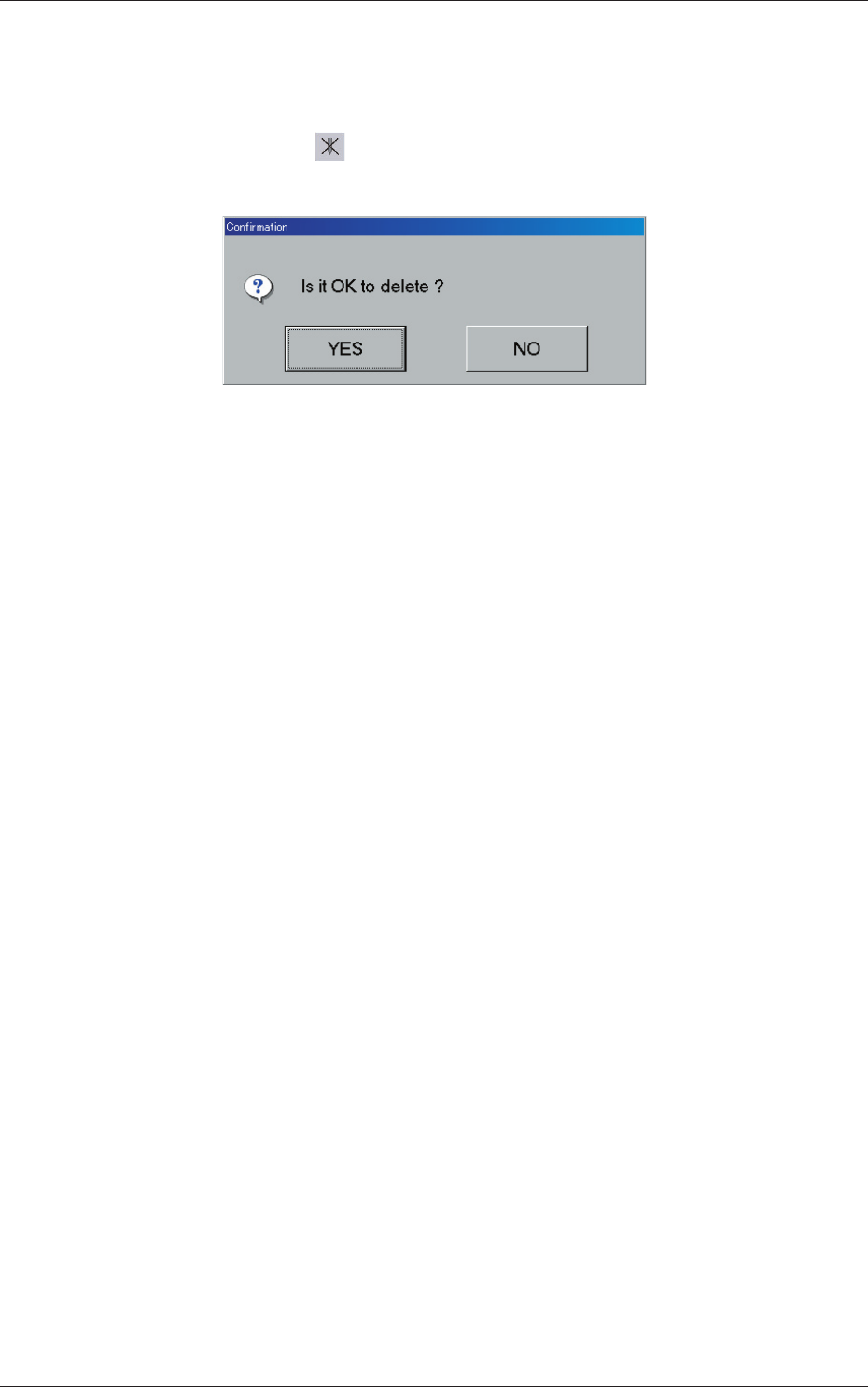
The following "Confirmation" dialog box opens.
Fig. 3F78
(3) When the [YES] button is pressed, the selected nozzle data is deleted.
When the [NO] button is pressed, the deletion of the selected nozzle
data is canceled.
0606-009
3.2 Nozzle Data