3OM-1208-011_w.pdf - 第326页
6-93 AIVEDT -ID • How to specify the date and time Procedure (1) When the [Y ear] button is pressed, the "Y ear" edit window opens. (2) Enter a year in the entry field of the "Y ear" edit window and pr…
6-92
AIVEDT-ID
6. Date & Time Setting
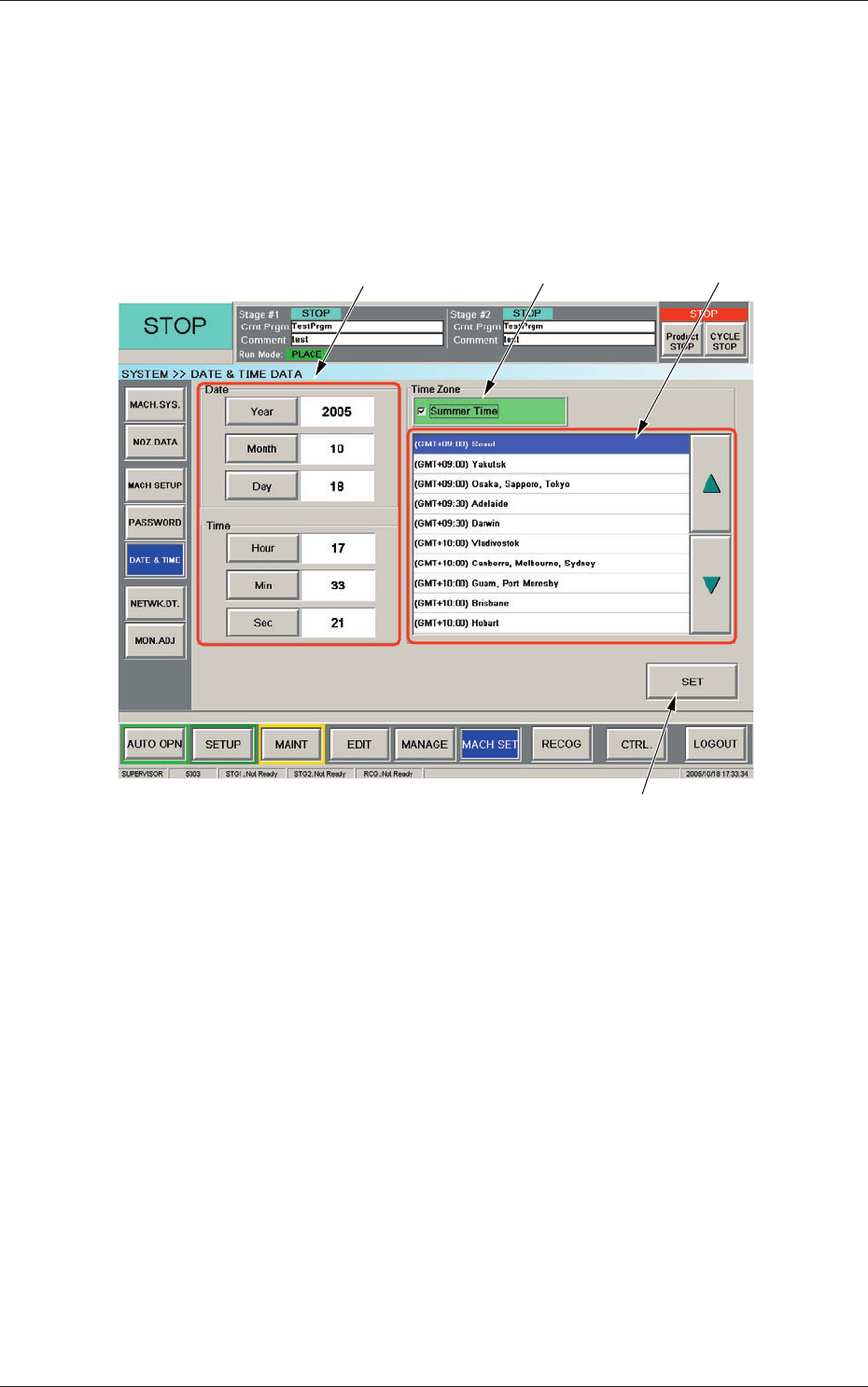
When the [DATE & TIME] button on the "MACH SET" menu bar is pressed,
the "DATE & TIME DATA" window appears.
The system clock (year, month, day, hours, minutes, and seconds) can be
adjusted and a time zone can be selected.
[1]
[2]
[4]
[3]
Fig. 3F83 "DATE & TIME DATA" Window
[1] Edit Buttons
When one of these buttons is pressed, the corresponding edit window
opens.
[2]
"Summer Time" Check Box
Tick this button to specify the summer time.
A check mark appears
inside the box, indicating that the summer time is selected.
[3] "Time Zone" List
Select the proper time zone from this list.
[4] [SET] Button
The data adjusted with the edit buttons is confirmed and set in the
machine by means of this button.
0606-009
6. Date & Time Setting

6-93
AIVEDT-ID
•
How to specify the date and time
Procedure
(1) When the [Year] button is pressed, the "Year" edit window opens.
(2) Enter a year in the entry field of the "Year" edit window and press the [Set]
button.
The entered year appears in the corresponding text box.
(3) Follow the same procedure to specify a month, a day
, hours, minutes, and
seconds.
(4) Select the proper time zone from the "Time Zone" list pane.
(5)
When the [SET] button is pressed, the settings are determined.
0606-009
6. Date & Time Setting
6-94
AIVEDT-ID
0606-009
7. Network Setting
The corresponding window enables you to connect the computer system of
the machine to the local network (Ethernet LAN).
When the [NETWK. DT.] button on the "MACH SET" menu bar is pressed,
the "Network Set" window appears.
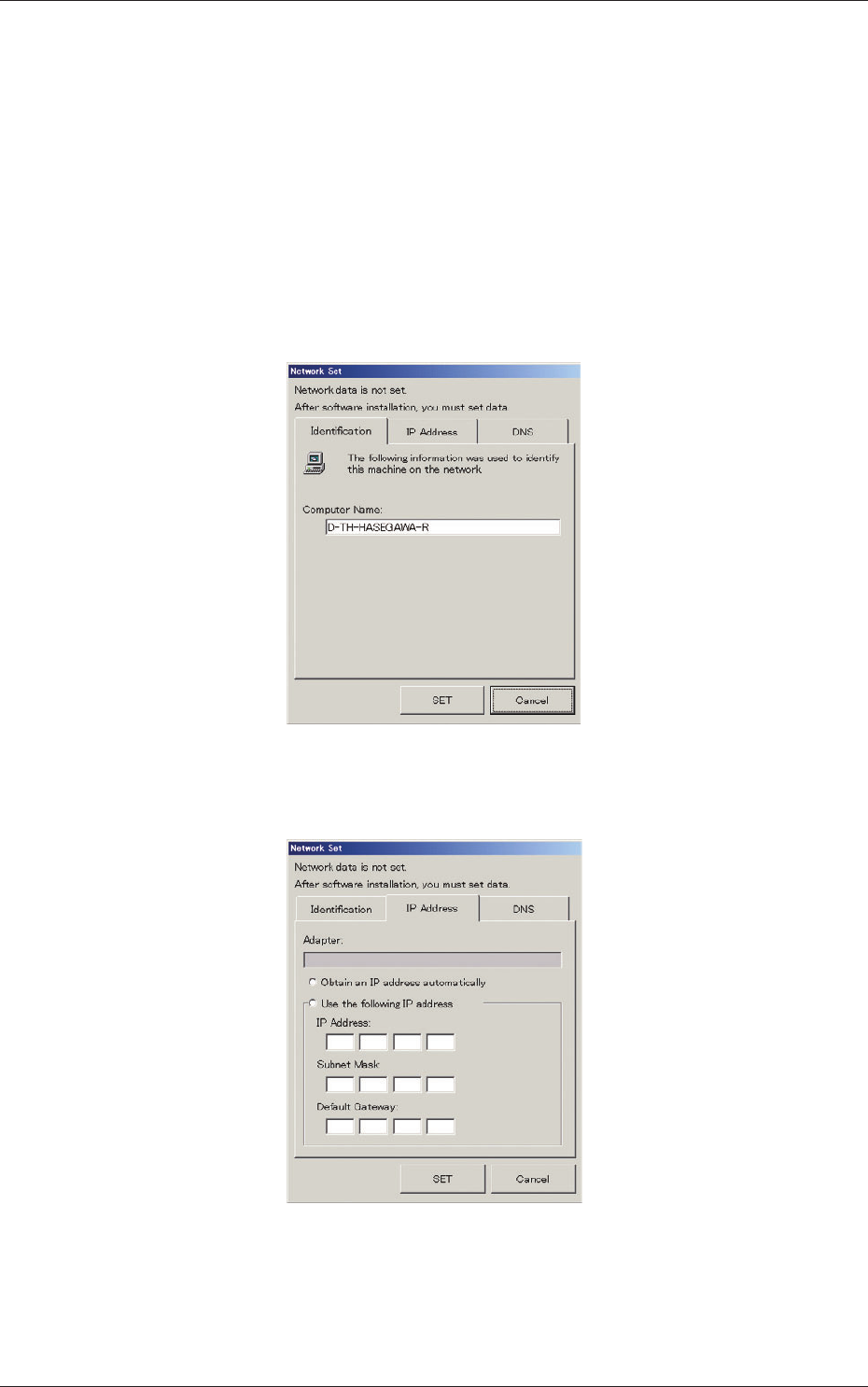
The "Network Set" window is provided with three tab sheets.
(1) In the "Identification" tab sheet, specify the name of the computer in
this machine.
Fig. 3F84 "Network Set" Window ("Identification" Tab Sheet)
(2) In the "IP Address" tab sheet, specify the IP address to be used.
Fig. 3F85 "Network Set" Window ("IP Address" Tab Sheet)
7. Network Setting