3OM-1208-011_w.pdf - 第328页
6-95 AIVEDT -ID (3) In the "DNS" tab sheet, specify the domain name system (host and domain names). Fig. 3F86 "Network Set" Window ("DNS" T ab Sheet) (4) When the [SET] button is pressed, th…
6-94
AIVEDT-ID
0606-009
7. Network Setting
The corresponding window enables you to connect the computer system of
the machine to the local network (Ethernet LAN).
When the [NETWK. DT.] button on the "MACH SET" menu bar is pressed,
the "Network Set" window appears.
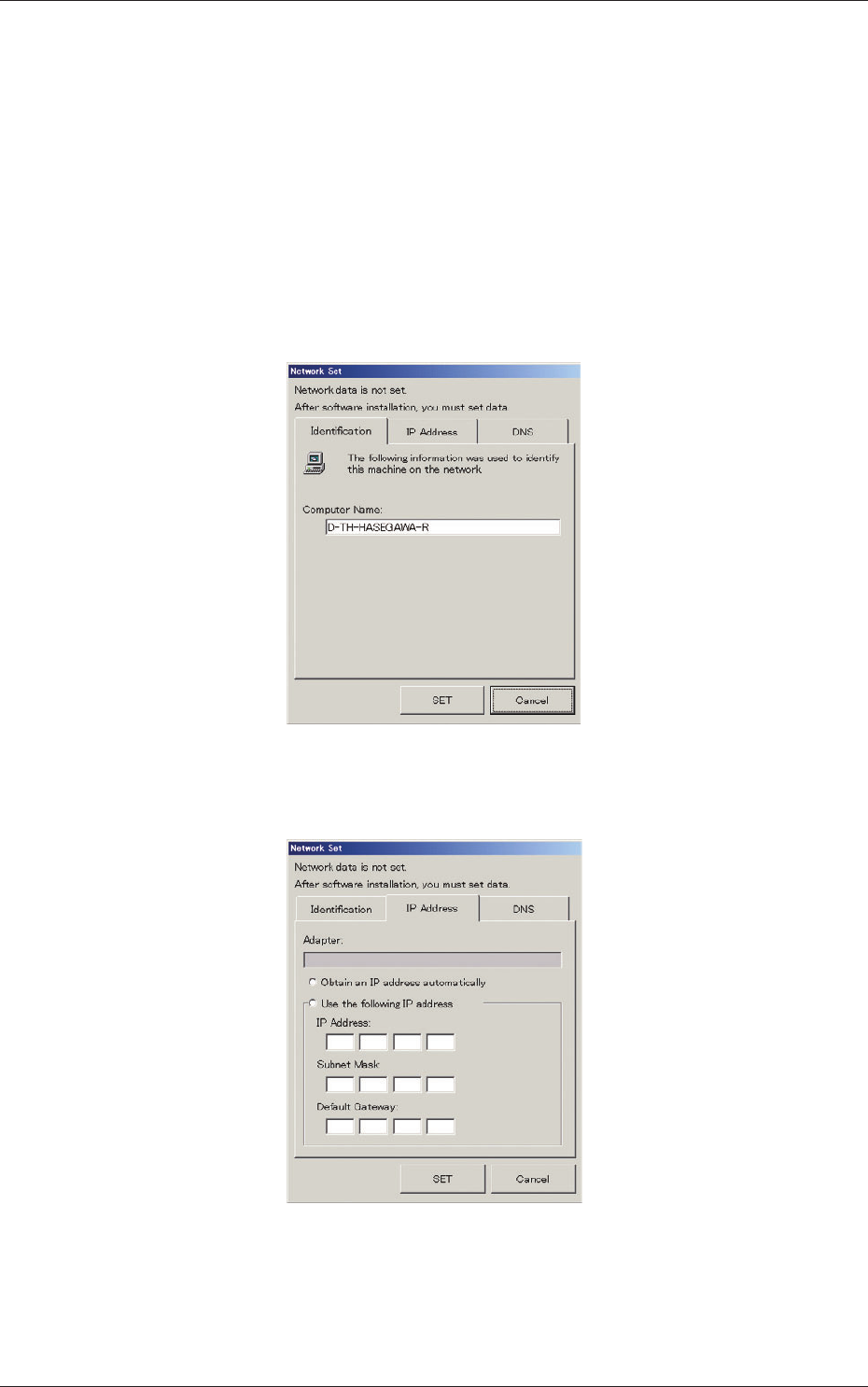
The "Network Set" window is provided with three tab sheets.
(1) In the "Identification" tab sheet, specify the name of the computer in
this machine.
Fig. 3F84 "Network Set" Window ("Identification" Tab Sheet)
(2) In the "IP Address" tab sheet, specify the IP address to be used.
Fig. 3F85 "Network Set" Window ("IP Address" Tab Sheet)
7. Network Setting
6-95
AIVEDT-ID
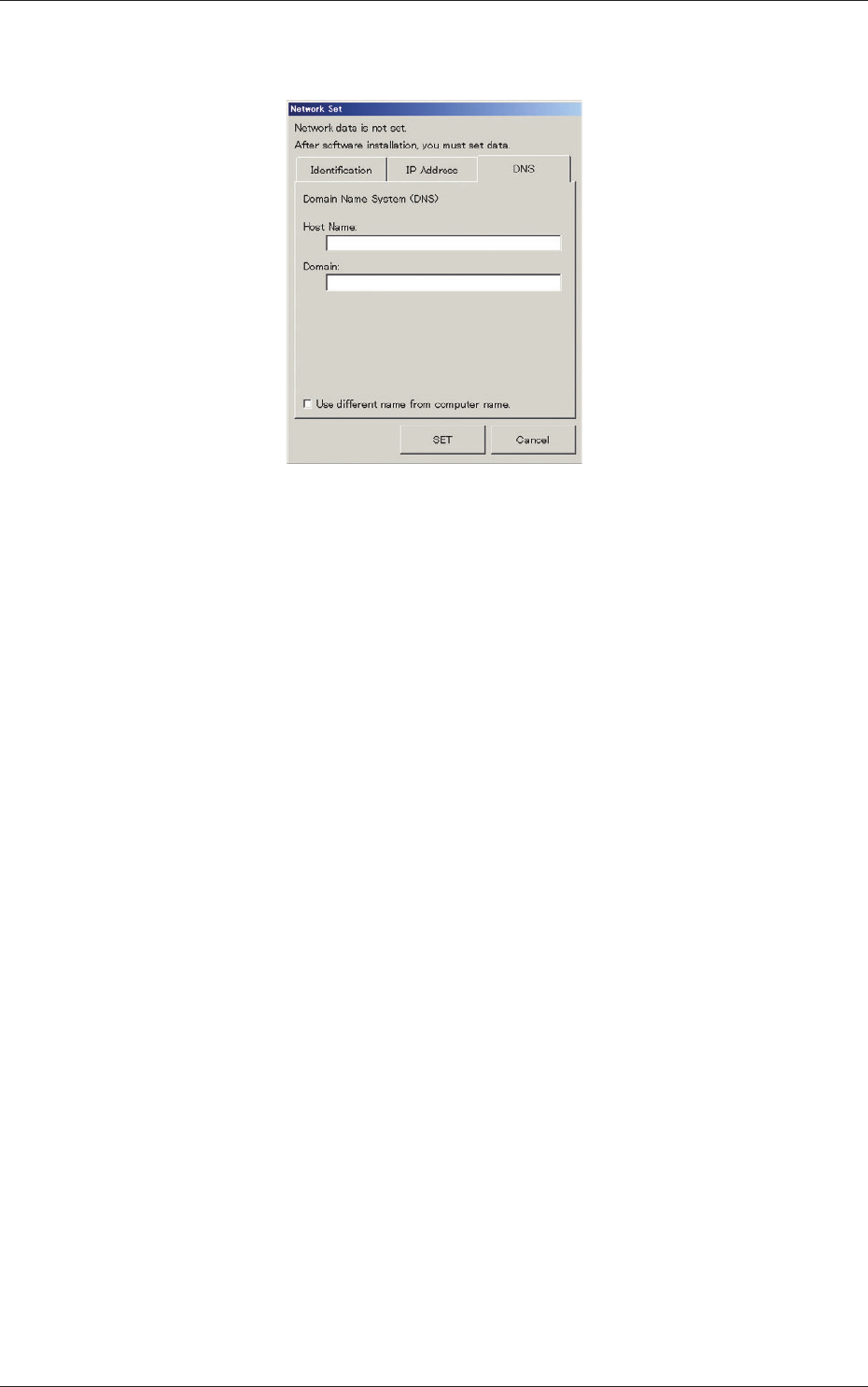
(3) In the "DNS" tab sheet, specify the domain name system (host and
domain names).
Fig. 3F86 "Network Set" Window ("DNS" Tab Sheet)
(4) When the [SET] button is pressed, the network is constructed according
to the specified data.
When the [Cancel] button is pressed, the specified settings are canceled.
0606-009
7. Network Setting
6-96
AIVEDT-ID
8. Operation Screen Adjustment
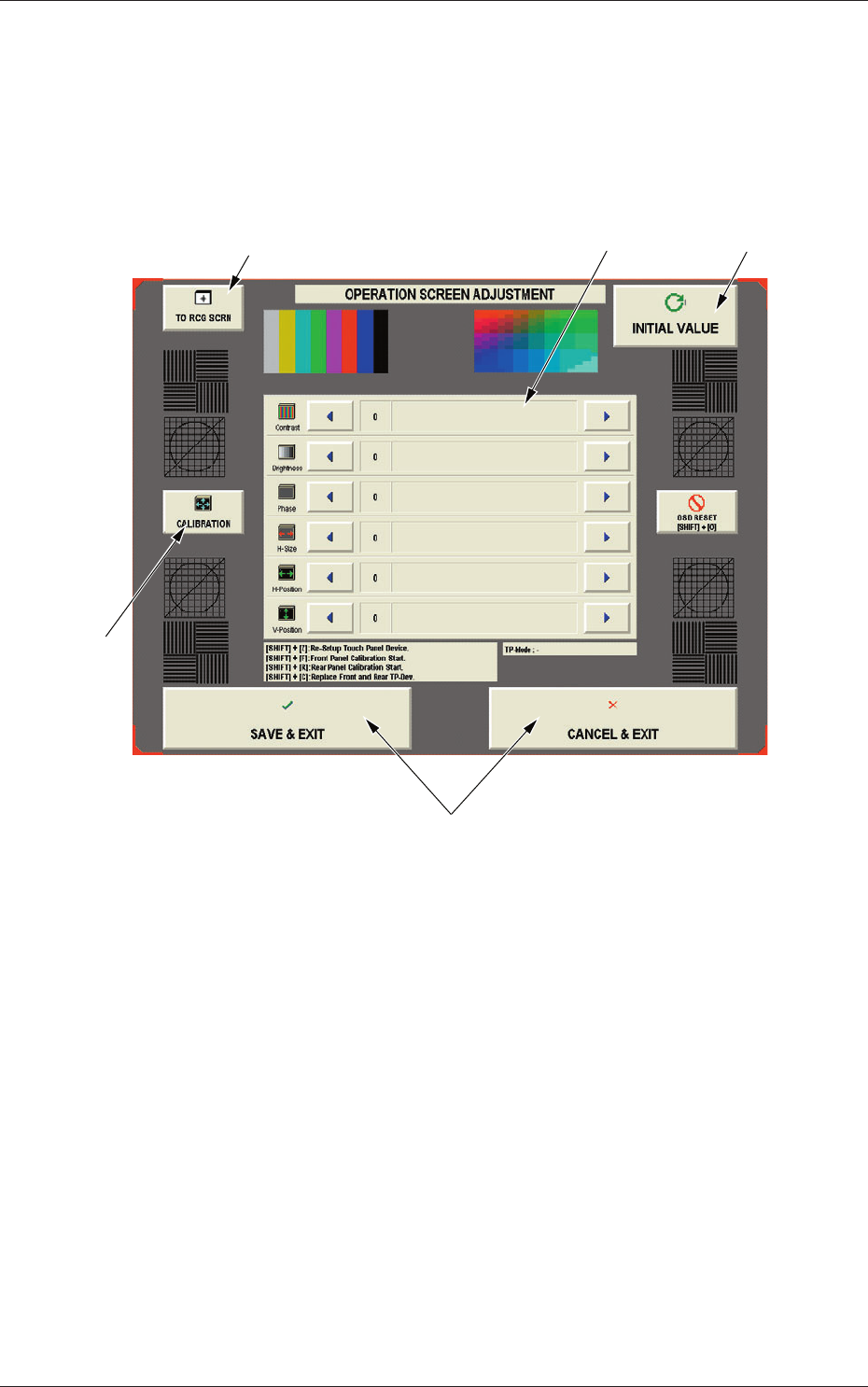
The corresponding window enables you to adjust the touch screen.
When the [MON. ADJ] button on the "MACH SET" menu bar is pressed, the
"OPERATION SCREEN ADJUSTMENT" window appears.
[1]
[2]
[4]
[5]
[3]
Fig. 3F87 "OPERATION SCREEN ADJUSTMENT" Window
This window enables you to adjust the contrast, brightness, phase, color tone,
distortions, etc., of the screen.
0606-009
8. Operation Screen Adjustment