3OM-1208-011_w.pdf - 第85页
2-10 AIVEDT -ID 0606-009
2-9
AIVEDT-ID
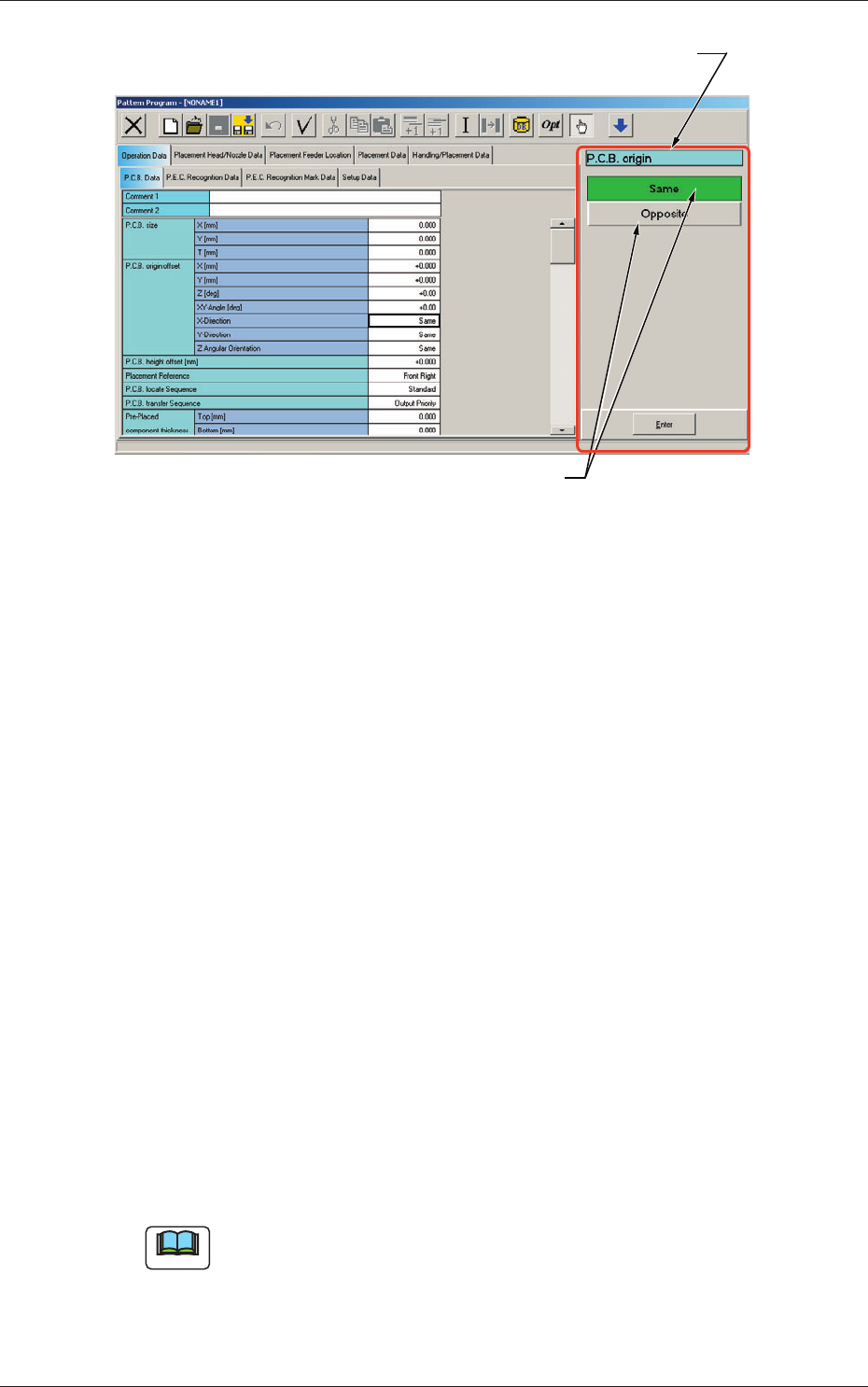
Selection Buttons
"Data Item Name" Box
Fig. 3B14
"
Pattern Program
"
Edit Window
(Example of Item Selection and Parameter Entry)
[Esc] Key :
When this is selected, the data entry is
interrupted.
[C] Key
:
Whe
n this is selected, the data in the
"
Data Entry
"
box is cleared.
[BS] Key :
When pressed, this erases characters to the left of
the cursor in the
"
Data Entry
"
box.
[Mode] Key :
When pressed, this changes the input mode for
alphanumeric characters and symbols.
[PgUp] Key :
When pressed, this moves to the next page of the
data entry panel.
[PgDn] Key :
When pressed, this moves to the previous page of
the data entry panel.
[Space] Key :
When pressed, this inserts a space.
[
←
] and [
→
] Keys
:
When either one of these keys is pressed, the
cursor moves in the selected arrow direction.
[Ent] Key or
:
When this is pressed, the parameter in the
[Enter] Key
"
Data Entry
"
box is defined in the corresponding
text box.
(3) Edit the data through keyboard navigation.
Note
When the touch keypad is provided with some selection buttons, select the
desired option.
(4) Press the [Ent] or the [Enter] key to determine the selection.
0606-009
2.3 Data Entry with Touch Keypad for Data Editing

2-10
AIVEDT-ID
0606-009

3-A
AIVEDT-ID
0606-009
Chapter 3
Pattern Program
This chapter describes the contents, editing, etc., of the
pattern program.
•
Pattern Program
•
Editing of Pattern Program
•
Example of Pattern Program Creation