00193730-04.pdf - 第39页
Retrofit instructions Splice Detection Basic Packa ge + Table Controller SIPLACE HF-series 08/2005 Edition 39 2.10.1 Changes to the CPCI bus VIO System structure 2 2
Retrofit instructions Splice Detection Basic Package + Table Controller SIPLACE HF-series
08/2005 Edition
38
2.10 Converting the control unit
: Switch the placement system off at the main switch.
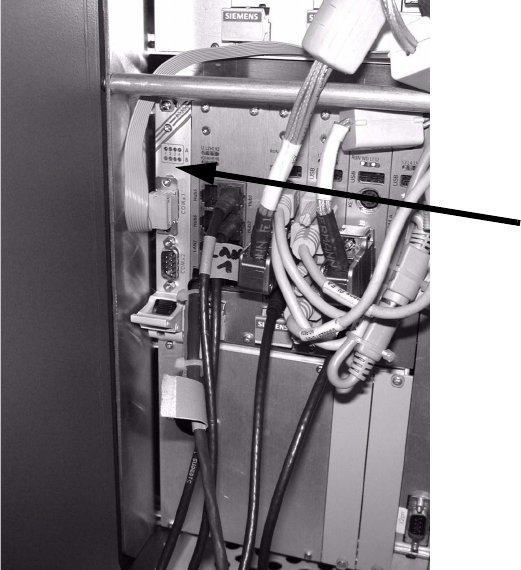
: Push the RS232C adapter into the control unit (see picture below).
2
2
2
2
2
2
2
2
2
2
2
2
Retrofit instructions Splice Detection Basic Package + Table Controller SIPLACE HF-series
08/2005 Edition
39
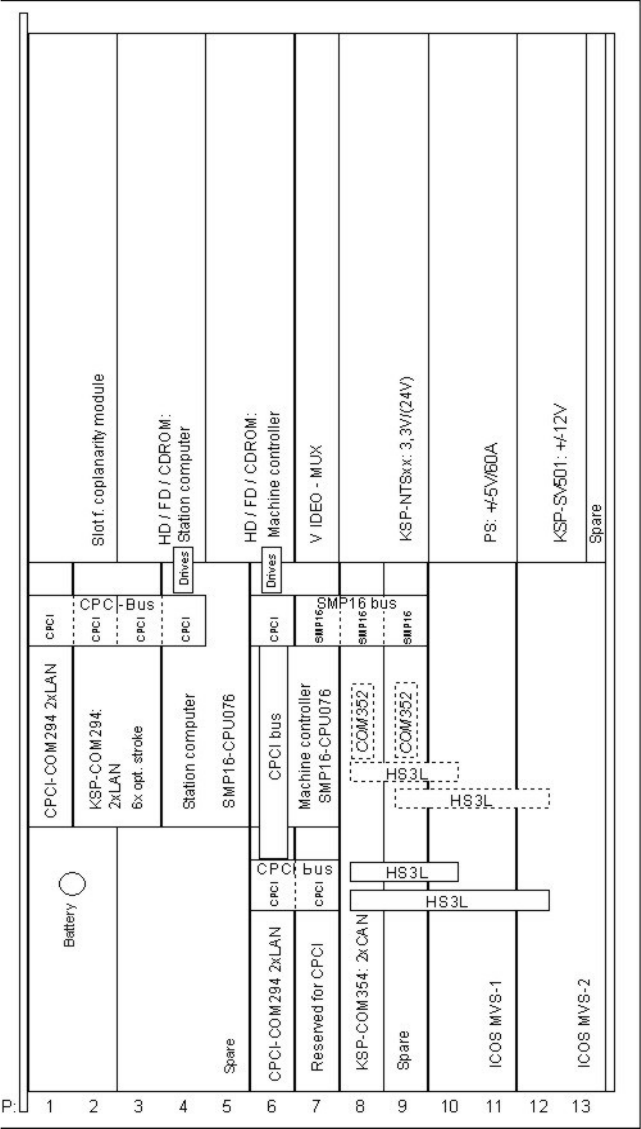
2.10.1 Changes to the CPCI bus VIO
System structure 2
2
Retrofit instructions Splice Detection Basic Package + Table Controller SIPLACE HF-series
08/2005 Edition
40
2.10.2 Installing the driver software
: Log on as local administrator.
: Switch to the MS-DOS prompt.
: Insert the driver diskette supplied in the station computer.
: Run A:\InstCSER.exe.
This installs the driver.
: Remove the diskette.
: Restart the placement system.
2.10.3 Testing the driver software
: Open the START / Settings / Control Panel / Connections menu.
This menu must now also contain the interfaces COM 3 to 5. 2
2
: Install the SMV software, the traceability software and the fill level software (see the relevant
installation instructions).
2
2