ConneX_Help.pdf - 第15页
4. N o w in the Pr ogr amme rs sec ti o n, c on f irm that the ad d e d prog ra mm e r ap pe a rs in the l i st wi th a Statu s of O n lin e (gre e n c o l or) . Con f i gu r e M a chi n e M a na ge r o pt io ns T o c ha…
Check Programmer Connectivity
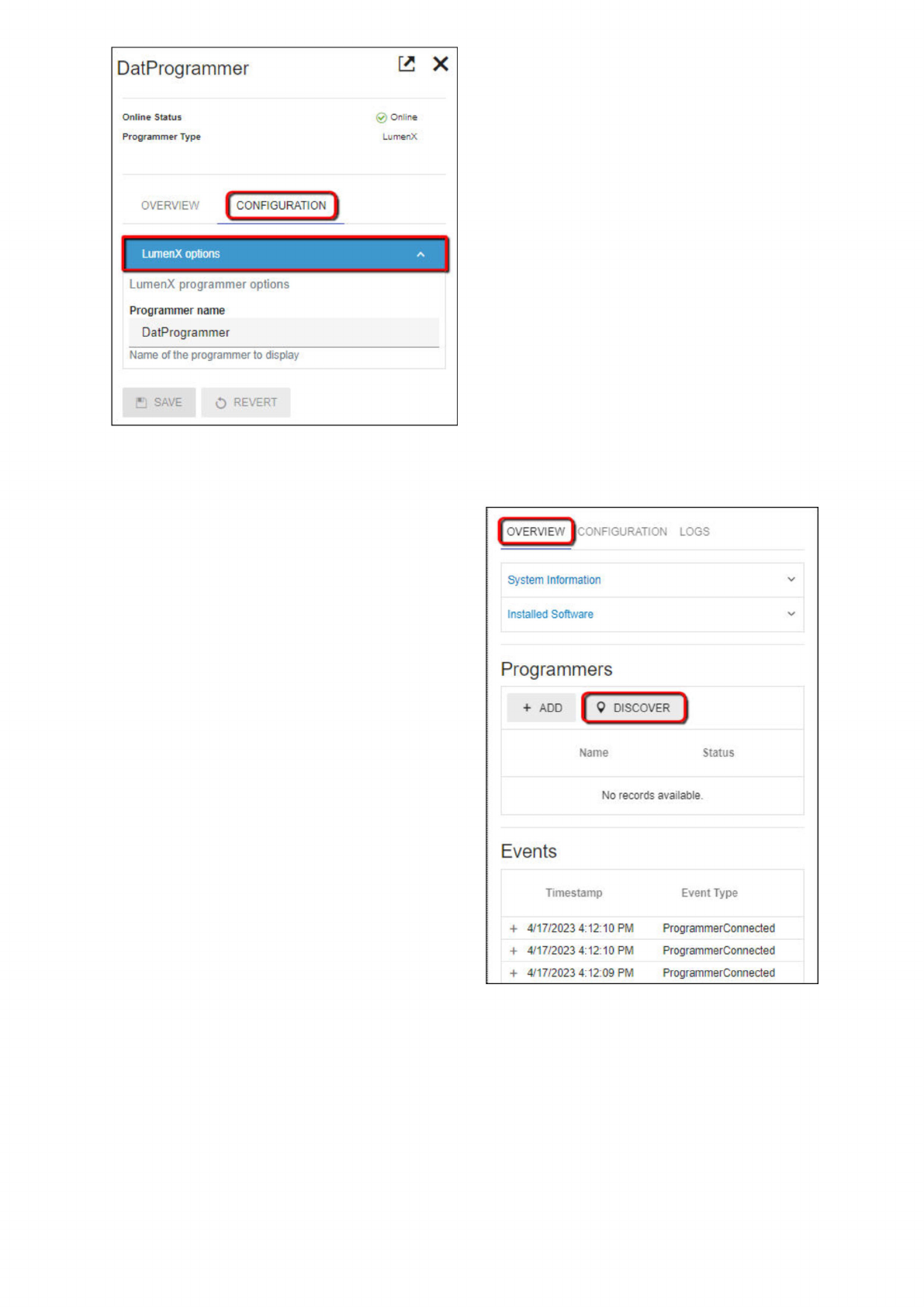
1. Return to the system tile (and its Overview tab), then under the Programmers section, confirm that the list shows the
programmer(s) you intend to use for ConneX; else click Discover.
2. If the desired programmer does not appear in the list after running automatic discovery, then click Add (next to Discover button).
3. In the Add Programmer window, select the Programmer Type (FC or LX), specify its IP address, type a Programmer Name
(optional), and then click Add.
DatProgrammer
Online
Status
Programmer
Type
已
X
v
;
On
ire
LumenX
OVERVIEW
CONFIGURATION
LumenX
programmer
options
Programmer
name
DatProgrammer
Name
of
the
programmer
to
display
o
REVERT
巴
SAVE
LumenX
options
|OVERVIEW|CONFIGURATION
LOGS
System
Information
Installed
Software
Programmers
+
ADD
[
9
DISCO
募
Name
Status
No
records
available.
Events
Timestamp
Event
Type
+
4/17/2023
4:12:10
PM
ProgrammerConnected
+
4/17/2023
4:12:10
PM
Prog
ram
merConnected
+
4/17/2023
4:12:09
PM
ProgrammerConnected
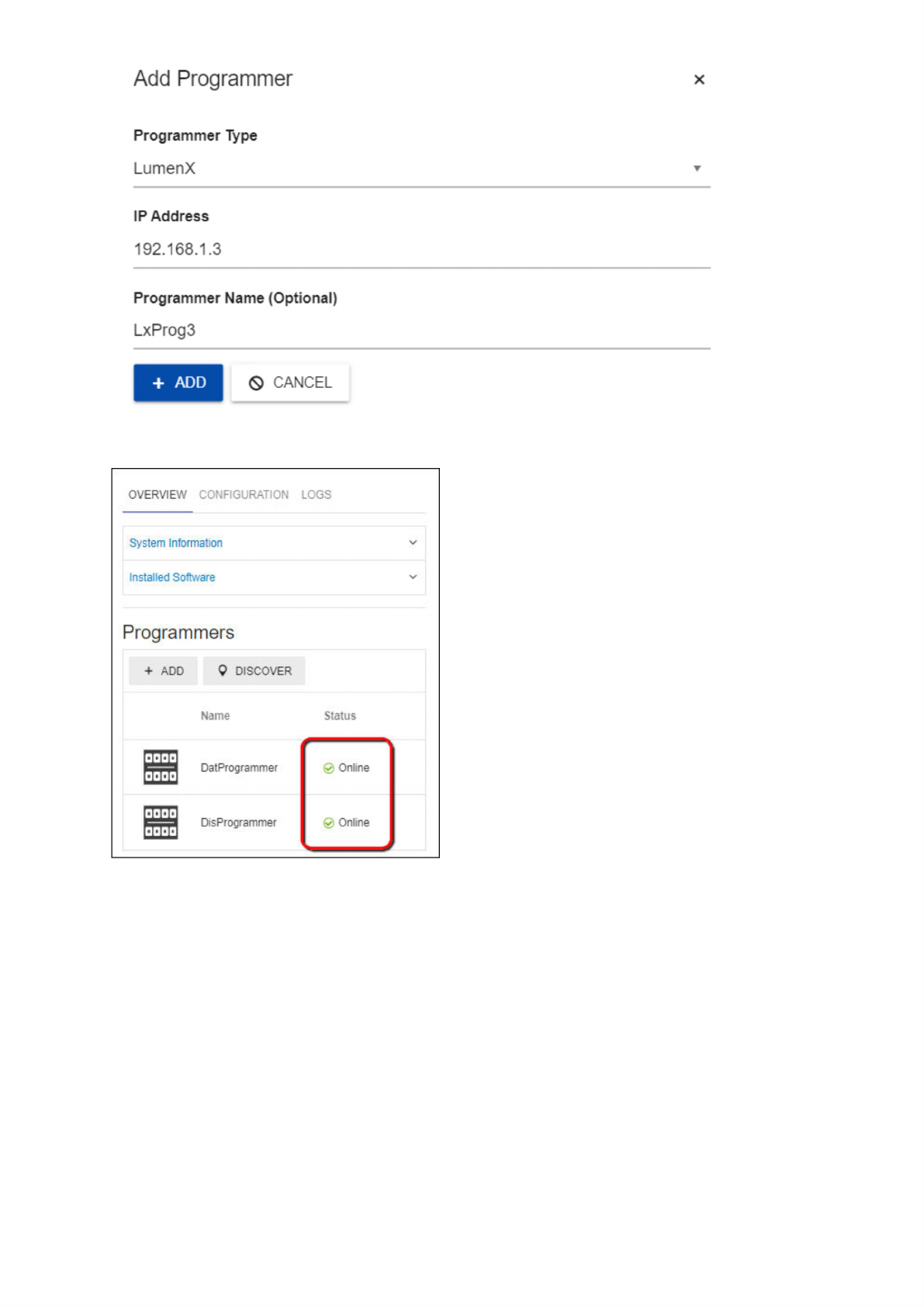
4. Now in the Programmers section, confirm that the added programmer appears in the list with a Status of Online (green color).
Configure Machine Manager options
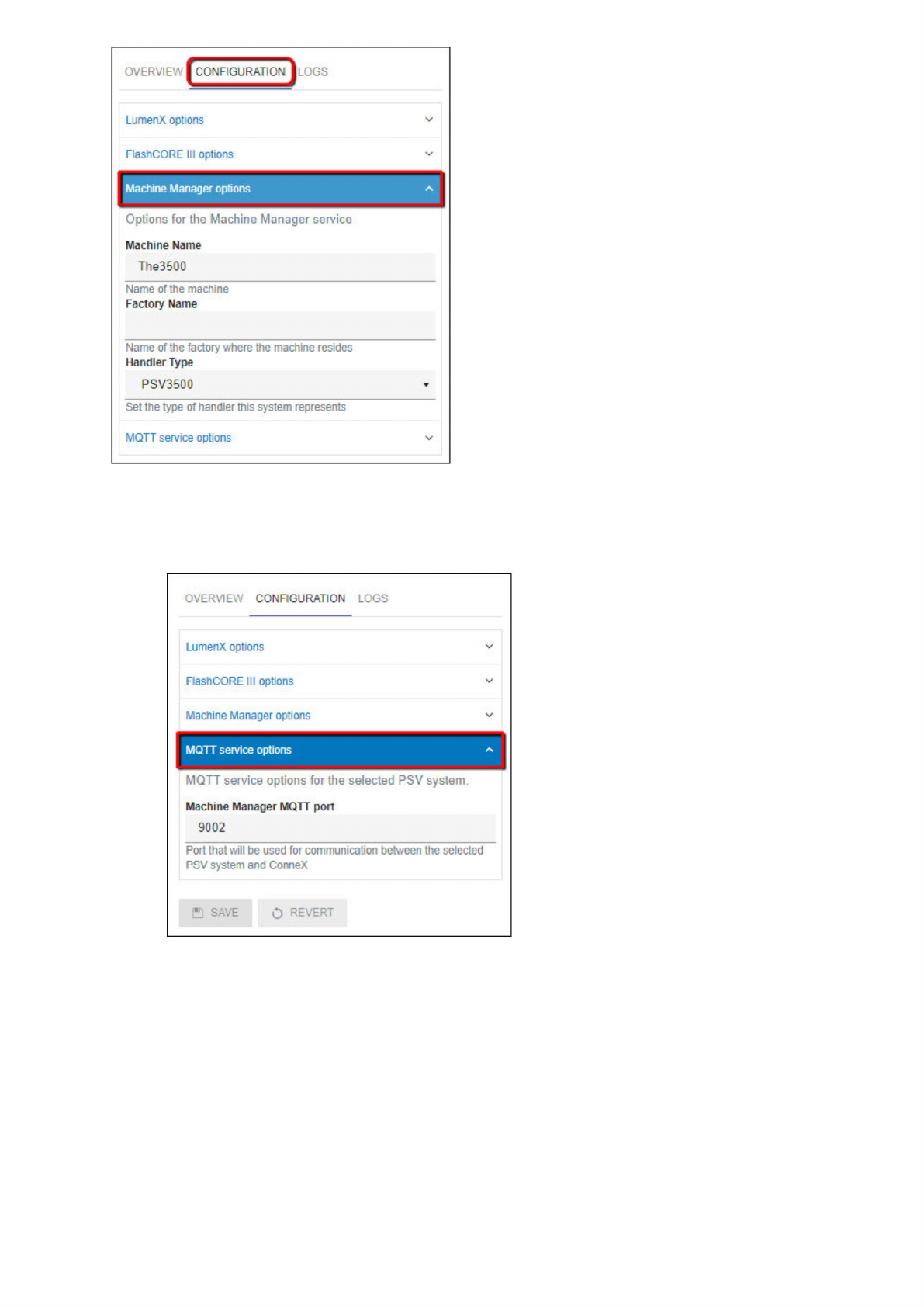
To change the Machine Name, Factory Name, or Handler Type (all of which ConneX writes to logs and records):
1. On the Manage page, select a PSV System/Machine Manager to configure.
2. In the system tile, click the Configuration tab, then expand the Machine Manager options drop-down list.
Add
Programmer
X
Programmer
Type
LumenX
IP
Address
192.168.1.3
Programmer
Name
(Optional)
LxProg3
0
CANCEL
+
ADD
OVERVIEW
CONFIGURATION
LOGS
System
Information
Installed
Software
Programmers
+
ADD
9
DISCOVER
Name
DatProg
rammer
DisProgrammer
@
Online
Online
3. Click Save.
Configure MQTT service options
Similarly, click the MQTT service options drop-down list to configure the Machine Manager MQTT port (default is TCP port 9002), and
then click Save.
OVERVIE\":ONFIGURATIONj
LOGS
LumenX
options
FlashCORE
III
options
Machine
Manager
options
人
Options
for
the
Machine
Manager
service
Machine
Name
The3500
Name
of
the
machine
Factory
Name
Name
of
the
factory
where
the
machine
resides
Handler
Type
PSV3500
Set
the
type
of
handler
this
system
represents
MQTT
service
options
OVERVIEW
CONFIGURATION
LOGS
LumenX
options
FlashCORE
III
options
Mactiine
Manager
options
MQTT
service
options
MQTT
service
options
for
the
selected
PSV
system.
Machine
Manager
MQTT
port
9002
Port
that
will
be
used
for
communication
between
the
selected
PSV
system
and
ConneX
B
SAVE
O
REVERT