TR7500E_Manual_en_v28 - 第10页
C h a p t e r 1 AO I S t a nd a r d P r o j ec t Cr ea t i on T R 7500 U S E R M A N U AL 3 ( 3) I n p u t C AD f i l e B r o w s e C AD f i l e p a t h S e l e c t i ng A O I t r a n s l a t o r T y p e s o f d i ff e r…
Chapter 1 AOI Standard Project Creation
TR7500 USER MANUAL
2
is parts.asc file from FABMASTER program, you can use the FABMaster to transfer
from ASC files to AOI file. Or you may collect data for all components including
component name, x and y value, rotation angle, and type of component and save them
as TXT files. Then transfer from the saved TXT file to an AOI file by DEFAULT
translator The “Component Name” field must be the characters, figures or symbols
which can be typed directly on the keyboard. The “Type” field must be the characters
or figures which can be typed directly on the keyboard or under line symbol (“_”).
The system will be unable to display or save in the correct content when the content is
not correct.
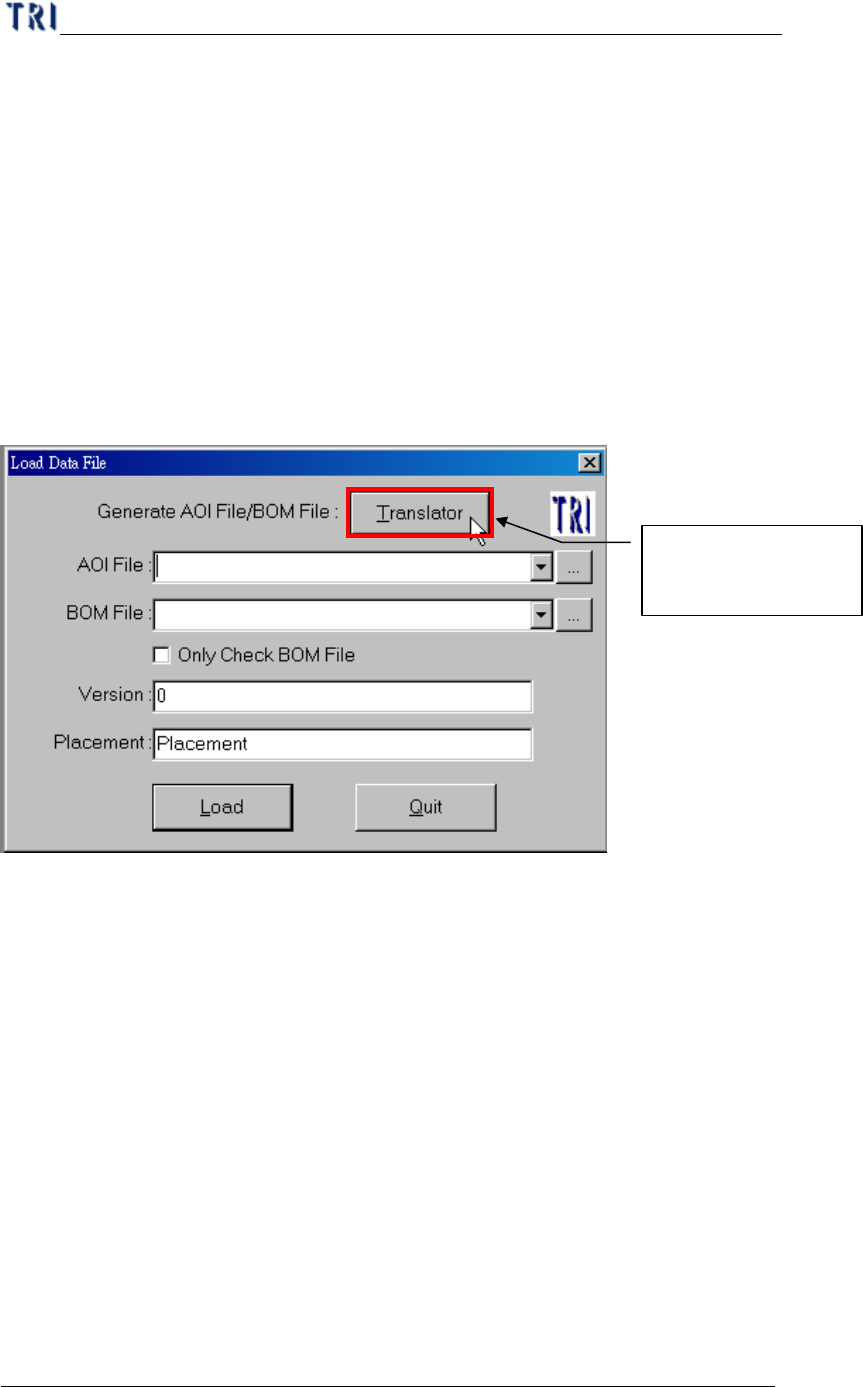
(1) Translate a CAD to an AOI file.
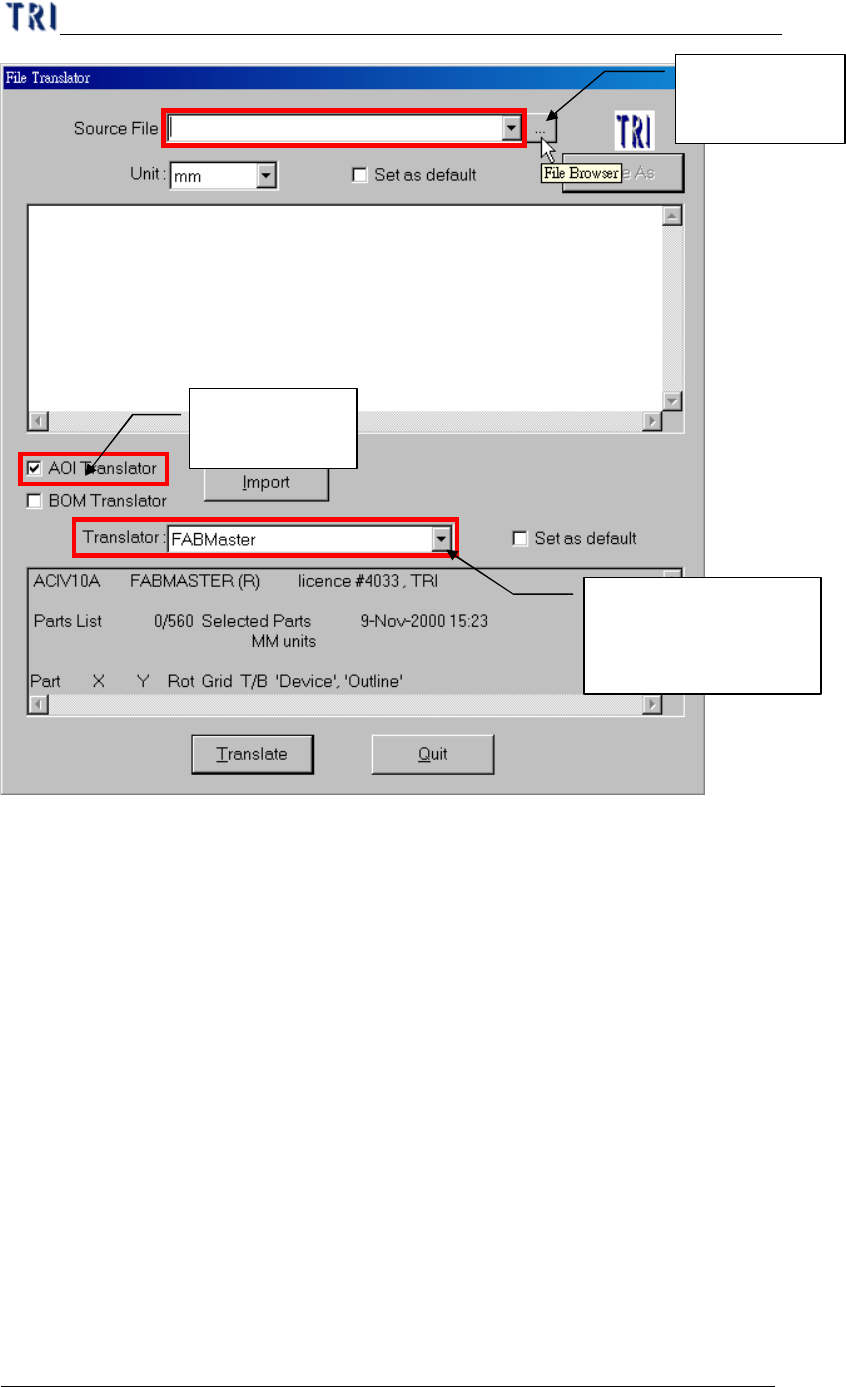
(2) Browse CAD file path.
CAD file translation
by Translator
Chapter 1 AOI Standard Project Creation
TR7500 USER MANUAL
3
(3) Input CAD file
Browse CAD
file path
Selecting AOI
translator
Types of different
Translator for varies
SMT machine vendor
Chapter 1 AOI Standard Project Creation
TR7500 USER MANUAL
4
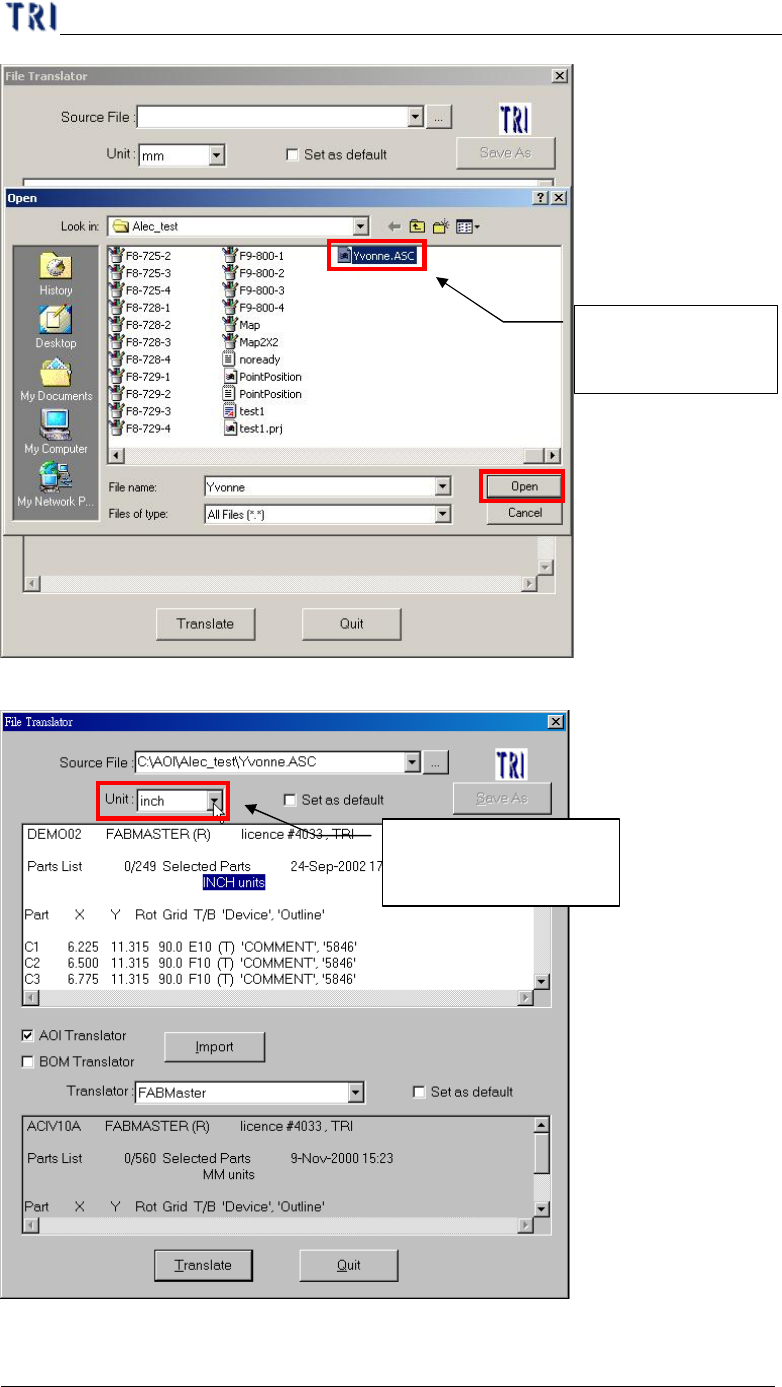
(4) Unit defines from CAD file.
(5) Start translation.
Choosing a CAD
file and open it
Choosing unit depend
on CAD file